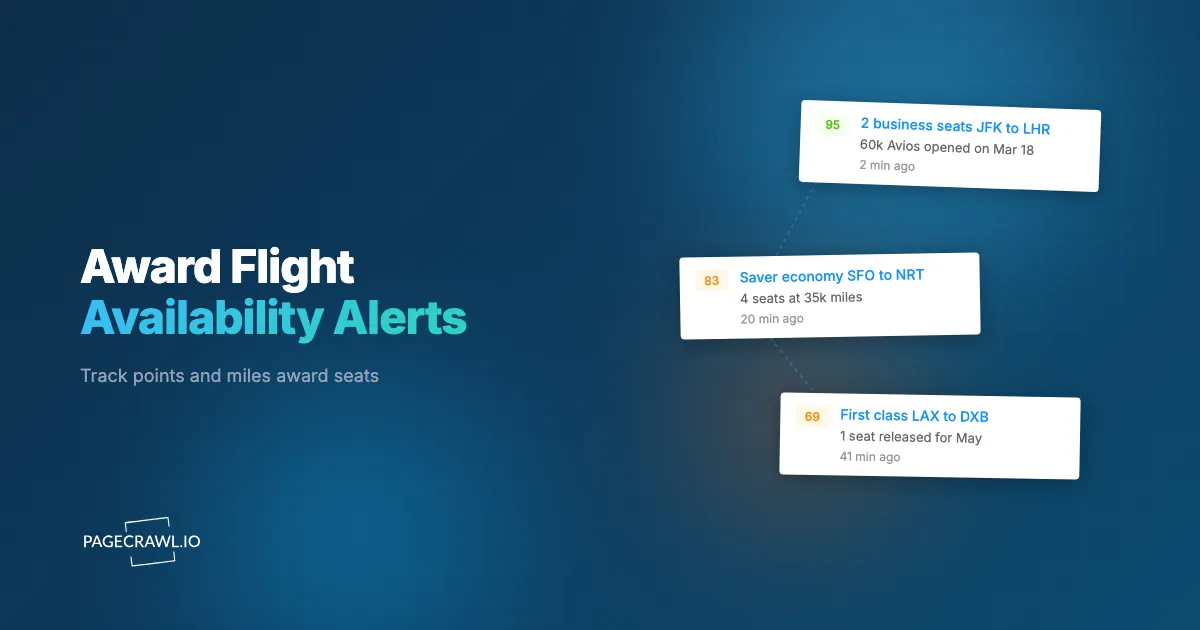
You have been sitting on 140,000 miles for a year, waiting to book two business class seats to Tokyo. Every search returns the same thing: cash fares everywhere, saver award seats nowhere. Not next month, not the month after, not on any date you can travel. The award calendar is a wall of blanks. Then on a Tuesday afternoon, the airline reshuffles its winter schedule, swaps a narrowbody for a widebody on your route, and two saver seats quietly appear. They are gone within hours, claimed by someone whose monitoring caught the inventory flip on its next check. That someone could be you.
Award availability is the hardest inventory in travel to find. Unlike a cash fare, which is almost always bookable at some price, a saver award seat either exists or it does not, and on premium cabins and popular routes it usually does not. The seats that do open up appear unpredictably, driven by schedule changes, equipment swaps, and last-minute releases that no airline announces. Refreshing award search by hand is a losing game. The people who consistently book the seats everyone else says are impossible are not luckier. They are monitoring.
This guide covers how award availability actually works, why seats open up when they do, which pages to watch across your own and partner programs, and how to set up automated alerts that catch a saver seat soon after it appears.
What is award flight availability, and why is it so hard to find?
Award flight availability is the number of seats an airline releases to be booked with points or miles instead of cash, usually at a fixed "saver" mileage rate. It is scarce because each flight gets only a handful of saver seats allocated, and on premium cabins or busy routes that allocation is frequently zero for months at a time.
Airlines manage award inventory the way they manage cash fares: in buckets. Only specific booking classes map to saver award pricing, so when those classes are closed the route shows no saver space even though the cabin has empty seats the airline would happily sell for cash. Some programs also offer "dynamic" award pricing, where any seat is bookable for points but the mileage cost floats with the cash fare and can run two or three times the saver rate. Saver space is the prize because its cost is fixed and predictable, which is exactly why it is rationed so tightly.
The upshot: whether a real, empty seat is bookable with points is a decision the airline makes and remakes continuously, which is exactly what makes award space monitorable.
Why do award seats suddenly open up?
Award seats open up when the airline's inventory changes after you first searched. The main triggers are new schedule loading, equipment swaps to a larger aircraft, route retimings and cancellations that re-accommodate passengers, unsold premium seats released close to departure, and award sales. Any one can flip a sold-out route to bookable in minutes.
The connection between schedules and award space is what most travelers miss:
- Schedule loading at the booking horizon. Network carriers typically open their schedules around 330 days before departure. When a new day first loads, the initial saver allocation is at its most generous, before anyone has booked. Watching for the day your dates enter the system catches inventory at its peak.
- Equipment swaps. When an airline swaps a smaller jet for a widebody on your route, total seats jump and the award buckets often reopen with them. A route showing zero saver space can show two or four the same afternoon.
- Schedule changes and cancellations. When an airline retimes or drops a flight, the affected passengers get rebooked, which churns inventory across nearby flights and can release saver space on the survivors. This is the same churn from our guide to airline schedule monitoring for route changes and cancellations, viewed from the award side.
- Last-minute release. Many airlines dump unsold premium seats into saver award space in the final two to three weeks before departure rather than fly them empty. This is the classic "open up close-in" pattern that frequent flyers plan around.
- Award sales and promotions. Programs periodically discount specific routes or release extra space to drive engagement, often with little notice and a short window.
Two seats opening, vanishing, and reopening over a single week is normal on a contested route. You will never catch that rhythm by checking when you happen to remember. Automated monitoring is built precisely for inventory that blinks on and off.
Which pages should you monitor for award availability?
Monitor the award-search results page for your exact route, dates, and cabin on every program that can book the flight: the operating airline's own award search, alliance and partner award engines, and any transfer-partner program that prices the route. Different programs surface different award space for the same physical seat, so watching only one leaves seats on the table.
The operating airline's own award search
The carrier that flies the route is the natural first monitor. Its own program usually sees the deepest view of its saver inventory and is the easiest to act on, since booking is direct. Search your exact route, date, and cabin, then monitor the results page for the itinerary you want. This is where last-minute release and equipment-swap space tends to appear first.
Partner and alliance award engines
The same seat is often bookable through a partner program, sometimes at a lower mileage rate and sometimes when the operating carrier's own search shows nothing. Alliance partners (through Star Alliance, oneworld, or SkyTeam) and bilateral partners each get their own slice of award inventory, and the slices do not always match. Monitor the partner program's award search for the same route and dates in parallel. When a route is impossible on one program, it can be wide open on another for the identical flight.
Transfer-partner sweet spots
If your points live in a flexible currency that transfers to multiple airline programs, the program you book through is a choice, not a constraint. Monitor the award search on each program that prices your route well, then transfer points only once you confirm space. Because transfers are usually one-way and irreversible, the monitor is what lets you wait for confirmed availability before committing your points.
Calendar and flexible-date views
Many award engines offer a month or multi-day calendar showing which dates have saver space at a glance. If your dates flex even slightly, the calendar view is a higher-signal target than a single date, because one monitor covers a whole range. Watch the calendar page and let the alert tell you which day lit up. The same flexible-date thinking that helps with cash fares, covered in our flight price tracker guide, applies doubly to award space, where one open date can be the entire trip.
How do you set up award seat alerts with PageCrawl?
Automated award monitoring catches the brief windows when saver space opens, which manual searching almost always misses. PageCrawl checks any award-search page on a schedule and alerts you as soon as a check detects that availability changed, so you can transfer points and book before the seats are claimed. You can validate the whole approach on the free tier first, which includes 6 monitors and 220 checks per month, enough to track one trip across a couple of programs.

Note: Award engines often personalize results to your logged-in account, your home region, and your points balance. Treat each monitored page as a reliable signal that availability changed, then confirm the exact seats and mileage cost in your account when you book.
Step 1: Run the award search. On the program you want to book through, search your exact origin, destination, date, and cabin, filter to saver or partner award space, and open the results (or calendar) page showing the itinerary you want.
Step 2: Capture a stable URL. Copy the results URL and confirm it reloads the same search in a fresh browser tab. Many award engines encode the route and dates in the URL. If the URL strips your parameters or expires, prefer a calendar or month-view page where the query reconstructs reliably.
Step 3: Add the URL to PageCrawl. Paste it in and let PageCrawl render the page exactly as a visitor sees it, including dynamically loaded award results. Confirm the preview shows the award space (or the "no availability" state) you expect.
Step 4: Choose what to track. For a single itinerary, target the availability indicator or the saver-seat element so the monitor watches just that, not the whole busy page. Our CSS selector guide walks through pinpointing one element. For a calendar view, monitor the calendar grid so any date flipping from unavailable to available triggers an alert.
Step 5: Handle login-walled award search. Some programs only show award space after you sign in. PageCrawl can run a login sequence before each check using its actions system, the same approach in our guide to monitoring a website behind a login form. Define the navigate, fill, and click steps once, and PageCrawl signs in before capturing the award results.
Step 6: Set the check frequency. For a trip months out, check every few hours to catch schedule loading and equipment swaps without burning checks. As departure approaches and last-minute release kicks in, tighten the interval. For a high-stakes premium award on a contested route, the fastest interval your plan allows is justified.
Step 7: Configure fast notifications. Award space sells out in minutes, so route alerts to a channel you actually watch. Web push notifications land on your phone as soon as a check detects an open seat, and Telegram alerts work well for personal trip hunting and for a small group acting together.
PageCrawl monitors ship with screenshots on by default, so every alert includes a snapshot of the award page. That lets you confirm the space is real, and the right cabin and date, before you spend points booking.
How do you keep award-search alerts free of noise?
Keep award alerts clean by tracking only the availability state, not the entire page. Award engines are full of moving parts that have nothing to do with whether your seat is bookable: rotating promo banners, "X seats left" urgency counters, and floating dynamic award prices. Monitoring the whole page in text mode turns all of that into false alerts.
Three techniques keep the signal high:
- Target the availability element. Use element-specific tracking so the monitor compares only the saver-award indicator or the seat count for your itinerary. When it changes from unavailable to bookable, you get alerted. When a banner rotates, you do not.
- Use keyword triggers. Set the monitor to alert only when a phrase like "Saver" or "Business" appears, or when "No availability" disappears. Notification conditions and keyword filters turn a noisy page into a single yes-or-no signal. Our guide to conditional alerts with price, keyword, and threshold rules covers the patterns.
- Dismiss anything that slips through. If a cosmetic change still triggers an alert, mark it ignored and PageCrawl filters it out of future checks.
The goal is one alert that means one thing: a saver seat you can book just appeared. Anything else is wasted attention right when you need to move fast.
How should you stack monitors across dates, cabins, and programs?
Stack parallel monitors because award space is a multi-dimensional search, and the seat you want can open on any axis. A single monitor watches one route, one date, one cabin, on one program. Real award hunting means watching several combinations at once and letting whichever one fires first win.
A practical stack for one Tokyo trip might be:
- One monitor per candidate departure date, or a single calendar-view monitor that covers the whole range.
- One monitor on the operating airline's own award search and one on each partner program that prices the route.
- One monitor on the premium cabin you want and a fallback on the next cabin down, in case business never opens but premium economy does.
- One on the return as well as the outbound, since award trips need space in both directions and they rarely open on the same day.
Group these in a PageCrawl folder named for the trip so the campaign stays organized and you can pause it as soon as you book. Watching loyalty promotion and bonus pages alongside the award search surfaces transfer bonuses that lower the points cost of the award you are chasing.
What are the common challenges with award monitoring?
Award monitoring has a few quirks that fixed-product tracking does not, and knowing them up front saves frustration.
Login-walled and session-bound award search
Many programs hide award space behind a sign-in, and some generate search URLs with temporary tokens that expire after the session ends.
Solution: Use a login sequence for password-protected pages so PageCrawl signs in before each check, and prefer calendar or month-view pages whose query reconstructs from stable URL parameters. If a monitored URL goes stale, recapture a fresh one and update the monitor.
Phantom and married-segment availability
Sometimes a program shows saver space that vanishes when you try to book, or shows it only as part of a longer connecting itinerary (married-segment logic) and not on the segment you want alone.
Solution: Treat the alert as a prompt to book immediately, not a guarantee. Monitor the exact itinerary structure you intend to book, including connections, so the availability you see matches the availability you can ticket.
Dynamic pricing dressed up as availability
On programs with dynamic awards, every seat looks "available," but the mileage cost swings widely. An alert on raw availability will fire constantly while the price floats.
Solution: Monitor the mileage number with price-style or threshold tracking, and alert only when the cost drops to or below your saver target. That filters routine dynamic wiggle and surfaces the genuinely good redemptions.
Above all, premium saver space disappears in minutes once it opens. Run your highest-priority monitors at the fastest interval your plan allows, keep your account logged in, and have your points positioned so booking is the only step left when the alert lands.
Combining award alerts with the rest of your trip
An award seat is one piece of a trip, and the surrounding pieces move too. When saver space finally opens, the rest of the booking has to come together fast, so monitor alongside the award search rather than after it. Pair award monitoring with cash fare and flight price tracking so you always know whether points are actually the better deal on a given date. And watch loyalty promotions for transfer bonuses, like the patterns in our Southwest Companion Pass and fare-sale monitoring guide, since a transfer bonus can stretch your balance across an extra trip.
Choosing your PageCrawl plan
PageCrawl's Free plan lets you monitor 6 pages with 220 checks per month, which is enough to validate the approach on your most critical pages. Most travelers graduate to a paid plan once they see the value.
| Plan | Price | Pages | Checks / month | Frequency |
|---|---|---|---|---|
| Free | $0 | 6 | 220 | every 60 min |
| Standard | $8/mo or $80/yr | 100 | 15,000 | every 15 min |
| Enterprise | $30/mo or $300/yr | 500 | 100,000 | every 5 min |
| Ultimate | $99/mo or $999/yr | 1,000 | 100,000 | every 2 min |
Annual billing saves two months across every paid tier. Enterprise and Ultimate scale up to 100x if you need thousands of pages or multi-team access.
The math on award monitoring is lopsided in your favor. A single business class saver seat that would otherwise cost a four-figure cash fare more than covers Standard at $80/year the first time you catch it. Standard's 100 monitors run several trips at once, each watching the operating airline, two or three partner programs, both directions, and a range of dates, with 15-minute checks that surface a seat the same quarter-hour it opens. Frequent flyers chasing premium space across many programs and routes fit Enterprise at $300/year, where 500 monitors and 5-minute checks keep pace with the fastest-moving close-in inventory.
Getting Started
Pick one award trip you actually want to take and start there. Search it on the operating airline and one partner program, capture stable URLs (or calendar views) for your dates and cabin, and add them to PageCrawl with element or keyword tracking so the monitor watches only whether saver space exists. Set checks every few hours, route alerts to push or Telegram, and let it run.
Within a week you will see the rhythm of your route: when seats blink open, how long they last, and which program surfaces them first. Then tighten the intervals as departure nears and add the return, alternate dates, and a fallback cabin. The free tier's 6 monitors cover one trip across a couple of programs, and Standard at $80/year scales to a full slate of trips at once.
Stop refreshing an empty award calendar and hoping. Let the seats come find you.