
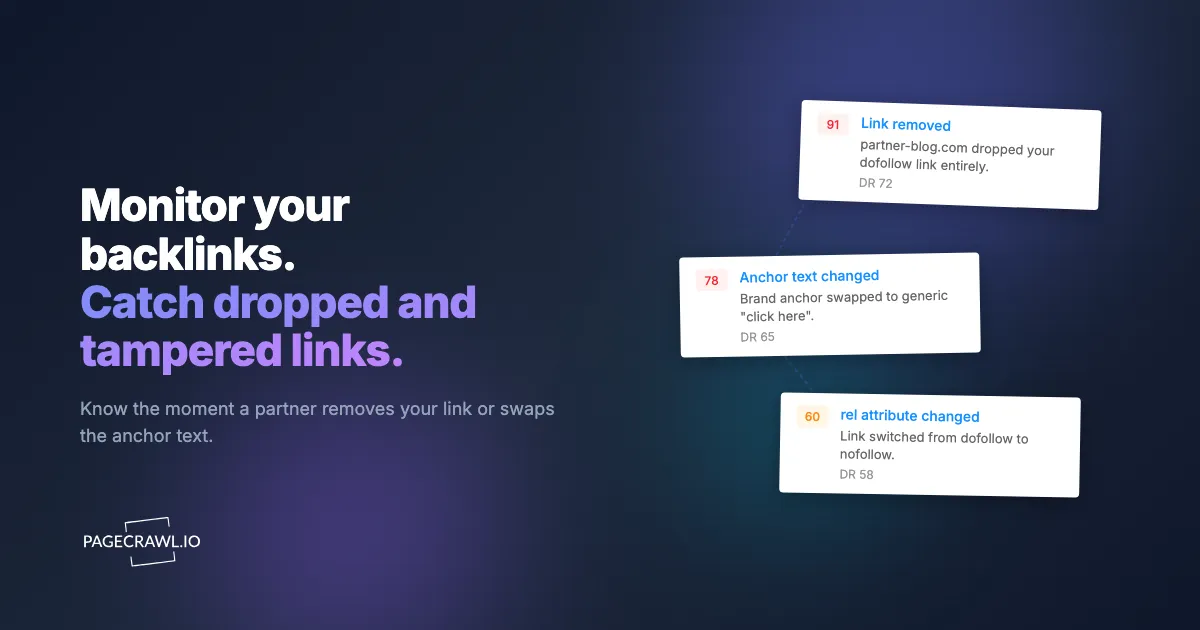
You spent three months earning a link from a high-authority publication. A guest post, a data study they cited, a product mention in a roundup. The link went live, it passed authority, and your rankings moved. Six weeks later an editor refreshes that article, swaps your dofollow link for a nofollow, and changes the anchor text from your target keyword to your bare brand name. Your link equity quietly evaporates. Nobody tells you.
This happens constantly, and it is almost entirely invisible. Publishers rewrite old posts, migrate CMS platforms, prune outbound links to "clean up" pages, get acquired and redesign, or apply a blanket nofollow policy on all external links. Each of those events can strip the value out of a backlink you worked hard to get, and your link-building reports keep showing the link as "live" because the URL still resolves. The page exists. The link does not, or it no longer counts.
This guide is about treating backlinks as living pages to watch, the off-page half of SEO monitoring and change detection, not as one-time wins to log in a spreadsheet. It covers exactly what to monitor on a linking page, why the big SEO platforms miss the changes that matter most, and how to set up alerts that fire when a check detects a backlink was removed, nofollowed, or rewritten so you can act while the relationship is still warm.
Why does backlink loss go unnoticed?
A backlink is not a permanent asset. It is one line of HTML inside a page that another person controls and edits on their own schedule. Five distinct things can happen to it, and only one of them (the full page disappearing) is obvious.
The link is removed but the page stays. An editor refreshes a 2024 roundup for 2026, trims the list of "tools we recommend," and your mention goes with it. The page still ranks, still gets traffic, still returns a 200 status. Your link is gone and nothing about the URL signals it.
The link is switched to nofollow. This is the quietest and most damaging change. The anchor text is identical, the link still points to you, a human reading the page sees no difference. But rel="nofollow" (or sponsored, or ugc, the values defined in Google's guidance on qualifying outbound links) now sits in the markup, and the page stops passing the authority you were counting on. Publishers do this in bulk when they tighten editorial policy, when they get flagged for selling links, or simply when a CMS template change adds nofollow to all outbound links.
The anchor text is edited. You earned a link on the anchor "enterprise password manager." A copy edit changes it to "click here" or to your brand name. The link still passes authority, but the keyword relevance that helped you rank for the term is gone.
The destination URL is changed. The publisher updates the link to point at a different page of yours, or worse, to a competitor, or to an affiliate-wrapped redirect. Your target landing page loses the link entirely.
The page is redirected or 404s. The cleanest signal, and the only one most tools catch reliably. The whole page disappears or 301s somewhere unrelated.
The first four are the expensive ones, and they are the ones that hide. Your rank tracker shows a slow slide. Your backlink tool still lists the link as active because it last crawled the page before the edit. By the time anyone connects the dots, the editor who published your piece has moved on and your warm outreach contact is cold.
Why don't Ahrefs and SEMrush catch these changes?
Because their backlink indexes recrawl on a rolling schedule that can lag days or weeks behind a real edit, and they report "link found" or "link lost" rather than attribute-level changes. The major SEO platforms are excellent at discovering backlinks. They crawl the web at enormous scale and tell you which pages link to you. That is genuine, hard-to-replicate value, and nothing here replaces it.
What they are not built for is fast, page-level change detection on a specific set of linking pages that you care about. Their backlink indexes are recrawled on a rolling schedule that can lag days or weeks behind a real edit, and they report at the level of "link found" or "link lost" rather than "this exact attribute on this exact page changed at this exact time."
Here is the gap, laid out plainly.
| Capability | Ahrefs / SEMrush backlink tools | Change-detection monitoring |
|---|---|---|
| Discover new backlinks across the web | Yes, this is their core strength | No, you supply the URLs |
| Detect a link removed from a page | Yes, but on a recrawl lag (days to weeks) | Yes, on your check schedule (as fast as minutes) |
| Detect dofollow flipped to nofollow | Partial, often slow to update | Yes, alerts on the exact rel attribute change |
| Detect anchor text edited in place | Rarely surfaced as an event | Yes, shows old and new anchor text |
| Detect destination URL changed | Rarely surfaced as an event | Yes |
| Alert as fast as your check interval | No | Yes |
| Show a before/after diff of the page region | No | Yes |
| Capture a screenshot as evidence for outreach | No | Yes |
The two approaches are complements, not substitutes. Use a backlink index to discover and prioritize your link profile. Use change-detection monitoring on your most valuable links so that when one of them is tampered with, you find out the same day instead of next quarter. The same logic applies to on-page elements, which we cover in the SEO monitoring guide.
What should you monitor on a linking page?
Monitor four things when tracking outgoing links for changes: the link's presence, its rel attribute, its href value, and the anchor text. A backlink lives inside an HTML element that looks roughly like this:

<a href="https://yoursite.com/landing-page" rel="">enterprise password manager</a>Three attributes of that element carry all the SEO value, and a fourth signal is the surrounding context.
The rel attribute. Empty (or absent) means dofollow, the link passes authority. The presence of nofollow, sponsored, or ugc changes everything. Watching this attribute is the single highest-value check, because a nofollow flip is invisible to humans and devastating to link equity.
The href value. Confirms the link still points to your intended landing page, on your domain, without an injected redirect or tracking wrapper.
The anchor text. The visible text inside the tag. Changes here erode keyword relevance even when the link itself survives.
Link presence. The simplest and most important: does the link exist on the page at all? A removed link means the entire element is gone from the markup.
You also benefit from watching the immediate context around the link, the sentence or list item it sits in. A publisher who moves your mention from the top recommendation to a buried footnote has technically kept the link but materially reduced its value and referral traffic.
How to Set Up Backlink Monitoring with PageCrawl
PageCrawl detects changes on any web page and alerts you through the channels your team already uses. For backlinks, the workflow is to point a monitor at each linking page and tell it which slice of the page to watch. New monitors come with screenshots enabled and overlay and cookie-banner removal on by default, so the captured evidence is clean.
Step 1: Build your priority link list
You cannot monitor every backlink you have, and you should not try. Pull your backlink profile from your existing tool and rank links by value. The top of the list usually includes:
- Links from high domain-authority publications
- Links on pages that currently drive referral traffic (check analytics)
- Links you paid for, sponsored, or earned through significant outreach effort
- Links pointing at money pages (pricing, key product pages, conversion landing pages)
- Links with exact-match or keyword-rich anchor text you are ranking on
Start with your 20 to 50 most valuable links. On the free tier you can validate the approach on your 6 single most important ones.
Step 2: Create a monitor for each linking page
Add the linking page URL as a monitor. The decision that matters is what to track:
- Watching one specific link: Use a CSS or XPath selector that targets the exact
<a>element pointing at your domain, and monitor its HTML rather than just its visible text. Monitoring the element's markup is what lets you catch a nofollow flip or an href change, not only an anchor-text edit. The CSS selector guide and the deeper XPath and CSS reference walk through how to build a selector that survives minor template changes. - Watching a page that might link to you anywhere: On roundup or resource pages where the link could move, fall back to editorial content monitoring across the full page and rely on the diff to surface the region that changed.
Note: monitoring the link element's HTML (the source markup) is the part most people get wrong. If you monitor only the visible text, a dofollow-to-nofollow change produces zero visible difference and no alert. Track the markup.
Step 3: Set a sensible check frequency
Backlinks do not change minute to minute, but you want to know the same day. Daily checks are plenty for most links. For a small set of recently-acquired, high-value links where you are still in an active relationship with the publisher, hourly is reasonable so you can respond while the conversation is live. Match the frequency to your plan's limits and the link's value.
Step 4: Route alerts where you will act on them
A backlink alert is only useful if it reaches the person who can do something about it. Send link-change alerts to the SEO or outreach owner, not a firehose channel everyone mutes. Common setups:
- A dedicated Slack channel for backlink alerts that the link-building team watches
- Email notifications to the outreach owner for that publisher relationship
- A webhook into your own workflow so changes log straight into your link-tracking system or a Google Sheet dashboard
For teams that run reclamation programmatically, you can have AI agents react to the change and draft the outreach email automatically.
Step 5: Use the diff and screenshot as outreach evidence
When a link is changed, the alert shows you the before-and-after. That diff is your outreach asset. Instead of a vague "did you remove our link?" you can send the editor the exact previous wording, the date it changed, and a screenshot of how the page reads now. Reclamation emails that quote the specific edit get answered far more often than generic ones.
Putting It Together: Backlink Change Playbooks
Each type of change calls for a different response. Monitoring tells you which one happened.
Link removed from a live page
The element is gone but the page still works. This is your highest-priority reclamation case because the publisher already valued your contribution enough to publish it once.
Response: reach out within 48 hours while the relationship is warm. Reference the specific section, offer an updated stat or a fresh resource as a reason to reinstate, and attach the previous version from your monitor's history.
Dofollow flipped to nofollow
The rel attribute gained a nofollow, sponsored, or ugc value. Sometimes this is a deliberate editorial policy, sometimes an accidental side effect of a CMS migration that blanket-applied nofollow to all outbound links.
Response: determine whether it is site-wide or specific to you. If every outbound link on the site went nofollow at once, it is a template change and worth a polite note flagging it as likely unintentional. If only yours changed, that is an editorial decision and a different conversation.
Anchor text edited
The link survives, the visible text changed. Often a routine copy edit, occasionally a deliberate de-optimization.
Response: lower urgency, but log it. If the new anchor is "click here" or your bare brand name and you were ranking on the old keyword anchor, it is worth asking for the original phrasing back, framed around accuracy rather than SEO.
Destination URL changed
The href now points somewhere else, possibly a redirect, possibly a competitor, possibly a dead page of yours from a URL migration.
Response: if it points at one of your own pages that 301s correctly, low priority. If it points anywhere else, treat it as a removed link and reclaim. If a competitor's URL was substituted, that is a signal worth escalating.
This kind of off-page watching pairs naturally with the broader competitor work in the track competitor websites guide and with domain monitoring for the linking domains themselves, so you catch a publisher going offline or changing hands before the links silently rot.
Common Pitfalls and How to Avoid Them
Monitoring visible text instead of markup. The most common mistake. A nofollow flip changes no visible text, so a text-only monitor never fires. Always monitor the link element's HTML when the rel attribute matters to you.
Selectors that break on every redesign. If your selector is tied to a brittle, auto-generated class name, a routine template change will trigger a false alarm. Target the link by its href to your domain where possible, since that is the most stable anchor. The selector guides linked above cover resilient patterns.
Monitoring too many low-value links. Watching 2,000 links produces noise no one reads. Concentrate on the links whose loss would actually move rankings or traffic, and review the long tail through your backlink index on its own schedule.
Ignoring the linking domain's health. A link can also be devalued if the entire domain loses authority, gets deindexed, or expires. Pair link-element monitoring with attention to the host domain, and watch for WHOIS and domain changes on the publishers that matter most.
No before/after evidence. If you only get a "something changed" ping with no diff, you cannot write a precise reclamation email. Use a tool that preserves the previous version and a screenshot, so your outreach quotes the exact change.
Choosing your PageCrawl plan
PageCrawl's Free plan lets you monitor 6 pages with 220 checks per month, which is enough to validate the approach on your most critical pages. Most teams graduate to a paid plan once they see the value.
| Plan | Price | Pages | Checks / month | Frequency |
|---|---|---|---|---|
| Free | $0 | 6 | 220 | every 60 min |
| Standard | $8/mo or $80/yr | 100 | 15,000 | every 15 min |
| Enterprise | $30/mo or $300/yr | 500 | 100,000 | every 5 min |
| Ultimate | $99/mo or $999/yr | 1,000 | 100,000 | every 2 min |
Annual billing saves two months across every paid tier. Enterprise and Ultimate scale up to 100x if you need thousands of pages or multi-team access.
One competitive signal caught early can swing a deal worth more than a decade of Enterprise. If you win one additional deal per year because you spotted a pricing change, a product launch, or a messaging shift before your competitors did, $300/year is a rounding error. Standard at $80/year handles 100 monitored pages, enough for a Tier 1 and Tier 2 competitor program. Enterprise adds 500 pages and SSO. All plans include the PageCrawl MCP Server for AI assistants like Claude and Cursor. Your sales and product teams can ask "summarize every change to Competitor X's pricing page over the last quarter" and get an answer pulled straight from your own archive. AI assistants can create monitors through conversation on every plan, including Free, turning the tracked pages into a living competitor database, not just an alert feed.
Getting Started
Start with your single most valuable backlink and prove the concept before you scale.
- Pick your top 6 links. Pull your backlink profile, sort by domain authority and referral traffic, and take the six links whose loss would hurt the most. That fits the free tier exactly.
- Monitor the link markup, not just the text. For each linking page, target the
<a>element pointing at your domain and track its HTML so you catch nofollow flips and href changes, not only anchor edits. - Set daily checks and route alerts to your outreach owner. A backlink alert is only worth setting up if the person who can reclaim the link actually sees it.
Run that for two weeks. You will likely catch at least one quiet change you would otherwise have missed, and the diff will hand you the exact wording for a reclamation email. Once you see the value, expand to your full priority list and connect the alerts into your reporting workflow. The free tier covers six monitored pages with screenshot capture and multiple notification channels, which is enough to find out whether your most important links are still doing the job you earned them to do.


