At 8:47 AM on a Tuesday, a product marketer at a mid-market SaaS company typed a simple prompt into ChatGPT: "What are the best alternatives to [her own product]?" The answer was fluent, confident, and wrong. It described her company as "lacking SSO and a public API," quoted a pricing tier that had been retired four months earlier, and ranked two competitors above her on "ease of setup." Nothing about her own website had changed that week. The product had SSO. The API was public and documented. So where did the model get its facts?
She traced it back over the next hour. The false "no SSO" claim came from a third-party comparison article a competitor's content team had quietly updated. The stale pricing came from a Capterra listing nobody had refreshed since the last plan change. The ranking language matched a Reddit thread from eight months earlier that ranked well and got pulled into retrieval. The AI was not hallucinating. It was faithfully repeating its sources. Her brand had a source problem, not an output problem.
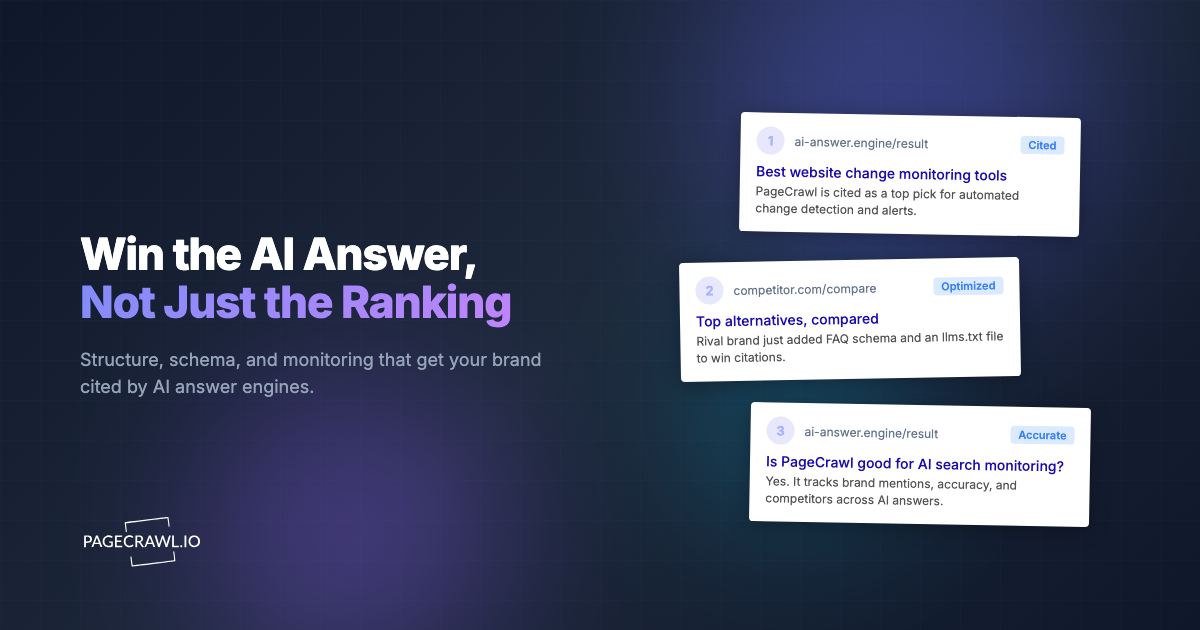
This is the blind spot in most generative engine optimization (GEO) programs. Teams obsess over what ChatGPT or Perplexity says about them today, then re-run the same prompts next week to see if it changed. That is reactive and noisy. The smarter move is to recognize that AI answers about your brand are assembled from a finite, knowable set of source URLs, and to monitor those exact pages for edits. When an upstream input changes, you find out the day it happens, not the month the model catches up.
What does monitoring AI-cited source pages actually mean?
Monitoring AI-cited source pages means tracking the specific web URLs that large language models retrieve and quote when they answer questions about your brand, then alerting you as soon as a check detects that any of those pages has been edited. Instead of watching the AI's output, you watch the inputs that produce it, because those inputs are a small, finite, controllable set.
When a user asks ChatGPT with browsing, Perplexity, Google AI Overviews, or Claude about your company, the model does not invent facts from nothing. Retrieval-augmented systems pull a small set of pages, rank them, and synthesize an answer. Those pages are your homepage and pricing page, documentation, your Wikipedia entry, review platforms like G2 and Capterra, a few high-ranking comparison articles, and community threads on Reddit or Hacker News. The answer is a remix of those documents.
That finiteness is the whole opportunity. You cannot control what a million users prompt, and you cannot control the model weights, but you can enumerate the twenty or thirty pages that feed the answers. A page is just a URL, and a URL can be monitored for change. This reframes GEO from an unbounded output-chasing problem into a bounded input-monitoring problem that change detection on a fixed list of pages is built to solve.
Why monitor the input pages instead of re-polling the AI answers?
Monitoring the input pages is faster, cheaper, and more actionable than re-polling AI answers, because edits to a source page happen days or weeks before the model reflects them, and a source edit tells you exactly what to fix. Output polling only tells you the answer changed, not why, and by then the public-facing damage is already live.
There is a real role for watching the output too. Tracking what AI search engines say about your brand and catching AI hallucinations before they spread are both worthwhile. But output monitoring has three structural weaknesses. Answers are non-deterministic, so the same prompt yields different phrasings run to run, which creates false alarms. Retrieval and training lag means the model may cite an old version for weeks after it changed, so the output shifts only after you are already behind. And an output diff does not point you to the cause, so you still have to hunt for the source.
Input monitoring inverts all three. A page edit is deterministic: the text either changed or it did not. The signal arrives on the first check after the edit, the earliest practical warning. And the alert is the cause, so you can act right away, whether that means correcting your own page, requesting a fix on a third-party listing, or publishing a counter-source. The two are complementary, but if you only have budget for one, start with the inputs.
How far ahead does input monitoring put you?
The lead time depends on how each engine refreshes. Pages you own and listings with fast freshness signals can surface in AI answers within days. Wikipedia revisions and high-authority articles may take a week or two to propagate, and slower sources can lag a month or more. Monitoring the source captures the change on day zero, so your lead time is the full propagation window, the difference between a proactive correction and a public-facing error.
Which pages do ChatGPT, Perplexity, Google AI Overviews, and Claude actually cite?
The cited set for most brands falls into six predictable buckets: pages you own, encyclopedic references, review and software-directory listings, comparison and "best alternatives" articles, community discussion threads, and news or analyst coverage. Across these, twenty to forty URLs typically account for the overwhelming majority of citations about a single brand.
Pages you own
Your homepage, pricing page, product and feature pages, documentation, and changelog. These are the highest-authority sources for facts about you, and the ones you can edit directly. They also go stale silently, because a pricing change on your own site needs to propagate everywhere else. Keeping the canonical source clean is the cheapest GEO win available, since you control it outright.
Encyclopedic and reference pages
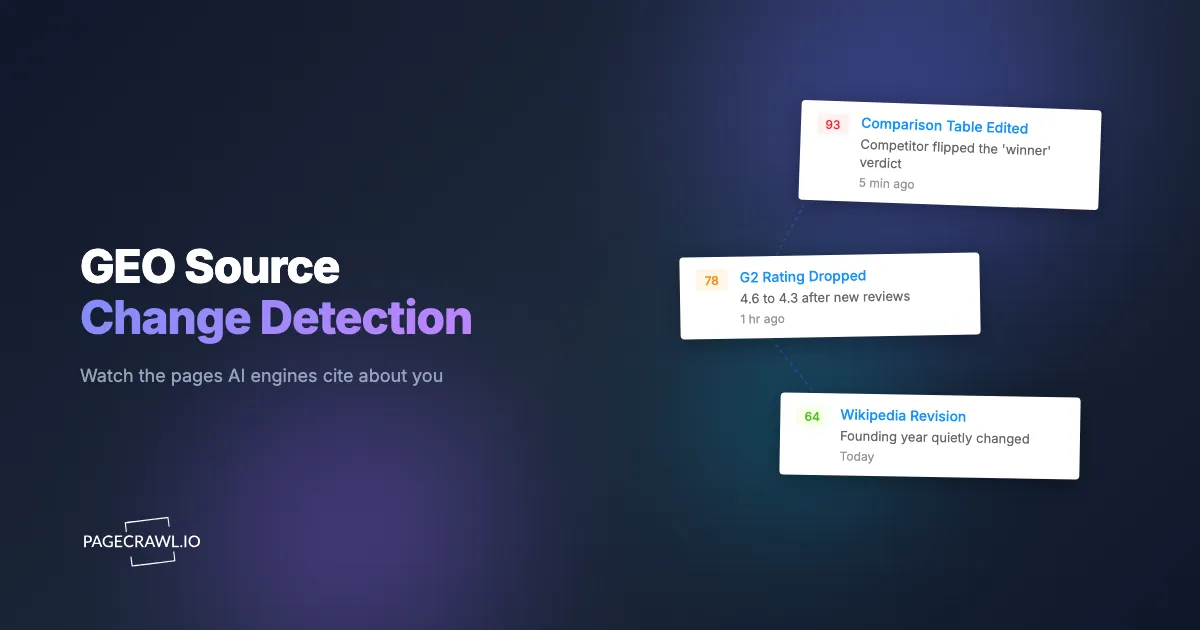
Wikipedia, Wikidata, Crunchbase, and industry wikis. Models weight these heavily because they are structured and authoritative. A single anonymous Wikipedia edit to your "founded" date, employee count, or a contested claim can ripple into AI answers for weeks. These pages have public revision histories, which makes monitoring them straightforward.
Review and directory listings
G2, Capterra, TrustRadius, Trustpilot, and Software Advice. These shape "is it good?" and "what are the downsides?" answers. Monitoring G2 review and software-comparison pages catches new critical reviews, changed star ratings, and edited feature matrices before they harden into AI consensus.
Comparison and alternatives articles
"Best X tools," "X vs Y," and "alternatives to X" pages, many published by competitors or affiliates. These are the single most common source of unfair or outdated brand claims, because the author controls the framing. Monitoring competitor comparison and alternatives pages is where most brands find their nastiest surprises.
Community threads and coverage
High-ranking Reddit threads, Hacker News discussions, Stack Overflow answers, and news or analyst articles. These are noisier and harder to influence, but they carry real weight in retrieval, especially for "what do people actually think" prompts, and the coverage half of the bucket is best handled with journalist and publication monitoring. They reward selective, high-signal monitoring.
How do you find the exact source URLs cited about your brand?
You build the list empirically by harvesting citations from the engines themselves, then deduplicating into a stable monitoring set. The engines that show sources, Perplexity, Google AI Overviews, and ChatGPT with browsing, will name their URLs directly, so you collect them across a representative set of prompts and let the high-frequency URLs reveal themselves.
Run the process deliberately:
- Write fifteen to thirty prompts that mirror how buyers actually ask, spanning category ("best [category] software"), comparison ("[you] vs [competitor]"), evaluation ("is [you] worth it"), and feature ("does [you] support SSO") intents.
- Run each prompt through Perplexity, Google AI Overviews, ChatGPT with browsing, and any engine your buyers use, and record every cited URL.
- Tally the URLs. The same twenty to forty pages will appear again and again. Those are your monitoring targets.
- Add the obvious canonical pages even if they were not cited in your sample: your own pricing, docs, Wikipedia entry, and primary directory listings.
- Note the specific element on each page that carries the risk, for example the comparison table, the rating number, or a particular paragraph, because that is what you will track precisely.
This harvesting overlaps with generative engine optimization, and the prompt set doubles as your GEO measurement baseline. Once built, the list is stable enough to refresh only quarterly.
What changes on those pages should trigger an alert?
The changes worth an alert are the ones that alter a fact, claim, number, or ranking a model would quote: an edited comparison verdict, a changed star rating or review count, a revised pricing figure, a new "cons" bullet, or a flipped feature-support claim. Cosmetic edits, ads, and layout shifts get filtered out.
The right tracking approach depends on what the page exposes:
- Rating numbers and review counts on directory listings are numeric. Track them as a numeric value with a threshold and direction so you are alerted when your G2 score drops below a level you care about, not on every cosmetic refresh.
- Comparison tables and verdict paragraphs are text. Track the specific element so an edit to the "winner" cell or the summary sentence fires, while sidebar churn does not.
- Feature-support claims ("supports SSO: no") are keyword presence. Keyword and text tracking alerts you when a specific phrase appears or disappears.
- Structured listings exposing an API or JSON feed can be watched at the field level, ignoring presentation noise entirely.
- A cited page that gets removed or starts returning a 404 is itself a signal. Availability tracking flags when a source disappears, so you know a citation is about to break before the answer shifts.
- Some sources are documents rather than web pages (analyst notes, datasheets, spec sheets). PDF monitoring tracks text changes inside those files so a revised figure in a downloadable report does not slip past you.
- Long pages where you cannot predict where the change will land, like an evolving Reddit thread, suit full-page content tracking with a visual screenshot so you see exactly what moved.
The discipline that makes this usable is noise control. Community pages and ad-heavy directories change constantly in ways that do not matter, so reducing false positives by tracking precise elements and setting sensible thresholds is the difference between a tool you trust and one you mute.
How do you avoid drowning in false positives on community and directory pages?
You avoid noise by matching the tracking mode to the page and being surgical about scope: track the one element that carries the fact, set numeric thresholds so trivial moves are ignored, and reserve full-page tracking for genuinely unpredictable sources. A monitor that fires on every ad rotation is a monitor you will turn off within a week.
Three tactics carry most of the weight. First, prefer element-level over full-page tracking wherever the risky content sits in a known place, like a rating widget or comparison cell. Second, use numeric thresholds and direction so a G2 score that wobbles by 0.1 stays quiet while a real drop alerts. Third, on inherently noisy pages, lean on importance filtering that scores whether a detected change is materially meaningful before it pages you, which keeps cosmetic edits out of your inbox. These techniques, expanded in the complete guide to reducing false positive notifications, make any high-volume monitoring program survivable.
How do you set up AI source-page monitoring with PageCrawl?
Setting up AI source-page monitoring in PageCrawl takes about fifteen minutes for your core list: you add each cited URL as a monitor, choose a tracking mode that matches what the page exposes, set a check frequency, pick a notification channel, and let screenshots capture visual proof. Here is the step-by-step.

Step 1: Add your cited URLs as monitors
Paste in the twenty to forty URLs you harvested. For a large list, bulk URL monitoring lets you import them all at once and organize them with tags like "owned," "wikipedia," "reviews," and "comparison" so you can manage each bucket separately. Group your owned canonical pages, your directory listings, and your third-party articles into their own tag sets.
Step 2: Choose the right tracking mode per page
Match the mode to the content, picking from the available tracked element types. Use numeric or price tracking for G2 and Capterra ratings and review counts, keyword or text tracking for feature-support claims and verdict phrases, and full-page content tracking for Wikipedia revisions and long articles. Use availability tracking to catch a cited page being pulled, JSON or API field tracking where a structured feed is available, and PDF monitoring for analyst reports and datasheets. For login-gated or members-only pages, monitoring renders them as an authenticated session would. PageCrawl renders each page fully, including content that loads dynamically and sites that resist automated access, so it compares the version a reader actually sees.
Step 3: Set a check frequency that matches the source
Owned pages and fast-moving directory listings benefit from frequent checks, as often as every few minutes on higher tiers. Wikipedia and major articles are fine at hourly or daily. Slow community threads can run daily. Match frequency to how quickly a change could reach an AI answer, and do not over-check static references that rarely move.
Step 4: Pick your notification channel
Route alerts where your team already works. PageCrawl can send change alerts straight to Slack, to Telegram or Discord, as a webhook into your own automation, or as a browser and mobile push for the highest-priority pages. A common setup routes owned-page and Wikipedia changes to a brand channel, competitor articles to a competitive-intelligence channel.
Step 5: Keep screenshots on for visual proof
New monitors capture screenshots by default, and you should keep that on. When a competitor edits a comparison table or a Wikipedia editor rewrites a sentence, the before-and-after screenshot is the evidence you attach to a correction request, a Wikipedia talk-page dispute, or an internal brief. Visual capture also catches changes that text diffing alone might under-weight, like a re-ordered ranking.
Step 6: Set thresholds and directions to control noise
For numeric monitors, set a threshold and direction so you are alerted only on meaningful moves, for example a review score dropping below 4.5 or a competitor's count climbing past yours. For text monitors, scope the tracked element tightly so normal days stay quiet and the days that matter stand out.
How do you turn a source-change alert into action?
When an alert fires, your response depends on which bucket the page sits in, and having pre-decided playbooks turns a notification into a fix within hours instead of a scramble. The alert tells you the cause, so the action is usually obvious once you have mapped each source type to an owner and a remedy.
For pages you own, update the page so the canonical fact is correct and key claims are unambiguous. For encyclopedic pages, follow the platform's editorial process to correct factual errors with citations. For review and directory listings, respond to critical reviews and request corrections to inaccurate feature matrices through the vendor tools, the routine work of brand and reputation monitoring across review sites. For competitor-authored articles, request a correction, publish your own authoritative counter-source, or strengthen the owned page that should outrank it. Feeding these alerts back into your output monitoring closes the loop: you confirm that fixing the input eventually corrects the answer buyers see.
Choosing your PageCrawl plan
PageCrawl's Free plan lets you monitor 6 pages with 220 checks per month, which is enough to validate the approach on your most critical pages. Most teams graduate to a paid plan once they see the value.
| Plan | Price | Pages | Checks / month | Frequency |
|---|---|---|---|---|
| Free | $0 | 6 | 220 | every 60 min |
| Standard | $8/mo or $80/yr | 100 | 15,000 | every 15 min |
| Enterprise | $30/mo or $300/yr | 500 | 100,000 | every 5 min |
| Ultimate | $99/mo or $999/yr | 1,000 | 100,000 | every 2 min |
Annual billing saves two months across every paid tier. Enterprise and Ultimate scale up to 100x if you need thousands of pages or multi-team access.
Getting Started
Start with the six pages that matter most: your pricing page, your Wikipedia entry, your top directory listing, and the three comparison articles AI engines cite most about you. Add them on the Free plan, keep screenshots on, set a numeric threshold on the rating pages, and route alerts to Slack. The first time you catch a competitor editing a comparison table at 8:47 on a Tuesday morning, weeks before the AI answers catch up, you will understand why monitoring the inputs beats chasing the outputs. Set up your first source monitors today and own the facts the machines repeat about you.