It is 12:40 a.m. on a Tuesday in mid-July. Priya has the travel.state.gov tab open for the fifth time tonight, hitting refresh, waiting for the August Visa Bulletin to post. Her EB-2 India priority date is October 2013. The July chart sat just three weeks short of it, and the State Department has hinted at "forward movement" in the employment-based categories. If the August cutoff jumps past her date, she can file her I-485 adjustment of status, which means an EAD work card and advance parole for her whole family. If she misses the filing window before the date retrogresses again, that wait could stretch another year. So she refreshes. And refreshes.
This is the reality for hundreds of thousands of people in the green card backlog. The single most consequential document in their immigration life is published once a month, on an unpredictable day, as a plain web page that nobody emails them about. The entire process of "is my date current yet" becomes a manual refresh ritual performed by people who cannot afford to miss the answer.
It does not have to be. The Visa Bulletin is a public web page, and web pages can be watched automatically. This guide explains how the bulletin works, exactly which pages and cells to track for your category and country, and how to set up monitoring with PageCrawl so the bulletin comes to you on the next check after it posts, instead of you hovering over a refresh button at midnight.
How does the Visa Bulletin actually work?
The Visa Bulletin is the monthly chart the U.S. Department of State publishes to show which green card applicants can move forward this month. Your place in line is your priority date (the day your I-130, I-140, or PERM labor certification was filed). When the bulletin's cutoff date for your category and country passes your priority date, you are "current" and a visa number is available.
Every monthly bulletin contains two sets of charts:
- Final Action Dates: the cutoff that determines when a green card can actually be approved and issued. When your priority date is earlier than this cutoff, your case can receive a visa number.
- Dates for Filing: an earlier, more optimistic cutoff that determines when you can submit your adjustment of status application (Form I-485). Filing early unlocks work authorization and travel permission while you wait for final approval.
Each chart is a grid. The rows are preference categories and the columns are countries of chargeability. On the employment side that means EB-1, EB-2, EB-3, EB-3 Other Workers, EB-4, and EB-5. On the family side it means F1, F2A, F2B, F3, and F4. The columns are All Chargeability Areas Except Those Listed, China-mainland born, India, Mexico, and Philippines, because the heavily oversubscribed countries have their own, much longer, backlogs.
A cell can show three things. A date means "current for everyone with a priority date earlier than this." The letter C means current with no backlog at all. The letter U means unavailable, with no movement this month. Reading your status is simply finding your row, finding your country column, and comparing the cell to your priority date. Always confirm your reading against the official bulletin and, where the stakes are high, with an immigration attorney; this article is informational, not legal advice.
The catch is that the cell you care about can move forward a few days, leap forward months, sit frozen, or jump backward (retrogress) with no warning, every single month. That volatility is exactly what makes it worth tracking automatically. If you want the broader context on watching official sources for changes that affect you, the primer on regulatory intelligence monitoring frames the discipline well.

When is the Visa Bulletin released each month?
The Visa Bulletin for the upcoming month is typically posted in the second week of the prior month, most often between the 5th and the 15th, but the exact day is never guaranteed. The August bulletin appears in mid-July, the September bulletin in mid-August, and so on. There is no fixed release time and no notification.
This unpredictability is the core problem. Some months the bulletin posts on the 8th, other months on the 14th, occasionally later. The page simply updates. State Department officials sometimes preview likely movement in advance through periodic check-in calls with the immigration bar, which builds anticipation but never tells you the precise hour the numbers go live.
For applicants near the front of the line, the gap between "the bulletin posted" and "I noticed it posted" is pure risk. A favorable Dates for Filing movement can let you file Form I-485 immediately, but USCIS only accepts filings while the date remains current, and the next month's chart can pull it back. The faster you know, the more of the window you keep. Monitoring closes that gap from "whenever I next check" to "the next automated check." This is the same time-sensitivity that drives people to set up visa appointment slot monitoring for consular interviews, where openings vanish in seconds.
Which Visa Bulletin pages should you monitor?
Monitor three things: the Visa Bulletin index page to catch the moment a new month posts, the current month's bulletin page for your exact category cutoff, and the USCIS adjustment of status page to learn which chart you can file under. Together these cover release timing, your specific date, and your filing eligibility.
Here is the practical monitoring list.
| Page | URL | What it tells you | Check frequency |
|---|---|---|---|
| Visa Bulletin index | travel.state.gov/content/travel/en/legal/visa-law0/visa-bulletin.html | A new month's bulletin has been posted | Daily, hourly during the 5th to 20th |
| Current month bulletin | the dated page, e.g. .../visa-bulletin-for-august-2026.html | Your category and country cutoff date | Daily once the month is live |
| USCIS adjustment of status | uscis.gov/visa-bulletin | Whether USCIS accepts Final Action Dates or Dates for Filing this month | Monthly, right after release |
The index page is the durable, set-and-forget monitor. When the State Department publishes the next bulletin, a new link with the new month's name appears in the page body, and that change is your earliest possible signal that numbers have moved. Because the index URL never changes, this monitor runs forever without maintenance.
The dated month page is where the exact numbers live, but its URL changes every month, so a value monitor pointed at it captures one month and then needs its URL updated when the next bulletin drops. That update takes about ten seconds and is triggered by the index alert, so the two monitors work as a pair.
The USCIS page matters because USCIS decides, each month, which of the two charts adjustment-of-status filers may use. A favorable Dates for Filing chart is only useful to you if USCIS announces it accepts that chart for the month. Tracking it removes the guesswork. For watching official .gov sources more broadly, see the guide to government agency news monitoring.
Why does catching a priority date movement early matter?
Catching movement early matters because green card filing windows are real and they close. When your category becomes current under the Dates for Filing chart and USCIS accepts that chart, you can file Form I-485, which brings work authorization, advance parole travel, and the ability to change jobs under portability rules. Miss the window before retrogression and you wait again.
Filing unlocks benefits you cannot get otherwise
A pending I-485 is not just a step toward the green card. It is the trigger for an Employment Authorization Document (EAD) and advance parole, which together free you from the constraints of a tied employment visa. For families, dependents file at the same time. The earlier in the window you file, the earlier these benefits start and the more buffer you have against processing delays.
Dates retrogress without warning
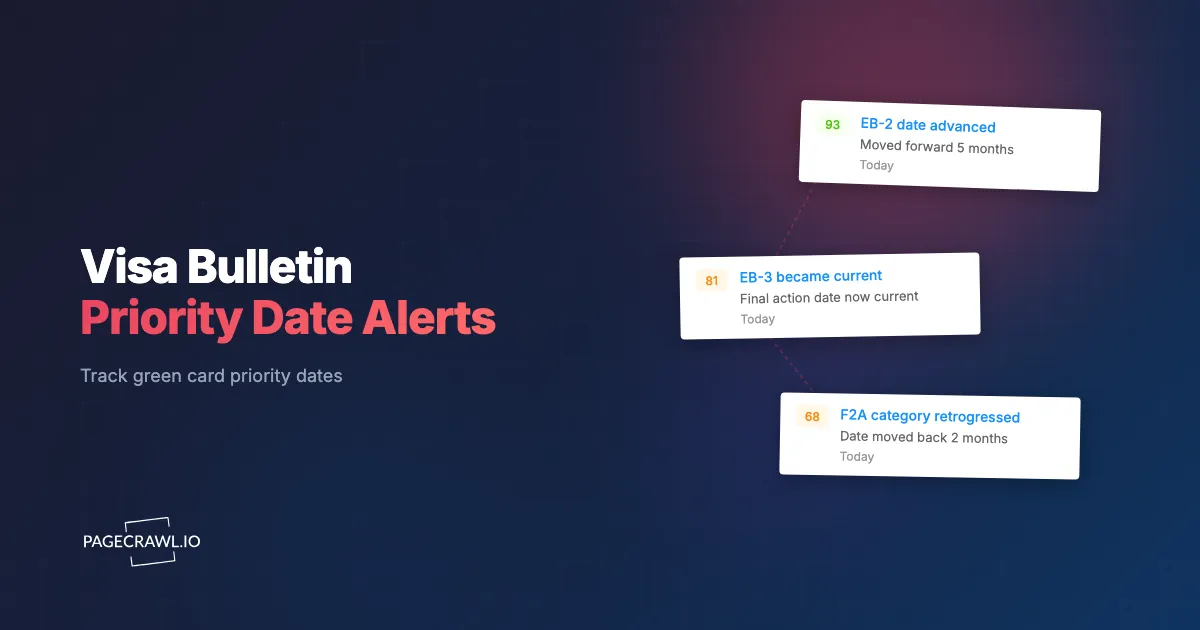
Movement is not one-directional. When demand in a category outpaces the supply of visa numbers for the fiscal year, the State Department pulls cutoff dates backward, sometimes by years, in a single bulletin. India and China employment categories are especially prone to this. A date that is current in October can retrogress in November. If you were eligible and did not file, the opportunity is simply gone until it comes back around.
The fiscal year reset creates predictable churn
Each October (the start of the federal fiscal year) a fresh allocation of visa numbers becomes available, which often produces generous forward movement in the autumn bulletins followed by tightening later in the year. Knowing this rhythm tells you when to watch most closely, but only continuous monitoring tells you the exact month and category where it lands.
The cost of missing the moment is measured in months or years of someone's life. The cost of monitoring it is a few minutes of setup.
How do you set up Visa Bulletin monitoring in PageCrawl?
Set up two paired monitors: one on the stable index page to catch each release, and one on the current month's page targeting your specific category cell to record the exact cutoff date. PageCrawl's free tier covers this easily with 6 monitors and 220 checks per month, which is more than enough for one person's category and country.

Here is the full walkthrough.
Step 1: Create a free PageCrawl account. The free plan includes 6 monitors and 220 checks per month. One applicant tracking one category and country needs only two or three monitors, so you never have to pay to cover your own case.
Step 2: Add the Visa Bulletin index page. Paste travel.state.gov/content/travel/en/legal/visa-law0/visa-bulletin.html and choose "content_only" mode so navigation and footer noise is stripped out. This monitor alerts you on the first check that finds a new month's bulletin link, which is the earliest signal the numbers have moved. Set its frequency as high as your plan allows during the typical release window (the 5th through the 20th).
Step 3: Add the current month's bulletin page with a targeted selector. Open the latest dated bulletin, copy its URL, and add it in "text" mode. Then use a CSS selector to target only the cell for your row and country, for example the EB-2 India cell in the Final Action Dates table. Pointing the monitor at one cell means the diff shows exactly your date moving from, say, "01 JAN 2013" to "15 OCT 2013," with no noise from other categories. The CSS selector guide walks through how to grab the right element, and the help centre shows how to find an XPath or CSS selector in your browser if you have never opened DevTools.
Step 4: Add a keyword or conditional rule for "current." Layer a keyword trigger or a conditional alert rule so a high-priority notification only fires when your cell shows a date past your priority date, or the letter "C." This turns a generic "the page changed" alert into a precise "you are now current, file" alert.
Step 5: Add the USCIS adjustment of status page. Add uscis.gov/visa-bulletin in "content_only" mode so you learn, each month, whether USCIS accepts the Final Action Dates or the more favorable Dates for Filing chart. This monitor tells you which chart actually governs your filing eligibility.
Step 6: Choose fast notification channels. Because the value of the alert decays by the hour, route it to channels you actually watch. Web push notifications reach your phone and desktop as soon as a check detects the change (see the setup steps for browser push alerts), and a Telegram alert gives you a durable, timestamped record you can forward to your attorney. Email works as a reliable backup.
Step 7: Refresh the month URL when the index fires. When the index monitor alerts you that a new bulletin posted, open the new dated page, copy its URL, and update the per-category monitor from Step 3. It takes about ten seconds, and from then on your diff tracks the new month against the old. Many people keep last month's value visible so the side-by-side movement is obvious.
That is the entire setup. Two durable monitors plus one quick monthly URL swap, and you will never again refresh travel.state.gov at midnight.
How should you route priority date alerts?
Route alerts by urgency. A favorable movement that makes you current is a "drop everything" event that belongs on a high-urgency channel like web push or Telegram, while a routine month where your date barely moves can go to email for a calm read later. The point is to make the rare, time-critical alert impossible to miss.
Time-critical: your date goes current
When your category crosses your priority date or shows "C," that is the alert that justifies interrupting your day. Send it to web push and Telegram simultaneously so it reaches you whether you are at your desk or out. If you work with an immigration attorney, forward the timestamped alert immediately, because the I-485 package takes time to assemble and the window is finite.
Same-day: the bulletin posted, but you are not current yet
The index monitor firing means the new month is live. Even if your cell did not reach you, you want to know the direction and pace of movement so you can estimate when your turn arrives. Email or a single push is enough. Reading the trend month over month, which PageCrawl's change history preserves automatically, lets you forecast.
Informational: retrogression and chart-switch news
When a date retrogresses or USCIS changes which chart it accepts, that reshapes your planning even though it requires no instant action. Batch these into a calmer channel. The principle of matching alert urgency to channel is covered in depth in the guide to reducing monitoring false positives, and it is what keeps your important alerts from drowning in noise.
How do you track Dates for Filing versus Final Action Dates?
Track both charts on the same month's page, because they answer different questions. The Dates for Filing chart tells you when you can submit your I-485 and start collecting benefits, while the Final Action Dates chart tells you when your green card can actually be approved. Your eligibility to file depends on which chart USCIS accepts that month.
The practical move is to set up two cells from the same dated bulletin: your category and country under Dates for Filing, and the same row and country under Final Action Dates. The Dates for Filing cell usually advances first and farther, so it is often the one that triggers your filing window. But it only counts if USCIS has announced it accepts that chart for the month, which is why the USCIS monitor from the walkthrough sits alongside the bulletin monitors.
A common pattern looks like this. The Dates for Filing chart shows your India EB-3 cell jump past your priority date in the October bulletin. The USCIS page confirms it accepts Dates for Filing for October. You file your I-485 that week. Two months later the Final Action Dates chart catches up, and your case is eligible for final approval. Watching the two charts in tandem, with the diff history showing each step, turns an opaque process into a sequence you can plan around.
Because the bulletin and its underlying determinations sometimes appear as linked PDFs or supplementary documents, applicants who want belt-and-suspenders coverage can also set up PDF document monitoring on any attached files the State Department posts.
How do you handle retrogression and false alerts?
Handle retrogression by treating any backward movement as a planning signal, not a filing trigger, and handle false alerts by targeting a single table cell rather than the whole page. Government sites occasionally redesign layouts or adjust unrelated wording, and a cell-scoped monitor ignores that noise while still catching the date you care about.
Scope the monitor to one cell
The biggest source of false alerts on a busy government page is everything that is not your number: a reworded footnote, a new disclaimer, a navigation change. By pointing your text monitor at the specific row and country cell with a CSS selector, you reduce the alert surface to a single value. When that monitor fires, the date genuinely changed.
Read retrogression as a forecast
When your cell moves backward, no action is required, but the information is valuable. Retrogression signals that demand in your category is high and that the next forward movement may be slow. If you were already eligible and filed, retrogression does not undo your pending application. If you were waiting, it tells you to recalibrate your timeline rather than panic.
Account for the monthly URL change
Because each bulletin lives at a new dated URL, a value monitor on last month's page will stop seeing new numbers once the next month posts. This is not a false alert, it is expected behavior. The index monitor is your trigger to swap the URL. Treat the pair as a system: the index tells you a new month exists, and you point the value monitor at it.
What should you monitor beyond the Visa Bulletin?
Beyond the bulletin itself, monitor your own case status and the policy pages that govern your category. The Visa Bulletin tells you when a visa number is available, but your actual progress also depends on USCIS processing your forms, on policy changes to eligibility, and on annual demand data that hints at future movement.
Useful adjacent pages to watch:
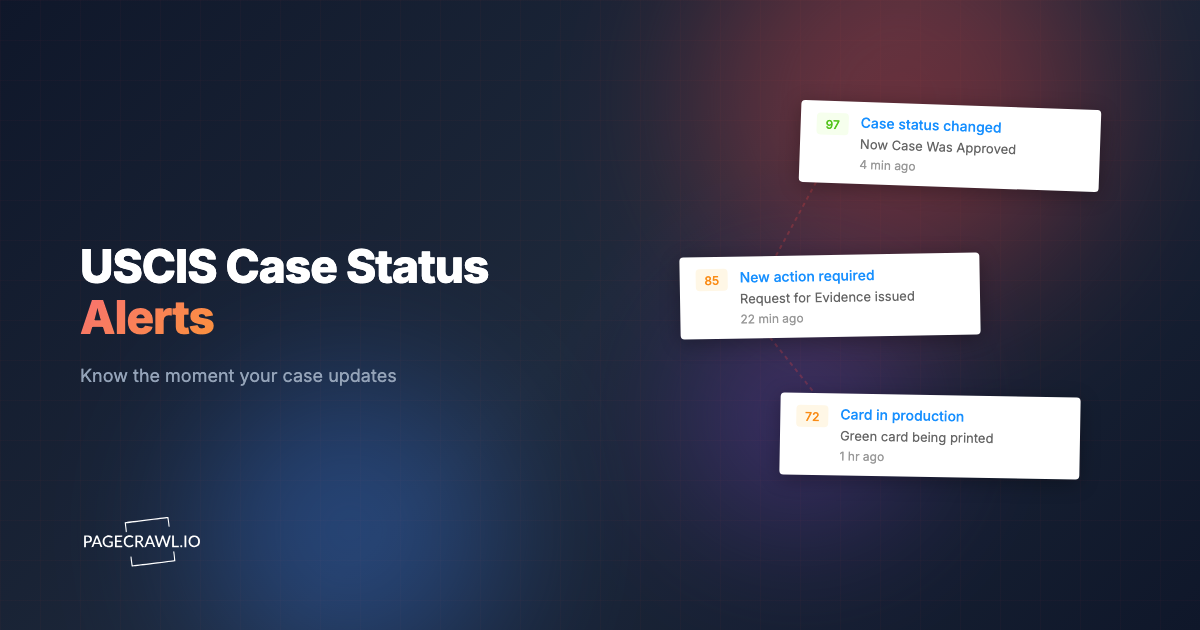
- Your USCIS case status page. Once you file, the receipt-number status page updates as your case moves through review. Watching it catches "Case Was Approved" or requests for evidence the day they post, instead of weeks later.
- USCIS processing times and policy manual updates. Eligibility rules, fee changes, and form edition updates all affect filings. Policy pages change quietly, and government and public records monitoring surfaces the change.
- State Department check-in and trend commentary. Periodic updates on category demand and projected movement help you anticipate where your cell is heading before the next bulletin confirms it.
- Annual visa number usage data. The pace at which a category consumes its yearly allocation is the leading indicator of forward movement or retrogression.
If you are also waiting on consular processing rather than adjustment of status, pair this with visa appointment slot monitoring so you catch interview openings the moment they appear. The combination of bulletin monitoring, case status monitoring, and appointment monitoring covers the three places where an immigration timeline most often stalls on something you could have acted on sooner.
Which PageCrawl plan do you need to track your priority date?
For one applicant, the Free plan is enough: 6 pages and 220 checks per month comfortably cover the index page, your category cell, and the USCIS chart page. Paid tiers matter mainly for check frequency during the mid-month release window, and for firms tracking many cases at once.
| Plan | Price | Pages | Checks / month | Frequency |
|---|---|---|---|---|
| Free | $0 | 6 | 220 | every 60 min |
| Standard | $8/mo or $80/yr | 100 | 15,000 | every 15 min |
| Enterprise | $30/mo or $300/yr | 500 | 100,000 | every 5 min |
| Ultimate | $99/mo or $999/yr | 1,000 | 100,000 | every 2 min |
Annual billing saves two months across every paid tier. Enterprise and Ultimate scale up to 100x if you need thousands of pages or multi-team access.
For a single person, the free plan is genuinely sufficient, though Standard at $80/year buys 15-minute checks, which shrinks the gap between "the bulletin posted" and "you knew" during the critical mid-month window. Immigration law firms and HR teams managing dozens or hundreds of employees' cases are the natural fit for Enterprise, where 500 monitors can cover every category, country, and individual case status page across a whole caseload with full change history. That history doubles as a clean, timestamped record of exactly when each date moved, which is useful documentation when a client asks why a filing happened when it did.
All plans include the PageCrawl MCP Server, so you can ask Claude to summarize how your category cutoff has moved over the last six months, pulling directly from your monitoring history. AI assistants can create monitors through conversation on every plan, including Free.
How do you get started tonight?
Start with the one monitor that matters most. Add the Visa Bulletin index page in content_only mode, point it at travel.state.gov/content/travel/en/legal/visa-law0/visa-bulletin.html, and route the alert to web push so the next bulletin reaches your phone on the first check after it posts. That single monitor already beats refreshing at midnight.
Then add your category cell from the current month's page and a "current" keyword rule, and you have a complete early-warning system for your green card. The free tier costs nothing and covers it. The guide to keyword and trigger-word monitoring can help you fine-tune the rules once you are running.
Your priority date does not announce itself. Set up the watch once, and the day it goes current, you will be the first to know.