A £14, 25-minute study from a university psychology lab landed on your Prolific dashboard at 9:03am. You were across the room refilling your coffee. By the time you sat back down at 9:06, the listing read "Study full" and the next available study paid less than half the rate. That study was over £33 an hour of work, and it was gone in under three minutes. You did not lose it because you were slow to complete it. You lost it because you found out late.
Prolific runs on scarcity by design. Every study has a fixed number of participant places, and well-paying studies attract everyone who qualifies at the same moment. The people who consistently earn the most are not luckier or more eligible than you. They simply find out about a new study while you are still refreshing the page hoping something good shows up. Manual checking cannot win a race decided in seconds.
This guide covers why Prolific studies fill so fast, what to monitor, why the platform's own notifications keep arriving too late, and how to set up automated alerts that reach your phone as soon as a check spots a new paid study, so you can claim it before the places run out.
Why do Prolific studies fill up so fast?
Prolific studies have a fixed number of participant places, often just a few dozen to a few hundred. Researchers want their data quickly, so a well-paying study attracts every eligible participant at once. Places fill in seconds to a few minutes. Whoever sees and claims a study first gets paid, and everyone else sees "Study full."
Limited places per study
A study is not an open-ended survey anyone can take forever. The researcher pays for a set sample size, say 100 or 300 responses, and Prolific stops showing the study the moment those places are claimed. High-demand studies (good pay, short duration, broad eligibility) can exhaust their places almost instantly because thousands of active participants qualify at once. The supply is fixed and small. The demand is large and immediate.
Pay rates that trigger a rush
Prolific enforces a minimum reward, but the studies that vanish fastest are the outliers paying well above it. A study at £12 or £15 an hour equivalent, especially a short one, draws a crowd. Participants learn which reward levels are worth dropping everything for, and those listings disappear first. Ordinary minimum-rate studies linger because fewer people sprint for them. The good ones never wait.
Eligibility filtering means timing is everything
You only see studies you currently qualify for, based on the demographic and screening answers in your Prolific profile. A study visible to you is already pre-filtered to people like you, all competing for the same places at the same time. There is no "checking back later" advantage. Either you are present when the study posts or you are not, and presence is exactly what automated monitoring gives you.
The lull-and-flood posting pattern
Studies do not trickle out evenly. Long quiet stretches are punctuated by sudden bursts when several researchers launch at once, often at the top of an hour or the start of a working day. During a flood, the best studies are claimed within the first minute and the dashboard looks empty again moments later. If you only check occasionally, you will mostly see the aftermath. The slot exists for seconds, so you have to be watching continuously.
What should you monitor on Prolific?
Monitor your available studies dashboard, the page that lists the studies you currently qualify for. Because that page sits behind your login, you set up authenticated monitoring once so PageCrawl sees the same logged-in view you do, then it watches the study list for you and alerts you as soon as a check finds a new row.
Your available studies dashboard
This is the core monitor and, for most people, the only one they need. Your available studies page is the single screen that shows every study you can take right now. When a new study is posted to your queue, the page content changes, a new study title, reward, and duration appear, and that change is what triggers an alert. You are watching the precise list that determines your earnings, not a category or marketing page.
Because the page requires you to be signed in, set it up as authenticated monitoring so PageCrawl loads the logged-in version rather than a login wall. Our guide to monitoring pages behind a login form walks through capturing the session once so checks keep seeing your real dashboard, and the help centre article on monitoring password-protected pages covers the form-based and HTTP authentication options in detail.
Filtering for studies worth your time
You do not want a ping for every minimum-rate, 40-minute study. The point of monitoring is to surface the studies worth sprinting for. PageCrawl lets you attach conditions so an alert only fires when the change contains what you care about, for example a reward above a threshold or a keyword in the study description. See our walkthrough on conditional alerts using price, keyword, and threshold rules to turn a noisy "something changed" feed into a quiet stream of genuine paydays.
Similar research platforms worth watching
Prolific is the best known platform, but it is not the only one. CloudResearch Connect, Amazon Mechanical Turk, Respondent, User Interviews, and academic participant pools all run on the same first-come logic, where good studies and high-paying interviews fill fast. Each has an available-work page you can monitor the same way, and serious earners watch several at once so a quiet hour on one is covered by another. The mechanics are close to monitoring a freelance job board for new gigs: the listing that pays well is claimed by whoever responds first.
Why isn't Prolific's own notification enough?
Prolific offers email and browser notifications for new studies, but they are optional, batched, and routinely arrive after the places have filled. For a study that vanishes in 90 seconds, an email that lands five minutes later is not an alert. It is a receipt for an opportunity you already lost.
Delayed and batched delivery
Platform notifications are not engineered to win a race against other participants. They are queued and sent on the platform's own schedule, which can lag the actual posting by minutes. That lag is fatal for the exact studies you most want, the high-reward ones that empty fastest. By the time the message reaches you and you navigate back to the site, the places are gone.
Email is the slowest channel
Even when a notification is sent promptly, email is the slowest way for it to reach you. It can sit in a spam folder, wait for your client to poll, or simply go unseen because you are not staring at your inbox. Email is excellent for a daily summary and useless for a 90-second window. If you do want an email copy for your records, our guide to email alerts for website changes shows how to set one up as a secondary channel, not your primary one.
No custom thresholds or filtering
The platform's notification is a blunt instrument. It cannot say "only tell me about studies over £10 an hour" or "only studies mentioning a 15-minute task." You either get notified about everything or you turn it off, and that all-or-nothing design trains people to ignore the alerts entirely. Browser notifications also only reach you while the tab is open and you are at the machine, when the whole point is to be alerted on your phone while you are away.
How do you set up Prolific study alerts with PageCrawl?
You point PageCrawl at your logged-in available studies page, tell it to watch the study list for changes, check at the highest frequency your plan allows, and push alerts to your phone. Setup takes a few minutes, then it runs around the clock without you refreshing anything ever again.

Step 1: Sign in to Prolific in your browser and open your available studies dashboard, the page that lists the studies you currently qualify for. Copy that URL. This is the exact view you want PageCrawl to watch.
Step 2: Add the URL to PageCrawl as an authenticated monitor so it loads your logged-in dashboard rather than the sign-in screen. Capture the session once following the monitor behind a login form steps. From then on, every check sees your real study list.
Step 3: Choose content or text tracking focused on the study list area of the page. You want PageCrawl to alert when the set of available studies changes, specifically when a new study appears, not when a background counter or timestamp ticks over.
Step 4: Set your check frequency as high as your plan allows. New studies post and fill within minutes, so the gap between checks is the single most important setting. The free tier checks every 60 minutes, which is fine for proving the setup works and for catching slower-filling studies. Standard checks every 15 minutes, Enterprise every 5, and Ultimate every 2, which is the realistic floor for the fastest studies.
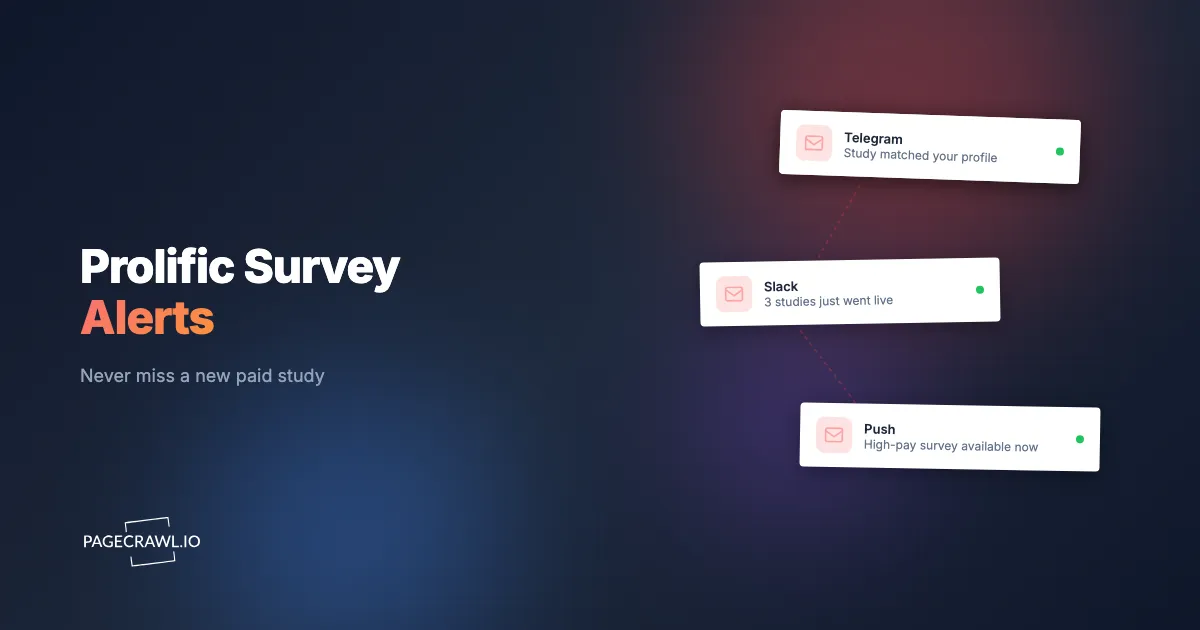
Step 5: Configure push notifications so each check that finds a new study reaches your phone. Browser push notifications, Telegram, and Discord all push straight to your pocket and work while you are away from the computer. This is the difference between knowing in time and finding out too late.
Step 6: Add a filter so only worthwhile studies ping you. Set a reward threshold or a keyword condition using conditional alert rules so a £4, hour-long study stays silent while a £14, 20-minute one lights up your phone. Quiet alerts are alerts you actually act on.
Step 7: Enable screenshot capture. When an alert arrives, a screenshot lets you see the study title, reward, and duration at a glance from the notification itself, so you can decide whether to sprint to the site without opening it first to find out.
Watching more than one platform at once
Most active participants split their time across Prolific, CloudResearch Connect, and one or two interview platforms. Create a monitor for each available-work page and group them in a PageCrawl folder called something like "Study Alerts." One Prolific dashboard plus a couple of other platforms fits comfortably inside the free tier's 6 monitors. To watch several platforms plus filtered views for different reward bands, the Standard plan at $80 a year gives you 100 monitors and the 15-minute frequency that actually keeps pace.
When do new Prolific studies appear?
Studies post around the clock, but volume clusters during weekday daytime hours across UK and US time zones, when researchers launch their data collection. Mornings and early afternoons see the most new studies and the fiercest competition. Nights and weekends are thinner but far less crowded, so a well-timed alert can win you a study that would never survive a weekday rush.
Weekday daytime peaks
The heaviest flow of new studies tends to fall on weekday working hours, with surges in the morning as researchers start their day and again after lunch. This is when the best studies appear and also when the most participants are hunting, so high-frequency monitoring matters most during these windows. A large share of Prolific research also comes from universities, so volume rises during term time and grant deadlines and thins out over holidays and exam weeks. If you can only afford to check fast for part of the day, prioritise weekday mornings.
The return-and-reopen effect
A study that showed as full is not always gone for good. When a participant returns a study, times out, or fails an attention check, their place is released back into the pool and the study can reappear in your queue. These reopenings are brief and unpredictable, the same micro-window behaviour you see when a visa appointment slot is freed by a cancellation. High-frequency monitoring is the only practical way to catch a place that blinks back into existence for a few seconds.
How do you build a complete study-catching strategy?
Tier your monitors by how much you care, watch more than one platform, and tune your alerts so only worthwhile studies reach your phone. The goal is a system that surfaces real earning opportunities on the next check while staying silent about the studies you would skip anyway.
Tiered monitoring
Organise your monitoring by priority. Tier 1 is your primary Prolific dashboard, checked as fast as your plan allows with push notifications turned on, because this is where most of your earnings come from. Tier 2 is secondary platforms (CloudResearch Connect, interview panels) checked slightly less often. Tier 3 is broader discovery, niche panels or new platforms you are trialling, at a relaxed pace. This keeps your fastest checks pointed at the page that matters most.
Multi-platform coverage
No single platform is busy every hour. A dead afternoon on Prolific often coincides with fresh listings on another panel. By monitoring several available-work pages together, the same way job listing monitors catch new postings, you smooth out the gaps and keep a steadier flow of opportunities. Participants who treat this as real income rarely rely on one source. They build a small portfolio of monitored platforms and let the alerts decide where their attention goes next.
Filter so only paydays ping you
The fastest way to ruin a monitoring setup is to get alerted about everything. After a day of pinging for low-value studies, you start ignoring the notifications, and then you miss the good one. Set reward and keyword filters so only studies worth your time break the silence. Our guide to reducing monitoring false positives covers how to teach a monitor to ignore the parts of a page that change without meaning anything.
What problems come up when monitoring Prolific?
The main challenges are staying logged in, filtering out dashboard noise that is not a real new study, and the hard truth that even a fast alert still needs you to claim quickly. PageCrawl handles the first two for you. The third is precisely why a phone push beats an email every time.
Staying authenticated
Your available studies page only exists when you are signed in, so the monitor has to hold a valid session. Capture the session once with authenticated monitoring and PageCrawl reuses it on every check. If the platform eventually expires the session, you simply refresh it, the same way you would log back into any site. This one-time setup lets the monitor see your real dashboard instead of a login prompt.
Dashboard noise and false positives
Your dashboard contains elements that change without a new study appearing: countdown timers, "studies completed" tallies, balance figures, and rotating tips. Left unchecked, these trigger meaningless alerts. PageCrawl lets you click any detected change and tell it to ignore that region in future. After a couple of checks the noise is trained out, and alerts fire only when the actual study list changes.
Alert speed versus claim speed
Here is the honest caveat. An alert tells you a study exists, but you still have to open Prolific and reserve a place before someone else does. Monitoring cannot complete the study for you, and it cannot guarantee a place on the very fastest studies that fill in literal seconds. What it does is remove the worst part of the problem, not knowing. Even on a 2-minute cycle you will catch the large majority of good studies that would otherwise have been invisible, and a phone push gets you to the page far faster than email ever could.
Respecting your eligibility profile
You can only be alerted to studies you qualify for, so an incomplete Prolific profile quietly shrinks your opportunities. Keep your demographic and screening answers current and thorough. The more accurately your profile is filled in, the more studies you become eligible for, and the more your monitor has to alert you about. Monitoring amplifies a complete profile. It cannot conjure studies you do not qualify for.
Choosing your PageCrawl plan
PageCrawl's Free plan lets you monitor 6 pages with 220 checks per month, which is enough to validate the approach on your most critical pages. Most people graduate to a paid plan once they see the value.
| Plan | Price | Pages | Checks / month | Frequency |
|---|---|---|---|---|
| Free | $0 | 6 | 220 | every 60 min |
| Standard | $8/mo or $80/yr | 100 | 15,000 | every 15 min |
| Enterprise | $30/mo or $300/yr | 500 | 100,000 | every 5 min |
| Ultimate | $99/mo or $999/yr | 1,000 | 100,000 | every 2 min |
Annual billing saves two months across every paid tier. Enterprise and Ultimate scale up to 100x if you need thousands of pages or multi-team access.
For study hunting, check frequency is the whole game. The free tier's hourly checks are perfect for testing the setup and for slower-filling studies, but the studies that pay the most fill in minutes, so they reward the 15-minute, 5-minute, and 2-minute frequencies of the paid tiers. A single good session you would otherwise have missed often covers a month of Standard. If you actively earn across several platforms, Ultimate at $999 a year and its 2-minute checks pay for themselves quickly, because catching even one extra premium study a week is real money back in your pocket.
Getting Started
Pick the one platform where you earn the most, Prolific for most people, and set up a single monitor on your available studies dashboard. Capture your login once, point the monitor at the study list, set the highest check frequency your plan allows, and turn on push notifications to your phone. The whole thing takes a few minutes.
Run it for a few days. You will get an alert for a study you would otherwise have missed entirely, and the moment you claim that study from a notification instead of a lucky refresh, the value clicks into place. Then expand: add your other platforms, tune your reward filters, and let the system surface paydays while you get on with your life.
Stop refreshing the dashboard. Let the next paid study come to you.