You signed up for a time-of-use tariff because the overnight window made charging the car cheap. Six months later your bill jumps, and only after twenty minutes of digging do you find that the supplier quietly moved the off-peak window an hour earlier and nudged the peak rate up by two pence. The tariff page was updated weeks ago. Nobody rang a bell. Your charger kept starting at the old time, paying the new peak rate every night.
Energy managers live the same story at scale. A portfolio of forty sites across three utility territories means forty tariff schedules, each published on a different corner of a utility website, each revised on its own cycle. A demand charge revision or a rider adjustment that lands mid-quarter can throw off a budget forecast by thousands before anyone notices, because the only "notification" was a PDF replaced on a rates page.
Electricity pricing is unusually changeable. Regulators reset caps quarterly, suppliers reprice fixed deals weekly, time-of-use plans shift their windows, and standing charges creep upward line by line. The information is public, published on pages you could check, but nobody checks forty rate pages by hand every week. This guide covers why tariff pages change so often, exactly what to watch, and how to set up automated monitoring so a rate change reaches your inbox on the next check instead of on your next bill.
Why do electricity tariff pages change so often?
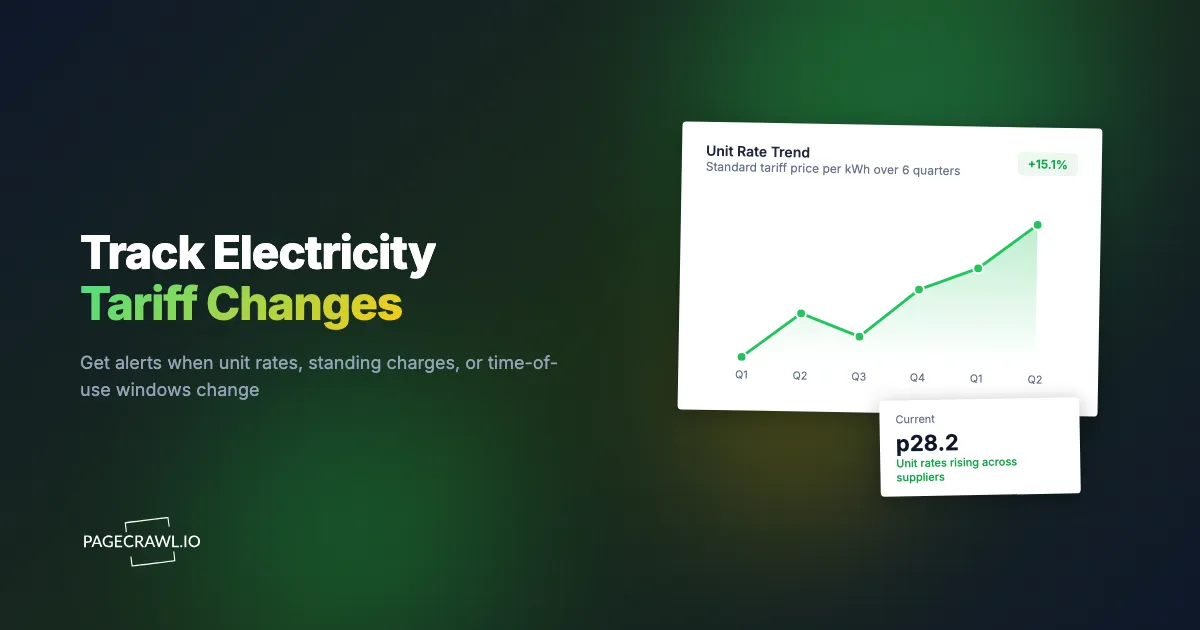
Electricity prices are repriced on short, overlapping cycles. Wholesale costs move daily, regulators reset price controls quarterly, suppliers refresh fixed deals whenever the market shifts, and network charges are revised annually. Each layer publishes its changes on a web page, so the tariff page you signed up from rarely stays accurate for more than a few months.
In Great Britain, Ofgem resets the energy price cap every three months, adjusting both the maximum unit rate and the daily standing charge for millions of households on default tariffs. The cap for October to December 2026 was set at £1,723 per year for a typical dual-fuel household, a 4 percent rise on the previous quarter, driven mostly by wholesale costs. Every reset ripples outward: suppliers reprice their default tariffs to the new cap, then adjust their fixed deals to stay competitive against it.
In the United States there is no single cap, which makes the picture messier, not calmer. Each state utility commission approves rate cases on its own schedule, utilities file riders and fuel adjustment clauses that change between rate cases, and deregulated markets add retail suppliers repricing plans continuously. The EIA's Electricity Monthly Update tracks the aggregate result, and through 2026 it has shown residential prices rising meaningfully year over year. The aggregate number tells you the direction. Your own utility's tariff page tells you the number that actually hits your bill, and that page changes without fanfare.
Time-of-use and EV tariffs add a third layer of churn. Suppliers adjust not just the rates but the shape of the plan: the boundaries of the off-peak window, the number of pricing tiers, seasonal weekday definitions. A plan can keep its name and its headline rate while quietly becoming a different product.
What should you monitor on utility tariff pages?
Monitor the page that publishes your actual plan's rates: the unit rate, the standing charge or fixed monthly fee, and the time-of-use schedule if you have one. Households usually need one or two pages. Energy managers add the utility's tariff book or rate schedule index for each territory they operate in.
Your plan's unit rate and standing charge
The core monitor is the page showing the per-kWh price and the daily standing charge (or monthly service fee) for your specific tariff. Standing charges deserve particular attention because they rise independently of usage: a household that cut consumption by 20 percent can still see bills climb when the fixed daily charge goes up. Ofgem publishes regional unit rates and standing charges for the current cap period, which makes an excellent reference monitor for GB households: when that page changes, the whole market is about to move.
Time-of-use windows and plan structure
If you are on a time-of-use, EV, or economy tariff, the schedule matters as much as the rate. Watch the section of the page that defines the off-peak window, the peak period, and any seasonal variation. A one-hour shift in the cheap window changes what your dishwasher, immersion heater, or car charger should be doing, and automations keep running on the old schedule until you update them.
Fixed-deal pricing and exit fees
If you are out of contract or approaching renewal, monitor the supplier's current fixed-deal listing page. Fixed deals are repriced frequently, and a good one can be withdrawn within days. Watching two or three suppliers' deal pages side by side turns "I should really switch" into a concrete trigger: an alert lands when a deal beats your current rate, and you act while it is still on sale. The mechanics are the same as tracking savings and CD rates across banks: the good offer goes to whoever notices it.
For energy managers: tariff books, riders, and rate case pages
Commercial and industrial monitoring goes wider. Useful targets include the utility's rate schedule index (often a list of PDFs), pages for the specific schedules your sites are on, fuel or purchased-power adjustment pages that change monthly, and the state commission's docket page for any open rate case affecting your territory. PageCrawl can watch PDF content as well as HTML, so a replaced tariff book PDF triggers a diff the same way an edited web page does.
Regulator announcement pages
Upstream of every supplier change is a regulator decision. Ofgem's price cap announcements, a public utility commission's rate case rulings, or a market operator's default offer determinations all land on public pages weeks before they hit bills. Monitoring the regulator gives you the longest possible runway: you learn the direction of the next change before your supplier has even repriced.
Why isn't your supplier's notification enough?
Suppliers are generally required to notify you of price rises on your own tariff, but the notice is often a single letter or email weeks ahead, easy to miss and impossible to compare. Nobody notifies you about competitor deals, regulator decisions, tariff book revisions, or changes to plans you are not yet on, and those are exactly the changes worth acting on.
There are four gaps that supplier notifications leave open:
- One tariff, one supplier. Your supplier tells you about your plan. It will never tell you a rival's fixed deal now undercuts you, or that the tariff you nearly chose just got cheaper.
- Structural changes slip through. Notice requirements focus on price. A reshaped time-of-use window, a new tier boundary, or revised terms can arrive with far less prominence, buried in a "we are updating your terms" email.
- Buried delivery. Price-change letters and emails compete with every other message a supplier sends. A dedicated alert channel that fires only when a rate page actually changes is much harder to overlook than one email in a busy inbox.
- Commercial schedules barely notify at all. For business rates, the published tariff book is frequently the primary record. Riders and adjustment clauses update on their own cycles, and the practical answer to "when did this change?" is "when the page changed."
Monitoring the pages directly closes all four gaps with one mechanism: if the published number or schedule changes, you get a diff showing exactly what changed, whether or not anyone chose to tell you.
How do you set up electricity tariff monitoring with PageCrawl?
You add each tariff page as a monitor at pagecrawl.io, choose a tracking mode that focuses on the rate content, set a check frequency matching how fast that page moves, and pick where alerts should land. Setup for a typical household watchlist takes about ten minutes; a multi-site commercial watchlist is the same steps repeated.
- Add the URL. Sign in at pagecrawl.io, paste the tariff page URL, and save. Start with the page for your own plan, then add regulator and competitor pages the same way.
- Pick a tracking mode. For a page dominated by a rates table, track the page content or select just the table region so navigation and promotions do not trigger alerts. For a single number you care about, such as your unit rate or standing charge, use number tracking so PageCrawl extracts and charts the value over time. For tariff book PDFs, use PDF content tracking.
- Set the check frequency. Tariff pages are not ticket drops. Daily checks suit most household monitors, since supplier repricing and regulator announcements play out over days. Energy managers watching fixed-deal windows or adjustment clauses that move quickly can step up to hourly or faster on paid plans.
- Choose notification channels. Alerts can go to email, Slack, Discord, Microsoft Teams, Telegram, or a webhook. A household might use email plus Telegram. An energy team typically routes everything into a shared Slack or Teams channel so the whole team sees the diff, and a webhook can push rate changes onward into a budgeting spreadsheet or energy management system.
- Add keyword and threshold rules. This is what keeps the feed quiet. Alert only when the change includes terms like "standing charge", "kWh", "off-peak", or "rider", or only when a tracked number moves beyond a set threshold. Our guide to conditional alerts with price, keyword, and threshold rules walks through the options.
- Enable screenshots and history. Each check stores a snapshot, so you build a dated archive of what the tariff page said and when it changed. For disputes ("the website said 24.5p when I signed up") and for budget audits, that timestamped history is the artifact that settles the question.
A starter watchlist for a household
| Monitor | Page type | Suggested frequency |
|---|---|---|
| Your tariff's rates page | Unit rate, standing charge, TOU windows | Daily |
| Regulator cap or default offer page | Market-wide reset announcements | Daily |
| Two competitor fixed-deal pages | Switching triggers | Daily |
| Supplier terms page for your plan | Structural and contract changes | Weekly |
Six monitors covers this comfortably, which means a full household setup fits on the free tier while you prove the value.
How do energy managers track tariffs across dozens of sites?
Group monitors by utility territory, watch the rate schedule page and adjustment riders for each, and route every alert into one shared channel with the diff attached. The goal is a single feed where any published change to any schedule you buy under appears within a day, with history you can cite in a budget review.
A workable structure for a 40-site portfolio:
- One folder per utility territory. Each folder holds the rate schedule pages for the tariffs your sites are on, the fuel or purchased-power adjustment page, and the utility's tariff book index.
- One folder for regulatory dockets. Open rate cases and commission announcement pages for each state or region you operate in. These move slowly but decide everything downstream.
- Number tracking on the values that drive your forecast. Track the demand charge and energy rate for your highest-spend schedules as extracted numbers, so you get a chart of each rate over time rather than a pile of page diffs.
- Route by audience. Rate changes for live schedules go to the energy team's Slack or Teams channel. Docket movements go to whoever handles regulatory strategy. A webhook feeds confirmed changes into the forecasting model.
The payoff is symmetrical with how finance teams treat mortgage rate movements: the data was always public, but turning "public" into "noticed within a day, with a dated diff" is what makes it usable. When a rider changes mid-quarter, the team reforecasts that week instead of discovering the variance at quarter close.
What problems come up when monitoring tariff pages?
The common issues are noisy pages that change for irrelevant reasons, rates buried in PDFs or behind postcode lookups, and alert fatigue from watching too many pages at full sensitivity. Each has a straightforward fix: narrow what you track, use the right content mode, and filter alerts with keyword and threshold rules.
Noisy pages and false alarms
Utility pages carry rotating banners, live outage widgets, and "was this helpful?" polls that change constantly. If you monitor the whole page raw, you will get alerts that have nothing to do with rates. Select just the rates table or the tariff section when creating the monitor, and use change filtering to ignore regions that churn. Our guide to reducing website monitoring false positives covers the techniques in detail.
Rates hidden in PDFs or behind lookups
Commercial tariff schedules are very often PDFs, and some residential suppliers only reveal rates after a postcode or ZIP lookup. For PDFs, point the monitor at the document URL and track its text content; a silently replaced tariff book then produces a readable diff. For lookup-gated rates, monitor the results page URL where one exists, or watch the supplier's regional rate summary page instead.
Alert fatigue
Twenty monitors that all ping weekly train you to ignore all of them. Be deliberate: high-stakes numbers (your unit rate, your biggest site's demand charge) get sensitive settings and a loud channel, context pages (dockets, competitor deals) get digest-style delivery or tighter keyword filters. The test of a good setup is not how many alerts it sends but whether the last alert made you do something.
Knowing a change happened versus knowing what it means
A diff tells you the standing charge line changed from 53.8p to 60.1p. It does not tell you whether to switch supplier. Pair the alert with a quick rule of thumb: for households, multiply the unit rate change by your annual kWh and add the standing charge change times 365 to get the annual impact before deciding. For portfolios, feed the new value into the existing forecast model and let the variance decide who needs to know.
When should you act on a tariff change alert?
Act when the annual impact of the change exceeds the cost of responding to it. A 0.2p unit rate move on a low-usage flat is noise. A standing charge rise, a shifted off-peak window, or a competitor fixed deal below your current rate each justify fifteen minutes of attention the day the alert arrives.
A simple triage that works for most alerts:
- Rate rise on your own plan. Compute the annual impact. If you are out of contract, this is the trigger to check the fixed-deal monitors you already run and switch while good deals last.
- Time-of-use window change. Update chargers, timers, and home automations the same day. This is the one change where delay costs you every single night.
- Regulator announcement. No action needed on day one, but expect supplier repricing to follow within weeks, so review any fixed deal you were considering before the market adjusts.
- Commercial rider or schedule change. Reforecast the affected sites and archive the diff. If the change looks inconsistent with the approved rate case, the dated snapshots are your evidence for a query to the utility.
Choosing your PageCrawl plan
PageCrawl's Free plan lets you monitor 6 pages with 220 checks per month, which is enough to validate the approach on your most critical pages. Most teams graduate to a paid plan once they see the value.
| Plan | Price | Pages | Checks / month | Frequency |
|---|---|---|---|---|
| Free | $0 | 6 | 220 | every 60 min |
| Standard | $8/mo or $80/yr | 100 | 15,000 | every 15 min |
| Enterprise | $30/mo or $300/yr | 500 | 100,000 | every 5 min |
| Ultimate | $99/mo or $999/yr | 1,000 | 100,000 | every 2 min |
Annual billing saves two months across every paid tier. Enterprise and Ultimate scale up to 100x if you need thousands of pages or multi-team access.
In event-driven strategies, minutes matter. One actionable signal surfaced before the broader market reacts can return more than a year of Ultimate. Standard at $80/year covers the core IR, press, and filings pages for a handful of positions. Enterprise at $300/year scales to a full watchlist. All plans include the PageCrawl MCP Server, so you can ask Claude to summarize every material change across a company's IR, press, and filings over any period you care about and get the evidence pulled straight from your monitoring archive. AI assistants can create monitors through conversation on every plan, including Free. Ultimate at $999/year adds 2-minute frequency and web archiving, which matters if you need provable timestamps for a thesis.
Getting Started
Start with the single page that decides your bill: the rates page for your current electricity tariff. Add it as a monitor, select the rates section, set daily checks, and point alerts at the channel you actually read. That one monitor already catches the change most people only discover on a bill.
Then build outward. Households add the regulator's cap page and two competitor fixed-deal pages, with a keyword rule so only rate language triggers an alert. Energy managers add one utility territory at a time, starting with the highest-spend schedule and its adjustment rider, and route everything into a shared team channel.
Give it one quarter. The next time rates move, you will read about it in an alert with a diff attached, days or weeks before it reaches your bill, with time to switch, reschedule, or reforecast on your own terms.
Stop finding out from the bill. Let the tariff page tell you itself.