You opened a high-yield savings account at 5.00% APY eighteen months ago. It felt like a great deal. What you may not know is that the bank quietly cut that rate to 3.85% in three separate steps, none of which arrived as an email. The "high-yield" account you are still proud of now pays less than a dozen competitors, and you have lost real interest income every month since the first cut.
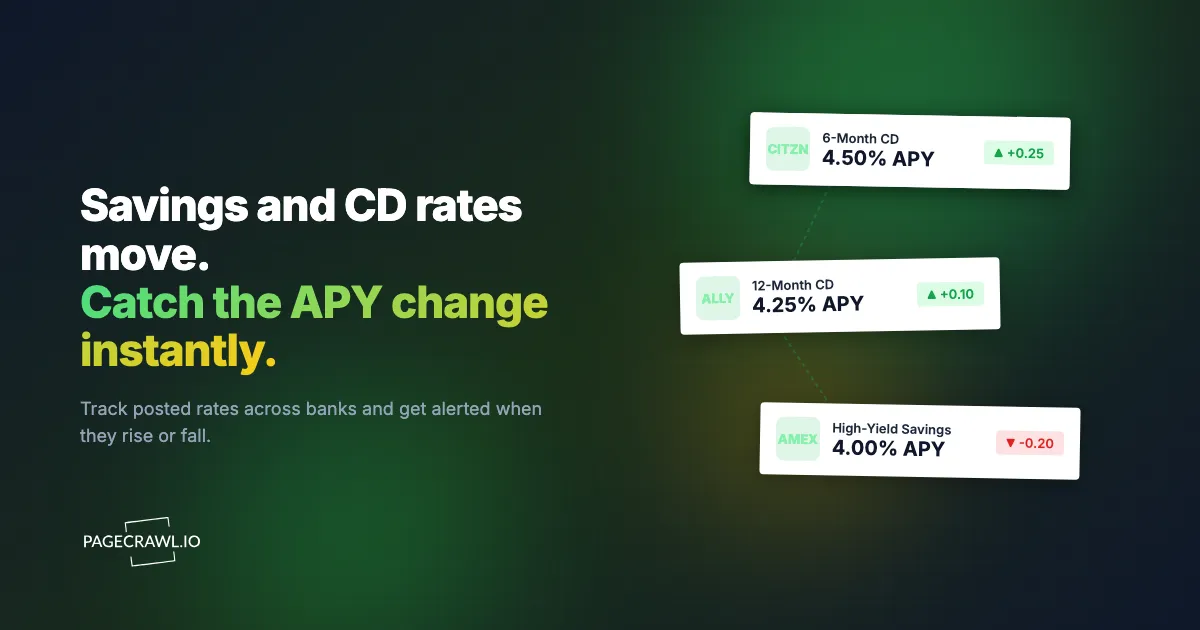
Banks change deposit rates constantly, and they are not required to tell you in a way you will notice. A savings APY can drop on a random Tuesday with the only evidence being a quietly updated number on the rates page. CD rates move even faster, since banks reprice new certificates to track Treasury yields and competitor offers. The 4.60% twelve-month CD you saw last week might be 4.35% today, or a competitor might have jumped to 4.80% to win deposits.
The money at stake is not trivial. On a $50,000 balance, the gap between 3.85% and 5.00% APY is about $575 per year. Spread across an emergency fund, a CD ladder, and a couple of savings buckets, the difference between staying on top of rates and drifting can easily run into four figures annually. Yet almost nobody checks bank rate pages on a schedule.
This guide covers how deposit rates change, which pages are worth watching, the methods people use to track them, and a step-by-step walkthrough for setting up automated APY change alerts so you always know when it is time to move your money.
How do bank deposit rates change?
Banks reprice deposit rates in response to Federal Reserve policy, Treasury yields, competitor offers, and their own funding needs. Savings APYs are variable and can drop any day without notice, while CD rates are repriced for newly issued certificates. Understanding why and how often rates move helps you decide what to monitor and how aggressively.
What Drives Savings and CD Rates
The federal funds rate. When the Federal Reserve raises or lowers its target rate at a scheduled FOMC meeting, banks adjust deposit rates in response, though not evenly and not on the same day. Savings rates tend to follow the Fed with a lag of days to weeks. The direction of Fed policy is the single biggest driver of where deposit rates are heading.
Treasury yields. CD rates in particular track Treasury yields for matching maturities. A one-year CD is priced against the one-year Treasury, a five-year CD against the five-year. When yields move, banks reprice new CDs accordingly.
Competitive pressure. Online banks and credit unions compete aggressively for deposits. When one raises its APY to attract balances, others often follow to avoid losing customers. This is why a single competitor's rate hike can ripple across the market within days.
The bank's funding needs. A bank that needs to grow its deposit base will pay up for it. A bank flush with cash will let its rates drift down. This is why two banks in the same rate environment can offer meaningfully different APYs, and why your bank's rate can fall even when the broader market is stable.
Savings vs CD Behavior
High-yield savings accounts have variable rates that the bank can change at any time, in either direction, without your consent. This is the most insidious kind of change because the rate you signed up for is not guaranteed for a single day. Monitoring matters most here, because cuts are silent and frequent.
Certificates of deposit lock a fixed rate for the term once you open them, so your existing CD is safe. The monitoring value with CDs is in the shopping phase: knowing the best available rate when you have cash to deposit, and knowing when a maturing CD should roll into a better offer elsewhere instead of auto-renewing at the bank's mediocre default.
Money market accounts behave like savings accounts, with variable rates that move with the market. Treat them the same way you treat high-yield savings for monitoring purposes.
Promotional and Tiered Rates
Many banks advertise a headline APY that applies only to new money, only above a balance threshold, or only for an introductory window. A 5.25% promotional rate might revert to 3.50% after six months. Tiered accounts pay different rates at different balance levels. When you monitor a rates page, watch the specific tier and condition that applies to you, not just the largest number on the page.
Which pages should you monitor for deposit rates?
Monitor four kinds of pages: the rate pages of the banks holding your money, three to five competitive online banks, one rate aggregator table, and a Treasury yield page as a leading indicator. This focused set gives you both market context and the specific offers you can act on.
Your Current Accounts
Start with the banks where your money already sits. Monitor the rates page for your existing high-yield savings, money market, and any CDs approaching maturity. The most valuable alert you can get is the one telling you your own bank just cut your rate, because that is the change you are least likely to notice on your own.
Top Competitor Banks
Pick three to five online banks and credit unions known for competitive rates and watch their rate pages the way businesses run competitive intelligence monitoring. The point is to know, at any moment, whether a better home for your cash exists. When a competitor's twelve-month CD jumps above your current account, you want to find out the day it happens, not the next time you happen to browse.
Rate Aggregator Pages
Aggregators publish daily or weekly tables of the best available rates across many institutions. Monitoring an aggregator's "best savings rates" or "best CD rates" table gives you a market-wide view in a single monitor. The tradeoff is that aggregator tables sometimes favor partner banks, so pair them with direct bank pages for an honest picture. For a neutral benchmark, the FDIC publishes monthly national rates and rate caps, which show average savings and CD rates across all insured institutions.
Treasury and Benchmark Pages
If you want leading indicators, watch the Treasury Department's interest rate statistics for the maturities that match your CDs. When yields move, bank CD rates tend to follow within days. You would not move money on a yield change alone, but it tells you which direction the next round of CD repricing is likely to go.
Method 1: Manual Checking
The default approach, and the reason most people quietly lose interest income.
How It Works
You bookmark a few bank rate pages and a rate aggregator, then check them when you remember, usually when you already suspect something has changed.
Pros
- No setup and no cost
- You see exactly what each bank publishes
Cons
- Relies entirely on memory and discipline
- Silent savings cuts go unnoticed for months
- No record of what the rate used to be
- No alert when a competitor beats your rate
- Comparing many banks by hand is tedious and rarely sustained
Best For
Someone with a single account who does not mind leaving money on the table between occasional reviews.
Method 2: Bank and Aggregator Email Alerts
Some banks and rate sites offer their own notifications.
How It Works
You opt in to email updates from a bank or an aggregator, and they message you about rate changes or new promotions.
Pros
- Automated once you sign up
- Free from most providers
Cons
- Banks rarely email you when they cut your rate, only when they want new deposits
- Aggregator alerts skew toward partner banks and promotions
- You cannot choose the exact page, tier, or threshold that matters to you
- Marketing-driven, so the alerts serve the sender's goals, not yours
Best For
People who want loose awareness of promotional offers and accept that downward changes to their own accounts will not be flagged.
Method 3: Automated Web Monitoring
Automated monitoring tracks the exact rate values on any page you choose and alerts you as soon as a scheduled check detects a change, in either direction, regardless of whether the bank wants you to know. This is the same approach covered in the mortgage rate monitoring guide, applied to deposit rates.

How It Works with PageCrawl
PageCrawl loads each rates page in a real browser, captures the APY figure you care about, and notifies you when that number moves or crosses a threshold you set. Here is a full walkthrough.
Step 1: List the pages worth watching. A practical starting set is your current high-yield savings rate page, the rate page for any CD nearing maturity, two or three top competitor banks, and one aggregator table. Six pages fits the free tier and covers both your own accounts and the market.
Step 2: Add the rate page URLs. For each bank, use the public page that displays current APYs without requiring a login. Most banks have a dedicated "rates" or "savings rates" page. For CDs, find the page that lists rates by term so you can target the specific maturity you care about.
Step 3: Choose a tracking mode. PageCrawl's number tracking mode extracts the numeric APY from the page and watches that single value, which is far cleaner than full-page monitoring that would fire on every footer tweak or marketing banner. For pages with several rates, use a CSS selector to pin the exact rate element, such as the twelve-month CD APY or your specific savings tier. If a rate sits inside a complex table, the XPath and CSS selector guide covers targeting cells precisely.
Step 4: Keep screenshots on. PageCrawl captures a screenshot with every check by default, which gives you visual proof of what the page showed when the rate changed. When a bank later disputes an advertised promotional APY, the timestamped screenshot is your record.
Step 5: Set check frequency. Deposit rates do not move minute to minute. Checking a few times per day is plenty for savings and CD pages. During Fed meeting weeks, when repricing tends to cluster, you can tighten the frequency to catch same-day moves.
Step 6: Configure threshold alerts. This is where monitoring earns its keep. Rather than getting pinged on every hundredth of a percent, set a meaningful trigger with notification conditions and filters: alert me when my savings APY drops below 4.50%, or when any monitored CD rate rises above 4.75%. Number tracking compares the captured value against your threshold and notifies you only when it matters.
Step 7: Pick notification channels. Email is fine for most deposit rate alerts since you have time to react. Add Slack or Telegram as a faster secondary channel if you want to see a competitor's rate jump as soon as a check picks it up. For a data-driven setup, send webhook notifications into a spreadsheet to build your own rate history.
Comparing the Three Methods
| Capability | Manual checking | Bank/aggregator email | Automated monitoring |
|---|---|---|---|
| Catches silent savings cuts | No | Rarely | Yes |
| Tracks competitor rate jumps | Tedious | Partner-biased | Yes |
| Threshold-based alerts | No | Limited | Yes |
| Historical rate record | Manual | No | Yes |
| Choose exact page and tier | Yes | No | Yes |
| Ongoing effort | High | Low | Low |
| Cost | Free | Free | Free tier, then paid |
Automated monitoring is the only method that reliably catches the change that costs you the most: your own bank quietly trimming a variable savings rate.
Building a Rate Comparison Dashboard
The highest-value use of deposit rate monitoring is side-by-side comparison across banks. Set up identical monitors for each institution, all tracking the same product (for example, the twelve-month CD APY) at the same frequency. When one bank breaks away from the pack, the next check surfaces it.
To turn alerts into a living dataset, send webhook output from each monitor into an automation tool like n8n or route it through Zapier, then log each value with a timestamp in a spreadsheet or database. Developers who prefer to pull data on demand can read change history through the PageCrawl API and chart APY trends over weeks. Over time this gives you a private record of how each bank's rates have actually behaved, which is far more honest than a marketing page that only shows today's number.
PageCrawl also lets you save a monitor configuration as a reusable setup. Create a "Deposit Rate Monitor" with number tracking, screenshots on, your chosen frequency, and your notification channels, then apply it to each new bank you add to your comparison set.
How does monitoring help a CD ladder?
Monitoring turns each CD maturity into an informed decision instead of a default auto-renewal. A laddered portfolio has a CD maturing every few months, and each maturity is a decision point: roll it into a new CD or move the cash elsewhere. The trap is auto-renewal, where the bank rolls your matured CD into a new term at whatever default rate it feels like, often well below the best available offer.
Monitoring makes the ladder work in your favor. Watch the rate pages for the terms you ladder across, plus a couple of competitor banks. As each CD approaches maturity, you already know the best current rate for that term and whether your bank's renewal offer is competitive. When a competitor's rate clears your threshold, the alert arrives in time to redirect the maturing funds rather than letting auto-renewal lock you into a mediocre rate for another year.
How do you compare APYs accurately?
Compare the annual percentage yield rather than the nominal rate, check the tier and conditions that apply to your balance, and note when promotional rates expire. Published rates need this context to compare fairly.
APY, Not Interest Rate
Compare annual percentage yield (APY), which accounts for compounding, rather than the nominal interest rate. Two accounts with the same stated rate can have different APYs depending on how often interest compounds. Always track the APY figure so your comparisons are apples to apples.
Conditions and Minimums
A headline APY often carries strings: a minimum balance, a cap above which the rate drops, a new-money-only requirement, or an introductory window. When you set up a monitor, target the rate for the tier and condition that actually applies to your balance, not the largest number on the page.
Promotional Expirations
Introductory rates revert. If you open an account at a promotional APY, note the expiration and keep that bank in your monitoring set so you catch the drop to the standard rate. The reversion is exactly the kind of silent change that monitoring is built to surface.
Common Mistakes
Reacting to Noise
Tiny daily wobbles are not worth chasing. Set thresholds so you are alerted only on changes that affect real income, such as a quarter point or crossing a target rate, not every trivial adjustment.
Forgetting Your Own Accounts
It is tempting to monitor only competitors and aggregators while ignoring the bank where your money sits. The cut to your own variable savings rate is the change with the most direct cost, so keep your current accounts at the center of your monitoring set.
Chasing Rates Endlessly
Moving $5,000 to capture an extra 0.10% APY earns about $5 per year, which rarely justifies the hassle and any transfer friction. Set a meaningful threshold and act when balances and the rate gap are large enough to matter. Monitoring tells you when that moment arrives; it should not turn every wobble into a transfer.
Watching Too Many Banks
Twenty bank tabs produce noise, not insight. Three to five well-chosen pages, your accounts plus top competitors and one aggregator, cover the market without overwhelming you.
Choosing your PageCrawl plan
PageCrawl's Free plan lets you monitor 6 pages with 220 checks per month, which is enough to validate the approach on your most critical pages. Most teams graduate to a paid plan once they see the value.
| Plan | Price | Pages | Checks / month | Frequency |
|---|---|---|---|---|
| Free | $0 | 6 | 220 | every 60 min |
| Standard | $8/mo or $80/yr | 100 | 15,000 | every 15 min |
| Enterprise | $30/mo or $300/yr | 500 | 100,000 | every 5 min |
| Ultimate | $99/mo or $999/yr | 1,000 | 100,000 | every 2 min |
Annual billing saves two months across every paid tier. Enterprise and Ultimate scale up to 100x if you need thousands of pages or multi-team access.
The math is straightforward. Standard at $80/year covers 100 product pages. If monitoring catches one $20 price drop, one mispriced competitor SKU, or one restock you would otherwise miss each month, the plan has paid for itself roughly four times over in the first year. For teams running real competitive pricing programs, Enterprise at $300/year tracks 500 SKUs, which is usually enough to cover a full category across every major competitor.
For personal finance, the same logic applies directly to your cash. On a $50,000 balance, catching a single silent savings cut from 5.00% to 3.85% before it costs you months of lower interest is worth around $575 a year, many times the price of a Standard plan. The free tier alone, with its six monitors, comfortably covers your savings account, a maturing CD, three competitor banks, and one aggregator table.
Getting Started
Deposit rates are the rare financial detail you can fully automate. Banks count on you not noticing when they cut a variable rate, and automated monitoring quietly removes that advantage.
Start small. Monitor the rate page for your current high-yield savings account and one competitor bank you would actually move money to. Use number tracking mode, keep screenshots on, check a few times a day, and set a threshold alert at the APY where you would take action. Run it for two weeks and watch what the numbers actually do. Always confirm the current rate and terms on the bank's official page before moving money; this article is informational, not financial advice.
Once you trust it, expand to a CD term you ladder, a second or third competitor, and an aggregator table for market context. PageCrawl's free tier includes six monitors, enough to cover your own accounts and the handful of banks that matter, so you always know when it is time to move your cash to a better rate.