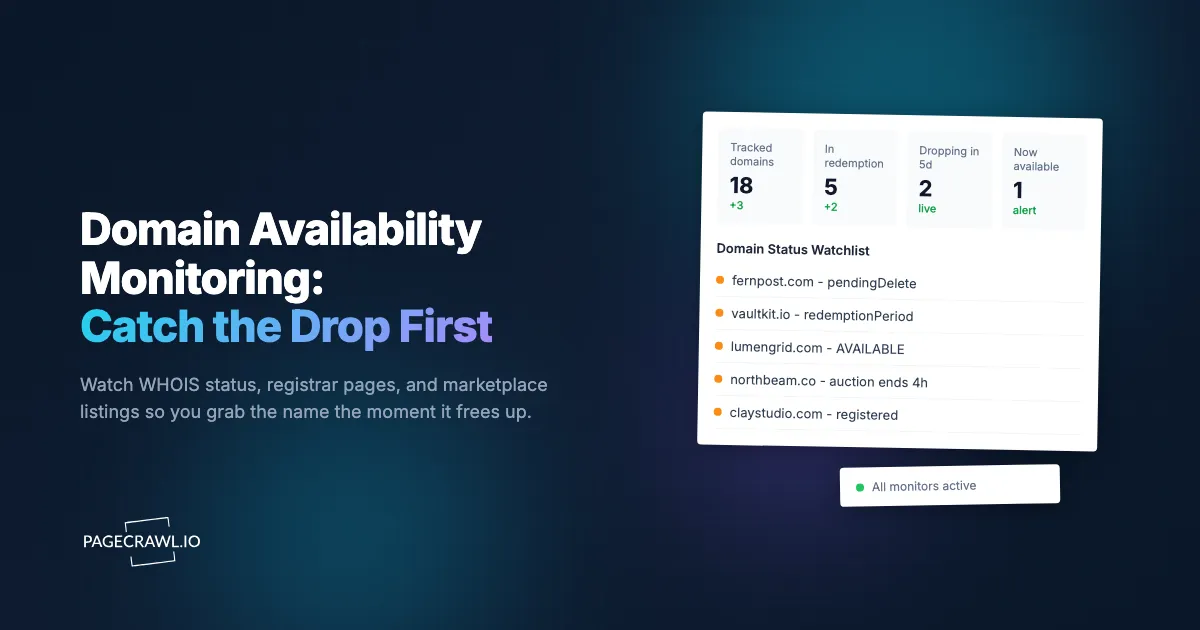
You wanted fernpost.com for two years. It was registered to someone who built a half-finished blog, then abandoned it. In March the WHOIS record showed the registration had lapsed, and you told yourself you would "keep an eye on it." You checked manually every few weeks. Then on a Tuesday afternoon the domain quietly cleared its final five-day pending-delete window and dropped at 2:00 PM Eastern. By the time you checked again that Friday, fernpost.com was registered to a domain investor who had it on Afternic with a $4,500 buy-now price.
The domain was free to register for roughly a few-second window, and you missed it by three days because you were checking by hand. This is the single most common way good domains slip away: not because someone outbid you, but because nobody was watching at the exact moment the name became available.
Domain availability monitoring solves this. Instead of remembering to check, you set up automated monitoring that watches the WHOIS record, the registrar availability page, and any marketplace listing for a name you want, then alerts you as soon as a check detects the status change. This guide covers how the domain lifecycle actually works, which signals tell you a name is about to drop, how to monitor marketplaces like Sedo, Afternic, and GoDaddy Auctions, and how to set up reliable alerts so you are first in line.
How is this different from monitoring your own domain's expiration?
Domain availability monitoring watches a name you do not own but want to acquire, alerting you when it expires, enters pending-delete, drops, or gets listed for sale. Expiration monitoring watches a name you already own so you renew before losing it. Same WHOIS data, opposite goal: one is offense, the other is defense.
If you own the domain, your registrar already sends renewal reminders, and you can layer extra protection by tracking your own records (our guide to domain monitoring covers expiration, DNS, and registrant defense). Availability monitoring is the offensive side. You are tracking someone else's asset, waiting for the moment it stops being theirs. That moment is short and unforgiving, which is exactly why it has to be automated rather than remembered.
The distinction also matters for what you monitor. For your own domains you care about the expiration date and unauthorized record changes (a brand-protection concern covered in web domain fraud monitoring). For a domain you want, you care about a precise sequence of status transitions that ends in a few-second registration window.

How does the domain lifecycle work, and where is your window?
A registered domain does not become available the day it expires. It moves through a defined sequence of stages, each reflected in the EPP status codes that ICANN documents for registrants, and that sequence runs roughly 75 to 90 days for most .com and .net names. Your window to register it for the standard fee opens only at the very end, after pending-delete completes and the registry releases the name. Knowing the stages tells you exactly when to watch hardest.
Here is the typical lifecycle for a .com domain after the registration lapses:
- Expiration. The registration date passes. The site may still resolve. Many registrars keep the domain in the owner's account during a short grace period and will auto-renew it if the owner pays.
- Auto-renew grace period (0 to 45 days). The registry shows status
autoRenewPeriod. The original owner can still renew at the normal price. Most expired domains get renewed here, so do not get excited yet. - Redemption grace period (about 30 days). The status becomes
redemptionPeriod. The domain is no longer in the zone (the website stops resolving), but the owner can still restore it by paying a redemption fee, often $80 to $200 on top of renewal. This is a strong signal the owner has lost interest, but it is not yet yours. - Pending delete (about 5 days). The status becomes
pendingDelete. No one can register or restore the domain during this window. This is your countdown. WhenpendingDeleteappears, you know the exact drop is roughly five days out. - Released (the drop). The registry purges the name and it becomes available for first-come registration. For .com, drops cluster around scheduled daily windows. The name can be registered within seconds of release.
The practical takeaway: the appearance of redemptionPeriod means "start watching closely," and pendingDelete means "the clock is now at five days." Country-code domains (.io, .co, .ai, .de) follow different and sometimes much shorter timelines, so for those you watch the registrar availability page rather than relying on a universal schedule.
Which WHOIS and registrar signals tell you a domain is dropping?
The clearest signals live in the WHOIS record's EPP status codes and in the registry expiry date. Watch for the status field changing from ok or clientTransferProhibited to autoRenewPeriod, then redemptionPeriod, then pendingDelete. Each transition is a discrete, machine-readable event you can monitor and alert on.
The fields worth tracking on a WHOIS lookup page are:
- Domain status / EPP status codes. The sequence
autoRenewPeriodtoredemptionPeriodtopendingDeleteis your dropping ladder. A shift toclientHoldorserverHoldmeans the domain has been deactivated, which often precedes deletion. - Registry expiry date. Confirms the domain has actually lapsed and helps you estimate the drop date by adding the standard grace windows.
- Registrar. Tells you which company controls the renewal, which matters if you later want to backorder through that registrar's own system.
- Name servers. When name servers get removed or change to a registrar parking server, the owner has usually stopped caring.
You can monitor these fields on any public WHOIS lookup page, such as ICANN's own registration data lookup, or on a registrar availability checker. The trick is targeting the exact element that holds the status text so a cosmetic page change does not trigger a false alert. Our CSS selector guide for targeting elements walks through how to pin monitoring to a single field rather than the whole page. For a deeper look at watching registration records over time, see monitoring WHOIS domain changes, which covers registrant, name server, and status tracking in detail.
One caution: WHOIS rate-limits aggressive lookups, and some registries redact or throttle data. Monitoring a rendered WHOIS results page at a sensible interval (a few times per day, not every minute) keeps you within reasonable use while still catching every status transition, because the stages last days, not seconds. The only second-level event is the final drop, and for that the better signal is the registrar availability page returning "available."
How do you monitor domain marketplaces like Sedo, Afternic, and GoDaddy Auctions?
Many desirable domains never drop at all. They get bought by investors and listed on marketplaces, where you watch the listing for price drops, "make offer" status changes, or auction endings. Monitor the specific marketplace listing URL with price and availability monitoring, tracking the price element or buy-now status, then alert when the number falls below your threshold or the listing flips to a closing auction.
The major venues to watch:
- Sedo and Afternic. The two largest aftermarket platforms. Listings show a buy-now price or "make offer." Investors lower buy-now prices over time when a name does not sell, so a watched listing can become affordable months later.
- GoDaddy Auctions. Hosts expiring-domain auctions and closeouts. Closeout prices step down on a schedule (for example, dropping every day until someone buys), which makes them perfect for threshold alerts. Auctions have hard end times you want to be reminded about.
- Atom, Dan, and Flippa. Smaller marketplaces and brokered listings where prices and availability shift without notice.
This is conceptually identical to tracking a product that keeps selling out, so the same alerting playbook applies. The patterns in our out-of-stock monitoring guide map directly: you are watching a single page element flip from one state to another, then firing an alert. For price-based listings, set a rule so you only get pinged when the buy-now figure crosses a number you would actually pay, using the approach in our guide to conditional alerts and threshold rules.
Marketplace pages are often heavy with scripts, lazy-loaded prices, and bot protection. PageCrawl renders each page fully like a real browser and reliably monitors protected listings, so the price you see in your alert is the price a buyer actually sees, not a placeholder or a blocked page.
How do you set up domain availability monitoring with PageCrawl?
PageCrawl monitors any page that reveals a domain's status, the WHOIS lookup, the registrar availability checker, or a marketplace listing, and alerts you as soon as a check detects the text or price changing. The free plan covers 6 monitors and 220 checks per month, enough to track a small wishlist of names through their full lifecycle. Here is how to set it up end to end.

Step 1: Build your domain wishlist. List every domain you want and, for each, gather the URLs that reveal its state: a public WHOIS results page, the "is this domain available" page at a registrar, and any current marketplace listing. One domain might need two or three monitors covering different signals.
Step 2: Add a WHOIS status monitor. Create a monitor on the WHOIS results page for the domain. Target the domain-status field specifically so you track the EPP status codes. Set the tracking mode to watch that element's text, so you get alerted when it moves from redemptionPeriod to pendingDelete and finally disappears at the drop.
Step 3: Add an availability-check monitor. Create a second monitor on a registrar's availability page for the exact domain. This page typically shows "taken" or "available" with a register button. Watch for the page text to change to "available," which is your green light to register immediately. For fast-moving ccTLDs, this page is your most reliable drop signal.
Step 4: Add marketplace monitors. For any name already listed for sale, monitor the Sedo, Afternic, or GoDaddy listing. Track the price element so you are alerted on every reduction, and set a threshold rule so you are only pinged when the price falls to a level you would pay. The help-centre guide to notification conditions and filters shows how to build that price threshold. For auctions, the monitor also catches "auction ending" status so you can place a bid in time.
Step 5: Set the check frequency. For domains in redemptionPeriod or pendingDelete, check several times per day. The closer a name is to dropping, the tighter the interval should be. Paid plans check as often as every 2 to 15 minutes, which matters most for the final availability flip. For names still months from dropping, a daily check is plenty.
Step 6: Configure fast alerts. Connect the notification channels that reach you fastest. A status change on a domain you have wanted for years is worth an interrupt, so wire up browser push and a chat channel, not just email (covered in the next section).
Step 7: Enable screenshots. Turn on screenshots so each alert includes a timestamped image of the WHOIS status or marketplace price. This gives you a dated record of exactly when a domain entered pending-delete or when a listing price dropped, useful for planning your registration timing or negotiating an offer.
How do you make sure the alert actually reaches you in time to act?
Route domain alerts to interrupt-level channels, not a buried inbox. The drop window for a contested name can be seconds, and even a marketplace price cut can get snapped up within the hour, so the alert needs to land on a channel you genuinely watch during the day. Layer two or three channels for the names you care about most.
The channels worth wiring up:
- Browser and mobile push. The fastest way to hear about a status flip once a check picks it up. Our guide to web push notifications shows how to set these up, and the help-centre article on web push notifications for website change alerts covers enabling them on desktop and mobile.
- Slack or a team channel. If a domain matters to a whole team (a rebrand target, for example), pipe alerts into a shared channel so whoever is online can act. See sending website change alerts to Slack.
- Webhooks for automated action. This is where domain monitoring gets powerful. A webhook can fire as soon as a check finds the name available and trigger a registration attempt through your registrar's API, or kick off a backorder, without a human in the loop. Our webhook automation guide covers wiring change events into downstream systems.
For the highest-value names, combine a webhook (for speed and automation) with push (so you are personally aware) so you have both a machine and a human ready to act.
Should you rely on monitoring alone, or also place a backorder?
For genuinely contested names, do both: monitoring tells you what is happening, and a backorder (drop-catch) service gives you a registration attempt at the exact microsecond of release. Monitoring alone is perfect for the many domains only one or two people want, where a fast manual registration wins. Backorders matter when dozens of investors target the same name.
Drop-catch services place automated registration requests the moment a domain is purged, competing in the milliseconds the registry opens. If multiple parties backorder the same name, it goes to a private auction among them. The reality: most decent domains attract little competition, and for those, your own monitoring plus a quick manual registration is more than enough and far cheaper. Reserve paid backorders for the names where you have seen real demand signals, such as an existing marketplace listing or multiple watchers.
The smart play is to use monitoring as your intelligence layer across your whole wishlist, then escalate to a backorder only for the handful of names that show competition. Monitoring tells you which domains are heating up; backorders are how you win the few that do.
Choosing your PageCrawl plan
PageCrawl's Free plan lets you monitor 6 pages with 220 checks per month, which is enough to track a short wishlist of domains through their full lifecycle and validate the approach. Most people graduate to a paid plan once they are watching more names or want tighter check intervals near a drop.
| Plan | Price | Pages | Checks / month | Frequency |
|---|---|---|---|---|
| Free | $0 | 6 | 220 | every 60 min |
| Standard | $8/mo or $80/yr | 100 | 15,000 | every 15 min |
| Enterprise | $30/mo or $300/yr | 500 | 100,000 | every 5 min |
| Ultimate | $99/mo or $999/yr | 1,000 | 100,000 | every 2 min |
Annual billing saves two months across every paid tier. Enterprise and Ultimate scale up to 100x if you need thousands of pages or multi-team access.
For domain hunting, frequency is the feature that wins names. The Free plan's hourly checks are fine for tracking a redemption window weeks out, but a contested drop or a stepped-down closeout auction can resolve inside an hour. Standard at $80/year checks every 15 minutes across 100 monitors, enough to watch a serious wishlist of names plus their marketplace listings with intervals tight enough to catch most availability flips. If you are a domain investor or an agency tracking hundreds of expiring names, Enterprise and Ultimate give you 5-minute and 2-minute checks at the volume that program demands. One acquired domain you would otherwise have lost pays for years of monitoring.
Getting Started
Pick the three domains you want most and set them up today. Create a free account, add a WHOIS status monitor and a registrar availability monitor for each name, enable browser push, and let PageCrawl watch them around the clock. The free plan's 6 monitors are enough to cover three domains with two signals each, so you can stop checking by hand and start getting alerted on the next check after a status changes.
The next great domain you want will free up at some random second on some random afternoon. Make sure you are the one who is watching.