At 9:14 on a Tuesday morning, the graphics card you had waited three weeks for slipped back into stock. It sold out again eleven minutes later. Your Mac was asleep on the desk, and Safari's tidy little "Check every hour at :44" watch was still forty-six minutes away from running. When the notification finally arrived, the product page already read "Sold out" once more. You did everything right, you told your browser to watch the page, and you still missed the window by the better part of an hour.
That gap is the whole story of first-party page monitoring. Apple shipped a genuinely useful convenience in macOS 27 and iOS 27 on 14 September 2026: Safari can watch a webpage and notify you when it changes, and Apple's own example watched a product page to catch a restock. If you want the click-by-click version, we have a separate Notify Me setup guide and hands-on review. For a casual "did this page change?" on an Apple device, it is a lovely thing to have built in. For anything where timing, filtering, or reliability actually matter, it is the floor, not the ceiling.
The short version: you have two better options, and neither is limited to Safari. Noticer is a free extension that does exactly what Safari's "Notify Me" does, in Chrome and Firefox on any operating system, checking as often as every minute instead of once an hour. PageCrawl is the cloud version for when the job gets harder: checks that keep running with your browser closed, element-level price and stock tracking, AI that filters noise and says in plain language what changed, alerts to any channel, logins, and a full history. This guide explains what Safari's feature actually does, where it falls short, what the free extension fixes, and where its own limits start.
What exactly is Safari's "Notify Me When a Webpage Updates" feature?
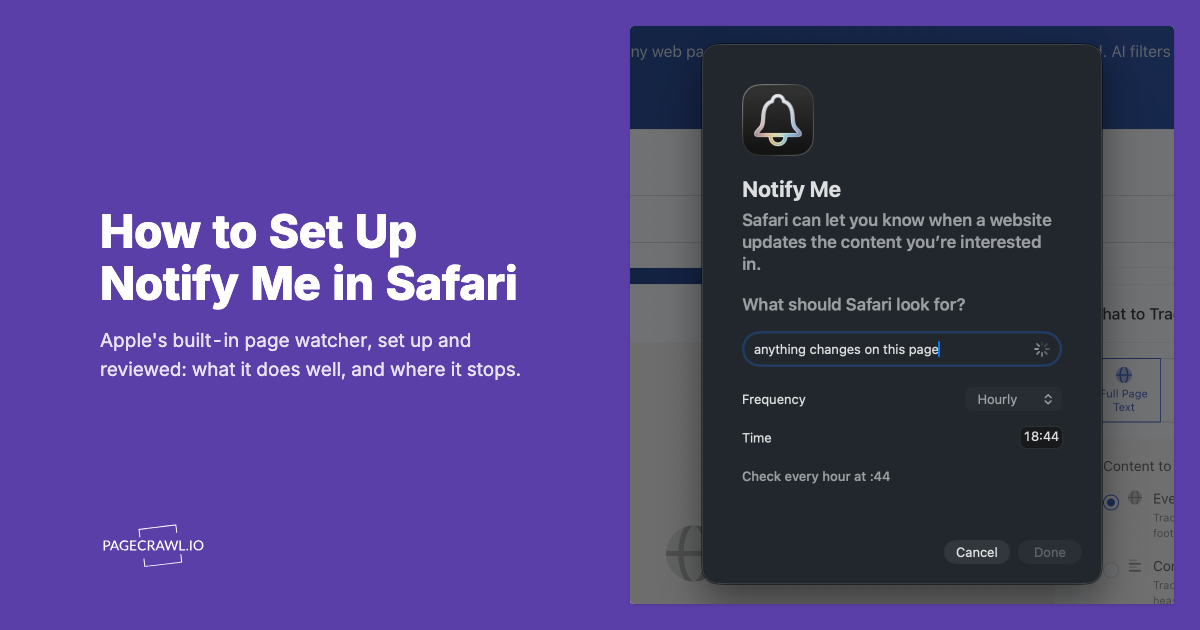
Safari's feature lets you tell the browser to watch a single webpage and send an Apple notification when it detects the page changed. You describe the change in plain English, pick a frequency of Hourly, Daily, Weekly, or Monthly, and Safari confirms the schedule back to you, for example "Check every hour at :44."
In practice, it is Apple's answer to the very common request captured by the phrase notify me when a webpage updates. You are browsing, you find a page you care about, and you ask Safari to keep an eye on it. Safari recognises three intents directly, Price Drops, Back in Stock, and Registration Open, and treats anything else you type as a custom prompt. The intent is a lightweight, built-in way to be told when a page differs from the last time Safari looked. It is convenience baked into the browser you already use, which is exactly why so many people will happily turn it on.
When does the feature ship, and can everyone use it?
It shipped with macOS 27 and iOS 27 on 14 September 2026. It is Apple-only: Safari on Mac, iPhone, and iPad, with no Windows, Android, Linux, or web-dashboard version. It does work in the EU, which was not a given: we set it up on a Mac in Lithuania on release week and it scheduled a check normally.
The platform point matters more than the regional one. Anyone on a work-issued Windows laptop, an Android phone, or a Linux box has nothing to turn on, and neither does anyone who works in Chrome or Firefox all day. Safari's watcher lives inside one browser on one ecosystem, and if your day involves more than Apple hardware, it simply is not present. A cloud service, by contrast, does not care which device or region you are in, because the monitoring runs on the service side and reaches you wherever you happen to be.
How often does Safari actually check a page?
Once an hour at the most. The frequency picker offers Hourly, Daily, Weekly, and Monthly, and Safari refuses anything tighter with the message "Safari can check for an update on the website up to once an hour." Checks can also be skipped when the device is inactive, in Low Power Mode, or running hot, so hourly is best-effort rather than guaranteed.
Slow checks are fine for slow pages. A privacy policy, a documentation page, or a slowly evolving announcement page changes on a scale of weeks, so an hourly or daily look catches everything you need. The trouble starts when the page moves faster than the schedule. Restocks, price drops, ticket and preorder drops, and appointment slots can open and close inside minutes. As our out-of-stock and restock monitoring guide lays out in detail, a popular item can flip to available and sell through long before the next hourly check fires. An hourly watcher is structurally incapable of catching those moments. It is not a bug in Safari, it is a consequence of the cadence.
What are the real limitations of Safari's built-in monitoring?
Beyond cadence, Safari's watcher is basic by design. It runs on your own Apple devices rather than a 24/7 cloud, it reaches only public pages, it delivers a generic device notification, and it offers no diff, history, thresholds, or automation. Each is a real constraint, not a rough edge a setting will fix.
It runs on your device, not in the cloud
Safari's feature runs on your own Apple hardware. The watch does sync across your devices, so an iPhone can cover hours when the Mac is shut, but if every device is asleep, off, in Low Power Mode, or running hot, the check is skipped rather than done for you in a data center. Safari records exactly that, with skipped-check reasons for inactivity, Low Power Mode, and thermal state. A dedicated service is the opposite by construction: the checks run on the service's own infrastructure around the clock, and your laptop can be closed all week without missing a thing. That difference is the gap between a browser convenience and true monitoring, a distinction we cover in the complete guide to monitoring website changes.
You describe a change rather than point at one
Safari has built-in handling for Price Drops, Back in Stock, and Registration Open, and treats anything else you type as a custom prompt it interprets. That is a lovely interface, and it is also the whole of your control: there is no element picker, no selector, no numeric threshold, and no way to tell it which parts of the page to ignore. You cannot see what it is comparing, so when it reads a busy retail page differently from how you meant, there is nothing to correct. It also refuses pages that are not publicly reachable and pages where the value only appears after you interact, so anything behind a login or behind a size picker is out of reach.
It only pings your Apple device
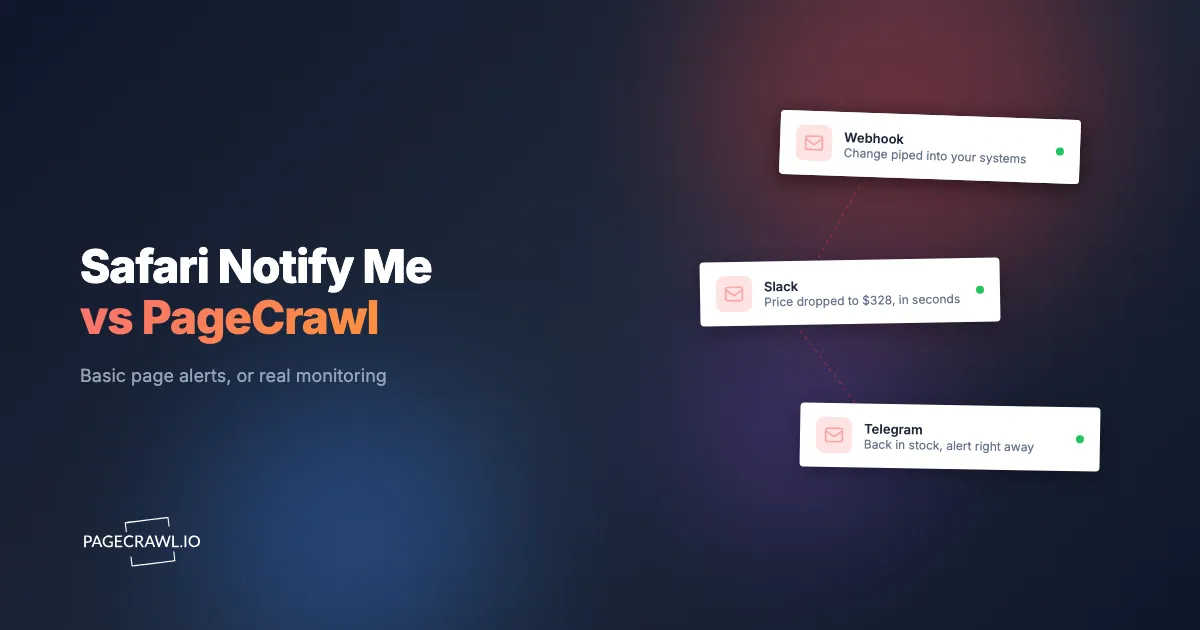
Notifications arrive as an Apple notification on your device, and that is the only channel. There is no email, no Slack, no Discord, no Microsoft Teams, no Telegram, and no webhook, and there is no way to share a watched page with a teammate. If the person who needs to act is not the person holding that specific iPhone, the alert does not reach them. For any workflow that runs through a shared inbox or a team channel, a single-device notification is a dead end.
There is no diff, history, or automation
Safari tells you the page changed, but it does not show you what changed, it does not keep a running history of past versions, and it has no plain-language summary of the difference. There are no conditional, keyword, or threshold rules, and no automation to hand the change off to another system. You get a nudge to go look, then you are on your own to figure out what actually moved and whether it even mattered.
Is there a free version of "Notify Me" for Chrome and Firefox?
Yes. Noticer is a free browser extension from the PageCrawl team that does the same job as Safari's "Notify Me," except it runs in Chrome and Firefox on Windows, macOS, and Linux. It checks as often as every minute rather than once an hour, and needs no account.
Install it from the Chrome Web Store or Firefox Add-ons. It is free, with no monitor limits or paywall inside the extension.
Think of Noticer as the simple version of PageCrawl. The core idea is identical to Safari's: open a page, click watch, get a notification when it changes. What it adds is the part that makes those alerts usable.
- Any operating system. Chrome and Firefox on Windows, macOS, and Linux, with nothing tied to Apple hardware.
- Checks down to every minute. Intervals run from once a minute up to once a day, so a restock or a price drop does not have to wait for the next hourly pass.
- Element targeting. An on-page picker lets you watch one price, one stock line, or one section instead of the entire page, which removes most of the false alarms that ad slots and "last updated" timestamps cause.
- A before-and-after view. Every alert opens on what actually changed, with a short local history, rather than a bare "this page changed."
- On-device AI summaries. In Chrome, the browser's built-in model writes a one-line summary of each change and can judge a plain-language rule such as "only tell me if the price drops." Nothing leaves your machine.
- Private by design. Checks run inside your browser, there is no account, and page content is never sent to a server. Site access is granted one origin at a time, when you start a watch.
- Imports an existing watchlist. Exports from other monitoring extensions, or a plain list of URLs, load straight in, so switching does not mean re-adding pages by hand.
What are the limitations of the Noticer extension?
Noticer checks from inside your browser, which is exactly what makes it free and private, and also where its ceiling comes from: no extension can check a page while the browser is closed or the machine is asleep. It also has one alert channel, a short history, and no way to reach pages that need a login.
The honest list, so you know before you rely on it:
- It only runs while your browser is open. Quit Chrome or let the laptop sleep and checking pauses. Noticer catches up on overdue checks when you come back, and tells you it was paused, but the gap is real. It is the same class of gap as Safari's, much narrower, and not closed.
- One alert channel. A desktop notification, an optional sound, and a toolbar badge. There is no email, Slack, Discord, Microsoft Teams, Telegram, webhook, or API.
- No account, so nothing syncs or is shared. Your watchlist lives in that one browser profile. No second device, no teammate, no web dashboard.
- Short local history. Recent changes are kept on the device and trimmed over time. There are no per-check screenshots and no long-term archive to point at later.
- JavaScript-rendered content can be invisible. Background checks read the page's HTML rather than a fully rendered browser view, so a value the site builds with JavaScript after load may not be there to compare. Noticer detects that case and says so instead of failing quietly.
- No login-gated pages. Anything behind a sign-in form, a one-time code, or bot protection is out of reach for a local check.
- Built for a handful of pages. Local checking is deliberately bounded, so roughly twenty watched pages is the comfortable ceiling, not hundreds.
- Basic tracking modes only. Whole page, an element, or a number. There is no conditional rule builder, no combined keyword and threshold logic, and no scheduled digest.
Those limits are intentional rather than unfinished. Noticer is meant to stay small, fast, and free for personal watching, and to hand the harder jobs to the cloud.
How do Safari, Noticer, and PageCrawl compare?
Safari's watcher is an hourly, Apple-only convenience for a handful of pages. Noticer is the free cross-browser version of the same idea, faster and more precise but bounded by your browser being open. PageCrawl is the cloud service that runs 24/7 whether or not your devices are on, targets elements, filters noise, and alerts any channel. Here is the side-by-side.
| Capability | Safari built-in | Noticer (free extension) | PageCrawl (cloud) |
|---|---|---|---|
| Platforms | Apple only (Safari on macOS 27 and iOS 27) | Chrome and Firefox on Windows, macOS, and Linux | Any platform via web dashboard, plus mobile and desktop web push |
| Check frequency | Hourly at most, and checks can be skipped on battery or heat | Every minute up to once a day, while the browser is open | Every 15 min (Standard), 5 min (Enterprise), 2 min (Ultimate) |
| Runs when devices are off | No, and checks are skipped on inactivity, Low Power Mode, or heat | No, needs the browser running | Yes, cloud service running around the clock |
| Price and availability tracking | Price drop and back in stock intents, no thresholds | Watch a number or an element you pick | Dedicated price and availability (restock and out-of-stock) modes |
| Element targeting | None, you describe the change in words | On-page element picker | Specific text, number, or section by selector |
| Filtering and thresholds | None | Plain-language on-device filter (Chrome) | Conditional keyword, price, and threshold rules |
| Diff and AI summary | Neither | Before-and-after diff plus an on-device one-line summary | Full diff plus plain-language AI change summaries and priority scoring |
| Notification channels | Apple device notification only | Desktop notification, sound, and badge | Email, Slack, Discord, Microsoft Teams, Telegram, webhooks, web push |
| Team sharing | No | No, single browser profile | Yes, shared workspaces |
| Logins and 2FA | No, public pages only | No | Form login with saved session, emailed codes, and authenticator TOTP |
| JavaScript-heavy pages | Loaded in the background, but no interaction | Limited, detected and flagged | Fully rendered before every comparison |
| History and archive | None | Short local history, no screenshots | Full change history plus per-check screenshots |
| Automation | None | None | Webhooks and API for downstream automation |
| Price | Included with macOS 27 and iOS 27 | Free | Free tier, paid plans from $8 per month |
Note: audit-ready WACZ archiving and grouped cross-retailer product comparison are custom capabilities available on request rather than self-serve plan features, so they are not tied to any specific tier.
When should you use PageCrawl instead of the free extension?
Use PageCrawl when the page has to be watched whether or not your browser is open, or when the job is more complicated than "tell me this changed." Overnight coverage, pages behind a login, heavy JavaScript sites, alerts to a team channel, conditional rules, dozens of pages, and a record you can point at later all sit on the cloud side of that line.
Reach for the cloud when any of these is true:
- The change can happen while you are away from the machine. Restocks, price drops, ticket releases, and appointment slots do not wait for you to open your laptop. Cloud checks keep running overnight and over the weekend.
- Someone other than you needs the alert. A shared inbox, a Slack or Teams channel, or a teammate on a different device cannot be reached by a desktop notification.
- The page needs a sign-in or a two-factor code. Members-only dashboards, account pages, and gated price lists need a saved session, emailed codes, or authenticator TOTP.
- The site is heavily JavaScript-driven or bot-protected. If the value you care about is built after the page loads, it needs a fully rendered check rather than a fetch of the raw HTML.
- You need rules, not just a diff. "Only below $300," "only if this keyword appears," "only on a decrease," or a plain-language instruction judged against every change.
- You are watching more than a couple of dozen pages. Hundreds of monitors, folders, tags, and scheduled digest reports are cloud work.
- You need proof of what the page said. Per-check screenshots and full history matter for compliance, disputes, and anything you may have to show someone.
A good pattern is to run both. Keep Noticer for fast, personal, "watch this while I am working" pages, and put anything that has to keep running after you close the laptop into PageCrawl. Noticer itself points at the cloud at the exact moments it cannot help, such as a JavaScript-built element it cannot read or a watchlist that has grown past what local checking should carry, so you are not left guessing which side of the line you are on.
Can you just describe what you want to be notified about?
Yes, and this is where the gap with Safari is widest. With PageCrawl you write, in plain language, what you actually care about on a page, and its AI focuses on that. You can tell it "notify me only when the price drops below $300," "let me know if they add a new pricing tier," or "alert me if the return window gets shorter," and PageCrawl reads each change against your instruction instead of pinging you on every pixel.
Safari's watcher does make its own call about which changes deserve a notification, but that call is invisible. You cannot see what it compared, why it stayed quiet, or tell it that it got one wrong. PageCrawl inverts that. You describe the outcome you are waiting for, its AI reads each detected change, decides whether it matches what you asked for, and scores how important it is, so trivial edits stay silent while the change you care about rises to the top. This is the AI filtering layer that turns a noisy page into a trustworthy signal.
When an alert does fire, it arrives with a plain-language AI summary of exactly what moved, for example "the return window changed from 30 days to 14 days" or "a new Enterprise plan was added at $30 per month," rather than a bare "this page changed." You are not diffing a page in your head anymore; you told the tool what mattered, and it did the reading and the judging for you.
The natural-language layer sits on top of the precise controls, so you combine them. Conditional price, keyword, and threshold rules handle the exact-value cases, the AI summary and priority score handle the judgment cases like "did this policy get stricter," and false-positive controls ignore the volatile regions of the page. Safari offers none of this: no precise rules, no visible filtering, and no summary of what changed. That is the difference between a monitor you trust and a whole-page watcher you eventually mute.
What happens when Safari decides a change is not relevant?
Nothing, and you never find out. In our own side-by-side test we set up the same test pages in Safari and in PageCrawl, and Safari missed several updates that mattered. Our best explanation is that it judged those changes irrelevant and stayed silent. PageCrawl records every change it filters, so you can review and correct its decisions.
That is the real risk with any watcher that filters for you: a wrong judgment looks exactly like a quiet page. Safari keeps no record of the checks where it decided not to notify you, so a missed update only surfaces when you happen to visit the page yourself.
PageCrawl filters too, but every decision stays visible and reversible:
- Every detected change is kept in the monitor's history, including the ones that did not send an alert. Each check shows why: "Notified", "Not notified" (no alert rule matched), "Low importance" (AI scored it below your importance threshold) or "Marked not useful" (a similar change was flagged as noise).
- Hidden changes are one filter away. Low importance and noise-filtered checks are hidden from the timeline by default to keep it readable. Switch them back on in the status filter to see exactly what was held back.
- The Overview keeps a "Filtered as Noise" section, so you can scan everything that was suppressed across all your monitors in one place.
- You can correct a wrong call. Press thumbs up on a change that should have reached you, lower the importance threshold, rewrite the plain-language instruction so it names what you care about, or add a conditional rule that always alerts on a keyword or price. Your alert rules override the AI filter.
The difference is not that one tool filters and the other does not. It is that when PageCrawl's filter gets something wrong, you can see it, fix it and make sure it does not happen again.
Why does element-level tracking beat watching the whole page?
Element-level tracking beats whole-page watching because it lets you monitor the one thing that matters and ignore everything else. PageCrawl can watch a price value, an availability state, a text string or number, a visual region, a reader-mode block, a keyword, or a JSON field, so a rotating ad never triggers a false alert.
The practical payoff shows up across very different jobs. For shopping, price tracking captures the numeric value so you can act on the number itself, and product page availability tracking fires on the check where an item moves from "Sold out" to "Add to cart," which is the restock case Apple demonstrated but cannot target precisely. For content and research, fullpage text and reader-mode capture strip away the chrome so you follow the substance. For structured sources, JSON and API field tracking watches a single value inside an endpoint, and PDF monitoring catches changes buried inside a document. Visual change capture flags layout and design shifts that pure text watching would miss. Each mode is a narrow lens on exactly the element you care about, which is the difference between a monitor that is useful and one that just tells you something, somewhere, is different.
Can PageCrawl monitor logins, PDFs, and API endpoints?
Yes. PageCrawl handles the pages a browser convenience is unlikely to reach: sites behind a login, heavy dynamic pages, bot-protected sites, PDF documents, and JSON or API endpoints. It renders each page fully and reliably monitors sites that block simpler tools, so the monitor keeps working where a device-bound watcher would quietly stall.
Login-gated monitoring is the clearest example. PageCrawl uses a resilient one-config form login with a saved, reused session, and it supports two-factor authentication through both emailed codes and authenticator-app TOTP, so you can watch a members-only dashboard, an account page, or a gated price list. Our guide to monitoring pages behind a login form walks through the exact setup, and the help centre article on monitoring password-protected pages covers both form logins and HTTP authentication. On top of that, every check stores full history and a per-check screenshot, so you always have visual proof of what the page looked like at the moment it changed. Safari's feature keeps no such record, and it is unlikely to authenticate into a gated page at all.
How do you set up webpage-update alerts with PageCrawl?
Setting up a monitor takes a couple of minutes and gives you every capability Safari's feature lacks: cloud checking, element targeting, filtering, multiple channels, and a saved history. The full sequence runs from a blank monitor to a working alert in six steps, and none of them require code or a browser extension.

Step 1: Add the page and choose a tracking mode. Paste the URL, add the page straight from your browser bar with the bookmarklet, or send it over from Safari's Share Sheet on an iPhone or iPad, then pick the mode that fits the job: price or number tracking for a value with a threshold and a direction, availability tracking for restock and out-of-stock, keyword or text tracking for a specific phrase, fullpage or reader-mode content tracking for whole articles, visual change capture for layout, or JSON and API field tracking for structured data. This is where element targeting replaces Safari's whole-page guesswork. If you want to test the setup before committing a page you care about, use our demo product page, built to stress test change monitoring tools: its price, stock status, version, changelog, and banner rotate every few minutes.
Step 2: Set your check frequency. Choose how often the cloud checks the page. Standard runs every 15 minutes, Enterprise every 5, and Ultimate every 2, which is the difference that lets you catch a restock or a price drop that Safari's hourly cadence would sleep through.
Step 3: Pick your notification channels. Route alerts to email, Slack, Discord, Microsoft Teams, Telegram, or a webhook, and turn on mobile and desktop web push so the alert reaches you anywhere, not just on one Apple device. You can send the same monitor to more than one channel and share it with your team.
Step 4: Keep screenshots on. New monitors capture a screenshot on every check by default, so you build a visual record of exactly what the page looked like when it changed. Leave this on for proof and for easier review later.
Step 5: Add conditional rules and thresholds. Define when an alert is allowed to fire: a price below your target, a specific keyword appearing, a number crossing a threshold, or a direction like "notify only on a decrease." This is the filtering layer that keeps a noisy page quiet until a real move happens.
Step 6: Handle logins and save. If the page sits behind a login, add the form credentials and, where needed, two-factor via emailed codes or an authenticator TOTP, then save. From that point the monitor runs 24/7 in the cloud whether or not your Mac or iPhone is on, and you get a full change history for every check.
If you are comparing options first, our roundup of the best free website change monitoring tools puts Safari's built-in feature in context next to the alternatives, and shows where a purpose-built monitor pulls ahead.
Choosing your PageCrawl plan
PageCrawl's Free plan lets you monitor 6 pages with 220 checks per month, which is enough to validate the approach on your most critical pages. Most teams graduate to a paid plan once they see the value.
| Plan | Price | Pages | Checks / month | Frequency |
|---|---|---|---|---|
| Free | $0 | 6 | 220 | every 60 min |
| Standard | $8/mo or $80/yr | 100 | 15,000 | every 15 min |
| Enterprise | $30/mo or $300/yr | 500 | 100,000 | every 5 min |
| Ultimate | $99/mo or $999/yr | 1,000 | 100,000 | every 2 min |
Annual billing saves two months across every paid tier.
Enterprise and Ultimate scale up to 100x if you need thousands of pages or multi-team access.
Getting Started
Safari's "Notify Me When a Webpage Updates" is a welcome built-in, and for a casual check on an Apple device many people will use it happily. If you are not on Apple hardware, or you need the page checked more than once an hour, install Noticer and you have the same feature in Chrome or Firefox for free, down to a check a minute.
Once the job needs coverage while your browser is closed, element targeting, noise filtering, multiple channels, logins, or a reliable record of what changed, that is where a cloud monitor takes over. Start free with PageCrawl on your most important pages, set the first monitor to alert only on the move you care about, and let the cloud watch the page so you do not miss the next 9:14 a.m. restock. It is the same idea you already understand from Safari's "Notify Me," made powerful enough to actually rely on.