You set up a Google Alert for your top competitor's name, hoping to catch it when they change their pricing. Three months later, your inbox is full of blog mentions, recycled press coverage, and forum threads, but the one thing you actually wanted to know, that they quietly raised their Pro plan from $49 to $59, never showed up. You found out from a customer who switched away.
This is the core limitation of Google Alerts. It is not a page monitor. It watches what Google's index decides to surface about a search term, mostly news articles and freshly crawled mentions. It cannot tell you that a specific page changed, because it was never designed to look at a specific page. If the change happens on a pricing table, inside a documentation site, on a status dashboard, or behind a login, Google Alerts is blind to it.
The good news is that the job you actually want, "tell me when this exact page changes", is a solved problem. It just needs a tool built for page-level change detection rather than keyword indexing. This guide explains what Google Alerts misses, why it misses it, and how to set up an alternative that watches the pages you care about, indexed or not.
What does Google Alerts actually monitor, and what does it miss?
Google Alerts monitors Google's search index for new results matching a keyword, mostly news and web mentions. It does not watch any individual page for changes. So it catches "someone published an article mentioning X" but completely misses "the page at this URL changed its content", which is what most people actually need.
Think of it as a saved search that emails you new hits. That is genuinely useful for tracking your brand's name in fresh news coverage. But the model breaks down the moment you care about a page rather than a phrase. Google Alerts has no concept of "this URL, checked over time". It cannot diff yesterday's version of a page against today's. It only knows whether something new entered the index. Here is what falls through the gap:
- Pricing pages: Competitors rarely announce price changes. They edit a table. Nothing gets "published", so nothing alerts.
- Documentation and changelogs: A vendor deprecates an endpoint or changes a default. The docs page updates in place, never triggering a new index entry.
- Status and dashboard pages: Real-time pages that update constantly are not surfaced as news.
- Login-gated pages: Client portals, partner dashboards, and account settings are never indexed at all.
- Terms, policies, and legal text: Edits happen silently inside the same URL.
- Stock and availability: An "out of stock" flipping to "in stock" is a page-state change, not a news event.
Our complete guide to monitoring website changes breaks down every approach for catching these. The short version: you need page-level change detection, which Google Alerts does not do.
Why doesn't Google Alerts catch changes on a specific page?
Google Alerts cannot catch page changes because it works off Google's crawl-and-index pipeline, not a per-URL watcher. It detects new content entering the index for a keyword. An edit to an existing page often does not re-enter the index as "new", and pages behind logins or not crawled at all are invisible to it.
Google's index is optimized for surfacing relevant results to searchers, not for tracking one document over time. A few consequences follow directly from that design:
- Re-crawl timing is unpredictable. Google decides when (and whether) to re-crawl a page, as its Search Central documentation for site owners explains. A page might be revisited days or weeks after it changes, long after the change mattered to you.
- In-place edits are not "news". When a page changes content without changing its URL, there is usually nothing for Alerts to flag as a new result.
- Coverage is keyword-shaped, not URL-shaped. You tell Google Alerts a phrase, not a page. You cannot point it at a competitor's
/pricingpage and say "watch this". - Anything not indexed is unreachable. Login-gated pages, dashboards, JavaScript-rendered apps, and pages with a
noindextag never enter the index, so Alerts can never see them.
A real page monitor inverts every one of these. You give it a URL, it checks that exact page on a schedule you control, compares the new version against the last one, and alerts you on the actual difference. It does not care whether Google has indexed the page, whether the change counts as "news", or whether the content sits behind a password.
What is the best Google Alerts alternative for monitoring specific pages?
The best alternative is a dedicated website change monitor that watches URLs directly: you provide a link, it captures the page on a schedule, diffs each new version against the previous one, and notifies you on real changes. PageCrawl does this for any page, including JavaScript-heavy apps and login-gated pages that Google never indexes, and the Google Alerts alternative comparison sets the two approaches side by side.
The key difference is intent. Google Alerts answers "is anyone talking about this term?" A page monitor answers "did this exact page change, and how?" For most jobs people try to force Google Alerts into, the second question is the one they actually meant. A capable page monitor gives you things Google Alerts simply cannot:
- URL-level targeting. Point it at the precise page, and optionally one element on it (a price, a status badge, a version number) so you are not buried in unrelated edits.
- A real before-and-after diff. See exactly which words, numbers, or sections changed, instead of a vague "new result" link.
- Schedules you control. Check every few minutes for time-sensitive pages, or daily for slow-moving policy text, rather than waiting on Google's re-crawl whims.
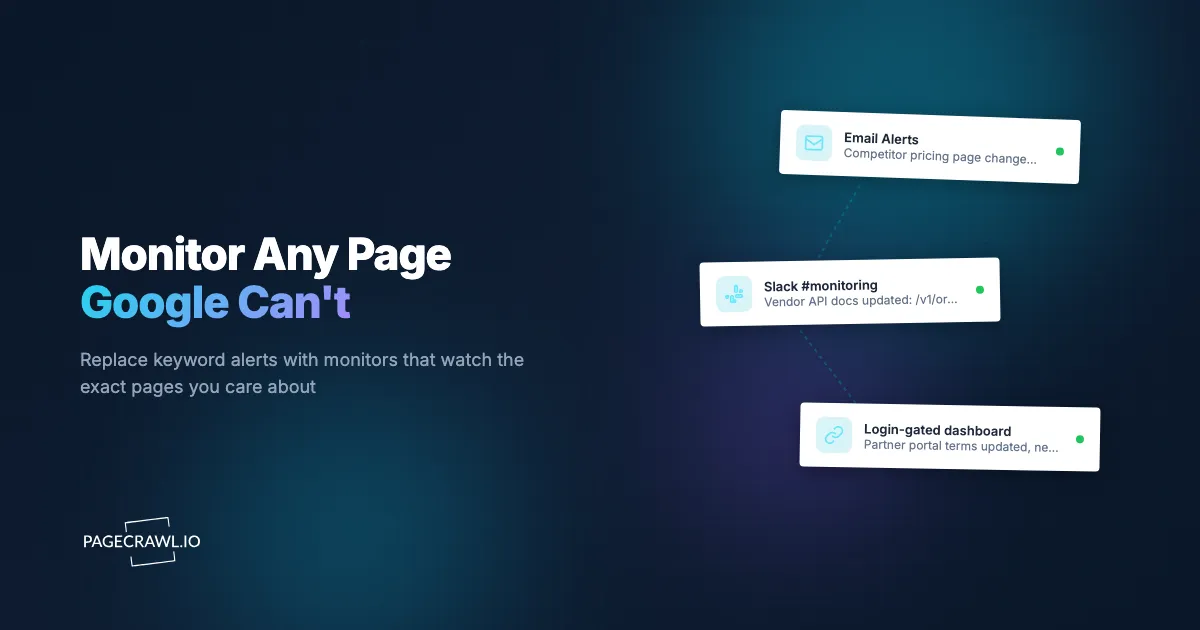
- Coverage of unindexed pages. Monitor dashboards, app screens, and anything behind a login, and route alerts to email, Slack, Teams, Discord, Telegram, webhooks, or push.
Our roundup of the best free website change monitoring tools compares what you get at no cost across several options.
How do you set up page monitoring as a Google Alerts replacement?
Setting up a page monitor takes a few minutes: add the URL, choose what to track, set a check frequency, pick your alert channels, and let it run. PageCrawl's free tier gives you 6 monitors and 220 checks per month, enough to replace a handful of Google Alerts with monitors that actually watch the pages you care about. Here is the full walkthrough.

Step 1: Add the URL you want to watch
Paste the exact page link, for example a competitor's pricing page, a vendor's changelog, or a regulatory document. PageCrawl loads the page, renders it the way a browser would (so JavaScript-driven content appears), and shows a preview of what it captured. Dynamic and app-style pages that look empty in a basic scraper render properly here.
Step 2: Choose what to track on the page
Decide how much of the page matters:
- Full page text captures all visible text. Good for policies, articles, and general "tell me if anything meaningful changes" monitoring.
- A specific element targets one part of the page, like the price, the "in stock" badge, or the "latest version" line. This is the single biggest upgrade over Google Alerts: watch a number instead of a whole web of mentions.
- Reader mode strips navigation, ads, and sidebars to focus on the main article body. Ideal for news and editorial pages.
- Price or number tracking extracts a numeric value and tracks it over time, with threshold alerts ("tell me only if it drops").
Step 3: Set your check frequency
Match the cadence to how time-sensitive the page is:
- Every few minutes for stock, ticket availability, or fast-moving status pages.
- Hourly for competitor pricing and active listings.
- Daily for documentation, policies, and terms of service.
This is something Google Alerts never let you control: you are no longer waiting on a re-crawl, you decide.
Step 4: Add keyword or threshold conditions (optional)
If you only care about certain words appearing or disappearing, add a keyword trigger so the monitor stays quiet until "discontinued", "sold out", or "price increase" shows up. You can also require a percentage-change threshold so trivial edits do not fire. See keyword monitoring with trigger word alerts for how to phrase these conditions precisely and combine several rules.
Step 5: Choose your alert channels
Pick where alerts land. Email is the closest like-for-like with Google Alerts, and our guide to setting up email alerts for website changes walks through the details, while the help article on email notifications for change detection covers the summary, screenshot, and diff options in each message. But you can also route changes to Slack, Microsoft Teams, Discord, Telegram, a webhook, or browser push notifications. Most teams send routine changes to a shared channel and reserve email or push for high-priority pages.
Step 6: Let it run, then refine
Give it a few days. If you are getting too much noise, tighten to element-level monitoring or add a threshold. If you are missing changes, loosen the threshold or check more often. The first week is calibration. Our notes on reducing website monitoring false positives cover the common culprits (timestamps, rotating banners, cookie notices) and how to filter them out.
That is the whole loop: six steps to a monitor doing what you wrongly hoped Google Alerts would do.
Which pages should you monitor that Google Alerts can't reach?
Monitor the pages where the change happens silently and in place: pricing tables, documentation and changelogs, status dashboards, terms and policies, and anything behind a login. These are exactly the high-value pages Google Alerts cannot see, because the change is an in-place edit rather than a new indexed result. A practical starter list, by who tends to need it:
- Competitive intelligence: competitor pricing, feature, and comparison pages. Price and plan edits almost never get "announced", so a direct monitor is the only reliable catch.
- Vendor and dependency tracking: API documentation, changelogs, deprecation notices, and status pages for the services you build on. A quiet doc edit can break your integration without a single press release.
- Legal and compliance: terms of service, privacy policies, and subprocessor lists, which change in place and matter the moment they do.
- Reputation and brand: review pages, listing pages, and your own site. For how your brand appears across the open web and AI tools, pair page monitoring with online reputation monitoring and monitoring your brand in ChatGPT and AI search.
- Login-gated pages: client portals, partner dashboards, and account settings that are never indexed at all. PageCrawl can run a login sequence before each check, covered in monitoring password-protected websites and in the help article on monitoring password-protected pages.
The pattern is consistent. If a page changes without publishing anything new, Google Alerts cannot help, and a page monitor is the right tool.
How do you monitor keywords on a specific page instead of the whole web?
Point a page monitor at the URL and add a keyword condition so it only alerts when your chosen words appear or disappear on that page. Unlike Google Alerts, which searches the entire index for a phrase, this watches one page and triggers on the word in context, eliminating the unrelated mentions that flood a keyword alert.
This solves the most common Google Alerts frustration: you wanted to know when a term showed up on a particular page, but instead you got every blog, forum, and aggregator that used the same words. Scoping the keyword to a single URL keeps the signal clean. Concrete examples:
- Alert when a job on a careers page contains "Staff Engineer" or "Director of Sales", a hiring signal you would never reconstruct from web-wide alerts.
- Alert when a product page flips from "In Stock" to "Sold Out", or a status page shows "Degraded" or "Outage".
- Alert when a vendor's terms page adds "arbitration", "data retention", or "subprocessor".
- Alert when a competitor's pricing page introduces "Enterprise", "annual only", or "contact sales".
The keyword monitoring guide goes deeper on phrasing and combining conditions. The headline point: page-scoped keyword alerts give you precision Google Alerts can never reach, because they are anchored to a URL rather than the entire web.
Can you still get the news-and-mentions coverage Google Alerts gave you?
Yes. The one thing Google Alerts does reasonably well, surfacing fresh mentions across the open web, you can reproduce more reliably by monitoring the sources directly: news sites, press release pages, RSS feeds, and the specific outlets that matter to you, rather than trusting a single index to catch everything.
Instead of one keyword alert hoping to catch every mention, you watch the pages and feeds where coverage appears. That gives you faster, more complete signal because you are watching the source, not waiting for it to be indexed. For example:
- Monitor a handful of trade publications and a competitor's press or newsroom page directly. Our guide to news and journalism monitoring tools covers building a focused news watch that catches announcements on the next check after they post.
- Watch Wikipedia entries, mention pages, and brand-relevant articles so you catch edits without waiting for an index refresh.
You lose the convenience of one global keyword, but you gain control over which sources you trust and how fast you hear about them. For a slow-moving keyword you can still keep a Google Alert running alongside your monitors. The two are complementary: Google Alerts for broad web-wide discovery, page monitoring for the specific pages and sources that matter.
How do you keep the alerts useful instead of noisy?
Keep alerts useful by scoping each monitor tightly, watching one element instead of the whole page where possible, setting a change threshold so trivial edits stay silent, and filtering out predictable noise like timestamps and rotating banners. The goal is one alert per change that actually matters, not a Google-Alerts-style inbox flood. The fastest noise reductions, in rough order of impact:
- Target an element, not the page. If you care about the price, watch the price. This removes most irrelevant edits in one move.
- Set a threshold. Require a minimum percentage of content to change before alerting, so a one-character tweak does not page you.
- Filter the usual offenders. Ignore dates and timestamps, hide cookie banners, and ignore view counters that change on every load. Our false positives guide lists these and how to exclude them.
- Add keyword gates. Stay silent until specific words appear, so the monitor fires only on the trigger you chose.
- Split channels by priority. Send routine changes to a shared channel and reserve email or push for the monitors that demand action now.
Done well, this is the opposite of the Google Alerts experience: instead of skimming half-relevant links, you get a short, high-signal stream where every alert is a real change on a page you chose to watch.
Choosing your PageCrawl plan
PageCrawl's Free plan lets you monitor 6 pages with 220 checks per month, which is enough to replace a handful of Google Alerts with monitors that watch the exact pages you care about. Most people upgrade once they see how much a direct page monitor catches that keyword alerts never did.
| Plan | Price | Pages | Checks / month | Frequency |
|---|---|---|---|---|
| Free | $0 | 6 | 220 | every 60 min |
| Standard | $8/mo or $80/yr | 100 | 15,000 | every 15 min |
| Enterprise | $30/mo or $300/yr | 500 | 100,000 | every 5 min |
| Ultimate | $99/mo or $999/yr | 1,000 | 100,000 | every 2 min |
Annual billing saves two months across every paid tier. Enterprise and Ultimate scale up to 100x if you need thousands of pages or multi-team access.
Standard at $80/year is the sweet spot for replacing Google Alerts with real monitoring. 100 pages covers a serious watchlist: a set of competitors, the vendors you depend on, your key compliance pages, and the news sources you trust. Checking every 15 minutes means you hear about a change while it still matters, not after Google re-crawls. Enterprise at $300/year adds 500 pages, faster checks, and full API access. Every plan, including Free, includes the PageCrawl MCP Server, which connects to Claude, Cursor, and other MCP-compatible tools so you can create monitors and query your change history in plain language.
Getting Started
Pick the three Google Alerts you rely on most and notice how many are really "tell me when this page changes" in disguise. Replace each with a monitor pointed at the actual URL, set the cadence that fits, and route the alert wherever you will see it. Within a week you will catch a pricing edit, a policy change, or a quiet deprecation that a keyword alert would have missed entirely.
Sign up for a free PageCrawl account, add your first monitor, and start watching the pages Google can't. If you want help picking settings for your use case, reach out at [email protected].
Google Alerts watches the web. PageCrawl watches your pages.