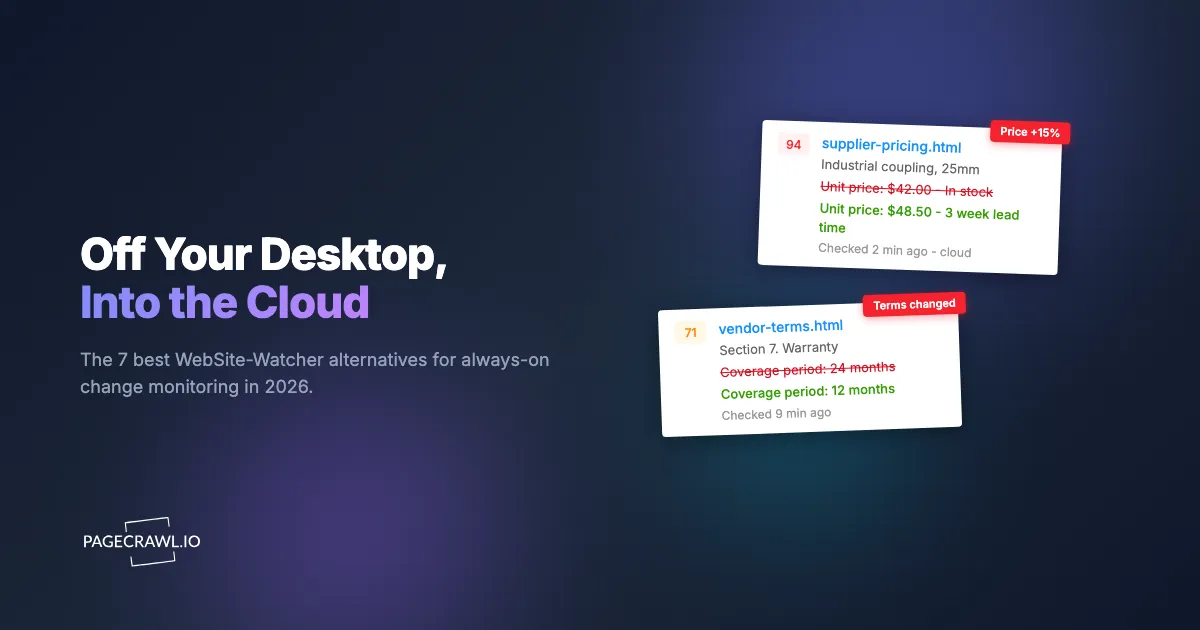
WebSite-Watcher is a Windows monitoring application with filters, login macros, document tracking and mobile synchronization. If you are considering an alternative, decide whether you want to keep local operation, move checking to a managed service or run a self-hosted installation. Those choices have different costs and responsibilities.
Reviewed November 11, 2026 by the PageCrawl team. We make PageCrawl. This guide compares documented workflows and plan limits, not measured detection accuracy. The individual comparisons link the dated evidence behind their feature and pricing details.
The WebSite-Watcher comparison provides the shorter overview.
What does WebSite-Watcher already provide?
WebSite-Watcher offers more than a simple page-refresh alert. Its published editions describe document tracking, filtering, login macros and plan-dependent reporting and exports. Keep those requirements on your migration checklist. A managed service may remove the need for your computer to remain running without automatically matching every desktop workflow.
The edition comparison and shop distinguish the licenses. Free supports ten bookmarks with a one-hour minimum interval. Personal is EUR 49 per license for private, non-commercial use; Business is EUR 299 per license for professional use. Prices exclude VAT and include one year of updates. Future update subscriptions are separate.
Paid bookmark capacity depends on the computer running the application. A software license is not a hosted monthly check allowance. Confirm the current terms and any optional synchronization service before comparing its total cost with a subscription.
Which operating model fits your requirements?
Choose the operating model before comparing individual features. A desktop application uses a computer you maintain. A managed service operates the checking service and history. A self-hosted monitor gives you control of the installation and responsibility for its updates and storage. Test the actual page access and notification workflow with any approach.
| Operating model | What you operate | What to check |
|---|---|---|
| Windows desktop | Computer, application and updates | Device availability, local workflows and license terms |
| Managed cloud | Account configuration and source access | Check allowance, retention, team features and subscription |
| Self-hosted | Monitoring installation and supporting services | Capacity, updates, backups, notifications and external charges |
Local operation can be a requirement rather than a limitation. Do not assume that every team should move its monitoring data into a managed service.
Which alternatives should you compare?
Build a shortlist around the operating model and the output you need. The services below have overlapping capabilities, with different limits and review workflows. Compare a representative set of pages on the required plan instead of assuming a cheaper entry tier includes every feature advertised elsewhere on the site.
PageCrawl: managed monitoring and shared review
PageCrawl combines text, visual, price, availability, feed and document monitoring with saved changes and notification integrations. AI is available on every plan with an allowance and applies to eligible content changes. Saved logins and automatic discovery start on Standard. Review boards are on every plan. See current PageCrawl pricing.
Distill: local and cloud checks
Distill is useful when you want to retain a local-monitoring option alongside cloud checks. Its free plan permits 25 total monitors, up to five in the cloud. AI summaries are documented for eligible Flexi and Enterprise cloud monitors. The Distill comparison explains the separate cloud-check and notification allowances.
Visualping: AI and text-based page monitoring
Visualping includes AI summaries, custom importance criteria, recorded actions, API and MCP access across its plans. It also offers local Chrome checks. Native team channels require the applicable Business subscription. Its retired standalone pixel and Element modes should not be confused with its current AI Mode and text monitoring. See the dated Visualping comparison.
ChangeTower: plain-language criteria and plan-dependent review
ChangeTower describes AI monitoring on every plan, with three daily pages on Free. Its paid tiers differ in selections, schedules and team capabilities. Business adds integrations such as Slack, webhooks and MCP; enterprise requirements need separate confirmation. The ChangeTower comparison links its current pricing and documentation.
Wachete: distinguish static and dynamic page allowances
Wachete publishes separate limits for static and dynamic pages, with checking intervals varying by plan. Its FAQ describes AI features, integrations and MCP. Price the kind of page you need to monitor, not just the largest advertised page count. The Wachete comparison explains those allowances.
Hexowatch OR:ON: watch and token budgets
Hexowatch's current offering leads to OR:ON, which combines different watch types with plain-language monitoring rules. Its watch count and token allowance describe different resources, and browser or AI options can consume additional tokens. Use the Hexowatch comparison to distinguish the current offer from older plan descriptions.
Changedetection.io: operate your own monitoring
Changedetection.io offers self-hosted software and a separate hosted service. Its project documents selected areas, browser-based checking, notifications, AI using your own provider account and MCP. Self-hosting requires someone to operate the installation and supporting services. The self-hosted versus managed comparison covers those responsibilities.
How do you compare the actual cost?
Use the same page count, schedule, capture requirements and retention period. Include the computer and operating work for local or self-hosted software, and the relevant check, token or notification limits for managed plans. A faster selectable interval does not establish that the allowance sustains every page at that interval all month.
Twenty hourly pages need 14,400 scheduled visits in a 30-day month. Work out how the chosen service charges those visits, whether a browser is required and whether AI or messaging is billed separately. The check-budget calculator helps estimate the visit count.
How do you migrate a desktop watchlist safely?
Preserve the existing configuration and records before replacing a working monitor. Start with a small group of representative pages and recreate the relevant filters, sessions and notification destinations. Importing a URL does not transfer every recorded action or historical result. Run both setups until you have validated the required coverage.
- Export the watchlist and retain historical records you still need.
- Recreate a few representative pages in the alternative.
- Inspect each baseline for the correct content and page state.
- Test a meaningful change, an irrelevant edit and notification delivery.
- Check actual usage, access and retention before expanding.
The monitoring setup guide and false-positive guide explain how to validate the replacement. Keep WebSite-Watcher if it continues to meet the requirements better than the alternatives you tested.