A developer writes a scraping script. It pulls competitor pricing data from 50 product pages. Works great. Then the question comes: "How do we know when prices change?"
The usual answer: run the script on a cron job. Every hour, every day, whatever cadence feels right. Re-scrape the same 50 pages, compare the results to the last run, send an alert if something is different.
This approach works. It is also wasteful, fragile, and more expensive than it needs to be. Here is why monitoring is a better pattern than re-scraping, and when each approach makes sense.
The Re-Scraping Pattern
Most teams discover re-scraping organically. They start with a one-time data extraction, realize they need the data to stay fresh, and bolt on a scheduler. The result looks something like this:
- Cron job runs every N hours
- Script scrapes target pages
- Results stored in a database
- Comparison logic detects changes
- Alerting logic sends notifications
Each step seems simple. In practice, each step is a maintenance burden.
The Scheduler Problem
Your cron job runs every 6 hours. A competitor changes their price at 10am. Your next scrape is at 2pm. You do not know about the change for 4 hours. Want to check more frequently? Now you are burning more credits. Want to check every 15 minutes? That is 96 scrapes per page per day. For 50 pages, that is 4,800 API calls daily, or roughly 144,000 per month.
With credit-based scraping APIs, this gets expensive fast. A basic scrape might cost 1 credit, but if the page needs JavaScript rendering and bot protection bypass, the real cost is 5-9 credits per page. Your 144,000 monthly calls become 700,000+ credits.
The cruel irony: most of those scrapes will return identical content. The page has not changed. You paid for the same data you already had.
The Comparison Problem
Detecting changes sounds easy until you do it. Pages have dynamic elements that change on every load: timestamps, session IDs, ad placements, CSRF tokens, personalization content. A naive text comparison will flag every single check as "changed" even when the meaningful content has not moved.
Building robust comparison logic means handling:
- Dynamic content filtering (dates, sessions, ads)
- Whitespace normalization
- Element-level comparison vs full-page comparison
- Threshold-based detection (ignore changes under X%)
- Different comparison strategies for different content types (text vs numeric vs structured data)
This is not a weekend project. This is an ongoing maintenance commitment.
The Alerting Problem
Once you detect a change, you need to notify the right people through the right channels. That means building integrations with email, Slack, Discord, or whatever your team uses. Each channel has its own API, rate limits, formatting requirements, and failure modes.
Then there is the question of alert quality. A raw diff is rarely useful. Someone needs to look at the before and after, understand what changed, and decide if it matters. Without AI-powered summarization, this falls on a human every time.
The Monitoring Pattern
Continuous monitoring flips the model. Instead of "scrape everything on a schedule and check for differences," the approach is "watch specific things and notify me when they change."

A dedicated monitoring platform handles:
- Intelligent scheduling - Check at the frequency you specify, with adaptive timing
- Built-in comparison - Change detection that knows how to ignore noise, dynamic content, and irrelevant changes
- Tracking modes - Different detection strategies for different content types (full page text, specific elements, prices, visual changes, feeds, structured data), each documented in the list of available tracked element types
- Multi-channel alerting - Native integrations with email, Slack, Discord, Telegram, Teams, and webhooks
- AI summaries - Automatic plain-language descriptions of what changed
- Full history - Every check stored with timestamps, screenshots, and diffs
- Visual comparison - Side-by-side screenshots with change highlighting
You set up a monitor once. The platform does the rest.
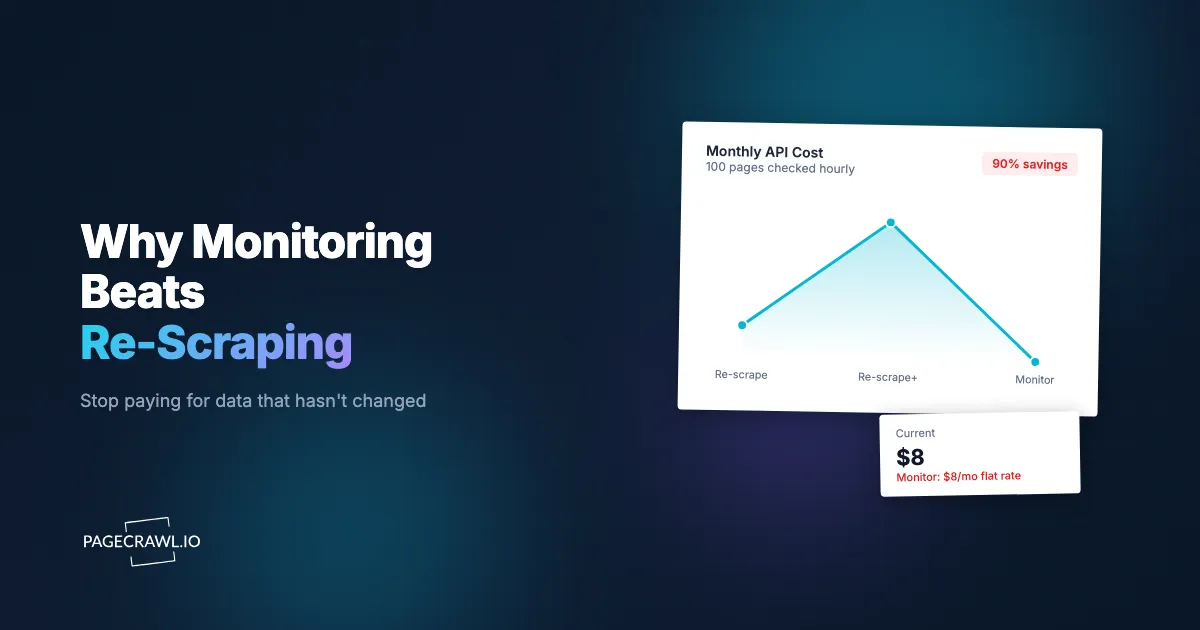
How much does re-scraping cost compared to monitoring?
Re-scraping 100 pages every hour means 72,000 scrapes a month, and the overwhelming majority of them return content you already had. The same 100 pages watched as monitors cost one flat plan fee, with change detection, alerting and history included. Here is the arithmetic.
Scenario: Monitor 100 competitor product pages, checking every hour.
With a scraping API (re-scraping pattern):
- 100 pages x 24 checks/day x 30 days = 72,000 scrapes/month
- At 1 credit per scrape that is 72,000 credits, which works out around $80 a month if you assume a rate of roughly $1.10 per 1,000 credits (check your own provider's rate card, they vary)
- Harder pages usually bill at several credits per scrape, so the same workload lands in the hundreds of dollars a month
- Plus: you build and maintain the scheduler, comparison logic, alerting, and storage
- Plus: most scrapes return unchanged data (wasted credits)
With PageCrawl (monitoring pattern):
- 100 monitors checking hourly: well within the Enterprise plan
- $30/month, flat rate, everything included
- Built-in change detection, AI summaries, visual diffs, notifications
- No infrastructure to build or maintain
- You only get notified when something actually changes
The difference is not 2x or 3x. It is an order of magnitude. And the monitoring approach includes features (AI summaries, visual diffs, team workspaces) that would take months to build on top of a scraping API.
When does re-scraping still make sense?
Re-scraping wins whenever you need every field from every page rather than a change signal: building a dataset, feeding a weekly batch pipeline, or running a one-off crawl across thousands of URLs. Monitoring is not always the answer. Re-scraping is the right pattern when:
- You need bulk data extraction. You are building a dataset, training a model, or populating a product catalog. You need all the data from thousands of pages, not just change notifications.
- You process data in batch. Your workflow ingests content weekly into an analytics pipeline. You do not need real-time change detection.
- The content is ephemeral. Search results, social feeds, and other dynamic content that has no meaningful "changed" state, just different content each time.
- You need large-scale one-time extraction. You have a specific JSON schema and need to pull fields from thousands of unstructured pages in a single pass. PageCrawl's AI extract mode pulls structured fields from the pages you monitor, but a scraper is the better fit for a large one-off crawl.
Can you combine scraping and monitoring?
Yes, and for teams that need both extraction and change awareness it is the most efficient pattern available. Monitoring decides when to act, scraping does the heavy extraction, and you stop paying to re-download pages that have not moved.
Monitor first, scrape on change. Set up PageCrawl monitors on your target pages. When PageCrawl detects a change and fires a webhook, your backend triggers a deep extraction via your scraping tool. You only pay for scraping when something actually changed. The help centre walks through sending change data to any external service with webhooks, including the payload fields and retry behaviour.
This approach has several advantages:
- Dramatically fewer API calls. If a page changes once a week, you scrape it once a week instead of 168 times (hourly checks).
- Faster change awareness. PageCrawl fires the webhook on the check that detects the change, not at the next scheduled scrape, and checks can run as often as every 2 minutes.
- Rich change context. The webhook includes what changed, AI summary, and diff data, so your extraction logic can focus on the right content.
- Decoupled concerns. Monitoring handles the "when," scraping handles the "what." Each tool does what it is best at.
For AI and RAG Applications
If you are building AI applications that consume web content, data freshness is critical. A RAG pipeline built on stale documentation gives wrong answers, which is why teams put API and documentation change monitoring in front of their ingestion. A competitive intelligence agent working with week-old pricing data makes bad recommendations.
The re-scraping approach means your data freshness is limited by your scrape frequency. Daily scrapes mean your data can be up to 24 hours stale. Hourly scrapes reduce staleness but multiply costs.
Monitoring solves this cleanly. Set up monitors on your data sources. When content changes, a webhook triggers your ingestion pipeline to update only the changed content. Your vector database stays current. Your AI gives accurate answers. You never re-process unchanged content.
PageCrawl's MCP server, built on the open Model Context Protocol, also lets AI assistants set up and manage monitors directly, closing the loop between your AI application and its data sources.
Getting Started
If you are currently re-scraping pages on a schedule, try this experiment. Take your 10 most important monitored pages and set them up as PageCrawl monitors instead. Run both systems in parallel for two weeks.
Compare: how many of your scraping runs detected an actual change vs returned unchanged content? How much did the re-scraping cost vs the monitoring? How long did it take to notice a change with each approach?
For most teams, the results make the decision obvious. The pages you monitor are the ones you care about, and monitoring them continuously is cheaper, faster, and more reliable than re-scraping them on a timer.
PageCrawl was built with developers in mind from day one. The full REST API, webhooks, and MCP server are core features, not paywalled add-ons. The free tier includes 6 monitors with AI summaries, visual diffs, and multi-channel notifications, so you can run this comparison without any upfront commitment.