Picture how a hot listing actually plays out. A three-bedroom house in a popular school district hits the market on a Friday afternoon, and by Sunday evening it is under contract well over asking with a stack of competing offers. The buyer who got it saw the listing within a couple of hours of it going live, scheduled a showing that same evening, and submitted an offer before breakfast the next morning. Everyone else found the listing through Zillow or Redfin alerts that arrived hours later, after the showing schedule was already packed.
In competitive real estate markets, the gap between a listing appearing on a platform and surfacing through that platform's notification system can be the difference between getting your offer considered and missing the property entirely. Price reductions follow a similar pattern. A seller drops their asking price by $25,000 on a Wednesday, and Zillow's email digest mentions it Thursday morning alongside 15 other "recommended" properties. By the time you notice, three other buyers have already scheduled showings because of the price cut.
This guide covers how to set up automated real estate listing monitoring on Zillow, Redfin, and other property platforms to catch new listings, price changes, status updates, and market shifts on the first check after they happen. Whether you are a homebuyer in a competitive market, an investor tracking property values, or an agent watching inventory for clients, automated monitoring gives you a consistent time advantage over buyers relying on platform notifications alone.
Why should you monitor real estate listings?
You should monitor listings because the best properties are decided in the first 48 hours, and platform notification queues do not move that fast. Real estate platforms hold a huge amount of structured, frequently changing data (list price, status, open house times, market metrics), and monitoring turns that data into a stream of actionable alerts.
Hot Markets Move Fast
In markets where demand outstrips supply, timing determines outcomes. Properties in desirable neighborhoods regularly receive multiple offers within the first weekend. The National Association of Realtors publishes median days-on-market in its monthly existing-home sales data, and in the tightest markets that figure sits in the low single digits, so if you are seeing listings 12 to 24 hours after they appear, you are already behind the curve.
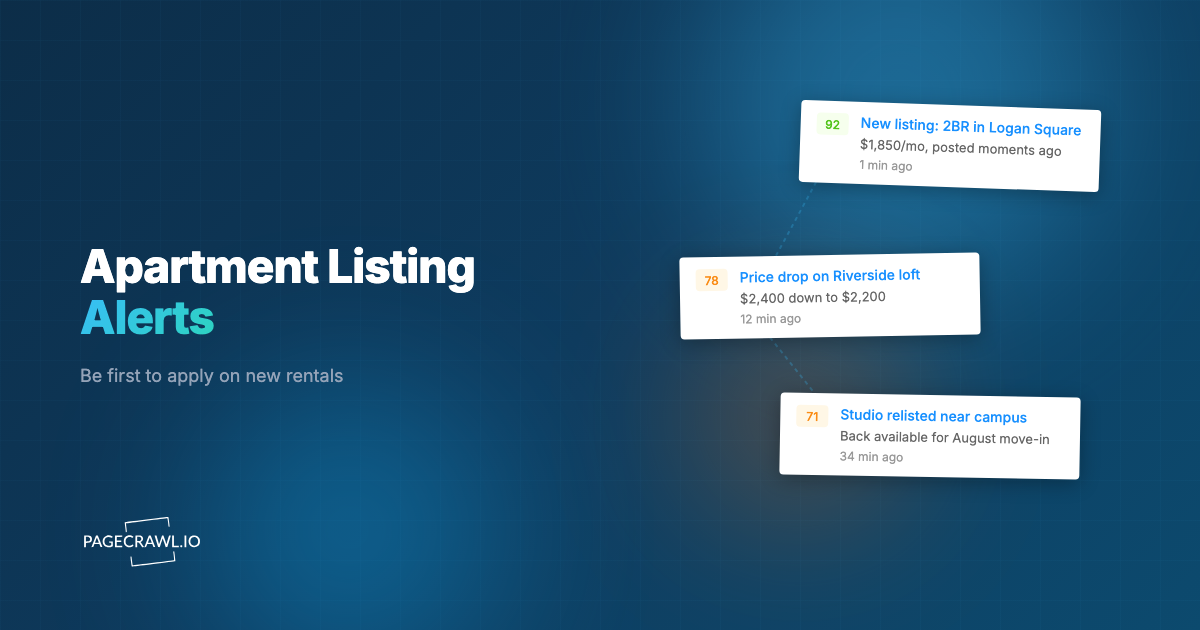
Automated monitoring checks listing pages at the interval you set. When a new listing matches your criteria, you get notified through the channel you choose: email, Slack, Discord, Telegram, or a webhook to your own system.
Price Reductions Happen Quietly
Sellers do not announce price cuts. They update the listing and hope the lower price attracts new interest. On Zillow, a price reduction is reflected on the property page immediately, but the platform's notification system treats it as one of many signals competing for your attention in a weekly email digest.
For buyers with a defined budget, price reductions can turn a previously unaffordable property into a realistic option. For investors, a price drop on a property that has been sitting on the market signals motivated sellers and negotiation opportunity. In both cases, knowing about the price change within hours rather than days matters.
New Listings Sell in Days
The window for new listings in competitive markets is narrow. A property that appears Monday morning may accept an offer by Wednesday. Automated monitoring on the actual search results page catches new listings as soon as they appear in search results, not when the platform decides to include them in your next alert email.
What should you track on Zillow and Redfin?
Track four things: individual property pages for price and status changes, filtered search result URLs for new inventory, neighborhood or zip code market pages for trends, and agent or brokerage listing pages that often publish before the big platforms. Each serves a different purpose, and most active buyers run all four.
Specific Property Pages for Price Changes
When you find a property you are interested in, monitor its individual listing page. Use price tracking mode to focus specifically on the listed price, ignoring other page elements like photo additions, description edits, agent contact info changes, and the constantly shifting "similar homes" recommendations that clutter these pages.
Price tracking mode extracts the numeric price value and alerts you only when it changes, the same price monitoring and price drop alerts approach that works on any page carrying a number worth watching. This is especially useful for properties that have been on the market for a while and may be approaching a price reduction.
Search Result Pages for New Listings
This is the most powerful approach for catching new inventory. Go to Zillow or Redfin, enter your search criteria (location, price range, bedrooms, square footage, property type), and copy the URL of the search results page. That URL encodes all your filters.
Monitor this URL with content monitoring mode. When a new listing appears in the search results, you receive an alert showing what changed on the page, including the new property. Set the check frequency to every two to four hours for active markets.
Neighborhood and Zip Code Pages for Market Trends
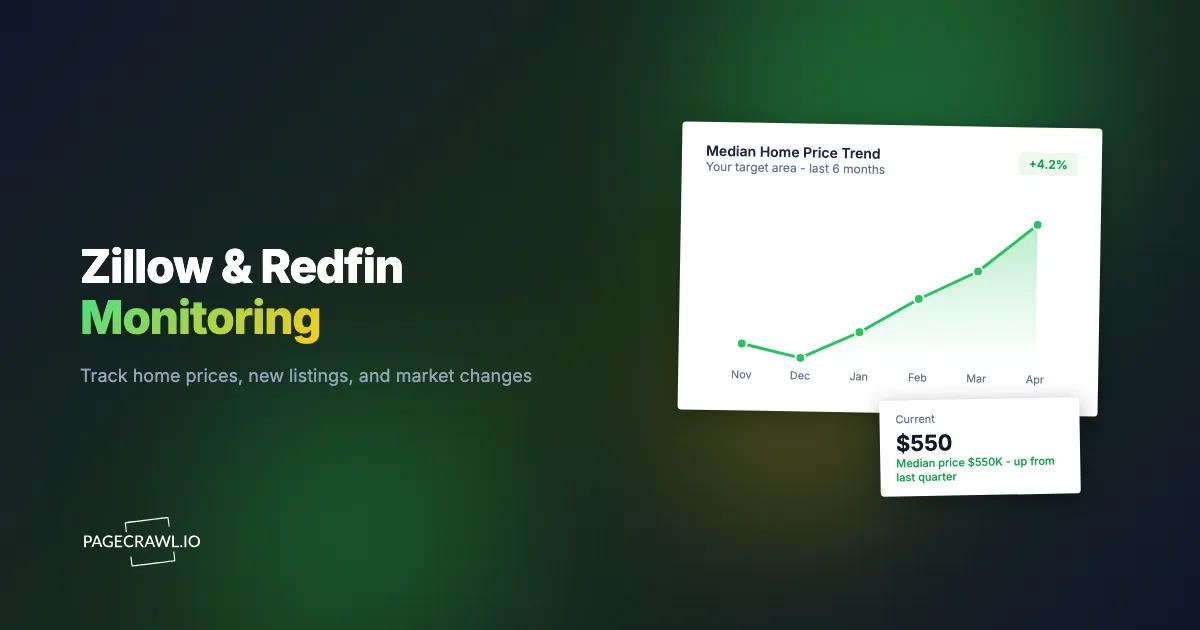
Both Zillow and Redfin publish market data pages for specific areas, including median home values, days on market, inventory levels, and price trends. Monitoring these pages with content mode over time gives you a data-driven view of where a market is heading, which is valuable for timing a purchase or identifying emerging neighborhoods.
Open House Schedules
Many listing pages include open house dates and times that get added or changed after the initial listing. Monitoring the property page catches open house announcements as they appear, which is useful in markets where popular open houses draw crowds and early attendance gives you more time with the listing agent.
Agent Listings Pages
If you are working with a specific agent or brokerage, their website often shows their current listings before those listings fully propagate to Zillow and Redfin. Monitoring an agent's active listings page catches new properties at the source.
How does monitoring Zillow differ from monitoring Redfin?
Zillow pages carry more auxiliary data that changes on its own (Zestimate, tax history, school ratings), so price tracking mode works better there. Redfin pages are cleaner, which makes content monitoring produce fewer false positives, and Redfin's direct brokerage access sometimes surfaces a listing first. Serious buyers monitor both.
Zillow
Zillow has the largest audience of any real estate platform in the US and typically the broadest listing coverage. Zillow's listing pages include third-party data (Zestimate values, tax history, school ratings) that changes independently of the actual listing. When monitoring Zillow property pages, price tracking mode is recommended to filter out noise from these auxiliary data sections, and the complete guide to reducing false positives covers the other filters worth applying to a busy page.
Zillow search result URLs encode filters cleanly, making them reliable targets for monitoring.
Redfin
Redfin often displays listing data slightly faster than Zillow because Redfin operates as a brokerage with direct MLS access in many markets. In some cases, a new listing appears on Redfin hours before it shows up on Zillow. For maximum coverage, monitor the same search criteria on both platforms.
Redfin's listing pages are generally less cluttered with dynamic elements, which means content monitoring mode produces fewer false positives compared to Zillow. Redfin also publishes detailed market data pages by neighborhood that are useful for trend monitoring.
Monitoring Both
For serious buyers in competitive markets, monitoring both platforms is worth the extra monitors. A listing might appear on Redfin first but have more complete details on Zillow a few hours later. Running search result monitors on both gives you the earliest possible awareness of new inventory.
Are Zillow and Redfin's built-in alerts good enough?
For casual browsing, yes. For a competitive search, no. Both platforms batch listings into digests, decide algorithmically which alerts are "relevant" to you, bury price reductions among sponsored recommendations, and deliver to email only. Understanding those limits explains why monitoring the page directly is more effective.
What Platform Alerts Do
Zillow sends "Saved Search" emails that batch new listings matching your criteria into periodic digests. Redfin markets a faster alert tier, but it is still subject to the platform's delivery schedule and filtering logic. Both platforms send price drop notifications, but these are mixed into general recommendation emails alongside sponsored listings and "homes you might like" suggestions.
Where Platform Alerts Fall Short
Timing is inconsistent. A marketing label promising speed does not guarantee it. Platform alerts pass through notification queues, spam filters, and delivery scheduling. A listing that appears at 2 PM might not trigger an email until 5 PM or later.
Filtering is opaque. Platforms decide which alerts are "relevant" to you using algorithms you cannot control. A price reduction on a property outside your saved search criteria but within your budget might never surface. Similarly, a new listing that technically matches your criteria but is deprioritized by the algorithm may not appear in your alert.
Price drops are buried. Both platforms treat price reductions as secondary signals. A $30,000 price drop on a property you viewed twice might appear as one line in an email with 12 other listings, or it might not be flagged at all if the platform considers the property stale.
No integration with your systems. Platform alerts go to email only (or the mobile app). There is no way to route them to Slack, Discord, a spreadsheet, or an automation workflow. With PageCrawl, you can send alerts to any channel including Discord, email, or webhooks for custom automation.
Setting Up Automated Monitoring with PageCrawl
Two primary monitoring strategies cover most real estate use cases.
Monitor Property Pages with Price Tracking Mode
For specific properties you are watching:
- Copy the full URL of the property listing page on Zillow or Redfin.
- Add the URL to PageCrawl and select price tracking mode. This isolates the listing price, ignores the surrounding page content, and charts the value over time as described in the guide to monitoring numeric values for changes.
- Set the check frequency based on urgency. For properties you are actively considering, every 4 to 6 hours is appropriate. For properties you are casually watching, once daily is sufficient.
- Configure your preferred notification channel. For time-sensitive markets, Telegram or Slack provide faster awareness than email.
Price tracking mode handles the dynamic elements on Zillow and Redfin listing pages well. These pages change frequently due to Zestimate updates, "similar homes" rotation, and ad content. None of these changes trigger alerts in price tracking mode, so you only hear about actual listing price changes.
Monitor Search Results for New Listings
For catching new inventory:
- Go to Zillow or Redfin and enter your search criteria: location, price range, bedrooms, bathrooms, property type, and any other filters.
- Copy the URL from your browser. It contains all your search parameters.
- Add this URL to PageCrawl with content monitoring mode.
- Set the check frequency to every 2 to 4 hours for active searching, or daily for passive market watching.
When a new listing appears in the search results, the change detection identifies the new content and sends you an alert with details about what appeared. This catches new listings as soon as they show up in search results, bypassing the platform's notification queue entirely.
For targeting specific elements on these pages to reduce noise further, see the CSS selector guide.
Tracking Price Reductions and Status Changes
Beyond the initial listing price, properties go through several status changes that monitoring catches. Listing data can lag the MLS and occasionally contains errors, so confirm price, status, and disclosures with the listing agent before acting; this article is informational and not financial or legal advice.

Price Reductions
Price tracking mode on a property page detects every price change, up or down. When a seller reduces their asking price, you receive an alert with the old and new values. This is critical for:
- Budget-limited buyers: A property at $525,000 that drops to $499,000 might suddenly qualify for your loan approval.
- Negotiation timing: A price reduction signals a motivated seller. Following up quickly after a price drop positions you favorably.
- Pattern detection: Multiple price reductions over weeks indicate a property that is not selling at its current price, which is useful leverage for lowball offers.
Status Changes
Listing status changes (Active to Pending, Pending to Sold, Active to Contingent) appear on the property page. Content monitoring catches these transitions, which is useful for:
- Knowing when a property you were interested in goes under contract
- Tracking how quickly homes sell in your target area
- Identifying properties that fall out of contract (Pending back to Active), which often signals a motivated seller
Monitoring for Investors
Real estate investors have different monitoring needs than homebuyers.
Rental Yield Tracking
Investors evaluating rental properties need to track both purchase prices and rental rates in the same market. Monitor for-sale listings on Zillow or Redfin alongside rental listings for comparable properties. For detailed rental monitoring strategies, see the rental price monitoring guide.
Market Trend Monitoring
Monitor Zillow's market data pages or Redfin's market tracker for your target zip codes. These pages show median prices, inventory levels, price-to-rent ratios, and other metrics that inform investment decisions. Set up monthly check frequencies for trend tracking, since market-level data does not change daily.
Foreclosure and Auction Pages
Both Zillow and Redfin have pre-foreclosure and foreclosure listing sections. Monitor search results within these sections for your target areas to catch distressed properties as they appear. These listings move through the pipeline quickly, and early awareness means more time for due diligence before auction dates.
Monitoring New Construction and Development
New construction listings follow different patterns than existing home sales.
Builder Websites
Home builders publish available lots, floor plans, and pricing on their own websites before those listings appear on Zillow or Redfin. In popular new developments, lots sell out at each release phase. Monitoring the builder's availability page catches new lot releases and pricing updates at the source.
For large national builders (Lennar, D.R. Horton, Toll Brothers, and others), monitor the community page for developments in your target area. These pages update with new phases, pricing changes, and incentive offers.
Coming Soon and Pre-Sale Listings
Some markets use "Coming Soon" listings to generate interest before a property officially hits the MLS. These appear on agent websites and some platforms before the property is available for showings. Monitoring agent and brokerage websites catches these pre-sale opportunities early.
Choosing your PageCrawl plan
PageCrawl's Free plan lets you monitor 6 pages with 220 checks per month, which is enough to validate the approach on your most critical pages. Most teams graduate to a paid plan once they see the value.
| Plan | Price | Pages | Checks / month | Frequency |
|---|---|---|---|---|
| Free | $0 | 6 | 220 | every 60 min |
| Standard | $8/mo or $80/yr | 100 | 15,000 | every 15 min |
| Enterprise | $30/mo or $300/yr | 500 | 100,000 | every 5 min |
| Ultimate | $99/mo or $999/yr | 1,000 | 100,000 | every 2 min |
Annual billing saves two months across every paid tier. Enterprise and Ultimate scale up to 100x if you need thousands of pages or multi-team access.
Standard at $80/year is a straightforward trade-off: if monitoring helps you see a $25,000 price reduction within hours instead of the next day, or alerts you to a new listing before the showing schedule fills up, the annual cost is negligible. 100 monitors is enough to cover search results on multiple platforms, a set of individual property pages you are tracking, and neighborhood market data pages for several target areas. For agents and investors watching entire markets, Enterprise at $300/year covers 500 monitors and gives you 5-minute check frequency, so price cuts and new inventory surface within a check cycle of the platforms publishing them.
Getting Started
Pick your starting point based on where you are in the buying process. If you are actively searching, create a search on Zillow or Redfin with your criteria, copy the results page URL, and add it to PageCrawl with content monitoring mode and a check frequency of every four hours. This single monitor catches all new listings matching your filters.
If you are watching specific properties, add each listing URL with price tracking mode. Two or three property monitors plus a search results monitor gives you comprehensive coverage of both new inventory and price changes on properties you already know about.
After a week of monitoring, you will have a clear picture of how active your target market is: how many new listings appear, how often prices change, and which platform surfaces listings first. Use this to refine your check frequencies and add more monitors where the action is.
PageCrawl's free tier includes 6 monitors, which is enough to cover search results on both Zillow and Redfin plus a few individual properties. The $8/month plan provides 100 monitors for buyers covering multiple neighborhoods, price points, or property types. The $30/month plan covers 500 monitors for investors and agents tracking entire markets across cities and platforms.
In real estate markets where the best properties attract offers within days, consistent automated monitoring ensures you see every listing and every price change on the next check after it happens, not whenever the platform decides to tell you about it.