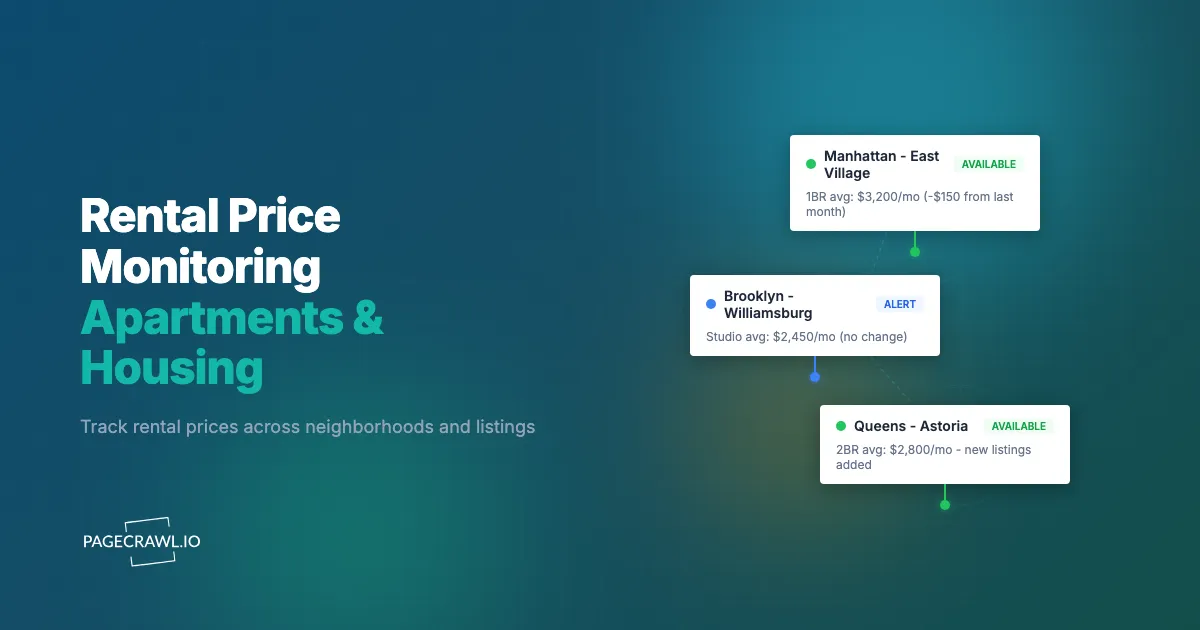
A two-bedroom apartment in a desirable neighborhood lists at $2,400 per month on a Tuesday. By Thursday, the landlord has received 30 applications and stops accepting new ones. That same unit was listed at $2,600 two weeks earlier and sat without interest. The $200 price drop lasted 48 hours before the listing was effectively gone. Unless you were watching, you never knew the price changed.
Rental markets in competitive cities move fast. Apartments appear and disappear from listing sites within days. Prices fluctuate as landlords test the market, drop prices on units that are not moving, or raise them when demand picks up. New listings in popular buildings fill before most renters even see them. The information advantage in renting is not about having access to listings (everyone has Zillow), it is about seeing changes within minutes rather than days.
This guide covers how to monitor rental prices across major listing platforms, set up real estate listing monitoring that catches new listings and price drops before other renters, track pricing trends in specific buildings and neighborhoods, and use monitoring effectively whether you are a renter looking for your next apartment or a property manager watching the competition.
Why does rental price monitoring matter?
It matters because rental pricing is dynamic and the good listings vanish fast. Landlords adjust prices and concessions constantly, price cuts often last only a day or two, and in tight markets applications close within 24 to 48 hours of a unit appearing. Checking by hand misses most of that movement.
Prices Change More Often Than You Think
Unlike home sale prices, which are set once and occasionally reduced, rental prices are dynamic. Landlords and property managers adjust pricing frequently based on:
- Vacancy pressure: An empty unit costs money every day. After a few weeks without applications, prices come down.
- Seasonal patterns: Rental prices in most markets peak in summer (May through August) and dip in winter. The same apartment might cost $200-400 less per month if you sign a lease in January versus July.
- Comparable units: When a competing building drops prices, other buildings in the area often follow.
- Incentive changes: Landlords add or remove concessions (free month, reduced deposit, waived fees) rather than changing the listed price.
A price drop of $100-200 per month saves $1,200-2,400 over a year-long lease. Missing a temporary price reduction because you checked the listing two days too late is an expensive oversight.
New Listings Disappear Quickly
In tight rental markets, desirable apartments receive applications within hours of listing. The timeline looks like this:
- Listing appears on the property management company website
- Listing syndicates to Zillow, Apartments.com, and other aggregators (often with a delay of hours to a full day)
- First wave of applicants schedule viewings and submit applications
- Landlord stops accepting applications (sometimes within 24-48 hours)
If you are checking Zillow once a day, you are seeing listings after they have already been live for potentially a day and a half. Monitoring the source directly, whether that is the property management company's website or the building's own listing page, catches new units before syndication to the big platforms.
Platform Alerts Are Unreliable
Zillow, Apartments.com, and similar platforms offer their own alert features, but they have significant limitations:
Delivery timing is inconsistent. Platform alerts arrive when the platform decides to send them, not when the listing changes. Batch processing means you might get an alert hours after the price actually dropped.
Filtering is imprecise. Platform alerts use their own relevance algorithms. They may not show you every listing that matches your criteria, or they may flood you with listings that do not match.
Sponsored results compete with organic alerts. Platforms have advertising revenue to consider. Promoted listings and featured properties can push organic results (including price drop alerts) down in priority.
Cross-platform gaps. Each platform has slightly different inventory. Apartments.com might have a listing that Zillow does not, and vice versa. Relying on one platform's alerts means missing listings on others.
What should you monitor when hunting for a rental?
Watch five source types: search result pages on the major platforms, the individual listing pages for units you like, property management company websites, specific building sites, and local marketplace listings. The first three catch most of the movement; the last two catch what never reaches an aggregator.
Search Result Pages on Major Platforms
The broadest approach monitors search results for your criteria on each major platform.
Zillow Rentals: Go to Zillow.com, switch to the rentals section, enter your criteria (location, price range, bedrooms, pet-friendly, etc.), and copy the URL from the results page. The URL encodes all your search parameters. Monitor this URL with PageCrawl using content monitoring mode to detect when new listings appear in your results.
Apartments.com: Same approach. Search with your criteria, copy the results page URL, monitor for new content appearing on the page.
Redfin Rentals: Redfin's rental section offers similar search and URL-based filtering. Monitor the search results page.
Craigslist: Despite its dated design, Craigslist remains a significant rental listing platform, especially for private landlords who do not list on Zillow or Apartments.com. For detailed Craigslist monitoring setup, see the Craigslist alert guide.
Monitoring search result pages catches new listings that match your criteria. Set the check frequency to every few hours for active apartment hunting in competitive markets.
Individual Listing Price Tracking
When you find specific apartments you are interested in, monitor their individual listing pages for price changes.
Step 1: Navigate to the listing on any platform and copy the URL.
Step 2: Add the URL to PageCrawl and select price tracking mode. PageCrawl's price and stock monitoring identifies the rental price on the page and tracks it specifically. The walkthrough on monitoring numeric values to spot trends shows how the extracted number turns into a chart of the unit's asking rent over time, which is exactly the evidence you want in a renewal negotiation.
Step 3: Set check frequency to twice daily. Rental prices do not change minute to minute, but catching a price drop the same day it happens gives you a meaningful advantage.
Step 4: Configure notifications. Email works fine for price tracking since you do not need to act within seconds. If you want faster alerts, configure Slack or Telegram notifications using the guide on Slack change alerts.
Price tracking mode focuses on the numeric value and ignores other page changes (photo additions, description edits, nearby listing updates), which reduces false alerts significantly. Rental listing pages tend to be noisy, with rotating ad banners, "similar listings" sections, and dynamic map content that change on every visit. PageCrawl's noise filtering automatically ignores these irrelevant page elements, so you only get alerts for actual price changes and availability updates rather than cosmetic page shifts that have nothing to do with the listing itself.
Property Management Company Websites
Large property management companies manage dozens or hundreds of buildings. Their websites often list available units before those units appear on Zillow or Apartments.com.
Companies like Greystar, Equity Residential, AvalonBay Communities, and local property management firms maintain their own listing pages. These pages are the source of truth for their inventory.
What to monitor:
- The "Available Units" or "Floor Plans" page for specific buildings you are interested in
- The search results page for your criteria across their portfolio
- The building-specific page that shows current pricing and availability
Monitoring property management sites directly catches new listings on the first check after they are published, which is typically well before they syndicate to third-party platforms.
Specific Building Websites
Many apartment buildings, especially newer luxury developments, have their own websites with current availability and pricing. These sites often have a page showing all available floor plans, current pricing, and move-in specials.
Monitor the availability page for each building you are interested in. When a new unit becomes available or the pricing changes, you find out on the next scheduled check rather than the next time you remember to look.
Facebook Marketplace and Local Groups
An increasing number of rental listings appear on Facebook Marketplace and in local housing groups. While these are harder to monitor systematically, you can monitor specific search result URLs on Facebook Marketplace with PageCrawl.
Monitoring Specific Buildings and Neighborhoods
If you know where you want to live, targeted monitoring is more effective than broad searches.
Building-Level Monitoring
For a specific building or complex:
- Find the building's own website (search for "[building name] apartments [city]")
- Monitor the availability or floor plans page
- Also monitor the building's listing on Zillow and Apartments.com (sometimes different units appear on different platforms)
- Set check frequency to every few hours
This approach catches every new unit and every price change in the buildings you care about most.
Neighborhood-Level Monitoring
For a target neighborhood:
- Create saved searches on Zillow, Apartments.com, and Craigslist with tight geographic filters
- Monitor each search results page
- Monitor the 3-5 largest property management companies operating in that neighborhood
- Add individual monitors for specific buildings as you discover them
Organize your monitors into folders by neighborhood. This keeps your monitoring organized as the number of targets grows, and the guide to organizing monitored pages with labels, folders, and workspaces covers how to layer a label like "pet friendly" or "under $2,500" across folders so you can filter the whole search at once.
Commute-Based Monitoring
If your primary constraint is commute time rather than a specific neighborhood:
- Identify all neighborhoods within your commute tolerance
- Create search result monitors for each neighborhood on your preferred platforms
- Prioritize areas where rental turnover is highest (more listings means more opportunities)
Price Trend Tracking Over Time
Beyond catching individual price changes, monitoring reveals broader pricing trends.

Seasonal Pricing Patterns
By monitoring the same buildings and search pages over several months, you build a picture of seasonal pricing in your target area.
Common patterns in most US markets:
- January-March: Lowest prices of the year. Landlords offer concessions to fill winter vacancies.
- April-May: Prices begin rising as the busy season approaches.
- June-August: Peak pricing. Highest demand, fewest concessions.
- September-November: Prices start declining. Late-year lease starts are less competitive.
- December: Second price trough. Holiday season means fewer renters are looking, and landlords want to fill vacancies before year-end.
If your lease timing is flexible, monitoring helps you time your apartment search to coincide with seasonal price dips.
Tracking Concessions and Incentives
Landlords sometimes change incentives rather than listed prices:
- One month free on a 12-month lease (effectively 8.3% off)
- Reduced security deposit
- Waived application fee
- Free parking for a limited time
- Reduced rate for a longer lease term
These concessions appear on listing pages and building websites. Full-page content monitoring (rather than price-only tracking) catches concession changes that price tracking would miss.
Neighborhood Price Convergence
When a new building opens in a neighborhood with premium pricing, nearby older buildings often respond by dropping their prices. Monitoring both new and established buildings in the same area lets you watch this dynamic play out check by check, weeks before it shows up in a published market report.
Strategies for Renters
Practical approaches for different renter situations.
The Active Apartment Hunter
You need an apartment within the next 30-60 days. Your monitoring should be aggressive:
- Monitor 5-10 search result pages across platforms (use all 6 monitors on the free tier for this)
- Check frequency: every 2-4 hours
- Notifications: Telegram or push, so each check that finds something reaches your phone
- Action plan: When you get an alert for a promising listing, contact the landlord or schedule a viewing within hours
The Opportunistic Watcher
Your lease does not expire for 6 months, but you are watching for an exceptional deal:
- Monitor 3-5 specific buildings or neighborhoods
- Check frequency: daily
- Notifications: email digest
- Action plan: Track prices over time to understand the market, then intensify monitoring when your move date approaches
The Lease Renewal Negotiator
You want to negotiate your rent renewal. Monitoring nearby comparable apartments gives you leverage:
- Monitor 5-10 comparable apartments (similar size, age, and neighborhood)
- Track their prices for 2-3 months before your lease renewal discussion
- Use documented price data to negotiate: "Three comparable apartments in the area are listed at $X, which is $Y less than my proposed renewal rate"
Strategies for Property Managers and Investors
Monitoring is equally valuable from the other side of the transaction.
Competitive Pricing Intelligence
If you manage rental properties, monitoring competing buildings tells you:
- Where your pricing stands relative to the market
- When competitors drop prices (signaling softening demand)
- When new supply enters the market (new buildings listing units)
- What concessions competitors are offering
Set up monitors on the 5-10 most directly competitive properties (similar unit types, location, and quality level). Track their pricing over time to spot trends before they show up in quarterly market reports.
Market Entry Analysis
For investors evaluating a new rental market:
- Monitor search result pages for target neighborhoods to understand inventory levels
- Track pricing on comparable properties to validate pro forma assumptions
- Monitor vacancy trends by watching how long listings remain active
- Watch for new development announcements on city planning sites
For building comprehensive monitoring dashboards with this data, see the guide on building custom dashboards with the PageCrawl API.
Portfolio Monitoring
Property managers with multiple buildings can monitor their own listings to verify that:
- Listings are appearing correctly on third-party platforms
- Pricing is displayed accurately (syndication errors happen)
- Photos and descriptions are rendering properly
- Listings remain active (platforms sometimes deactivate listings due to policy changes)
Combining Monitoring with Your Apartment Search
Monitoring is one component of an effective apartment search strategy.
The Information Stack
Layer your monitoring with other information sources:
- PageCrawl monitors: Primary source for price changes and new listings
- Platform saved searches: Secondary alerts from Zillow, Apartments.com
- Social networks: Local Facebook groups, Reddit neighborhood subreddits
- Agent relationships: Rental agents in your target neighborhoods
- Walking the neighborhood: "For Rent" signs sometimes precede online listings
Each layer catches listings the others miss. Monitoring is the automated backbone that works while you are doing everything else.
Acting on Alerts
When you receive a price drop or new listing alert:
- Review the alert and screenshot to confirm it matches your criteria
- Visit the listing page to check photos, floor plan, and details
- Contact the landlord or property manager immediately (phone over email for speed)
- Schedule a viewing for the same day or next day if possible
- Have your application materials ready to submit on the spot (proof of income, references, credit report)
Speed of response matters almost as much as speed of awareness. Having your application package prepared in advance means you can act on alerts without delay.
Using CSS Selectors for Precise Monitoring
On listing pages with multiple data points (price, availability date, floor plan options), you can use CSS selectors to target the specific element you care about. This eliminates noise from other page changes.
For example, monitoring only the price element on an Apartments.com listing page means you will not get alerted when the property manager updates the photo gallery or edits the amenity list. For guidance on identifying and using CSS selectors, see the CSS selector guide.
What are the common challenges in rental monitoring?
Four issues come up repeatedly: listings that load their pricing dynamically, duplicate alerts when the same unit is listed on several platforms, expired listings that linger for weeks after the unit is gone, and outright rental scams that copy legitimate listings at a suspiciously low price.
Listings with Dynamic Content
Some rental platforms load pricing and availability dynamically using JavaScript. PageCrawl renders JavaScript-heavy pages, so dynamically loaded content is captured just as a real browser would see it.
Duplicate Alerts Across Platforms
The same apartment listed on Zillow, Apartments.com, and the property website will trigger alerts on all three monitors when it changes. This redundancy is intentional, as it ensures you do not miss changes. If the duplicate alerts become noisy, prioritize the property management site monitor (fastest) and reduce check frequency on aggregator monitors.
Expired Listings
Listings that get rented remain visible on some platforms for days or weeks after they are no longer available. When a listing disappears from one platform, check the others to confirm whether the unit is actually rented.
Rental Scams
Be cautious of listings with prices significantly below market rate, especially on Craigslist and Facebook Marketplace. Cross-reference suspicious listings with the property management company's official website. Monitoring the official site directly helps you distinguish legitimate listings from scam copies. The FTC's consumer advice site documents the common rental scam patterns and where to report them. Never wire a deposit for a unit you have not seen; this article is informational and not financial or legal advice.
Choosing your PageCrawl plan
PageCrawl's Free plan lets you monitor 6 pages with 220 checks per month, which is enough to validate the approach on your most critical pages. Most teams graduate to a paid plan once they see the value.
| Plan | Price | Pages | Checks / month | Frequency |
|---|---|---|---|---|
| Free | $0 | 6 | 220 | every 60 min |
| Standard | $8/mo or $80/yr | 100 | 15,000 | every 15 min |
| Enterprise | $30/mo or $300/yr | 500 | 100,000 | every 5 min |
| Ultimate | $99/mo or $999/yr | 1,000 | 100,000 | every 2 min |
Annual billing saves two months across every paid tier. Enterprise and Ultimate scale up to 100x if you need thousands of pages or multi-team access.
The math is simple. A single price drop caught in time, instead of two days after the listing fills, can save $100 to $300 per month on rent. That is $1,200 to $3,600 over a year-long lease, which covers Standard at $80/year with room to spare. Standard gives you 100 monitors and checks every 15 minutes, enough to cover a full apartment search across multiple platforms, several buildings, and a handful of neighborhoods simultaneously. For property managers and investors tracking multiple markets, Enterprise at $300/year handles 500 pages and checks every 5 minutes, which is the cadence that catches price adjustments and new listings before they disappear.
Getting Started
Start with the platform you use most often. Create a search with your criteria on Zillow or Apartments.com, copy the results page URL, and add it to PageCrawl with content monitoring mode and a check frequency of every 4 hours. Add one or two specific buildings you are interested in and monitor their availability pages with price tracking mode.
After a few days, you will see the rhythm of listings in your target area: how often new units appear, how quickly prices change, and which sources update first. Use this information to refine your monitoring, adding more sources and adjusting check frequency based on how active the market is.
PageCrawl's free tier includes 6 monitors, which covers a focused search across two or three platforms plus a couple of specific buildings. The Standard plan at $80/year provides 100 monitors for comprehensive coverage of a larger search area, multiple buildings, and competitive intelligence for property managers. The Enterprise plan at $300/year covers 500 monitors for real estate professionals and investors tracking markets across multiple cities.
In rental markets where the best apartments are gone within days, monitoring means you see each opportunity on the next check after it appears, not hours or days after it has already been claimed.