
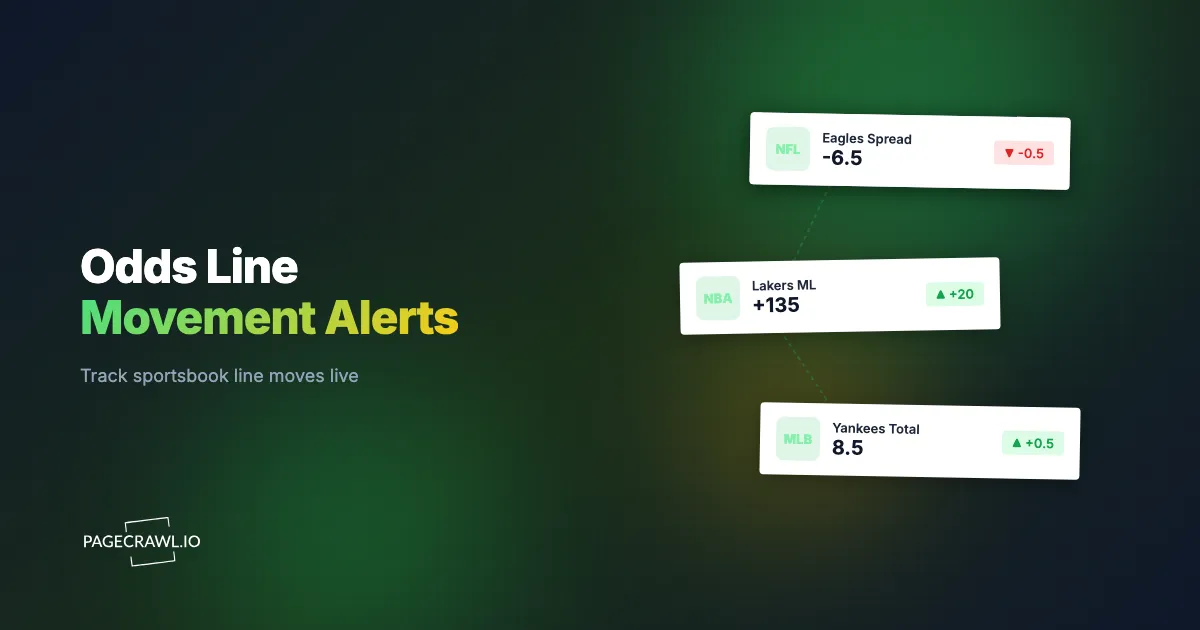
It is Sunday, 1:12 PM Eastern, twenty minutes before an NFL kickoff. You opened the game on Friday at home -3 (-110) and planned to grab the road dog at +3 in the morning. You step away to refill your coffee. When you glance at your phone again at 1:34 PM, the starting quarterback has been ruled out, the line has swung to home -6.5 (-115), and the +3 you wanted is gone. The number crossed two key totals (3 and 6) while you were not looking, and there is no second chance at that price.
Sportsbook odds are some of the fastest-moving numbers on the public web. They react within seconds to injuries, lineup confirmations, weather, and the volume and timing of money coming in. A moneyline drifting from -110 to -130, a point spread ticking off a half-point, a game total moving from 47.5 to 48.5, or a player prop flipping from available to suspended are each a discrete numeric or status change sitting on a page you can watch. The problem is that no human can stare at twelve event pages across five books all day.
This guide shows how to turn a sportsbook event page into an automatic alert. It covers which moves are worth catching, how to set numeric thresholds and direction rules so you only hear about meaningful movement, how to catch props being added or suspended, how to line-shop across multiple books at once, and a six-step setup you can copy.
What is sportsbook line movement, and why should you track it?
Line movement is the change in a sportsbook's posted odds between when a market opens and when the event starts. Books move numbers in response to injuries, lineup news, weather, and betting volume. Tracking that movement lets you bet a better number, spot where sharp money is going, and act before a line turns against the side you wanted.
The value of a number is not abstract. American odds map directly to implied probability: a moneyline of -110 implies a 52.38 percent break-even rate, while -130 implies 56.52 percent. That four-point swing is the difference between a bet you like and one you do not. On point spreads, the key numbers matter even more. In the NFL, a huge share of games land on a margin of 3 or 7, so moving a spread from -3 to -3.5, or buying back to +3, changes the long-run win rate of the bet far more than the half-point suggests.
Bettors who track movement fall into a few camps:
- Line shoppers want the best available number across books at the moment they bet.
- Steam chasers watch for a sudden synchronized move that signals sharp action and try to follow it before every book adjusts.
- Hedgers and traders hold a position and want to know when a line crosses a level where they would buy back or middle the game.
- Odds-comparison and content sites publish movement and need a reliable feed of changes rather than a manual refresh.
All four need the same thing: a system that reads the posted number on a schedule and tells them as soon as a check sees it cross a line they care about.
Which odds changes are actually worth an alert?
The four moves worth alerting on are a moneyline shift (for example -110 to -130), a point-spread change (a half-point from -3 to -3.5), a total ticking up or down (47.5 to 48.5), and a market's status flipping between available and suspended. Each is a discrete value or state change you can pin to a single element.
Not every flicker deserves a notification, so it helps to decide in advance what counts as a real move for your style:
Numeric moves you set a magnitude on
A moneyline is a number that gets longer or shorter. You usually care about movement of 10 to 20 cents or more, because books shade prices by a cent or two constantly. A spread and a total move in half-point increments, and because of key numbers, even a single half-point is meaningful. Setting a magnitude (the smallest move you want to hear about) is what separates signal from noise, and it works the same way a price-drop tracker ignores trivial penny changes and only alerts on a real markdown.
Status changes you treat as availability
A player prop or an alternate market is often present one moment and pulled the next when news breaks or a book balances its risk. That on or off state is not a number, it is availability. A prop that reappears (the book reposts it after an injury is clarified) is just as actionable as one that vanishes, and both are catchable as a presence-or-absence change.
How does PageCrawl detect a betting line move on a sportsbook page?
PageCrawl treats a posted odd as a numeric element. You point it at the exact odds figure on the event page, and it extracts that value on every check, stores it, and compares it to the prior reading. When the value crosses the rule you set, it sends an alert.

This is the same numeric value tracking that charts a figure over time and flags trends, applied to a moneyline or spread instead of a dollar figure.
Modern sportsbook pages, from DraftKings Sportsbook to FanDuel, render their odds boards with JavaScript and update them live, which trips up naive scrapers that only read raw HTML. PageCrawl renders the full page the way a browser does, including the dynamically updated board, so the number it reads is the number a bettor sees. For books that only show their full markets to logged-in users, login-gated monitoring lets PageCrawl check the page from inside an authenticated session so the odds are visible.
There are usually two ways to capture the value:
- Select the on-page odds element. You highlight the specific moneyline, spread, or total figure, and PageCrawl tracks that element as a number. This is the most direct method and works on any book whose odds appear as visible text.
- Read a structured odds feed. Some books and aggregators expose odds as a JSON response behind the page. When that is available, you can target a single field with a JSONPath filter and track it as a clean numeric value, which is even more resistant to layout changes than reading the rendered element, and the REST API and webhook endpoints for developers can hand that value straight to your own model.
Either way, the output is a time-stamped series of values you can compare, chart, and alert on.
What threshold and direction should you set for a line-movement alert?
Set a direction and a magnitude. For a moneyline you might alert only when the number moves toward your side by 15 cents or more (-110 to -125). For a spread, alert on any half-point move, since crossing a key number like 3 or 7 changes the bet materially.
The threshold filters out one-cent noise so you only hear about movement that would change your decision. Direction is what makes a betting alert useful rather than annoying. You rarely want to know about every wiggle. You want to know when the line moves the specific way that creates or destroys an opportunity. PageCrawl's numeric mode lets you express exactly that with conditional rules built on price, keyword, and threshold logic:
- "Alert when the value drops below X." Use it to catch a total falling under a number you want to bet the over at.
- "Alert when the value rises above X." Use it to catch a moneyline lengthening to a price you would take on the dog.
- "Alert on any change of at least N." Use it to catch steam, where a sudden move of 20 cents or a full point across books signals sharp action you may want to follow.
Layering these on top of each other is what keeps a betting alert readable, and the same notification conditions and filters that gate a price alert apply here per monitor.
A practical setup for a single game looks like this: track the home moneyline with an "any move of 15 cents or more" rule to catch steam, and separately track the spread with an "any half-point change" rule to catch key-number crossings. Two lightweight monitors on one page give you both the velocity signal and the precision signal without flooding your phone.
How do you catch a prop bet being added or suspended?
Availability tracking watches a market's status and presence, not its number. A player prop that reads available one minute and suspended the next is a state change PageCrawl can catch. The same applies when a book first posts a market: the element appears on the page, and you get alerted that the prop is now live to bet.
That posting often happens minutes after a lineup is confirmed, and props are where speed pays off most, because the window between a market opening and the price correcting can be short. Two complementary approaches cover it:
- Availability mode monitors whether the market element is present and active. When a prop is pulled, the element disappears or its state changes, and the next check that sees it tells you. When it returns, you are notified again.
- Keyword and text tracking watches the literal status label on the page. If a book renders the words "Suspended" or "Closed" next to a market, a text rule that triggers on that phrase appearing (or disappearing) gives you a precise, human-readable signal.
Because new monitors capture a screenshot by default, every prop alert carries a picture of the board as it looked when the change was detected, so you can confirm at a glance whether the market is genuinely open before you act.
How do you line-shop across multiple sportsbooks at once?
Add one monitor per book for the same game and tag them together. PageCrawl checks each event page independently and reports every move, so each round of checks shows you which book currently offers the best number. Routing all of those monitors into one channel, or into a single spreadsheet, turns a pile of separate pages into your own odds-comparison board.
Line shopping is one of the most reliable edges available to a recreational bettor, and it is pure monitoring work. The mechanics scale cleanly:
- Create a monitor for the same market (say, the road-team moneyline) on each of the books you hold accounts with. Which books those are depends on your state, and the American Gaming Association maintains the reference on where legal sports betting operates.
- Group them with a shared tag so they read as one game in your dashboard. For larger slates, bulk URL monitoring lets you stand up dozens of event-page monitors in one pass instead of adding them one at a time.
- Stream every change into one place. You can push each move to a live Google Sheet that updates as the lines move, giving you a side-by-side grid of all five books with the current best price highlighted.
The same pattern supports arbitrage and middling checks. When two books drift far enough apart on a spread or total, the move that opens the gap is exactly the kind of event your magnitude threshold is already watching for, so the alert that tells you a line moved is also the alert that tells you a middle just appeared.
How do you stop odds that flicker from spamming you with false alerts?
Odds flicker as books recalculate and rebalance, so a naive monitor fires constantly. PageCrawl reduces this with numeric thresholds (ignore moves smaller than your cutoff), direction rules (only the way you care about), and a check interval that samples the line rather than chasing every micro-update. The result is alerts on meaningful movement, not on every refresh.
A few habits keep the noise down further, and they follow the same playbook that cuts false positives in any change monitor:
- Raise your magnitude on volatile markets. Live in-game odds move far more than pre-game lines, so a 25-cent or full-point cutoff is more appropriate there than for a quiet pre-game moneyline.
- Track the number, not the whole page. Pinning the monitor to the specific odds element rather than full-page content means unrelated changes (a rotating banner, a "cash out" widget, the live score) never trigger an alert.
- Use a sane check frequency. Checking a pre-game line every fifteen minutes captures every real move long before kickoff. Reserve the fastest intervals for the hour before an event or for live markets where the line genuinely turns over in seconds.
How do you set up sportsbook odds monitoring with PageCrawl?
Setting up an odds monitor takes a few minutes. You point PageCrawl at the event page, select the odds figure, choose a numeric tracking mode with a threshold and direction, pick how often to check and where to be notified, and leave screenshots on so every alert ships with a visual record of the board. Here is the full sequence.
Step 1: Add the event page and pick a tracking mode. Paste the sportsbook's event URL into PageCrawl and select the specific odds element you care about, the moneyline, spread, or total figure. Choose number or price tracking so PageCrawl extracts the value as a number on every check. For a prop you want to watch for opening or suspension, choose availability tracking and select the market element instead.
Step 2: Set your threshold and direction. Define the smallest move worth an alert and the direction that matters. Examples: "alert on any moneyline move of 15 cents or more," "alert on any half-point spread change," or "alert when the total drops below 47.5." This single rule is what converts a noisy line into a clean signal.
Step 3: Choose a check frequency. For pre-game lines, every fifteen minutes catches every meaningful move with room to spare. As the event approaches or for live markets, drop to a faster interval (every five or two minutes) so you do not miss a fast pre-kickoff swing. Match the interval to how quickly the specific market actually turns over.
Step 4: Pick a notification channel. Send alerts where you will actually see them. PageCrawl supports Slack alerts for a shared betting channel, Telegram and Discord for personal or group chats, browser and mobile push notifications, and email. For automated follow-up, send a webhook that fires your own logic, for example to log the move, recalculate an arbitrage, or trigger a downstream workflow once a check finds the line past your number.
Step 5: Keep screenshots on. New monitors capture a screenshot by default, and you should leave it enabled. Every odds alert then arrives with an image of the board at the exact moment of the change, so you can verify the price and the market status before you place anything.
Step 6: Scale and refine. Duplicate the monitor across every book you bet, tag them as one game, and add a second element on each page (for example the spread alongside the moneyline) so one page reports two independent signals. Over a few events, tune your thresholds up or down until the alerts you receive are consistently the ones you would have wanted to act on.
Choosing your PageCrawl plan
PageCrawl's Free plan lets you monitor 6 pages with 220 checks per month, which is enough to validate the approach on your most critical pages. Most teams graduate to a paid plan once they see the value.
| Plan | Price | Pages | Checks / month | Frequency |
|---|---|---|---|---|
| Free | $0 | 6 | 220 | every 60 min |
| Standard | $8/mo or $80/yr | 100 | 15,000 | every 15 min |
| Enterprise | $30/mo or $300/yr | 500 | 100,000 | every 5 min |
| Ultimate | $99/mo or $999/yr | 1,000 | 100,000 | every 2 min |
Annual billing saves two months across every paid tier. Note: Enterprise and Ultimate scale up to 100x if you need thousands of pages or multi-team access.
How do you start monitoring odds today?
Pick one game you actually plan to bet, point PageCrawl at the event page, and set a single rule: alert me when this number moves my way by enough to matter. Add your sportsbook accounts one at a time, route the alerts to Slack or push, and let the threshold do the watching. Alerts land when the next scheduled check reads the new number, and checks can run as often as every two minutes on paid plans (hourly on the free plan), so match the interval to how fast the market actually turns over.
The next time a quarterback gets ruled out at 1:12 PM, you will hear about the move on the next check instead of finding out twenty minutes too late. Odds monitoring is an information tool, not betting advice: wager only what you can afford to lose, and the National Council on Problem Gambling offers free, confidential help if betting stops being fun.


