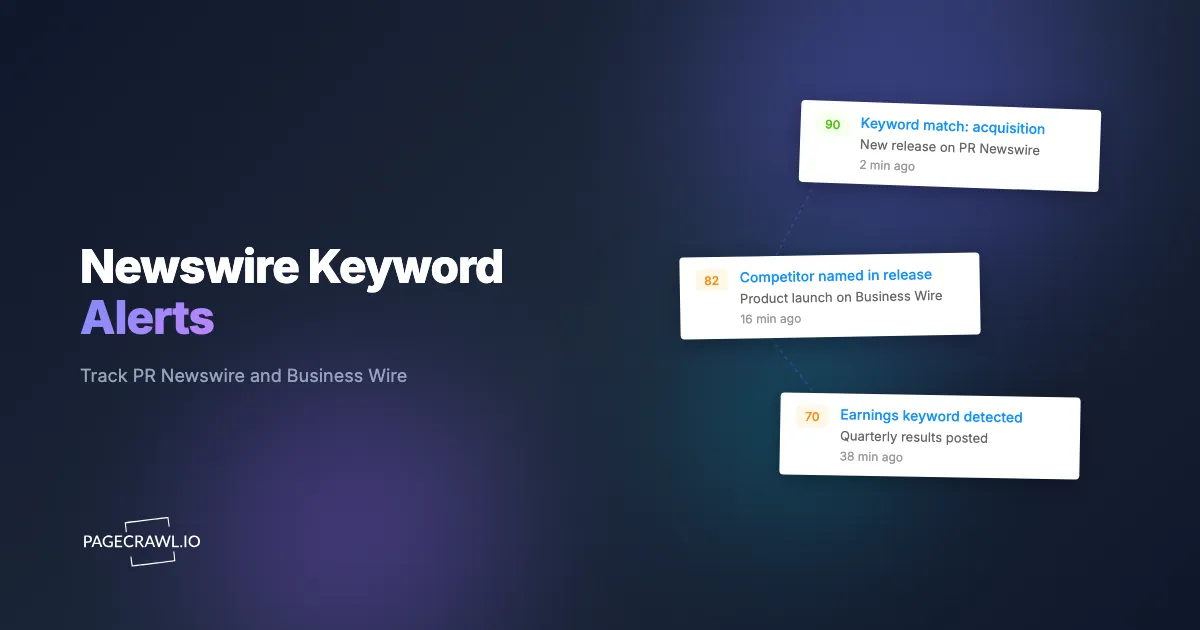
At 6:02am Eastern, a release crosses Business Wire: your largest competitor just acquired the one vendor that filled the gap in their product line. The headline contains a word you have been watching for months, "acquires," paired with a company name on your watch list. By 6:03am, a message lands in your #competitive-intel channel with the headline, the full release text, and a one-line summary of what changed. You read it before the market opens, before the trade press writes it up, and before your sales team walks into a 9:00am demo against that exact competitor.
That is the difference between watching newswires by keyword and finding out the next day. Most teams still discover material announcements through a forwarded email, a LinkedIn post, or a customer who asks "did you see this?" By then the window to respond, reprice, brief an exec, or pitch a journalist has already closed.
This guide covers what newswire keyword alerts are, which keywords actually move the needle, where releases surface first, and how to build keyword-triggered monitoring across PR Newswire, Business Wire, GlobeNewswire, and corporate newsrooms so the right release reaches the right person within minutes.
What are press release and newswire keyword alerts?
Press release keyword alerts watch wire services and company newsrooms for new releases that contain specific words you care about, then notify you on the check that finds a match. Instead of reading every announcement from every company, you define trigger terms (a competitor name, an executive, a product, a deal word like "acquires" or "Series C") and only matching releases reach you.
The mechanism is straightforward. A wire service like PR Newswire or Business Wire publishes a stream of new releases on company and industry pages. A monitor watches those pages, detects when new content appears, and checks whether your keywords show up in the new text. When they do, you get an alert with the headline and a summary. When they do not, nothing fires, so you are not drowning in routine disclosures that do not concern you.
This is different from generic press release monitoring, which tracks every announcement from a fixed list of companies. Keyword alerts flip the model: you watch the whole wire (or an industry slice of it) and let the keywords decide what is worth your attention, which means you also catch news from companies you were not specifically tracking. For the broader "track everything from these companies" approach, see our press release monitoring guide.

Why monitor newswires by keyword instead of by company?
Monitoring by keyword catches the announcements you would otherwise miss, because the most important news often comes from companies that are not on your watch list yet. A startup you have never heard of acquires your supplier. A private equity firm names your category in a roll-up. Watching a fixed list of company pages misses all of it, while a keyword crossing the wire surfaces it on the next check.
You catch unknown players, not just known ones
A by-company monitor only fires for companies you already track. The acquisition that reshapes your market frequently involves a buyer, an investor, or a new entrant you had no reason to follow. Keyword alerts on terms like your product category, "enters the market," or a key technology name surface these moves the first time they cross the wire, turning unknown unknowns into same-morning intelligence.
One keyword covers an entire industry feed
PR Newswire and Business Wire both publish industry category pages (Technology, Health, Financial Services, and so on). A single keyword monitor on an industry feed scans every release in that category for your terms. That is far more efficient than maintaining one monitor per company, and it scales to cover a whole sector with a handful of monitors instead of hundreds.
Keywords map to decisions, not just to brands
The words that matter are tied to what your team will actually do. "Recalls" routes to your safety and PR teams. "Series B" or "raises" routes to sales as a buying signal. "Appoints" or "names chief" flags a leadership change that may shift a deal. By building alerts around decision-driving keywords rather than company names, every alert that fires already has an owner and an action. For the rule logic behind this, see keyword and trigger-word alerts.
Which keywords should you actually track?
Track keywords in five buckets: competitor and brand names, people and executive terms, deal and funding language, product and category words, and risk or regulatory triggers. The best keyword lists pair a "who" (a company or person) with a "what" (a verb or event), so "Salesforce" plus "acquires" fires on the news that matters and stays quiet on routine updates.
Competitor and brand keywords
Start with the obvious: the exact names of your direct competitors, their product brands, and common misspellings or abbreviations. Add your own company name too, so you catch releases where a competitor or analyst mentions you by name. These are the foundation of any competitor website tracking program, and on the wire they catch partnership announcements, customer wins, and comparative claims as soon as a check picks them up.
People and executive keywords
Leadership moves are some of the highest-signal events on the wire. Track verbs like "appoints," "names," "joins," "steps down," and "departs" alongside the names of executives at your target accounts and rivals. A new CTO at a prospect can mean a champion gained or a deal reset overnight. Pair these wire alerts with hiring-side signals from our guide on competitor job posting and hiring signals to see leadership and headcount strategy together.
Deal, funding, and M&A keywords
Acquisition and funding language is where minutes matter most. Track "acquires," "acquisition," "to acquire," "merger," "raises," "Series A/B/C," "funding round," "majority stake," and "definitive agreement." A funding announcement at a target account is a buying signal (new budget, new priorities). An acquisition involving a competitor is a strategic alarm. For public-company deals, combine wire alerts with SEC EDGAR filing monitoring, since an 8-K often lands alongside the release for companies in play.
Product and category keywords
Track your product category terms and the specific feature names that define competitive battlegrounds. Words like "launches," "now available," "general availability," and "introduces," paired with your category, surface product moves before they hit the trade press. This is leading-edge competitive intelligence: a competitor's launch release tells you their roadmap priorities in their own words.
Risk and regulatory keywords
For regulated industries and risk teams, track "recall," "warning letter," "investigation," "data breach," "lawsuit," "settlement," and "FDA" or "FTC" depending on your sector. These releases can move a supply chain or a stock within the hour. A supplier announcing financial difficulty or a recall is a contingency-planning trigger you want the same morning, not in next week's industry digest.
Where do press releases appear first?
Press releases surface in four main places, and the fastest source is usually the company's own newsroom, often minutes before the wire services redistribute the release to media outlets and databases. Comprehensive news and press release monitoring covers all four so a release does not slip through whichever channel a particular company favors.
PR Newswire
PR Newswire is one of the largest distribution services, pushing releases to outlets, financial terminals, and news databases at once. Its site organizes releases by company, by industry, and by topic. For keyword alerts, the industry category pages and "all news releases" listings are the highest-leverage targets, since one monitor scans many companies' releases for your terms.
Business Wire
Business Wire, a Berkshire Hathaway company, is the other major wire and a favorite for large-cap announcements and financial disclosures. Like PR Newswire, it offers company-specific and industry-filtered views. Many large-cap deals and earnings releases land here first, so it belongs in any deal-keyword watch list.
GlobeNewswire
GlobeNewswire serves a broad base of mid-cap and international companies and carries heavy volumes of earnings announcements and regulatory disclosures. If you track smaller public companies or international players, GlobeNewswire keyword coverage fills gaps the other two wires miss.
Corporate newsrooms and SEC EDGAR
Most companies publish to their own /press, /newsroom, or investor.company.com/news-releases pages, frequently before the wire redistributes the release. For US public companies, 8-K filings on the SEC's EDGAR system are effectively press releases for material events and sometimes precede the wire version. Watching newsrooms and EDGAR alongside the wires gives you the earliest possible signal, and automatic page discovery can locate the right newsroom and investor-relations URLs across many company domains at once.
How do you set up newswire keyword alerts in PageCrawl?
You set up keyword alerts by monitoring the relevant wire and newsroom pages, then attaching keyword rules so only matching releases notify you. The walkthrough below builds a working system in well under an hour, and the free tier (6 monitors, 220 checks per month) is enough to prove the approach on your top sources before you scale.

Step 1: List your sources and keywords. Write down the wire pages and newsrooms you want to watch (for example, the Business Wire and PR Newswire technology category pages, plus three competitor newsrooms) and the keyword buckets from the section above. Pair each "who" with a "what" so your rules stay specific.
Step 2: Add each source as a monitor. In PageCrawl, create a new monitor for each wire category page and newsroom URL. For these listing pages, use Content Only or Reader tracking mode so the monitor focuses on the release text and ignores navigation, ads, and layout that change on their own. New releases appear at the top of the list, and the monitor detects that fresh content.
Step 3: Attach keyword rules. Add your trigger words to each monitor so it only alerts when new text contains a term you care about. Combine "who" plus "what" where you can ("Salesforce" near "acquires") and exclude obvious noise words. PageCrawl's conditional keyword and threshold rules let you require a match before any alert fires, which is what turns a firehose of releases into a short list of relevant ones. The help article on notification conditions and filters walks through keyword matching and per-page rules.
Step 4: Set check frequency by urgency. Deal and risk keywords on top competitors deserve the tightest interval your plan allows. General industry awareness can run a few times a day. Higher-tier plans check as often as every 2 to 5 minutes, which is what makes "you read it before the market opens" realistic.
Step 5: Route alerts to the right place. Send deal and competitor alerts to a shared Slack or Discord channel so the whole team sees them at once (see website change alerts in Slack). Use web push and mobile notifications for the highest-priority sources, and email or a webhook for everything that feeds a CRM or dashboard.
Step 6: Turn on AI summaries. Enable AI-powered change detection and smart filtering so each alert arrives as plain language ("New release: Salesforce signs definitive agreement to acquire Informatica for approximately $8 billion") instead of a raw diff. When you are scanning dozens of releases a week, summaries let you triage in seconds.
Step 7: Organize and tag. Group monitors into folders by tier (direct competitors, adjacent players, target accounts, regulators) and tag them by keyword theme. This keeps a 50-source program navigable and lets you adjust frequency and routing per tier instead of one monitor at a time.
How do you cut the noise so only relevant releases alert you?
You cut noise by requiring a keyword match before any notification fires, so routine releases that do not mention your terms stay silent. The wires publish a constant stream of earnings, event, and personnel updates. Keyword rules act as a gate: no matching term, no alert, which is what keeps an industry-wide monitor from becoming an inbox flood.
Three techniques sharpen this further. First, pair terms so a match needs both a company and an event word, which kills alerts on releases that merely mention a competitor in passing. Second, use exclusion words to drop categories you do not care about (for instance, ignore "webinar" or "award" if those are noise for your use case). Third, point the monitor at the release body, not the boilerplate footer that repeats on every release, so a company's standard "About" paragraph never triggers a false match. The same keyword-rule engine is documented in our trigger-word alerts guide, and the playbook for reducing alert fatigue generally applies here: fewer, higher-quality alerts beat a complete but unreadable feed.
For international wires, run a separate keyword set per language so a German or Japanese newsroom does not slip past an English-only term list. The monitor reads pages in any language; you just supply the right keywords.
How fast can you actually find out?
You can find out within minutes of publication, limited mainly by how often your plan checks the source. A monitor on a 5-minute interval catches a 6:02am release by roughly 6:07am, ahead of most trade coverage and well before a forwarded email would reach you. The newsroom-first ordering matters too: because companies often post to their own site before the wire redistributes, watching the newsroom can shave additional minutes off your lead time.
Speed only pays off if the alert reaches someone who can act. Match the channel to the urgency: a deal or recall keyword on a top competitor should fire a web push or a Slack ping into a channel someone is actually watching, while a routine industry term can sit in a daily digest. The goal is a clean escalation path where a high-stakes keyword interrupts you and a low-stakes one waits. Journalists working a beat lean on this hardest; our news and journalism monitoring guide covers fast-source setups for reporters who need to file first.
Who uses press release keyword alerts, and how?
Keyword alerts serve four core roles, each with its own keyword list and routing rule. Competitive intelligence and product teams watch competitor and category terms (a rival's "launches" release describes their roadmap in their own words, days before analysts interpret it). Sales teams watch funding and leadership words at target accounts, where a "raises Series B" alert is a budget-and-priority signal that lands before the rep's next call. Communications teams watch competitor and risk terms as a cue to prepare a response or retime their own news. Investors watch deal and guidance language for trading and diligence signals, best paired with SEC filing alerts for the regulatory side of the same event. Across all four, the discipline is identical: define the keyword, define the owner, define the channel, and every alert that fires already knows where to go.
Choosing your PageCrawl plan
PageCrawl's Free plan lets you monitor 6 pages with 220 checks per month, which is enough to validate keyword alerts on your top wire feeds and a couple of competitor newsrooms before you scale.
| Plan | Price | Pages | Checks / month | Frequency |
|---|---|---|---|---|
| Free | $0 | 6 | 220 | every 60 min |
| Standard | $8/mo or $80/yr | 100 | 15,000 | every 15 min |
| Enterprise | $30/mo or $300/yr | 500 | 100,000 | every 5 min |
| Ultimate | $99/mo or $999/yr | 1,000 | 100,000 | every 2 min |
Annual billing saves two months across every paid tier. Enterprise and Ultimate scale up to 100x if you need thousands of pages or multi-team access.
Catching one acquisition or one competitor product launch before your customers ask you about it pays for years of monitoring. Standard at $80/year covers 100 pages, enough for the PR Newswire, Business Wire, and GlobeNewswire industry feeds plus a full roster of competitor and target-account newsrooms, all checked every 15 minutes. Enterprise at $300/year tightens that to 5-minute checks across 500 pages, which is where deal-keyword speed becomes a genuine edge for fast-moving M&A and risk monitoring.
All plans include the PageCrawl MCP Server, so your team can ask an AI assistant to summarize every release that mentioned a given competitor or deal term over the last quarter and get an answer drawn straight from your own monitoring archive. AI assistants can create monitors through conversation on every plan, including Free. Your keyword hits become a queryable intelligence database instead of a folder of old alerts.
How do you get started with newswire keyword alerts?
Start with five keywords and two or three sources, then widen once you see the volume. Pick five keywords that would change your week if they crossed the wire, then attach them to the PR Newswire and Business Wire industry feeds and your top two competitor newsrooms. Route the alerts to a Slack channel, turn on AI summaries, and run it for two weeks to see exactly which announcements you were missing before.
The first time a deal lands in your channel at 6:03am instead of in tomorrow's news roundup, you will never go back to reading the wire by hand.