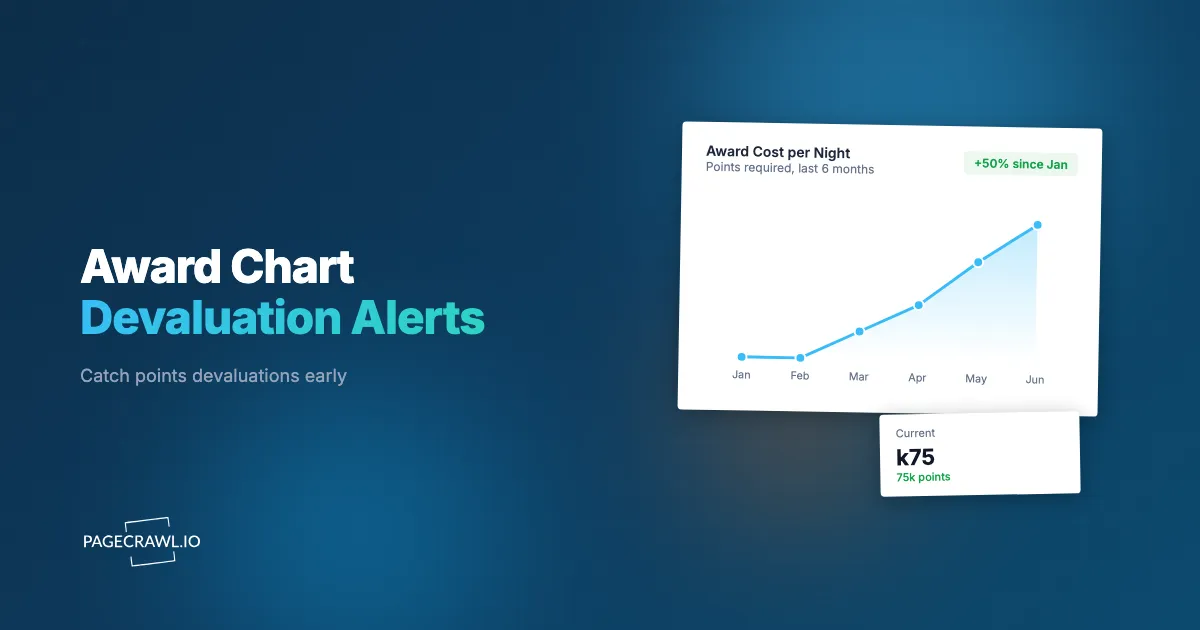
At 11:52 p.m. on a Sunday in March, a World of Hyatt loyalist refreshed the award calendar one last time before bed. The Category 4 resort he had been saving for still read 15,000 points a night. By 9 a.m. Monday it read 20,000. Overnight the property had jumped to Category 5, the program's annual category adjustments had quietly taken effect, and the five-night stay he had budgeted at 75,000 points now cost 100,000. No email warned him. The chart simply changed, and a 25,000-point gap appeared between Sunday's plan and Monday's reality.
That is how award devaluations almost always happen: silently, between two refreshes of the same page, with no notice to the members holding the points. A mileage balance you spent two years earning can lose a fifth of its value overnight, and the only public record of the old price is the version of the page you did not save. For points-focused travelers and award-booking services, catching a devaluation the night before, rather than after the fact, is often the difference between a redemption that works and one that no longer pencils out.
This guide explains what an award chart devaluation is, why it differs from tracking cash fares, which programs change most often, which page elements to watch, and how to set up automated alerts in PageCrawl.
What is an award chart devaluation, and why does it matter?
An award chart devaluation is any change that makes a redemption cost more points or miles than before: a higher published rate, a property moving up a category, a route crossing into a pricier distance band, or a switch to dynamic pricing. It matters because points are a currency you cannot hedge, and the change is rarely pre-announced.
Unlike a cash price, the value of a loyalty point is defined entirely by what the program lets you redeem it for. When American, Delta, or United quietly raises the miles cost of a popular route, every mile in your account is worth less as soon as the page updates, even though your balance has not moved. There is no exchange rate to watch. The only visible signal is the redemption page itself, which is why monitoring that page is the closest thing to an early-warning system points travelers have.
The stakes scale with the balance. A casual traveler with 40,000 miles loses a weekend trip's worth of value in a devaluation. An award-booking service or a family pooling several hundred thousand points can watch tens of thousands of dollars of redemption value evaporate in a single chart update, which is why treating the redemption page as a monitored data source, the same way you would monitor any website for changes, has become standard practice for serious points strategists.
How is award chart monitoring different from tracking cash fares?
Award chart monitoring watches the points or miles cost of a redemption, while cash-fare and flight price tracking watches the dollar price of a ticket or room. They look alike but move differently: cash fares fluctuate constantly and you want a drop, whereas award costs change in discrete, often permanent steps and you want notice of an increase.
The distinction is easy to blur because both live on travel sites, but the goals are opposite. When you track a cash fare with a flight price tracker, you hunt for a temporary low so you can book and benefit. When you track an award chart, you watch for the floor to rise so you can book before it does. A 10,000-mile increase will not reverse next Tuesday the way a fare dip might; once a program raises a chart, that price usually stays.
The cadence differs too. Cash-fare monitoring, whether for flights or for hotel rates and booking pages, assumes near-constant movement and a lot of noise. Award charts are mostly static until they are not, so the signal you care about is the rare step change, not the daily wiggle. That makes award monitoring cleaner in one sense and harder in another: because changes are rare, manual checking lapses exactly when a quiet update slips through.
Which loyalty programs devalue most often, and what changes?
The programs that devalue most are the ones running dynamic award pricing with no published chart, where the cost can shift daily with zero notice. Delta SkyMiles and United MileagePlus publish no award chart, Marriott Bonvoy and Hilton Honors moved to fully dynamic hotel pricing, and Flying Blue prices awards off the cash fare.
Here is the practical breakdown of what actually changes:
- Fully dynamic, no chart (highest devaluation frequency): Delta, United, Hilton Honors, IHG One Rewards, and Marriott Bonvoy price awards algorithmically. The same seat or room can read 60,000 one day and 85,000 the next with nothing announced, so the live quote page is the only reference point.
- Published category charts with annual or rolling adjustments: World of Hyatt, the loyalty program run by Hyatt, keeps a Category 1 to 8 chart (roughly 3,500 to 45,000 points with peak, standard, and off-peak tiers) and reshuffles which properties sit in which category, usually announcing once a year before individual hotels move.
- Distance-band or zone charts: Air Canada Aeroplan and British Airways Avios price by distance or zone, so a route that crosses a band threshold jumps to the next price tier even when the published chart looks unchanged.
- Surcharges and transfer-ratio changes: Carrier-imposed surcharges, fuel fees, and transfer bonuses or penalties between credit-card points and the program can swing the real cost without the headline points number moving at all.
For travelers spreading points across several of these programs, the surface area is large, which is why people increasingly set up bulk monitoring across many redemption pages rather than checking each program by hand.
What signals on an award redemption page should you actually monitor?
The signals worth watching are the points or miles number for a specific redemption, the category or zone label assigned to a property or route, the peak/standard/off-peak tier shown for your dates, and any surcharge or taxes-and-fees line. Each can devalue independently, so monitoring only the headline points figure misses category bumps and surcharge increases that change the real cost.
Concretely, on an award page these are the elements to capture:
The points or miles cost itself
This is the primary number, the figure next to your dates and cabin or room type on a live booking quote. Capturing it as a numeric value lets you alert on any increase, exactly the discrete, permanent step you most want to catch. For programs that expose award price through a structured response, you can pull the figure straight from a JSON or API field with a JSONPath filter instead of scraping rendered text, which is cleaner and far less prone to layout noise.
The category or zone label
For chart-based programs, a property's category or a route's zone is the real driver of cost. A Hyatt hotel moving from "Category 4" to "Category 5" or an Avios route shifting bands is a devaluation even if the chart's numbers stay identical. Watching the text label catches this earlier than waiting for the points figure on one date to update.
The peak / standard / off-peak tier
Many charts now layer a peak and off-peak structure on top of the base category. A date silently flipping from "Standard" to "Peak" can add thousands of points with no chart change at all, so the tier label for your travel dates is its own signal worth tracking.
Surcharges, taxes, and fees
The points number can hold steady while carrier-imposed surcharges climb. Capturing the taxes-and-fees line, often best done with full-page content tracking, keeps the total cost of the redemption honest rather than just the headline figure.
How do dynamic pricing and category bumps hide devaluations?
Dynamic pricing hides devaluations by removing the fixed reference price entirely, so there is no "before" number to compare against and every increase looks like normal fluctuation. Category bumps hide them by changing a label rather than a number, so a chart showing the same per-category costs quietly gets more expensive for the hotel or route you care about.
With dynamic programs, the absence of a chart is the whole problem. Members have no anchor, so a permanent upward shift in the baseline blends into the daily movement and only becomes obvious months later, once "good" redemption prices have crept up across the board. The defense is to capture the live quote for a representative redemption on a fixed date and cabin, then let a monitor flag the trend the eye cannot hold across weeks.
Category and tier bumps are sneakier still. The published chart stays clean and consistent, so a glance suggests nothing changed, while the actual move happens in the property-to-category mapping or the calendar's peak-date assignments. That is the kind of small, easily missed label change automated monitoring exists to catch, and it is why you watch the specific property or route page, not just the master chart. Some programs publish award charts as downloadable documents, in which case PDF monitoring tracks the file itself for revisions that never appear as a visible page edit.
How do you set up award chart devaluation monitoring with PageCrawl?
You set it up by pointing PageCrawl at the specific redemption page or chart, choosing a tracking mode that matches the signal, and configuring a threshold and channel so an increase reaches you on the next scheduled check. The whole process takes a few minutes per page, and new monitors capture a screenshot on every check by default for visual proof.

Step 1: Choose the exact page to watch. Use the live redemption quote for a specific route or property on fixed dates and cabin or room type, not the generic program landing page. A pinned quote gives you a stable number to alert on. For chart-based programs, also add the property or route page where the category or zone label lives, and if the program publishes a downloadable chart, add the document URL so PDF monitoring tracks the file.
Step 2: Pick the tracking mode that matches the signal. For the points or miles figure, use price/number tracking so PageCrawl extracts the numeric value and ignores surrounding layout. For the category, zone, or peak/standard tier, use keyword/text tracking on the label. For structured booking responses, use JSON/API field tracking. Use full-page content tracking to catch surcharge and fee changes, and add visual change capture when the chart is rendered as an image or table. The reference list of available tracked element types explains what each mode captures and when to reach for it.
Step 3: Set the threshold and direction. Configure numeric tracking to alert only when the value increases, the devaluation case, and set a meaningful threshold so a trivial one-point rounding shift does not page you. Conditional alerts with price and threshold rules let you say "notify me only if this redemption rises by 5,000 points or more," so you hear about real devaluations and not noise.
Step 4: Choose your check frequency. For dynamic programs that can move daily, check every few minutes to hours. For published charts that change a few times a year, an hourly or daily check is plenty. PageCrawl plans support frequencies from every 60 minutes down to every 2 minutes, so you can match the cadence to how volatile the program is.
Step 5: Pick where the alert goes. Route notifications to wherever you already work: Slack for fast team alerts, Telegram or Discord for a personal channel, a webhook for automation, or email. Award-booking services often send devaluation alerts to a shared Slack channel so a booker can act on a client's redemption as soon as a check detects that a chart moved. For changes you cannot afford to miss, browser web push notifications reach your phone as soon as the change is detected.
Step 6: Keep screenshots on and confirm the baseline. New monitors capture a screenshot on every check by default, giving you a dated visual record of the old price next to the new one, useful for proving to a client when and by how much a chart devalued. Confirm the first check captured the right number, then let it run. PageCrawl renders each page fully before reading it, so dynamically loaded award prices and login-protected member rates are captured reliably.
What about login-gated member pricing?
Some programs only show real award costs to signed-in members, and partner or elite-tier redemption rates can differ from the public quote. PageCrawl supports login-gated monitoring, so you can watch the member-specific price you actually pay rather than a generic public estimate. This matters most where the logged-in rate or elite discount decides whether a redemption is worth booking.
How often should you check, and how do you avoid false alerts?
Match frequency to volatility: dynamic, no-chart programs warrant checks every few minutes to a couple of hours, while published-chart programs change rarely enough that hourly or daily is fine. Avoid false alerts by tracking the extracted numeric value with a sensible threshold and a direction filter, so rounding shifts and unrelated page edits do not fire an alert.
The most common source of noise on travel pages is the page changing around the number: banners, rotating imagery, and personalized modules churn constantly without the award cost moving. Numeric tracking sidesteps this by pulling out just the points figure and comparing values, not raw HTML. Pairing that with a threshold ("alert only on an increase of 5,000 points or more") filters the trivial movement dynamic pricing produces.
When you watch many redemption pages at once, a few will be noisier than others, and tuning them individually keeps the system trustworthy. PageCrawl's guidance on reducing monitoring false positives applies directly: lean on numeric extraction over full-page diffs for prices, reserve full-page tracking for the surcharge lines where any change matters, and set thresholds generous enough that every alert is worth opening. An alert system you trust is one you act on; one that cries wolf gets muted right before the devaluation you needed to catch.
How do award-booking services and frequent travelers use these alerts?
Award-booking services use devaluation alerts as a client-protection layer: when a chart moves, a booker is notified and can lock in a client's redemption at the old rate before the new price sticks. Frequent travelers use them to time large redemptions, burning points ahead of a detected devaluation rather than holding a balance that is quietly losing value.
For a booking service, the workflow is concrete. Monitors watch the redemptions clients are saving toward, alerts land in a shared channel, and the booker acts before a dynamic price normalizes upward or a category bump propagates to every date. The dated screenshots double as documentation, showing a client what the page cost before the change.
For an individual, the value is portfolio discipline. Points held are points exposed, and a devaluation alert across your most important programs tells you when to redeem rather than accumulate. Many travelers route these alerts into a home automation hub via webhook or a no-code flow, so a chart change triggers a reminder, a calendar hold, or a message to a travel partner. The principle is the same one behind tracking any subscription or recurring price increase: the cost of a thing you depend on can rise quietly, and the only reliable defense is to watch the page that states the price and be told on the next check after it moves. Award pricing, category assignments, and surcharges are set entirely by each program, so confirm the current cost on the airline's or hotel's own booking page before you redeem; this article is informational, not financial advice.
Choosing your PageCrawl plan
PageCrawl's Free plan lets you monitor 6 pages with 220 checks per month, which is enough to validate the approach on your most critical pages. Most teams graduate to a paid plan once they see the value.
| Plan | Price | Pages | Checks / month | Frequency |
|---|---|---|---|---|
| Free | $0 | 6 | 220 | every 60 min |
| Standard | $8/mo or $80/yr | 100 | 15,000 | every 15 min |
| Enterprise | $30/mo or $300/yr | 500 | 100,000 | every 5 min |
| Ultimate | $99/mo or $999/yr | 1,000 | 100,000 | every 2 min |
Annual billing saves two months across every paid tier.
Enterprise and Ultimate scale up to 100x if you need thousands of pages or multi-team access.
How do you get started with devaluation monitoring?
Pick the single redemption that matters most to you right now, the one whose points cost would hurt to see jump 10,000 overnight, and put a monitor on it today. Set it to price/number tracking, alert on an increase, send the notification to Slack or your phone, and let it run. The next devaluation will still be silent, but you will not be. Let the chart tell you when to book.