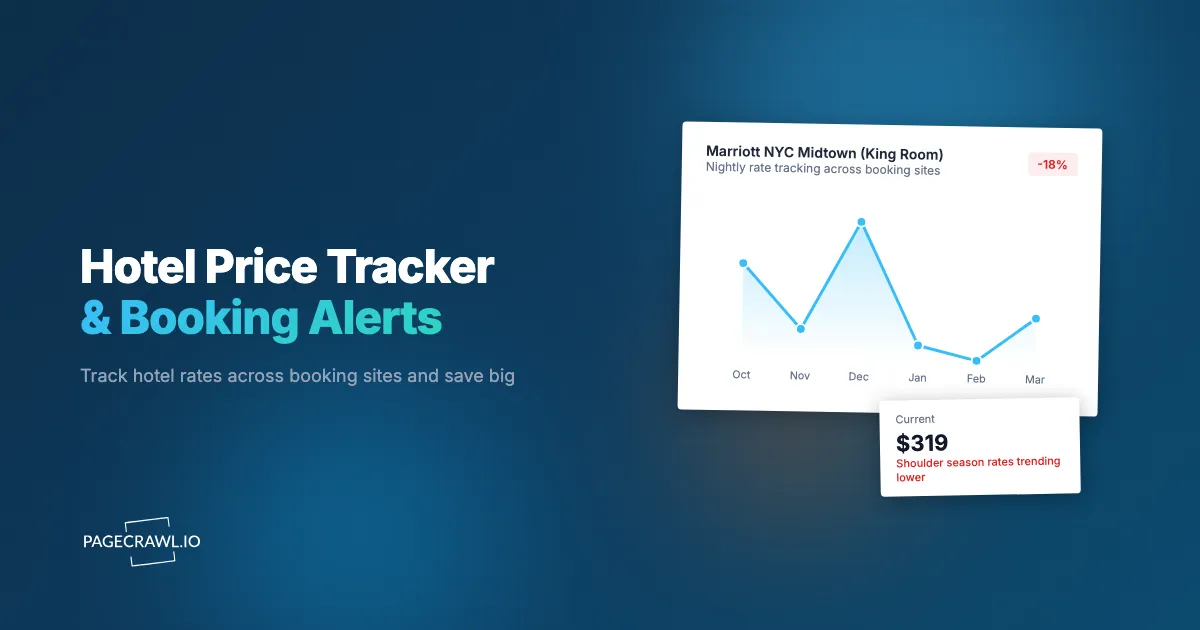
You booked a hotel for a conference next month at $289 per night. Two weeks later, out of curiosity, you check the same hotel for the same dates. The rate is now $219. Over four nights, that is $280 you overpaid. Most hotels do not notify you when rates drop after you book. Some allow free cancellation and rebooking, but only if you notice the change in time.
Hotel pricing is one of the most dynamic categories in consumer spending. The same room on the same night can vary by 50% or more depending on when you look, where you look, and how far in advance you book. Revenue management systems adjust prices constantly based on occupancy forecasts, local events, competitor rates, and day-of-week patterns. A room listed at $350 on Monday might drop to $220 by Thursday if bookings have been slow.
This guide covers how hotel pricing works, what sources to monitor for the best rates, how to set up automated hotel price tracking, and strategies for combining hotel monitoring with flight tracking to optimize entire trip costs.
How does hotel pricing work?
Hotels run revenue management systems that re-price rooms continuously against occupancy forecasts, local events, competitor rates, and day-of-week demand. On top of that sit seasonal and event premiums, and an advance-purchase versus distressed-inventory curve. Nothing about a room rate is fixed, which is exactly why monitoring pays off.
Dynamic Pricing and Revenue Management
Hotels use revenue management systems that adjust rates continuously. These systems analyze historical booking patterns, current occupancy, upcoming events, competitor pricing, and demand forecasts to set prices that maximize revenue per available room (RevPAR).
The result is that room prices are never static. A hotel with 60% occupancy for next Tuesday will price differently than one at 90% occupancy. As occupancy projections change throughout the day, prices shift accordingly. This creates monitoring opportunities because prices can drop at any time, not just during scheduled sales.
Occupancy-Based Adjustments: When a hotel is filling slower than expected, the revenue management system lowers prices to stimulate demand. This often happens 7-14 days before the stay date when the hotel needs to fill remaining inventory.
Competitor-Driven Changes: Hotels in the same area monitor each other's pricing. When one property drops rates, nearby competitors often follow within hours or days. A price cut at one hotel can trigger a cascade of reductions across an entire market.
Channel-Specific Pricing: Hotels sometimes offer different rates on different platforms. The price on Booking.com might differ from Expedia, which might differ from the hotel's own website. Rate parity agreements attempt to keep prices consistent, but differences still appear through packaging, loyalty discounts, and promotional codes.
Seasonal and Event-Based Pricing
Hotel pricing follows predictable patterns that layer on top of dynamic adjustments.
Peak Season: Summer in beach destinations, winter in ski towns, and convention season in business cities all drive prices to their highest levels. Monitoring well in advance of peak season lets you lock in rates before the steepest increases.
Event Premiums: Major conferences, sporting events, concerts, and festivals can double or triple hotel prices in the surrounding area. If you know you will be attending an event, start monitoring months in advance. Prices typically start moderate, rise as the event approaches, and occasionally drop in the final days if hotels have unsold inventory.
Day-of-Week Patterns: Business hotels in urban centers often charge more Sunday through Thursday and less on weekends. Resort properties reverse this pattern. Understanding the weekly cycle for your target hotel helps you evaluate whether a detected price change represents a genuine deal or just a day-of-week shift.
Shoulder Season Opportunities: The weeks between peak and off-peak seasons often offer excellent value. Hotels still have strong inventory from peak season marketing, but demand has softened. Monitoring during shoulder periods can catch prices at their most favorable.
Last-Minute Drops vs Early Bird Rates
Two common pricing patterns create different monitoring strategies.
Early Bird Rates: Some hotels offer advance purchase discounts for booking 21, 30, or 60 days ahead. These rates are often non-refundable but can save meaningfully over flexible rates. Monitoring these rates as your travel dates approach helps you decide whether to lock in the advance rate or wait for possible further drops.
Last-Minute Drops: When hotels have unsold inventory close to the stay date, prices can drop significantly. Business hotels on Friday afternoons, beach resorts mid-week, and any property with unexpected cancellations all create last-minute opportunities. The risk is that the hotel sells out entirely, leaving you without a room.
The Optimal Window: For most destinations, the best prices tend to appear either very early (advance purchase) or very late (distressed inventory). The middle period, roughly 2-6 weeks before the stay date, is often the most expensive. Monitoring across the full timeline reveals the actual pricing curve for your specific hotel and dates.
Which hotel booking sources should you monitor?
Monitor at least three sources for the same room and dates: one large online travel agency, the hotel's own website, and a meta-search view. Different sources show different prices, and the gap between them can be substantial once loyalty rates, bundles, and resort fees are factored in.
Online Travel Agencies (OTAs)
OTAs aggregate inventory from thousands of hotels and provide a single comparison point.
Booking.com: One of the largest hotel booking platforms globally. Displays prices with and without taxes depending on your region. Genius loyalty discounts add an additional layer that may not appear to all users. Monitoring specific hotel pages on Booking.com captures base prices and visible promotions.
Expedia: Offers bundled deals combining hotel and flight that can reduce the effective room rate. Member-only prices add another discount tier. Monitoring Expedia for specific properties captures their pricing alongside any bundle or member promotions.
Hotels.com: Features a "collect 10 nights, get 1 free" rewards program. The effective discount depends on which nights you book. Monitoring prices here is most valuable if you are an active Hotels.com rewards member.
Google Hotels: Aggregates prices from multiple sources into a single comparison view. Shows prices from the hotel's own website alongside OTA rates. Monitoring Google Hotels results for a specific property gives you a quick view of pricing across channels without setting up separate monitors for each.
Direct Hotel Websites
Booking directly with the hotel offers several advantages: best price guarantees (many hotels promise to match or beat OTA prices), loyalty program points, and more flexible cancellation policies.
Major Chains: Marriott, Hilton, IHG, Hyatt, and other chains often offer their best rates through their own websites or apps, especially for loyalty members. Monitoring the direct website alongside OTAs lets you compare and claim best price guarantees when applicable.
Independent Hotels: Smaller properties without chain affiliation sometimes offer significantly lower rates on their own websites because they avoid paying OTA commissions, which take a meaningful share of every booking. Monitoring independent hotel websites directly can reveal prices that never appear on OTAs.
Loyalty Program Rates
Hotel loyalty programs offer member-exclusive rates that represent genuine savings.
Points and Cash Combinations: Some loyalty programs let you combine points with cash payments, reducing the out-of-pocket cost. Monitoring these options alongside standard rates helps you find the best overall value.
Status-Based Discounts: Higher loyalty tiers unlock additional discounts, room upgrades, and benefits. If you have status, monitoring the member rate alongside the public rate shows the actual value of your loyalty tier.
Meta-Search Engines
Platforms like Trivago, Kayak, and TripAdvisor compare prices across multiple booking sources. They do not process bookings themselves but redirect you to the cheapest source. Monitoring meta-search results pages gives you a broad view of pricing across channels for a specific property.
Setting Up Hotel Price Monitoring with PageCrawl
Automated monitoring catches price drops that manual checking would miss, especially for trips booked weeks or months in advance.

Note: Hotel rates displayed on booking websites can vary based on the visitor's location, cookies, and browsing history. PageCrawl monitors the default rate shown to a non-logged-in visitor, which provides a consistent baseline for detecting price changes. The rate you see when logged in to your hotel loyalty account or after previous searches may differ from the monitored rate.
Monitoring OTA Listing Pages
To track a hotel's price on a booking site, follow these steps:
Step 1: Search for your hotel on the OTA (Booking.com, Expedia, etc.) with your specific check-in and check-out dates. Navigate to the hotel's detail page showing room types and prices.
Step 2: Copy the URL. Most OTA URLs encode the dates and guest count in the URL parameters, so the same URL will show prices for the same dates on subsequent visits.
Step 3: Add the URL to PageCrawl and select "Price" as the tracking mode. PageCrawl identifies and extracts the room rate from the page. For details on targeting specific elements on complex pages, see our guide to CSS selectors for monitoring.
Step 4: Verify the extracted price matches what you see on the page. If the hotel shows multiple room types, ensure PageCrawl is tracking the rate for the room category you want. The help centre covers monitoring numeric values such as room rates and the charts you get once history accumulates.
Step 5: Set your check frequency. For hotels where you are watching a specific booking window, checking every 6-12 hours captures most price changes. For general monitoring over a longer period, daily checks provide a useful price history.
Step 6: Configure notifications. Email works for non-urgent price monitoring. For time-sensitive bookings or last-minute deals, Telegram or Discord provides faster alerts.
Monitoring Specific Room Types and Dates
Hotel pages often display multiple room types at different prices. If you want to track a specific room category (standard king, suite, room with ocean view), use element-specific monitoring.
Navigate to the hotel page, identify the price element for your target room type, and configure PageCrawl to monitor that specific element. This avoids alerts triggered by price changes on room types you are not interested in.
For multi-night stays, the URL typically encodes your full date range. If you are flexible on dates, you can set up multiple monitors for different date combinations to compare pricing across your travel window.
Setting Up Price Drop Alerts
Configure your notifications based on how you plan to use the price data. Per-page notification conditions and filters let you fire only when a rate crosses a threshold you set, instead of on every page tweak.
For Booked Trips (Watching for Rebooking Opportunities): If you have already booked a refundable rate, any price drop is actionable. Set alerts for any change so you can rebook at the lower price without delay. Even a $20/night drop across a five-night stay saves $100.
For Trip Planning (Watching for Target Prices): If you have a budget in mind, set alerts that notify you when the price drops below your target. This reduces notification noise while ensuring you catch meaningful drops. PageCrawl's noise filtering lets you click on any detected change to ignore it in future checks. Hotel pages frequently update availability counters, review counts, and promotional badges. Noise filtering ensures you only get alerted to actual rate changes, not cosmetic page updates that have nothing to do with pricing.
For Business Travel (Expense Optimization): Corporate travelers monitoring multiple upcoming trips benefit from daily digest notifications rather than real-time alerts. A summary of price changes across all monitored hotels lets you optimize bookings during a single review session.
Combining Hotel and Flight Monitoring
Hotel prices rarely exist in isolation. Most trips involve both accommodation and transportation, so travel and flight price monitoring covers the other half of the bill, and the total cost matters more than either component alone.
Coordinating Hotel and Flight Tracking
Set up parallel monitors for both your hotel options and your flight routes. When a flight price drops, check your hotel monitors to see the total trip cost at the new airfare. Sometimes a flight price drop makes a previously expensive hotel viable within your budget.
For detailed guidance on flight price tracking, see our guide to flight price monitoring. Combining both types of monitoring gives you a complete picture of trip costs.
Package Deal Monitoring
Sites like Expedia and Priceline offer bundled hotel-plus-flight packages at discounted rates. These bundles create a combined price that is lower than booking each component separately. Monitoring the bundle page alongside individual hotel and flight monitors helps you compare standalone bookings against package deals.
Flexible Date Strategies
If your travel dates are flexible, monitoring hotel prices across a range of dates reveals significant savings opportunities. A hotel in Paris might cost $180/night in the first week of June and $130/night in the second week. Combined with flight price differences across those same dates, the total trip cost can vary by hundreds of dollars.
Set up monitors for two or three date windows and compare. The combination of cheapest flights and cheapest hotel nights rarely falls on the same dates, so finding the optimal overlap requires tracking both.
Tips for Business Travel Savings
Business travelers who book hotels frequently have unique opportunities to save through systematic monitoring.
Rate Benchmarking
Many companies negotiate corporate rates with hotel chains. These rates are meant to be competitive, but they are not always the lowest available price. During low-demand periods, publicly available rates can drop below the negotiated corporate rate.
Monitoring the public rate for hotels you frequently use lets you benchmark your corporate rate against the open market. When the public rate drops below your negotiated rate, book the public rate instead. Over dozens of trips per year, this adds up.
Conference and Event Hotels
When attending conferences, hotel blocks with negotiated group rates are available until a cutoff date. After the cutoff, remaining rooms return to the general pool at market rates, which may be higher or lower than the group rate depending on demand.
Monitor the conference hotel's public rate alongside the group block. If the public rate drops below the group rate before the cutoff (which happens when the host city has ample inventory), book the public rate. If the public rate is higher, secure the group rate before it expires.
Multi-City Monitoring
Business travelers visiting the same cities regularly benefit from persistent monitoring. Set up monitors for your most common destinations with rolling date windows. When a trip is scheduled, you already have price history and a baseline for evaluating rates.
PageCrawl's folder organization lets you group monitors by city or by trip. For details on setting up monitoring dashboards, see our guide to building custom monitoring dashboards.
Advanced Hotel Monitoring Strategies
Cancellation Policy Monitoring
Hotels sometimes change their cancellation policies alongside price changes. A room that was fully refundable until 48 hours before check-in might switch to a non-refundable policy when the price drops. Monitoring the full listing (not just the price) captures these policy changes so you can evaluate the total value, not just the nightly rate.
Loyalty Point Redemption Values
If you have hotel loyalty points, the redemption value fluctuates based on cash prices. A room costing 25,000 points is a better deal when the cash rate is $300 than when it is $150. Monitoring cash prices helps you decide whether to pay cash or use points for each booking, while watching for award chart devaluations warns you when the points cost itself rises, together maximizing the value of your loyalty balance.
Seasonal Booking Automation
For predictable annual trips (family vacations, annual conferences, recurring business travel), set up monitors well in advance. Start monitoring 3-6 months before travel to capture early pricing, track fluctuations, and book when the price hits your target.
Combine monitoring with webhook automation to log price changes into a spreadsheet automatically. This creates a historical record that helps you predict pricing for future trips to the same destination.
What makes hotel price monitoring tricky?
Four things: booking URLs that carry expiring session tokens, prices displayed in different formats (per night versus total, with or without taxes and resort fees), room types that sell out between the drop and your click-through, and member-only or opaque rates that never appear to a logged-out visitor. Each has a practical workaround.
Dynamic URLs and Session Data
Some hotel booking sites generate URLs that include session tokens or temporary search parameters. These URLs may stop showing the correct dates or hotel after the session expires.
Solution: After searching, look for a "share" or "permalink" option that generates a stable URL. On Booking.com, the URL parameters for dates and hotel ID are typically persistent. On some OTAs, you may need to remonitor periodically as URLs expire.
Price Display Variations
Hotels display prices differently across platforms. Some show per-night rates, others show total stay costs. Some include taxes and fees, others do not. A $200/night rate on one site might look like $240/night on another because of included resort fees or taxes.
Solution: Compare like-for-like by monitoring the same price format across platforms. When possible, monitor the total cost including taxes and fees for the most accurate comparison.
Room Availability Changes
A price drop might be accompanied by the room type selling out. The alert shows a lower price, but when you click through, the room you wanted is no longer available at that rate.
Solution: Act quickly on price drop alerts, especially close to the travel date. For popular hotels, consider booking a refundable rate at the current price and then rebooking if the price drops, rather than waiting and risking availability.
Member-Only and Opaque Pricing
Some of the best hotel rates are only visible to loyalty program members, credit card holders, or through opaque booking sites (like Priceline Express Deals) where you do not know the exact hotel until after booking.
Solution: If you are a loyalty member, monitor while logged in to capture member rates. For opaque deals, monitor the pricing tier and star rating for your destination rather than specific properties.
Comparing Hotel Price Tracking Tools
Several tools claim to track hotel prices, each with different strengths.
Google Hotels Price Tracking
Google Hotels offers a free price tracking feature that monitors rates for saved hotels. It sends email alerts when prices change significantly. The advantages are zero cost and broad coverage. The limitations are email-only notifications, no customizable thresholds, and no ability to integrate alerts into other workflows.
Price Comparison Browser Extensions
Extensions like Trivago's browser tool or hotel-specific plugins show price comparisons when you visit hotel websites. They provide useful context while browsing but only work when your browser is open on the right page. They cannot proactively alert you to price drops throughout the day.
Dedicated Monitoring with PageCrawl
PageCrawl monitors hotel pages on any booking site at configurable intervals and sends alerts through multiple channels (email, Slack, Discord, Telegram, webhooks). This catches price drops around the clock regardless of whether your browser is open. For comparing prices across multiple retailers, the approach is similar to competitor price tracking tools.
The tradeoff is setup time for each monitor. For tracking a small number of hotels, this is minimal. For monitoring dozens of properties across multiple dates, organizing monitors into folders and using consistent naming keeps things manageable.
Choosing your PageCrawl plan
PageCrawl's Free plan lets you monitor 6 pages with 220 checks per month, which is enough to validate the approach on your most critical pages. Most teams graduate to a paid plan once they see the value.
| Plan | Price | Pages | Checks / month | Frequency |
|---|---|---|---|---|
| Free | $0 | 6 | 220 | every 60 min |
| Standard | $8/mo or $80/yr | 100 | 15,000 | every 15 min |
| Enterprise | $30/mo or $300/yr | 500 | 100,000 | every 5 min |
| Ultimate | $99/mo or $999/yr | 1,000 | 100,000 | every 2 min |
Annual billing saves two months across every paid tier. Enterprise and Ultimate scale up to 100x if you need thousands of pages or multi-team access.
Standard at $80/year pays for itself the first time you rebook a hotel at a lower rate. A single $80 drop on a three-night stay covers the entire annual cost, and most frequent travelers see drops like that several times a year. 100 monitored pages is enough to track a handful of properties across Booking.com, Expedia, and direct hotel sites for every trip you have planned. Enterprise at $300/year covers 500 pages, which suits travel agencies, corporate travel teams, or anyone managing bookings across a large portfolio of properties and dates.
Getting Started
Pick one upcoming trip and start monitoring. Find the hotel you are considering on two or three booking sites (such as Booking.com, Expedia, and the hotel's direct website). Copy the URLs with your specific dates and add them to PageCrawl.
Set daily monitoring and configure email or push notifications. Watch how the prices move over a week or two. You will quickly see patterns: which platform consistently shows the lowest rate, how much prices fluctuate, and when drops tend to happen.
Once you see the value, expand your monitoring to additional trips and properties. Set up monitors for your most common business travel destinations to build a rate history over time.
PageCrawl's free tier includes 6 monitors, enough to track one or two hotels across multiple booking sites. The Standard plan at $80/year provides 100 monitors for travelers with frequent trips or anyone comparing rates across many properties and dates. The Enterprise plan at $300/year covers 500 monitors for travel agencies, corporate travel departments, or anyone managing bookings at scale.
Stop overpaying for hotel rooms. Set up automated price monitoring and rebook when rates drop.