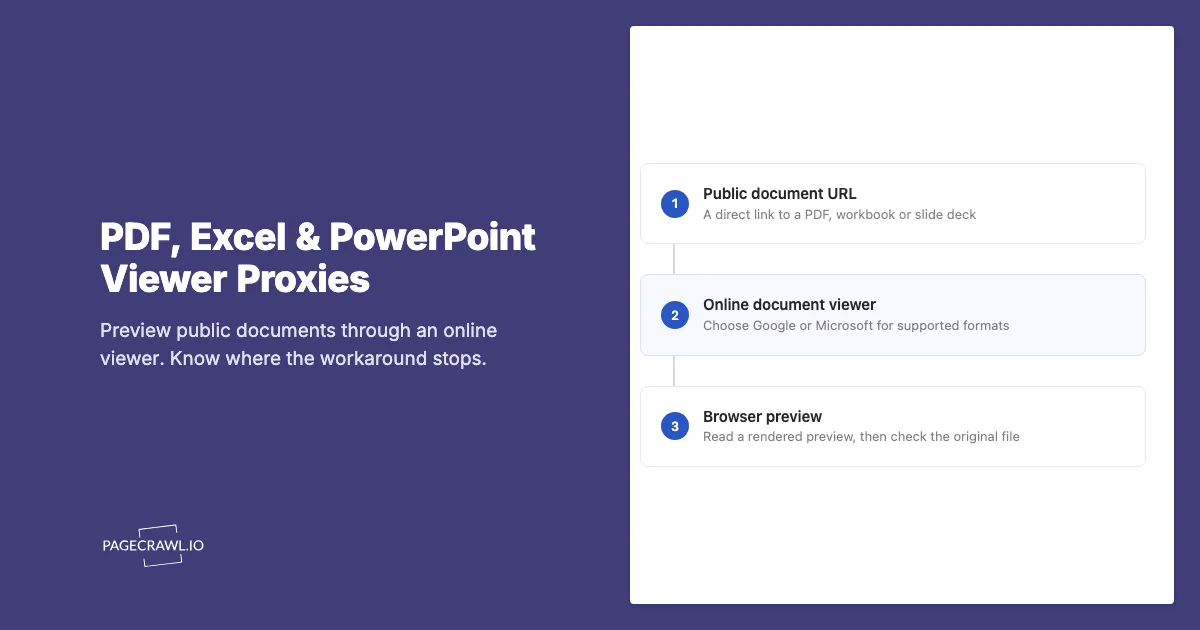
A public price list arrives as an Excel download. A supplier publishes its product guide as a PDF. An investor presentation is a PowerPoint file your browser cannot display directly. An online document viewer can turn those download links into browser previews, sometimes loading a file that fails through your usual connection.
This resembles the Google Translate proxy trick for web pages, but the result is a document preview. Google Docs Viewer and Microsoft's Office Web Viewer on Live.com are useful places to try public files. They do not provide a general download proxy, carry your website login, or guarantee that a blocked document will open.
Can an online document viewer act as a proxy?
In a limited sense, yes: you give a service a document URL, and it retrieves the file to prepare a browser preview. That adds another connection between the source and the reader. The result is a viewing page, however, rather than a substitute URL that returns the original file's bytes.
That distinction matters when choosing a tool. A preview can help you read a spreadsheet without installing Office. A program expecting an XLSX download cannot simply use the viewer page instead. Download buttons may also send you back to the source, so viewing a document through a service does not establish that every later request uses that service.
Which viewer should you try for each file type?
For a public PDF, Google's document viewer is a candidate. For Excel workbooks and PowerPoint presentations, Microsoft's Office Web Viewer is the more direct match, with Google's viewer as another option to test. Start with a direct file link and check the result: an accepted extension does not guarantee a usable preview.
| File | Viewer to try | What to check |
|---|---|---|
PDF (.pdf) |
Google Docs Viewer | Page count, readable text, and whether the preview matches the source |
Excel (.xls, .xlsx) |
Microsoft Office Web Viewer (Live.com); Google as an alternative | Worksheet tabs, tables, and displayed values |
PowerPoint (.ppt, .pptx) |
Microsoft Office Web Viewer (Live.com); Google as an alternative | Slide count, fonts, and embedded media |
| PDF opened by your browser | The browser's built-in PDF reader | This normally reads the original URL directly, without a remote viewer |
Google's 2011 viewer announcement described PDF and Office support, including XLS, XLSX, and PPTX. Its current Drive format documentation still lists those formats, but Drive's uploaded-file previews are a different workflow from the older public-URL viewer. Do not assume that every Drive capability or size limit applies to a gview link.
Microsoft's Office Web Viewer instructions document Word, Excel, and PowerPoint files at publicly accessible URLs. They date from 2013. Treat these public viewer links as conveniences to test, rather than a dependable document delivery API. Use Google's viewer or a PDF reader for PDFs instead of the Office endpoint below.
In a September 12, 2026 spot check, Google's viewer displayed the W3C sample PDF, and Microsoft's viewer displayed a public European Commission workbook, including its worksheet tabs. These checks covered two public files; other formats, restricted sources, and preview freshness still need checking for your document.
How do you create a document viewer link?
Copy the document's direct public URL, choose a viewer, and encode the entire file URL as the viewer's source parameter. The generator below does that locally in your browser. It only builds a link; opening that link sends the document URL to the selected Google or Microsoft service.
- Copy the link to the actual file, rather than a page containing a download button.
- Check that it opens without signing in. A private browser window helps identify a link that only works because you are already logged in.
- Choose Google for a PDF, or Microsoft Office (Live.com) for an Office file, then generate the link.
- Open the viewer and compare its contents with the source. Check another worksheet or the final slide, not just the first screen.
Google Docs Viewer example
For the illustrative file https://example.com/files/product-guide.pdf, the link is:
https://docs.google.com/gview?embedded=1&url=https%3A%2F%2Fexample.com%2Ffiles%2Fproduct-guide.pdfMicrosoft Office Web Viewer (Live.com) examples
Microsoft's public viewer uses view.officeapps.live.com. Select Microsoft Office (Live.com) in the generator to create a link with the document URL in its src parameter. It supports Office documents such as Excel workbooks and PowerPoint presentations; use Google for PDFs.
For an Excel workbook:
https://view.officeapps.live.com/op/view.aspx?src=https%3A%2F%2Fexample.com%2Ffiles%2Fprice-list.xlsxFor a PowerPoint presentation:
https://view.officeapps.live.com/op/view.aspx?src=https%3A%2F%2Fexample.com%2Ffiles%2Fpresentation.pptxThese example.com links demonstrate the format and are not hosted sample documents. Replace them with your own public file URL. Encode a URL's query string along with its path: otherwise an & in a download link can become a viewer parameter and break the file request.
Why might a viewer open a file when the direct link fails?
A remote viewer makes its own request, so it can receive a different response from the document host than your browser does. A successful preview suggests that the service could retrieve or already had a copy of the file. It does not establish why your request failed or prove the preview is current.
First distinguish an access problem from a display problem. A browser downloading an XLS file instead of showing it is normal behavior, and an online viewer addresses that inconvenience. A 403 response, a login screen, or an expired download link needs a different diagnosis. A remote preview may help with some connection-dependent failures, but it cannot grant account permissions.
What are the limits of document viewer proxies?
The main limits are source access, preview freshness, and rendering fidelity. The service needs a file it can retrieve, the preview may not reflect a recent replacement, and its display can differ from the original application. Test the particular document before relying on a viewer for repeated reading or sharing.
| Problem | Why it matters | What to do |
|---|---|---|
| Login or session required | The viewer does not inherit your browser's cookies | Use the publisher's authenticated viewer or download flow |
| Private-network address | A public viewing service cannot use your local network connection | Open the file through your organization's approved access method |
| Expiring download link | The source may refuse the link by the time the viewer requests it | Find a stable public file URL or use the publisher's sharing feature |
| Older preview | A preview is not proof that a replaced source file was fetched again | Compare with the original download; do not use refresh timing as a monitoring guarantee |
| Missing content or changed layout | Preview rendering can omit or alter parts of the document | Check important sheets, slides, fonts, charts, and media in the original application |
| Large, damaged, or unsupported file | A recognizable extension alone does not make a file renderable | Try a smaller valid file or another supported format |
Google explicitly notes that Drive previews can appear different from the full file. More generally, viewing is not editing: a workbook preview is not a promise to refresh external data or run macros, and a slide preview is not a promise to reproduce every animation. Avoid applying a single advertised file-size limit across unrelated viewer products.
What happens to the document URL when you use a viewer?
Opening a viewer link shares the source URL with Google or Microsoft so the service can retrieve the document. Use public, nonsensitive files you are comfortable sending to that provider. A signed URL can itself grant access, even when its filename looks harmless, and the complete address becomes part of the viewer link.
Do not paste private reports, customer exports, credentials, or access-token links into a public viewer workaround. For documents already stored in Google Drive or Microsoft 365, use the platform's normal sharing controls. Google's file-opening guide describes the Drive workflow; it does not require making an otherwise private document public.
The generator above does not fetch the document when you generate or copy a link. Sharing that generated link also shares the embedded source URL, so check it before sending it to someone else.
Should you monitor the viewer URL or the original document?
Monitor the original document when you need to know what changed. A viewer page adds toolbars, loading states, and preview behavior that are separate from the file's contents. PageCrawl recognizes supported Google and Microsoft viewer links and monitors their underlying document, so pasting a viewer link does not route checks through either provider.
Start with Track New Page, paste the direct file URL, and review the first capture before setting the check frequency and notifications. Choose the monitoring mode that matches what you need:
| Document | PageCrawl option |
|---|---|
| PDF with readable text | PDF text monitoring |
| XLS or XLSX workbook | Excel text and data monitoring |
| PPTX presentation | PowerPoint text monitoring |
| Legacy PPT, scanned PDF, or changes beyond readable text | File checksum monitoring, subject to its file-size limit |
Text monitoring shows changes to captured content. Checksum monitoring tells you that the file changed, including changes to metadata, but does not explain which cell or slide changed. Neither should be treated as a guarantee that every visual or interactive feature is captured. For a longer walkthrough, see how to monitor online PDFs for changes.
For personal document monitoring, PageCrawl Relay is a free option to try when a public document works through your own connection but fails in PageCrawl. Relay is available on every plan, including Free. You supply an online computer and bandwidth, and normal monitoring limits apply. It does not reuse your browser login or make private-network documents accessible.
For business monitoring, we recommend Enterprise or Ultimate and their included managed connection options. Checks can then run without depending on a computer you keep online. Optional Web Unblocker bandwidth is billed separately; test your documents before choosing an additional paid option.