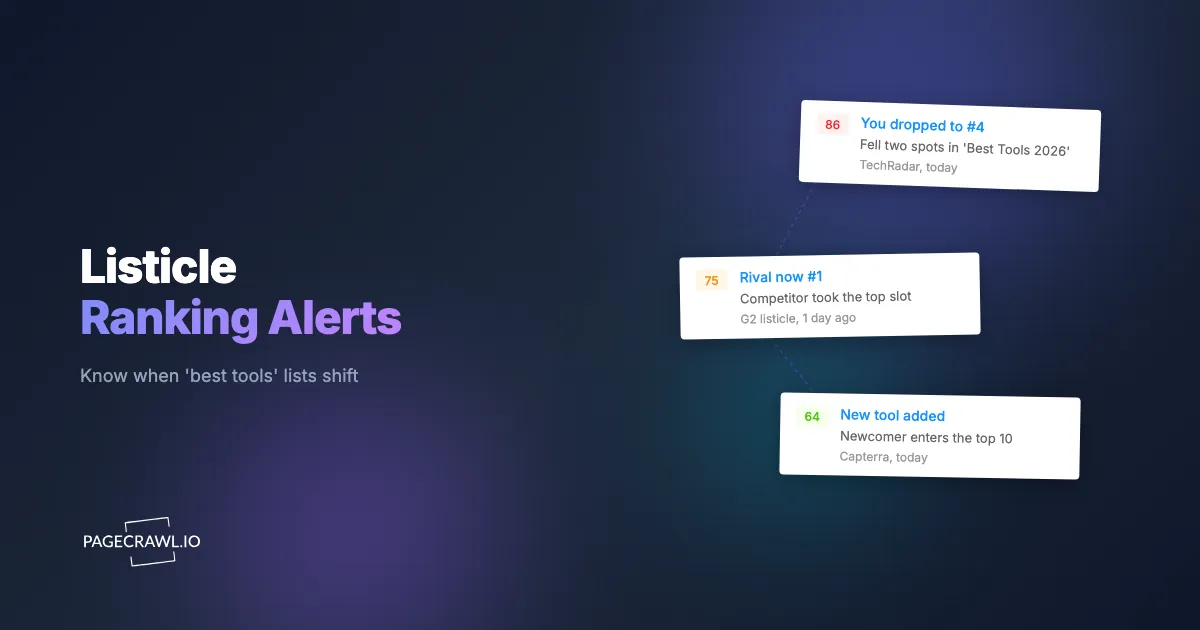
At 9:14 on a Tuesday morning, a B2B marketing lead joined what should have been a routine pipeline review. A sales rep mentioned, almost in passing, that three prospects in the last two weeks had pointed to the same "10 Best Project Management Tools for 2026" article, and that the brand was now sitting at number 8. Two quarters earlier it had been number 2, right under the category leader. Nobody on the team had touched that page. Nobody had been notified. The writer had quietly reordered the list, swapped the hero screenshot, and rewritten the intro to crown a newer competitor as the "top pick." The demotion had been live for nineteen days before anyone in the company knew, and they learned it from a prospect rather than from their own dashboard.
This is the quiet danger of third-party roundup pages. A "best CRM software" article, a "top 10 marketing automation platforms" listicle, a "[Competitor] alternatives" comparison, or a Capterra or G2 category grid can decide whether a buyer ever discovers your product. These pages carry borrowed authority because they read as neutral. A buyer trusts the number 3 slot on a respected blog far more than your own homepage. And increasingly, AI answer engines scrape exactly these ordered lists to assemble their "best options" responses, so a single re-rank ripples into both human and machine recommendations.
The problem is that these pages change silently. There is no email, no changelog, no RSS entry when an editor reorders the list, drops your logo, or lets a competitor leapfrog you. This guide explains what listicle monitoring is, which pages to track, why list order matters more than raw page text, what events should trigger an alert, how AI answer engines amplify these rankings, and exactly how to set up monitoring with PageCrawl in six steps.
What is listicle monitoring, and why does it matter now?
Listicle monitoring is the practice of automatically tracking neutral third-party roundup pages (best-of lists, alternatives pages, and review-site category grids) and getting alerted when your brand is added, removed, reordered, or overtaken by a competitor. It watches the ranked list itself, not your own website, because these pages drive discovery and AI citations.
It matters now for two reasons. First, buyers start research on category roundups before they ever visit a vendor site, so your position on a "best tools" page is often the first impression they form. Second, large language models lean heavily on structured, ordered lists when answering "what are the best X" questions, so a page that names you first becomes a machine-readable endorsement. This is different from watching your own properties, and different again from tracking where you rank in organic search. Listicle monitoring sits in the gap between them: neutral pages, controlled by no one you can negotiate with, that quietly decide your visibility to both buyers and the models they increasingly ask first.
Which third-party pages should you actually track?
Track the specific pages a buyer or an AI model reaches when researching your category. The highest-value targets are editorial "best of" roundups, "alternatives to" comparison pages, and review-platform category grids. Each one carries independent authority and re-ranks on its own schedule, so each deserves its own monitor rather than a single catch-all watch.
Editorial roundups and listicles
These are the "10 Best [Category] Tools for 2026" and "Top 15 [Use Case] Platforms" articles published by industry blogs, media outlets, and affiliate sites. They are ordered, they are opinionated, and they get refreshed quietly whenever the author updates for a new year or accepts a new sponsor. The position numbers and the order of the headings are the signal you care about most.
"Alternatives to" and comparison pages
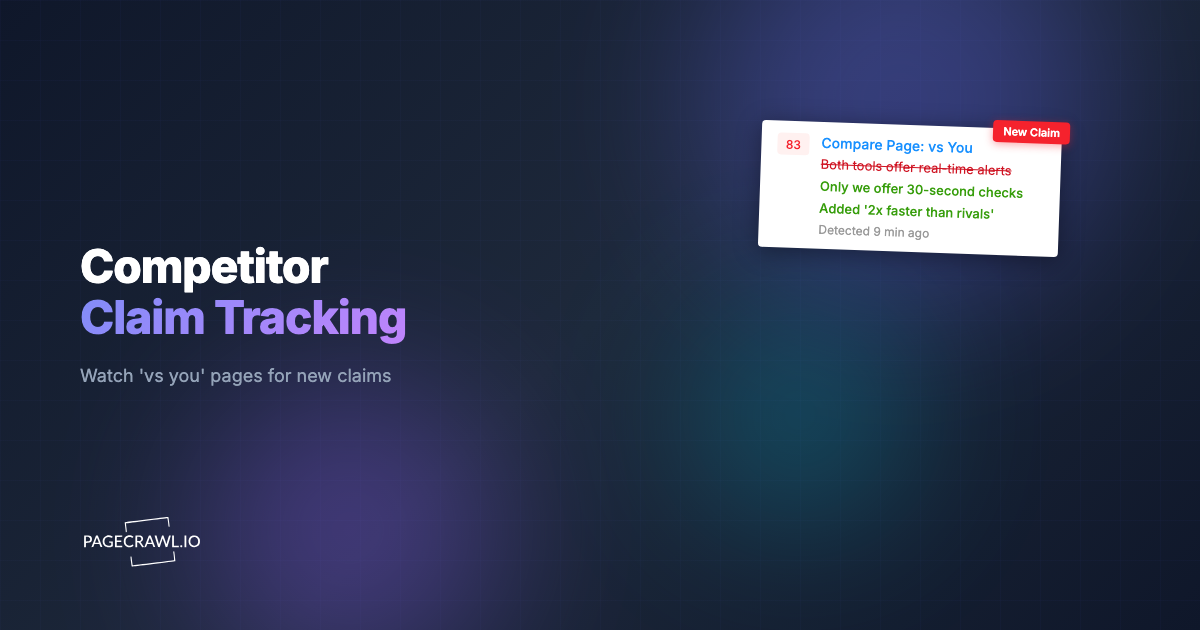
A "[Competitor] alternatives" page is a high-intent destination: every visitor is actively shopping and considering switching. Whether your brand appears, where it sits, and how it is described changes your share of that demand. These pages overlap with the dedicated practice of comparison and alternatives page monitoring, and they belong in your watch list because a competitor can add themselves or push you down at any time, often the same week they ship a competing feature.
Review-platform category grids
Capterra, G2, TrustRadius, and Software Advice publish ordered category grids and "leaders" quadrants that reshuffle as review velocity, recency, and vendor activity shift. These are visual and structured, which makes them ideal candidates for monitoring G2 reviews and software comparison pages, and they pair naturally with brand monitoring across review sites and comparison pages.
Why does list order matter more than the page text?
List order matters more than raw text because a roundup can keep every word about your brand identical while moving you from slot 2 to slot 8, and a plain text diff barely registers the change. What buyers and AI engines read is the sequence: who is first, who is the top pick, and who is buried below the fold.
A naive monitor that compares page text character by character produces two failures here. It floods you with noise when an editor tweaks an unrelated paragraph, and it can under-react when the only change is positional. PageCrawl renders the page fully, including lists that load through scripts or lazy loading, so the actual order a visitor sees is what gets compared. That lets you treat a reorder as a meaningful event even when the words around your brand never changed. If you are new to the mechanics of capturing and comparing rendered pages, the guide to monitoring website changes walks through how rendered diffs work in practice.
There is a second reason order beats text. Many roundups are built from a numbered structure: an <ol>, repeated heading blocks, or a JSON feed behind an interactive grid. Capturing that structure means you can detect "your brand fell two positions" rather than the much vaguer "this page changed." Precision here is what keeps the alerts trustworthy enough that your team acts on them.
How do these roundup pages re-rank your brand without telling anyone?
They re-rank silently because there is no notification layer between an editor's CMS and your team. A writer reorders the list, an SEO contractor refreshes the article for a new year, an affiliate deal changes the top slot, or a competitor's PR team pitches the author. Each edit goes live instantly, with no email and no version note.

The common silent changes fall into a few buckets:
- Reordering. Your entry moves from position 2 to position 6 while the surrounding copy stays the same.
- Addition of a competitor. A new name appears above you, pushing everyone below it down a slot.
- Removal. Your brand is dropped from the list entirely, often during an annual "refresh."
- Re-framing. Your description changes from "best for enterprise" to "limited free tier," or the "Editor's Choice" badge moves to a rival.
- Year-stamp swaps. "Best Tools for 2025" becomes "for 2026" with a fresh order and a new top pick.
None of these fire an alert on their own. The only way to catch them is to check the page on a schedule and compare each capture to the last. This is the same silent-edit dynamic that makes news article silent-edit and retraction monitoring valuable, applied to the pages that govern your category visibility rather than your reputation in the press.
What changes should trigger an alert, and how do you avoid noise?
The four events worth an alert are: your brand is added to a list, removed from a list, demoted in the ordered position, or leapfrogged by a named competitor. Everything else (a reworded intro, a new stock photo, a cookie banner) is noise. The art of listicle monitoring is firing on those four events and staying quiet for the rest.
You get there by combining tracking modes rather than relying on a single crude diff:
- Keyword and text tracking watches for the presence or absence of your exact brand name and your top competitors' names. If your name disappears from the captured list, that is a removal. If a competitor's name newly appears above yours, that is a leapfrog candidate.
- Fullpage content tracking captures the ordered body so a reorder is visible in the diff, with the moved block highlighted.
- Visual change capture is ideal for review-platform grids and quadrant images, where the position is conveyed by layout and badges rather than plain text. Because new monitors keep screenshots on by default, you also get a dated image of exactly how the page looked, which is useful evidence when you brief a writer or your PR team.
- JSON and API field tracking suits interactive grids that render from a structured feed. If a category page exposes a ranked array, you can watch a specific field with a path filter, which is the same approach described in monitoring JSON and API fields with JSONPath and jq filters.
To suppress the noise, layer conditional rules on top. You can require that an alert only fires when a brand keyword appears or disappears, or when the change touches the part of the page that holds the list, rather than every pixel that moves. The mechanics of building these gates are covered in the guide to conditional alerts with price, keyword, and threshold rules, and they are what turn a chatty monitor into one your team trusts.
How do AI answer engines turn listicles into brand visibility?
AI answer engines treat ordered "best tools" lists as ready-made rankings. When a buyer asks an assistant "what is the best project management software," the model frequently surfaces names and ordering it absorbed from these roundup pages. A demotion on a widely cited listicle does not just cost a human reader, it can quietly drop you from machine-generated recommendations too.
That makes listicle monitoring a leading indicator for your AI visibility. If you watch your brand's standing on the source pages, you get early warning before the change propagates into answer engines. This complements directly testing what the assistants say, which is the focus of monitoring your brand in ChatGPT and AI search. The source-page view tells you why your machine visibility shifted; the answer-engine view tells you that it shifted. Run both and you can connect a specific listicle re-rank to a drop in how often models name you, then go fix the source.
There is a practical workflow here. When a high-authority roundup demotes you, that page is precisely the kind of citation an AI model is likely to reuse. Catching the demotion within hours, rather than learning about it from a prospect nineteen days later, gives your content and PR teams a window to respond while the change is still fresh and correctable.
How do you set up listicle monitoring with PageCrawl?
Setting up listicle monitoring takes about ten minutes per page and follows the same six steps for editorial roundups, alternatives pages, and review grids. The goal is one monitor per important page, each tuned to fire only on add, drop, demote, or leapfrog events. Here is the full sequence.
Step 1: Add the page and choose a tracking mode
Paste the URL of the roundup, alternatives page, or category grid. For a text-based listicle, choose fullpage content tracking so the ordered body is captured, and add keyword and text tracking for your brand name plus your three or four closest competitors. For a visual grid or quadrant, choose visual change capture. For an interactive grid backed by a structured feed, use JSON and API field tracking on the ranked array. PageCrawl uses real browser rendering with selectable engines, so lists that load through scripts are captured in the order a real visitor sees.
Step 2: Set the check frequency
Match frequency to how fast the page moves and how high the stakes are. A flagship "best [category] tools" page that drives real pipeline deserves a check every 15 minutes on a paid plan. A slower niche roundup is fine at hourly, and an annual industry list can be checked a few times a day. More frequent checks shrink the gap between a silent re-rank and your alert, which is the whole point.
Step 3: Configure thresholds and conditional rules
Add the rules that keep alerts meaningful. Require that an alert fires only when a brand keyword is added or removed, or when the change falls inside the list region rather than the surrounding copy. For numeric or position-style signals exposed in a structured feed, you can use number tracking with a threshold and a direction so a move past a set position triggers the alert. This is where you decide that a reordered list counts and a reworded intro does not.
Step 4: Choose your notification channel
Route alerts to where your team already works. PageCrawl pushes to Slack, Telegram, Discord, email, and webhooks. Most marketing and competitive-intelligence teams send listicle alerts to a dedicated Slack channel so the whole team sees a demotion at once; the setup is covered in the guide to website change alerts in Slack. If you want to feed re-rank events into an automation or a shared dashboard instead, point the monitor at a webhook and handle the payload downstream.
Step 5: Keep screenshots on for evidence
New monitors keep screenshots enabled by default, and you should leave them on for listicle pages. A dated, full-page image of the list as it appeared gives you proof of the before-and-after when you reach out to the page's author, brief your PR team, or document how the page described a competitor. The visual capture also doubles as your record of how a review-platform grid looked on a specific day.
Step 6: Organize, tag, and scale across the category
Use labels, folders, and workspaces to tag each monitor by category, by page authority, and by competitor so you can filter quickly when an alert lands. As your watch list grows from one flagship roundup to every page that mentions your category, group them so a pattern is visible at a glance. Teams that monitor dozens of these pages systematically often start from the playbook for monitoring competitor websites programmatically, which scales the same per-page approach across a whole category.
What should you do when you get a re-rank alert?
When an alert lands, confirm the change against the screenshot, classify it (added, removed, demoted, or leapfrogged), and decide whether it is correctable. A demotion driven by stale information is often fixable with a short, factual note to the author. A leapfrog by a genuinely improved competitor is a positioning signal you route to the right team.
A simple triage keeps the response fast. If your brand was removed or demoted because the page lists outdated facts about your product, send the author a concise correction with current numbers and a link. If a competitor leapfrogged you on a review grid, check whether the move was driven by review velocity and feed that into your own review-generation efforts. If the page reframed your description unfavorably, update the underlying material the author likely pulled from, such as your own pricing page and competitor-facing copy, so the next refresh reflects reality. Over time, the pattern of which pages re-rank and how often becomes its own competitive intelligence stream, a steady signal that helps you predict where your visibility is most exposed.
Choosing your PageCrawl plan
PageCrawl's Free plan lets you monitor 6 pages with 220 checks per month, which is enough to validate the approach on your most critical pages. Most teams graduate to a paid plan once they see the value.
| Plan | Price | Pages | Checks / month | Frequency |
|---|---|---|---|---|
| Free | $0 | 6 | 220 | every 60 min |
| Standard | $8/mo or $80/yr | 100 | 15,000 | every 15 min |
| Enterprise | $30/mo or $300/yr | 500 | 100,000 | every 5 min |
| Ultimate | $99/mo or $999/yr | 1,000 | 100,000 | every 2 min |
Annual billing saves two months across every paid tier. Enterprise and Ultimate scale up to 100x if you need thousands of pages or multi-team access.
Getting Started
Pick the single roundup page that costs you the most when it gets your brand wrong, add it as a monitor in the next ten minutes, and let PageCrawl watch the list order while you get back to work. The next silent re-rank will reach your Slack channel instead of reaching you secondhand from a prospect, and that head start is the whole game.