Your firm has been on a state transportation department's prequalified contractor list for six years. In March, the agency quietly adds a new line to its prequalification page: audited financial statements are now required for any contractor seeking a work capacity rating above a certain threshold, and reviewed statements are no longer accepted. Nobody emailed you. The page changed, the PDF application was replaced with a new revision, and your renewal packet went in with the old documents. It came back rejected eight days before a letting you had already priced.
Supplier prequalification is not a one-time gate. It is a rolling eligibility status maintained on a web page the buyer controls and updates whenever their legal team, their auditor, or a new statute tells them to. Requirements move. Forms get new revision numbers. Categories of work get added and removed. Registration windows for approved supplier lists and frameworks open for a few weeks and then close for years. And unlike a tender notice, none of it is a notice. It is just a page that reads differently today than it did last quarter.
Bid teams handle this with a spreadsheet and a calendar reminder, which works right up until the buyer changes something between reminders. The fix is putting the pages themselves under watch, so a changed requirement, a replaced form, or a newly opened registration window reaches your bid inbox on the next check instead of the next time somebody remembers to look.
What actually changes on a supplier prequalification portal?
Four things change, each with a different consequence. Eligibility criteria change (new thresholds, new insurance limits). Required documents change (new form revisions, audited instead of reviewed accounts). Registration status changes (a list opens, closes, or reopens). And the published roster changes, adding or removing named firms including yours.
Criteria and thresholds
The substantive requirements have the longest lead time to fix. A buyer raising a minimum bonding capacity, adding a safety performance threshold, requiring a specific quality certification, or tightening the financial standing test can put a currently prequalified firm outside the line at renewal. These changes are usually published well before they bite, which is why watching the page is worth more than watching your calendar. You need the months of warning, not the week.
Document demands and form revisions
The most common silent change is a replaced document. The application PDF is swapped for a new revision, a schedule is appended, or a previously optional attachment becomes mandatory. The page URL and the link text usually stay identical, and only the file behind them moves. Submitting the superseded form is a rejection in most agencies, and rejection near a letting date means you do not bid.
Open and closed registration windows
Approved supplier lists, dynamic purchasing systems, and framework agreements are not always accepting applicants. Some open once and stay shut for the life of the agreement, which can be several years. The UK government publishes a forward view of agreements not yet live on the Government Commercial Agency's upcoming agreements pipeline, with indicative timelines and links to notices as they publish. That is the highest-value page a bid team can monitor, because the gap between "upcoming" and "closed" is where the whole opportunity lives.
The published roster
Many buyers publish the list of currently prequalified or approved suppliers. Florida's Department of Transportation, for example, maintains public prequalification information and prequalified contractor listings. Your presence on that roster, your work-category codes, and your rated capacity can all change without anyone telling you. So can your competitors' entries, which is an early signal that a rival has just qualified into a category you thought you owned.
Which supplier portals are actually worth monitoring?
Monitor the pages that decide whether you can bid at all: the prequalification requirements page of every buyer you depend on, the vendor registration page of the portals you are enrolled in, the public roster that lists your status, and the forward pipeline pages that announce registration windows before they open.
Public sector transportation and infrastructure
State transportation departments are the clearest case because prequalification is a hard prerequisite and the deadlines are published. Texas advises that packets be received at least 10 days before the project letting to allow review time, on its contractor prequalification page. Illinois runs prequalification and vendor registration as separate steps, with registration required even for truckers and material suppliers who only quote subcontracts. Each of those pages carries rules amended without a press release.
Central and state purchasing portals
General purchasing portals hold the registration record itself: commodity codes, certifications, diversity status, renewal date. California's supplier registration on Cal eProcure is typical, where the coding determines which solicitations you are notified about at all. If a portal restructures its category taxonomy and your codes are retired, you stop receiving opportunities with no warning that you have gone quiet.
International and multilateral buyers
The United Nations Global Marketplace uses tiered registration, and the tier you hold caps the contract value you can be considered for. Its help centre describes basic registration for opportunities up to US $40,000, Level 1 between US $40,000 and US $500,000, and Level 2 above US $500,000, with additional documentation at the higher levels. A supplier at the wrong tier is invisible for the contracts it most wants, and those documentation lists are published pages that change.
Private-sector buyer portals
Large corporate buyers run their own supplier registration pages, often with a "currently accepting new suppliers in these categories" statement that flips without announcement. Utilities, energy majors, hospital systems, and main contractors all do this, and they will not email you because you are not yet in their vendor master. Our guide to supply chain monitoring and vendor website tracking covers how the same monitors serve risk and commercial teams at once.
Why don't portal notification emails cover this?
Portal notifications are built to tell registered suppliers about solicitations, not about changes to the rules of registration. They typically fire on tender publication, award, and account expiry, and they reach only firms already inside the system. The requirement change, the new form revision, and the newly opened registration window are all outside that scope.
Notifications are scoped to opportunities, not eligibility
A portal will happily email you a matching tender notice. It will rarely email you that the financial threshold moved, that a safety questionnaire was added to the application pack, or that a category you are coded for was retired. Those are administrative page edits. The buyer's obligation ends at publication.
You cannot be notified by a portal you have not joined
The registration windows that matter most are the ones for lists you are not yet on. There is no account, no subscription, and no notification preference to set, because you are a stranger to that system until the window opens and you apply. Watching the public page is the only mechanism available. It is the same gap that makes tender portal monitoring on Find a Tender and Contracts Finder worthwhile even when you subscribe to alerts: the alert covers what the system thinks you asked for.
Renewal reminders arrive against the old rules
Even when a buyer sends a requalification reminder, it tells you that your status expires on a date. It does not tell you the requirements changed since your last submission. Teams then assemble the renewal pack from last year's checklist, which is precisely how a superseded form ends up in a rejected packet. A reminder confirms the deadline. Only the page confirms the contents.
How do you set up supplier prequalification monitoring in PageCrawl?
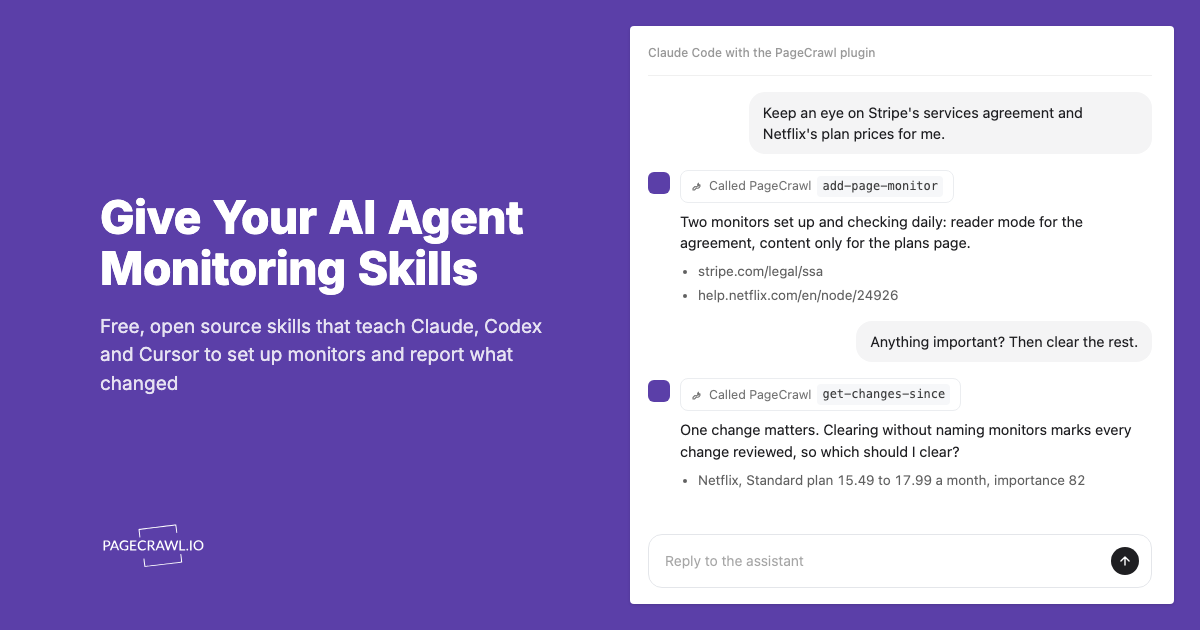
Add each buyer's prequalification or registration page as a monitor, use a text-focused tracking mode so navigation and banners do not trigger alerts, check daily for most pages and more often for open windows, and route alerts into the channel where your bid team actually works.
Collect the exact URLs. For each buyer, capture the prequalification requirements page, the vendor registration page, the published roster if there is one, and any forward pipeline page. Use the deep URL that shows the requirements, not the procurement homepage.
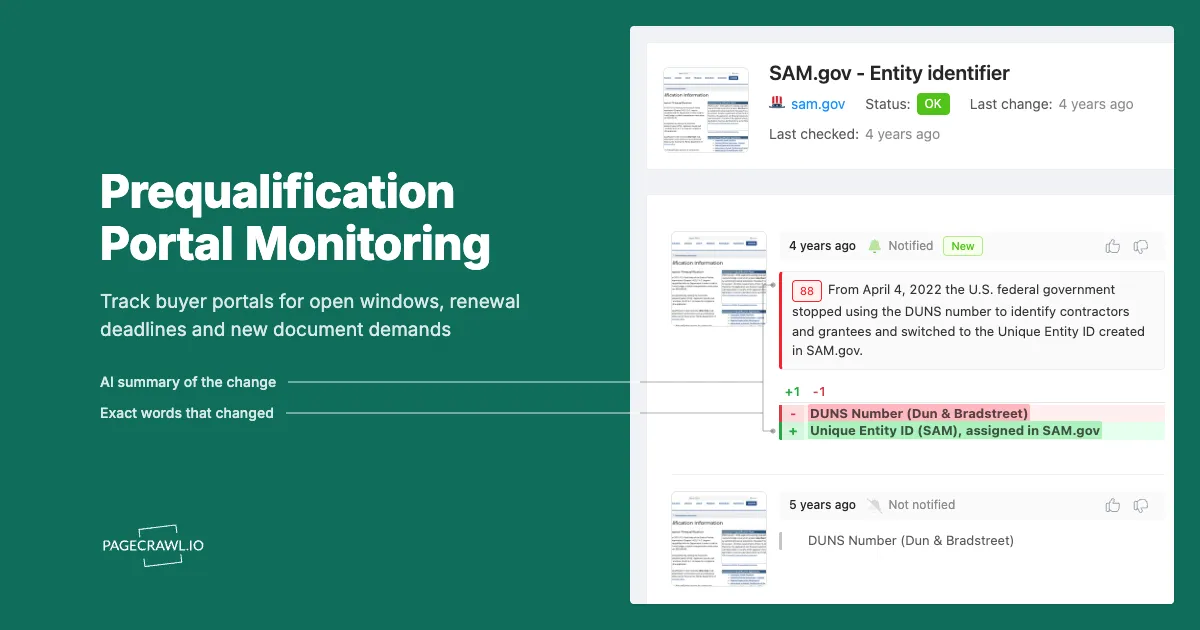
Add the URL and pick the tracking mode. Reader or content-only mode suits long-form requirement pages because it extracts the substantive text and ignores headers, menus, and cookie notices. For a published roster, content tracking on the list region is better. For a linked application PDF, use PDF text extraction so a new revision registers as a change even when the link text is unchanged.
Set the check frequency to match the stakes. Daily is right for stable requirement pages and produces a clean record of when each change appeared. During an open registration window, or in the weeks before a letting or renewal cutoff, move the monitor to the highest frequency your plan allows so a late amendment reaches you on the next check rather than tomorrow.
Choose your notification channels. PageCrawl sends to email, Slack, Discord, Microsoft Teams, Telegram, and webhooks. Bid teams generally want a shared Slack or Teams channel so everyone sees the change, plus email to the named compliance owner for the record. A webhook is useful if the change should open a task in your bid management system automatically.
Add keyword rules for the language that matters. Conditional rules let you escalate on specific phrases rather than any edit at all: "requalification", "expires", "audited", "revised", "no longer accepted", "now open", "closed to new applicants", and the names of certifications you hold. Our walkthrough on conditional alerts using price, keyword, and threshold rules shows how to build these so a formatting tweak stays silent and a requirement change does not.
Turn on screenshots and keep the history. A timestamped capture of the requirements page as it read on the day you submitted settles any later dispute about which version was in force.
Group the monitors by buyer. Put every page for one agency into a folder named for that buyer, and tag the monitors by the deadline they feed. At renewal you open one folder and read the change history for the whole relationship.
What deadlines should the monitoring calendar be built around?
Build the calendar around three fixed dates per buyer: the requalification or registration expiry, the submission lead time the buyer requires before a bid opening, and any annual renewal month. Set the monitors to run continuously, then tighten frequency and attention in the weeks before each of those dates.
Submission lead times are the hard constraint
Prequalification is not something you can complete on the day you decide to bid. Texas asks for packets at least 10 days ahead of a letting, Massachusetts at least 21 calendar days ahead of a bid opening, and Oregon at least 10 calendar days before the bid opening the applicant wants to take part in. Those windows assume the packet is correct on arrival. A requirement change discovered inside that window is usually a lost bid.
Annual renewal cycles
Many agencies run a fixed prequalification year tied to a financial statement date, so an entire cohort of contractors renews in the same month. Kansas sets its renewal cutoff relative to an annual prequalification month. If your buyer works that way, assemble the pack from the requirements page changes of the last twelve months, not the checklist you saved last year. A monitor's change history is exactly that list.
Windows that open and close
Framework and approved-list windows are where a slow check frequency really costs you, because the window can be short and it is not on your calendar at all. This is the same discipline that makes EU tender monitoring on TED worthwhile: the publication is public, but only the people watching on the day it appears get a full response period.
How do you keep the alerts useful instead of noisy?
Point monitors at the requirement text rather than the whole page, exclude the parts of the page that change on their own, use keyword conditions so routine edits stay quiet, and review the change feed on a fixed cadence. A supplier portal watchlist that pings for every menu tweak gets muted within a fortnight.
Strip out the moving furniture
Procurement portals are full of elements that change without meaning anything: rotating news panels, "last updated" timestamps, session identifiers in links, event widgets, and site-wide banners. Content-only and reader tracking modes remove most of this. For anything left over, mark the region as ignored after the first false alert. Our guide to reducing website monitoring false positives covers the pattern.
Separate "tell me now" from "tell me weekly"
Split the watchlist three ways. Tier 1 is anything that can end your eligibility, so requirement pages and your own roster entry get individual alerts to a shared channel. Tier 2 is registration and pipeline pages, alerted individually during an open window and digested otherwise. Tier 3 is competitor roster entries and general procurement news, which belong in a weekly digest.
Assign an owner per buyer
An alert with no owner is a notification, not a control. Name one person per buyer relationship who is accountable for reading that folder's changes and deciding whether they affect your submission. This is the same governance logic behind a structured continuous vendor monitoring program, applied in the opposite direction: you are the vendor being assessed, and the assessment criteria are the thing under watch.
What does a mature vendor registration watchlist look like?
A mature watchlist covers every buyer representing meaningful revenue, with three to five monitored pages each, a named owner, keyword rules tuned to eligibility language, and a change history that doubles as evidence. Most bid teams land between forty and two hundred monitored pages.
A worked coverage table
| Page type | What it tells you | Suggested frequency | Alert routing |
|---|---|---|---|
| Prequalification requirements | Criteria, thresholds, document list | Daily | Shared channel plus compliance owner |
| Application form or PDF pack | New revision, added schedules | Daily | Compliance owner |
| Vendor registration page | Codes, tiers, renewal rules | Daily | Compliance owner |
| Published supplier roster | Your status, your categories, rivals | Daily | Bid team digest |
| Forward pipeline or upcoming agreements | Windows about to open | Highest available during a window | Shared channel |
| Standard terms and general conditions | Contract risk shifting under you | Weekly | Legal owner |
Insurance and certification evidence
Prequalification packs demand current insurance certificates and certifications with expiry dates, and the buyer's required limits can move. Watching the requirement page tells you the limit changed. Tracking your own coverage evidence tells you whether you still meet it. Teams that run both sides together, as described in our note on certificate of insurance and vendor coverage monitoring, stop discovering gaps at submission time.
The evidence trail
The by-product is an audit trail nobody had to write. Every check produces a timestamped record of what the buyer's page said on that date. When a debrief turns on which version of the requirements was in force, or a quality auditor asks how you keep supplier eligibility under control, the history is already there.
Choosing your PageCrawl plan
PageCrawl's Free plan lets you monitor 6 pages with 220 checks per month, which is enough to validate the approach on your most critical pages. Most teams graduate to a paid plan once they see the value.
| Plan | Price | Pages | Checks / month | Frequency |
|---|---|---|---|---|
| Free | $0 | 6 | 220 | every 60 min |
| Standard | $8/mo or $80/yr | 100 | 15,000 | every 15 min |
| Enterprise | $30/mo or $300/yr | 500 | 100,000 | every 5 min |
| Ultimate | $99/mo or $999/yr | 1,000 | 100,000 | every 2 min |
Annual billing saves two months across every paid tier. Enterprise and Ultimate scale up to 100x if you need thousands of pages or multi-team access.
Compliance monitoring is the cheapest insurance you can buy. A single missed regulatory change can trigger fines in the tens or hundreds of thousands, not to mention the audit overhead of proving you did not see it coming. Enterprise at $300/year covers 500 regulatory pages with unlimited history and timestamped screenshots, which is usually exactly what an assessor wants to see. All plans include the PageCrawl MCP Server, so your compliance team can ask Claude to summarize every change to a specific regulation over the last quarter and pull the exact diff, turning your monitoring history into a queryable audit trail. AI assistants can create monitors through conversation on every plan, including Free. Standard at $80/year is enough to cover 100 pages across your primary regulatory bodies if your program is smaller.
Getting Started
Start with the buyer you cannot afford to lose. Add their prequalification requirements page, their vendor registration page, and the roster showing your current status as three daily monitors, with alerts going to your bid team's shared channel. It takes about ten minutes.
Next, add the pipeline pages for the frameworks and approved lists you want to be on but are not yet, because those are the only opportunities where you have no account and therefore no possible notification. Raise the frequency as soon as a window looks close.
Then let it run for a full renewal cycle. When your next requalification pack goes in, assemble it from the change history rather than last year's checklist, and you will find at least one amendment you would otherwise have missed.
Put the pages that decide your eligibility under watch, and stop finding out about new requirements from a rejection letter.