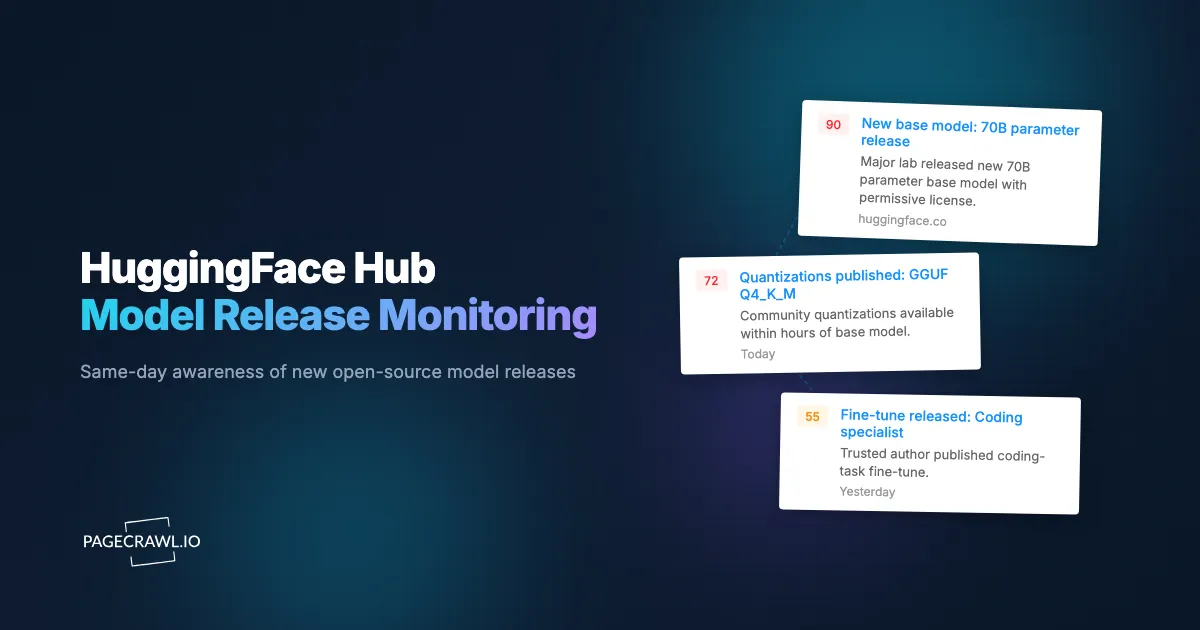
On January 20, 2025, the first DeepSeek-R1 weights appeared on the deepseek-ai HuggingFace organization page in the early UTC hours. The company's blog post explaining what R1 was, why it mattered, and how it was trained did not appear until hours later. Teams already monitoring the deepseek-ai org page had downloaded the weights, started evaluations, and posted internal Slack threads before the announcement hit the AI news cycle. By the time R1 trended on X, the people who cared most had already formed opinions.
This pattern repeats every few weeks. Major open-source model drops (Llama, Mistral, Qwen, DeepSeek, Phi, Yi, Gemma, Command-R) hit the HuggingFace Hub before they hit blog posts, before they hit press releases, and almost always before they hit the X feeds people scroll. The Hub is the canonical first-publish surface for open-source AI. The problem is that HuggingFace itself does not send push notifications when an organization uploads a new model card. You have to keep coming back to the page, or build something.
This guide covers how the HuggingFace Hub surfaces new model releases, the patterns worth watching for, and how to set up a continuous monitor that pings your AI engineering channel as soon as a check finds a new model card on the organizations and tags you care about.
Quick Setup
Enter an org (or pick a popular one) to preview new-model and revision alerts from the Hub.
Why should you monitor HuggingFace releases?
Because the Hub is where a release becomes real. It is not just a download mirror, it is the source-of-truth registry where new architectures, fine-tunes, and quantizations are declared, usually hours before the blog post. For anyone whose stack touches open-source models, same-day awareness compounds quickly into real evaluation lead time.
Base Model Releases Are Day-One Evaluation Candidates
When Meta drops a new Llama checkpoint or Alibaba pushes a new Qwen variant, those weights become the new baseline for every internal evaluation. Teams that get the model into their eval harness within the first 24 hours form opinions while everyone else is still reading the model card. Same-day evaluation also means you participate in the public conversation while it is still fresh, which matters for developer advocacy, research credibility, and internal influence.
Fine-Tunes by Trusted Authors Reveal Hidden Capabilities
A surprising amount of the practical open-source model landscape is fine-tunes. NousResearch, Teknium, Eric Hartford, and a handful of other prolific fine-tune authors regularly release variants that outperform the base model on specific tasks. Monitoring their organization pages keeps you in front of what is actually deployable today.
Quantizations Mark Maturity for Inference
GGUF, AWQ, GPTQ, and EXL2 quantizations are not released the same day as the base model. They appear when a model has reached the point where inference platforms (llama.cpp, vLLM, TGI) consider it stable. Watching for first-quantization releases is a reliable signal that a model is ready for production trials.
Adapter and LoRA Releases Reveal Community Direction
LoRA adapters and PEFT artifacts are smaller and faster to share than full checkpoints. They reveal what the community is actually extending and specializing models for, often surfacing emerging capabilities (coding, reasoning, role-play, agentic tool use) before formal benchmark leaderboards catch up.
How does HuggingFace surface new models?
Every organization on the Hub has a stable URL where new uploads appear as cards in a paginated grid, sorted by recency or popularity, and the model search page accepts filters as query parameters. Those two surfaces, org pages and filter URLs, are what you monitor.
The Hub is essentially a Git-backed model registry with a web layer on top. The most useful pages for monitoring are:
https://huggingface.co/meta-llama
https://huggingface.co/mistralai
https://huggingface.co/Qwen
https://huggingface.co/deepseek-ai
https://huggingface.co/google
https://huggingface.co/microsoft
https://huggingface.co/NousResearch
When a new model card is published, the organization page updates within a minute or two. The model name, brief description, task tags, and download count appear in the card. PageCrawl picks up the new entry as a content change.
The Hub also exposes filterable model search pages addressable by URL:
https://huggingface.co/models?sort=trending
https://huggingface.co/models?library=gguf&sort=created
https://huggingface.co/models?other=base_model:meta-llama/Meta-Llama-3-70B&sort=created
The base_model: filter is especially powerful, surfacing every fine-tune or quantization derived from a base checkpoint you care about. This is the closest the Hub gets to a true "track derivatives of model X" feed.
Comparing Monitoring Approaches
| Approach | Cost | Latency | Coverage | Best For |
|---|---|---|---|---|
| Manual HF browsing | Free | Hours to days | Per-org | Casual checking |
| HF email digest | Free | Daily | Liked models only | Light users |
| HF API + custom script | Engineering time | Custom | Anything | Teams with infra |
| Twitter / X following | Free | Variable | Whatever gets posted | Following hype |
| PageCrawl on HF | Free tier to $80/year | 2-60 minutes | Any org or filter URL | AI eng teams wanting reliable alerts |
The HuggingFace API is the gold-standard programmatic approach, but most teams do not have a spare engineer to maintain a polling service, store deduplication state, route to Slack, and handle retries. PageCrawl gives you the same effective coverage with zero infrastructure to run.
Setting Up HuggingFace Monitoring in PageCrawl

Step 1: Pick your target organizations
Start with the five to ten organizations whose releases you actively evaluate. For most teams that means the major frontier labs publishing open weights (Meta, Mistral, Alibaba/Qwen, DeepSeek, Google, Microsoft) plus two or three trusted fine-tune authors relevant to your stack.
Step 2: Add each organization page as a content monitor
Sign in to PageCrawl, click Track New Page, and paste the organization URL. Choose content monitoring so the model card grid is tracked. PageCrawl detects new cards as content changes.
Step 3: Add tag and trending pages
In addition to specific orgs, add the trending models page and any base_model: filter URLs for the foundation models you actively build on. The trending page reveals what is gaining adoption right now, which is often a stronger signal than what was posted yesterday.
Step 4: Pick a check frequency
Model releases are not always urgent, but for major drops the difference between "saw it at 9am" and "saw it at 2pm" can matter for evaluation scheduling. Reasonable defaults:
- Research awareness: 60-minute checks (Free plan). You will see most releases within an hour.
- Production AI team: 15-minute checks (Standard plan). Same-hour evaluation queueing for new drops.
- Developer advocacy / press: 2-minute checks (Ultimate plan). Near-real-time on the orgs you cover.
Frequency is the single biggest lever on how fast you hear about a drop, because an alert can only fire once a check has run. Our help article on check scheduling also shows how to restrict checks to the days and hours you actually care about, which keeps your monthly check budget focused.
Step 5: Wire alerts to your AI engineering channel
PageCrawl supports Slack, Discord, Telegram, Teams, and webhooks. For most teams a dedicated #new-models channel in Slack or Discord works well. See the Slack alerts setup guide and the Discord webhook guide for channel-specific walkthroughs.
Step 6: Route webhooks to your eval pipeline
For teams running internal benchmarks, point PageCrawl webhooks at an endpoint that parses the model name, pulls the weights, and queues a standard eval job. The full alert payload includes the new content, the URL, and a diff summary, so a thin parser can extract the new model name and dispatch the eval. The webhook integration guide documents the payload fields and retry behaviour you will be coding against.
Worked Example: A 10-Org AI Watchlist
A typical AI platform team's HuggingFace watchlist looks something like this:
- Add organization pages for Meta, Mistral, Alibaba/Qwen, DeepSeek, Google, Microsoft, Cohere, NousResearch, and two stack-relevant fine-tune authors (10 monitors).
- Add the trending models page filtered by your most-used library (
library=gguffor local-inference shops,library=transformersfor everyone else) (1 monitor). - Add
base_model:filter URLs for the two or three base models your product depends on, so you catch every notable derivative (3 monitors). - Tag all monitors with
hf-watchand set frequency to 15 minutes. - Route alerts to
#ai-new-modelsSlack channel with webhook duplication to your eval queue.
Total setup: 14 monitors, well within the Standard plan's 100-page allocation. Total cost: $80/year. Total maintenance: zero.
Patterns Worth Watching For
Sudden uploads from quiet orgs. When a lab that usually publishes every few months drops three checkpoints in a day, something is happening. Often a new base model with chat, instruct, and base variants released simultaneously.
Quantization cascades. Within 24-48 hours of a major base model drop, GGUF and AWQ variants start appearing across community fine-tune authors. The cascade tells you the model has been benchmarked and people are committing to running it.
License field changes. When a model card's license shifts from Apache 2.0 to a custom research-only or commercial restriction, downstream usage assumptions change. Worth being alerted on for production-critical base models.
Hub Spaces alongside model uploads. When a new model arrives with a Spaces demo from the same organization, the release is more committed and likely to be supported. Models that drop with no demo and no inference endpoint are sometimes silent retractions waiting to happen.
Trending velocity. A model card sitting at the top of trending with rising download count over multiple days is the open-source equivalent of a viral product launch. Worth checking even if it was not on your radar.
Combining HuggingFace Monitoring With Other Signals
Model releases are most actionable when combined with other technical signals from across the AI tooling ecosystem.
Combine with vector DB releases. Pair with our vector database and RAG tool release tracking guide. When a new embedding model and a new vector DB release in the same week, you have a natural moment to re-evaluate your RAG stack.
Combine with inference framework releases. Add vLLM, TGI, and llama.cpp release pages as siblings. New model architectures often require framework updates to run efficiently, and release notes and changelog monitoring on those projects tells you when production deployment becomes practical.
Combine with academic research and preprint monitoring. Many HuggingFace releases arrive with a corresponding arXiv paper. Pair with monitors on the labs' GitHub release pages to catch both training code and weights as they appear.
Combine with API provider docs. When an open-source model becomes commercially competitive, closed-source providers often respond with pricing or capability adjustments. Monitor the OpenAI and Anthropic changelog pages as siblings to catch the response.
Who uses HuggingFace release monitoring?
Mostly AI engineering and research teams who need same-day awareness of new open weights, plus developer advocates, competitive analysts at closed-source vendors, AI reporters, and inference platform engineers who treat a release as the trigger for support work. The common need is knowing before the news cycle.
AI engineering teams. Same-day awareness of new open-source models drives evaluation, adoption, and competitive analysis. Teams typically find a small number of production-meaningful releases each quarter that the watchlist surfaces faster than any other source.
AI research. New base models and fine-tunes are study candidates from the day they land. Research teams that read the model card and weights within the first day participate in shaping the conversation around the release.
Developer advocacy and DevRel. Trending models inform tutorial, example, and content priorities. A DevRel team that ships a working example within 48 hours of a hot release captures meaningful attention.
Vendor competitive analysis. Closed-source AI vendors track open-source progress to inform pricing, capability roadmaps, and positioning. Continuous monitoring of the open-source frontier is a low-cost competitive intelligence input.
AI media and analysts. Reporters and analysts covering the AI ecosystem use HuggingFace monitoring as a continuous tip line for new releases worth covering.
Inference platform engineering. Teams running model-serving infrastructure use new model releases as triggers for support readiness work (kernel updates, tokenizer registration, quantization pipelines).
Frequently Asked Questions
How quickly do new models appear on the org page after upload? Within one to two minutes. HuggingFace's Hub publishes the new card as soon as the upload completes and the model card README is processed.
Can I monitor a specific model card for changes? Yes. Add the individual model URL (for example https://huggingface.co/meta-llama/Meta-Llama-3-70B) and PageCrawl will alert on README, config, or revision changes. Useful for tracking license shifts or new revisions of a model you depend on.
What about gated models? Gated models (Llama, Gemma, and some others) require accepting a license before download, but the org page and model listings are public. You will get alerted to new gated models the same as ungated ones.
Can I get alerts only when models match certain criteria (size, task, license)? Use HuggingFace's filter URLs. The model search page accepts query parameters for library, task, base model, language, and license. Build the filtered URL in your browser and monitor that.
Does PageCrawl support the HuggingFace API directly? PageCrawl monitors web pages, not APIs. For most monitoring use cases the public web pages are sufficient and more reliable than API polling. If you need API-level monitoring with deeper metadata, use the endpoints described in the HuggingFace documentation directly.
Do I need a paid plan to start? No. The free plan supports 6 monitors at 60-minute checks, which covers the top frontier labs. Standard at $80/year supports 100 monitors at 15-minute checks for a full org plus tag watchlist.
Choosing your PageCrawl plan
PageCrawl's Free plan lets you monitor 6 pages with 220 checks per month, which is enough to validate the approach on your most critical pages. Most teams graduate to a paid plan once they see the value.
| Plan | Price | Pages | Checks / month | Frequency |
|---|---|---|---|---|
| Free | $0 | 6 | 220 | every 60 min |
| Standard | $8/mo or $80/yr | 100 | 15,000 | every 15 min |
| Enterprise | $30/mo or $300/yr | 500 | 100,000 | every 5 min |
| Ultimate | $99/mo or $999/yr | 1,000 | 100,000 | every 2 min |
Annual billing saves two months across every paid tier. Enterprise and Ultimate scale up to 100x if you need thousands of pages or multi-team access.
At an engineering hourly rate, Standard at $80/year pays for itself the first time you catch a breaking API change, a deprecated endpoint, or a silent config change before it takes down production. 100 monitored pages is enough to cover the changelogs and docs of every third-party API your stack depends on. Enterprise at $300/year adds 5-minute checks and 500 pages. All plans include the PageCrawl MCP Server, which plugs directly into Claude, Cursor, and other MCP-compatible tools. Developers can ask "what changed in the Stripe API docs this month?" and get a summary pulled from your own monitoring history. AI assistants can create monitors through conversation on every plan, including Free, turning your tracked pages into a living knowledge base instead of a pile of alert emails.
Getting Started
Add the organization pages for the top open-source AI labs to PageCrawl on a daily check. Create a free account and new model releases will arrive in your AI engineering channel the day they post.