
The head of communications at a 400-person fintech got the call at 4:40pm on a Friday. A trade reporter had found her company's name inside a breach notice filed by a document-signing vendor, published on a state attorney general's public breach list, and wanted a comment before filing at six. She had twenty minutes to work out whether the vendor was actually theirs, what data was involved, and whether her own customers needed to be told. Nobody in legal, security, or procurement had heard a word about it.
The notice had been public for nine days. It sat on a searchable government page, alongside a scanned copy of the letter the vendor sent to affected residents. The vendor had also quietly added a two-paragraph "Security Notice" to its own site. Neither page emailed anyone at the fintech, because neither is designed to. They are publication venues, not notification systems. The obligation to look sits with you.
That gap between "publicly disclosed" and "known internally" is where breach response goes wrong. Nothing needs to be hacked or reverse engineered. The information is already sitting on a public web page with a timestamp on it, and the only reason your team does not have it is that no human is refreshing that page every day.
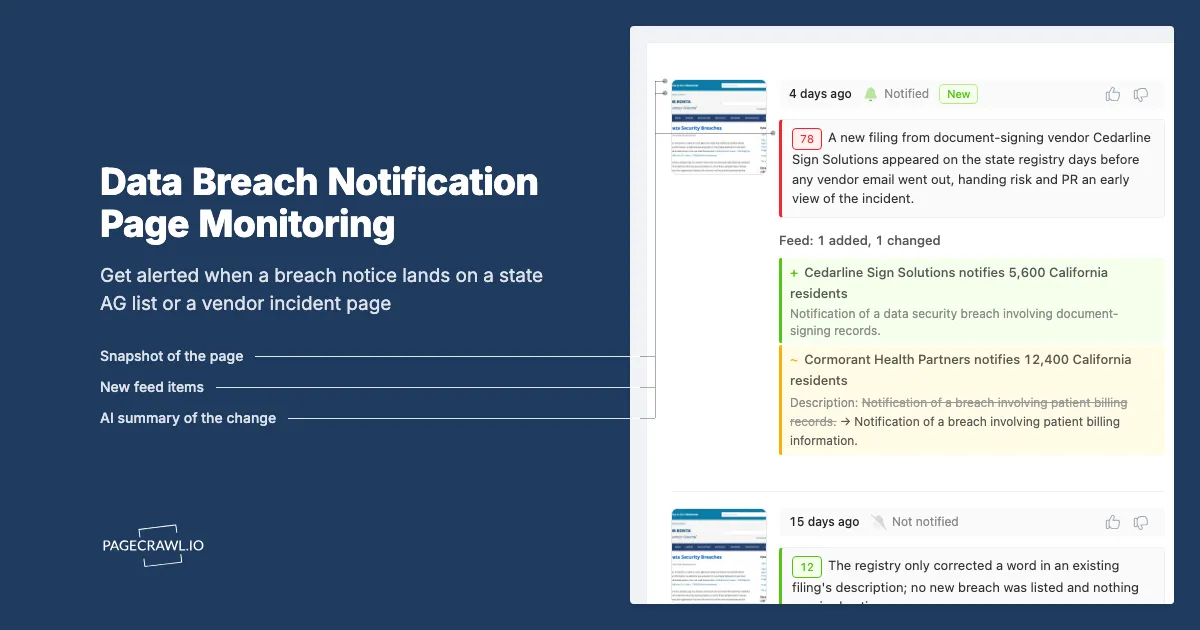
This guide covers which breach notification pages are worth watching, why attorney general registries and the federal health portal often beat a vendor's own announcement, how to monitor those pages in PageCrawl, and how to route the alerts so vendor risk and PR both get what they need before a reporter calls.
What is a data breach notification page, and which ones matter?
A data breach notification page is a public web page where a breach becomes officially disclosed. Three kinds matter: state attorney general breach registries that publish filed notices, federal portals like the HHS breach list, and the incident or security notice pages companies post on their own sites. Each publishes on a different clock.
State attorney general registries
Most US states require notification to the state attorney general when a breach crosses a resident threshold, and several publish what they receive. California maintains a searchable list of reported data security breaches you can search by the name of the organization that sent the notice; businesses notifying more than 500 California residents must submit a sample copy to the Attorney General. Texas requires its Attorney General to maintain a public data breach reporting listing, covering breaches involving 250 or more Texas residents. These pages are the closest thing to a public index of who got breached and when.
The federal health breach portal
If any vendor touches protected health information, the HHS Office for Civil Rights breach portal is the highest-value page on this list. It publicly lists reported breaches of unsecured protected health information affecting 500 or more individuals, with entity name, state, covered entity type, individuals affected, and breach type. It updates on a rolling basis, so a new row can appear well before a press release does.
Company incident and security notice pages
Vendors also publish on their own turf, as a "Notice of Data Incident," a "Security Notice," or a post buried in a trust center. The wording is often revised several times as the investigation progresses. The first version says "we are investigating." The third version, a month later, names the data types. Watching the page itself, rather than waiting for a mailing, catches those revisions.
Why do state AG breach lists beat waiting for a vendor email?
Because the registry filing is often the first written, dated, public account of the incident, and it goes out to a government office on a statutory clock rather than a marketing calendar. Vendor emails go to whatever address is on the contract, get filtered, land in unwatched shared inboxes, and frequently arrive after the notice has been public for days.
The notice is filed before the news cycle starts
Journalists, plaintiffs' firms, and threat intelligence vendors all read these registries. A filing that appears on a state list on Monday can surface in trade press on Thursday. If your first contact is the reporter's email, you have skipped the internal phase where you decide whether the vendor is yours, what data they hold, and what you will say. Reading the page the reporter reads, on the day it changes, buys that phase back.
Filings name organizations that press releases do not
A vendor announcement is written to minimize alarm. A regulatory filing is a compliance document: it typically names the breached entity, the categories of information involved, and dates. Sample notification letters attached to state filings are often more specific than anything on the vendor's own site.
Your own notification clock may already be running
If a vendor's breach exposed your customers' data, the notification obligations are yours, not the vendor's. State statutes generally require notification without unreasonable delay, with several imposing hard outer limits measured in days. Every day you do not know is a day subtracted from your own window, which is why legal teams monitor rule changes rather than wait for a newsletter. See our guide to tracking GDPR and CCPA privacy law changes.
Which pages belong on your breach watchlist?
Start with the registries covering your customer base, add the federal health portal if health data is in scope, then layer on incident pages for your highest-risk vendors. A focused watchlist of 20 to 60 pages covers most organizations. Registries give breadth across every company; vendor pages give depth on the ones you depend on.
| Page type | Example | What a change means | Suggested check frequency |
|---|---|---|---|
| State AG breach list | California AG reported breaches list | A new notice was filed by some organization, possibly a vendor of yours | Daily |
| State AG breach list | Texas AG data breach reporting listing | A breach affecting 250+ Texas residents was reported | Daily |
| Federal health portal | HHS OCR breach portal, 500+ individuals | A covered entity or business associate reported a PHI breach | Daily |
| Vendor incident page | The vendor's security notice page | Your vendor is disclosing or revising an incident | Every few hours |
| Vendor trust center | The vendor's trust center page | Certification, subprocessor, or incident content changed | Daily |
| Public company filings index | Company investor relations filings page | A material cybersecurity incident may have been disclosed | Daily |
Prioritize by data, not by contract value
The vendor that matters is the one holding the most sensitive data about the most people, not the one you pay the most. Rank vendors by what they process (customer PII, payment data, health records, credentials, source code) and monitor the top tier first. A $900-a-year email service holding your customer list outranks a six-figure office software contract.
Add public filings for listed vendors
If a vendor is a US-listed public company, its filings are a second channel. The SEC's cybersecurity incident disclosure rules require registrants to disclose material cybersecurity incidents on Form 8-K, generally within four business days of determining that the incident is material, with the deadline tied to the materiality determination rather than the date of discovery. Watching a vendor's filings index alongside its security notice page gives you two chances to catch the same event.
Do not forget subprocessors
Your vendor's vendors can breach your data too, and most enterprise SaaS providers publish a subprocessor list that maps who else is in the chain. Monitoring those pages pairs naturally with the approach in our post on continuous vendor monitoring for TPRM. If your priority is the vendor's own channels (trust pages, status pages, security bulletins) rather than the government registries covered here, our companion guide to data breach disclosure monitoring goes deeper on that side.
How do you set up breach notification page monitoring in PageCrawl?
You add each registry and vendor page as its own monitor, choose a tracking mode that matches the page type, set a check frequency that fits how fast the page moves, route alerts to the channels your risk and PR people actually read, and add keyword rules so vendor names and breach language stand out from routine page noise.
- Add the URL. Start with one state AG breach list and one vendor incident page. Paste the exact URL of the list or notice page, not the department homepage, so checks land on the content that changes.
- Pick the tracking mode. Use content tracking for registry listings and filings indexes so new rows register as changes. For a vendor's incident or security notice page, reader mode works better because it extracts the main body text and ignores navigation, cookie banners, and footers.
- Set the check frequency. Registries publish in batches, so the Free plan's 60-minute cycle is more than fast enough. Vendor incident pages deserve more, since the first hours after a disclosure are when the wording changes most. Standard's 15-minute checks cover that.
- Choose notification channels. Email, Slack, Discord, Microsoft Teams, Telegram, and webhooks are all available. Send registry alerts to a shared risk channel and vendor incident alerts to one where both security and communications sit. Use a webhook to open a ticket if your incident process starts in a tracker.
- Add keyword rules. Attach conditions so an alert only fires when the change contains something you care about: your vendors' legal entity names on a registry page, or phrases like "unauthorized access," "data incident," "affected individuals," or "notification" on a vendor page. Our walkthrough on conditional alerts using price, keyword, and threshold rules shows how to build these filters.
- Turn on screenshots. A timestamped screenshot of the registry row or notice page as it read on a given day is evidence. When counsel asks when you first could have known, the archived capture answers it without argument.
- Group the monitors in folders. Create folders such as "Breach registries," "Tier 1 vendor incidents," and "Subprocessor pages," so ownership stays obvious and a whole category can be handed to a new analyst.
Where a registry lets you filter by organization name in the URL, point a monitor at the pre-filtered result set. It is far quieter than the full list because it only changes when that vendor appears. Keep one broad monitor on the unfiltered list for discovery and narrow ones for named vendors.
How should PR and communications teams use a breach alert?
Treat the alert as the start of a countdown, not as news. A public registry filing or live vendor notice means the facts are already reachable by journalists, customers, and regulators. The first-hour communications job is confirming exposure, drafting a holding statement, and deciding who speaks, before anyone external asks.
The first hour checklist
- Confirm the named entity is actually your vendor, including former names and subsidiaries, because filings use legal names that rarely match your invoices.
- Pull the contract and the data inventory. What categories of your data does this vendor hold, for how many people, and in which jurisdictions?
- Capture the source page. Save the registry row, the notice text, and the date it appeared, so the timeline is fixed before the page is revised.
- Draft a holding statement covering what you know, what you are doing, and when you will update. Vague reassurance ages badly; a dated commitment does not.
- Decide the notification question with legal, separately from the press question. They run on different clocks and different standards.
Why a monitored archive helps the statement
Vendor notices get edited. A paragraph that said "no evidence of misuse" in week one may be gone in week three. Kept versions let your communications team see exactly what the vendor said and when, so you never repeat a claim the vendor has walked back. The same versioned-evidence argument covers policy documents, as in our post on monitoring privacy policy and terms of service changes.
Silence is a position
If a breach involving your vendor is public and you say nothing, customers will read the registry and draw their own conclusions. A short, dated, accurate note on your own status or trust page beats waiting for perfect information. Monitoring gives you the lead time to publish it on your terms rather than against a reporter's deadline.
How do you turn breach alerts into vendor risk decisions?
Log every alert against the vendor record, score the incident against what that vendor holds, and let repeated or poorly handled incidents change the vendor's tier. An alert that only produces a Slack message is wasted. One that updates a risk register and triggers a reassessment is the point.
Score the incident, not the headline
Not every disclosed breach changes your risk. Ask three questions: does this vendor hold our data, does the incident touch the systems that hold it, and did the vendor's disclosure meet the contract standard? A phishing incident at a vendor's marketing arm may be irrelevant. A credential-stuffing incident on the platform holding your customer records is not.
Feed the reassessment cycle
Most vendor reviews run annually, so an incident in month two waits ten months for scrutiny. An alert should force the review forward: request the incident report, ask for root cause and remediation timeline, and confirm whether the subprocessor list changed. Our vendor due diligence checklist covers what to ask when an incident reopens a file.
Record how you learned about each incident, too. If a vendor's breaches consistently reach you through a state registry rather than through the notification clause in your contract, that is a contract performance issue and a renewal negotiation point.
What goes wrong when monitoring breach notification pages?
The common failures are noise from dynamic government pages, entity names that do not match your vendor list, registries that change format or go offline, and alerts that reach a channel nobody owns. All four are fixable, but they need to be handled deliberately rather than discovered during an incident.
Registry pages are noisy by design
Government listing pages carry pagination controls, result counts, session tokens, and rotating banners that change without any new breach being filed. In PageCrawl you can select a detected change and tell the monitor to ignore that region on future checks, which trains the noise out within a few cycles. Our guide to reducing website monitoring false positives applies directly here.
Legal entity names never match your vendor list
Your procurement system lists the vendor by its product brand. The filing names the legal entity, often a holding company or LLC with a different name. Keyword rules built on brand names alone miss the filing entirely. Build the list from contracts and invoices, include former names, and review it whenever a vendor rebrands or is acquired.
Registries change, and some go dark
State breach lists are run by small offices and do change. Maine's Attorney General, for example, has taken its public-facing breach database offline while reviewing its reporting procedures, while continuing to accept reports through its data security breaches service. Watch page status as well as content so a monitor on a restructured page gets reviewed rather than failing quietly.
Alerts without an owner are not alerts
The most common failure is organizational: an alert lands in a channel where four people assume one of the others will act. Name an owner per folder, define what happens in the first hour, and rehearse it once. Monitoring shortens the time to knowing; only a process shortens the time to acting.
Choosing your PageCrawl plan
PageCrawl's Free plan lets you monitor 6 pages with 220 checks per month, which is enough to validate the approach on your most critical pages. Most teams graduate to a paid plan once they see the value.
| Plan | Price | Pages | Checks / month | Frequency |
|---|---|---|---|---|
| Free | $0 | 6 | 220 | every 60 min |
| Standard | $8/mo or $80/yr | 100 | 15,000 | every 15 min |
| Enterprise | $30/mo or $300/yr | 500 | 100,000 | every 5 min |
| Ultimate | $99/mo or $999/yr | 1,000 | 100,000 | every 2 min |
Annual billing saves two months across every paid tier. Enterprise and Ultimate scale up to 100x if you need thousands of pages or multi-team access.
Compliance monitoring is the cheapest insurance you can buy. A single missed regulatory change can trigger fines in the tens or hundreds of thousands, not to mention the audit overhead of proving you did not see it coming. Enterprise at $300/year covers 500 regulatory pages with unlimited history and timestamped screenshots, which is usually exactly what an assessor wants to see. All plans include the PageCrawl MCP Server, so your compliance team can ask Claude to summarize every change to a specific regulation over the last quarter and pull the exact diff, turning your monitoring history into a queryable audit trail. AI assistants can create monitors through conversation on every plan, including Free. Standard at $80/year is enough to cover 100 pages across your primary regulatory bodies if your program is smaller.
Getting Started
Pick two pages: the state attorney general breach list covering where most of your customers live, and the incident or security notice page of the single vendor holding your most sensitive data. Add both to PageCrawl, use content tracking for the registry and reader mode for the vendor notice, and check daily.
Build the keyword rules from your contracts, not your brand memory, so a filing under a vendor's legal entity name still trips the alert. Route notifications to a channel where both security and communications can see them, and give that channel one named owner.
Then run it for a month. The first time an alert arrives with a vendor's name on a public filing before anyone external mentions it, you will have the one thing breach response never has enough of, which is lead time. Start with two pages this week, and stop finding out from a reporter.


