Last reviewed: August 20, 2026. Prices and plan details reflect each vendor's public pages at the time of review and can change, so confirm on the vendor's site before buying.
RSS feeds are the most underrated monitoring tool on the web. Nearly every blog, news site, government agency, and software project publishes one, and they update in real time. But traditional RSS readers were built for reading, not alerting. They collect content into a personal inbox that someone needs to manually check, which means important updates sit unread alongside hundreds of other items.
The shift in RSS tooling over the past few years is toward monitoring and alerting rather than reading. Instead of "here are 200 unread items," the right tool says "your competitor just published a post about pricing changes" and sends that directly to your team's Slack channel.
This guide compares the best tools for RSS feed monitoring in 2026, from traditional readers with notification features to dedicated web monitoring platforms that treat RSS feeds as first-class data sources.
Top picks by job:
- PageCrawl: per-item feed alerts routed to your team, alongside web page monitoring.
- Feedly or Feedbin: a clean reading experience, with AI prioritization (Feedly) or newsletter ingestion (Feedbin).
- Inoreader: power users who want granular feed filtering and automated routing.
- IFTTT or Zapier: teams that want to add RSS to existing automation workflows.
- Blogtrottr: RSS updates in your email inbox and nothing else.
What Makes a Good RSS Feed Monitoring Tool?
A good RSS feed monitoring tool sends per-item alerts to the channels your team already uses, filters items by keyword, checks feeds on a reliable schedule, and keeps a history of what was published. Here is what separates a monitoring tool from a reading tool:
- Per-item alerts: Notifications for each new item individually, not just "the feed updated"
- Channel routing: Alerts to Slack, Discord, email, Telegram, or webhooks, not just an in-app inbox
- Filtering and keywords: Ability to alert only on items matching specific terms or patterns
- Reliability: Checks feeds on a consistent schedule regardless of whether you have the app open
- Team support: Shared feeds and alerts across a team, not tied to one person's account
- Historical tracking: Record of what was published and when, not just the latest items
How did we review these tools?
We reviewed each tool against the criteria that separate monitoring from reading: per-item alerts, channel routing, keyword filtering, reliable scheduled checks, team support, and historical tracking. Pricing and features come from each vendor's public pages, and every entry notes the kind of user it fits best.
Best RSS Feed Monitoring Tools
PageCrawl
PageCrawl is a web monitoring platform that includes dedicated feed tracking for RSS, Atom, and sitemaps as one of its monitoring modes. Instead of treating RSS as a separate product, PageCrawl handles feeds alongside regular web pages, price tracking, and document monitoring in a single dashboard.
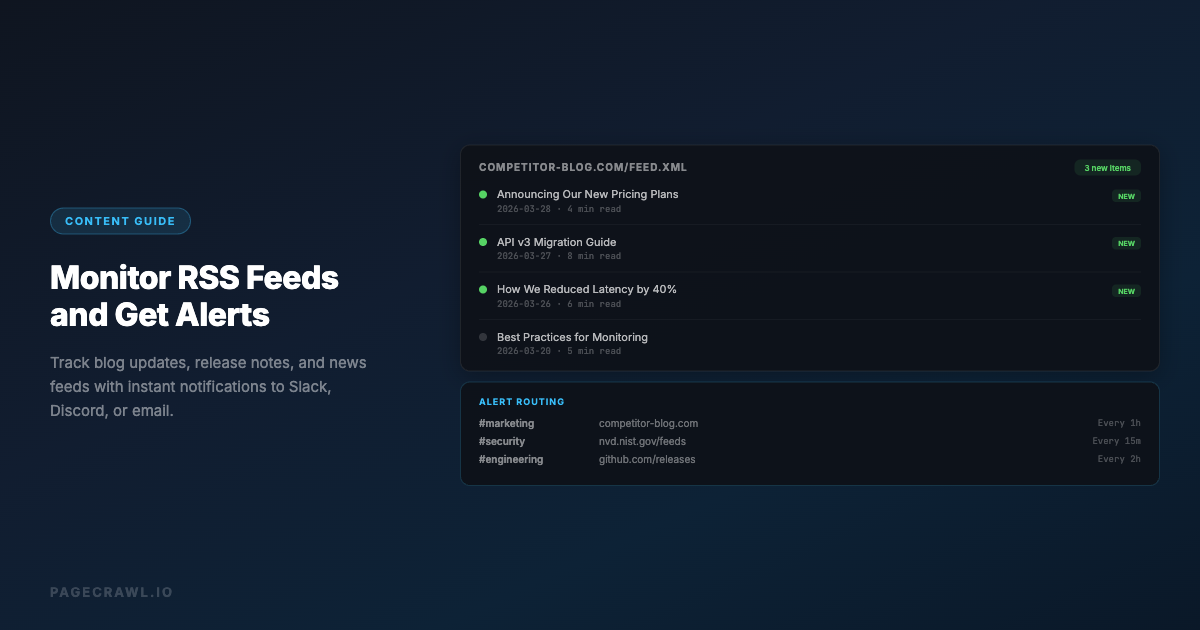
Feed tracking mode parses RSS 2.0, Atom 1.0, JSON Feed, and RSS 1.0 (RDF) feeds into individual items and compares them against the previous check. When new items appear, you get an alert listing the specific new posts with their titles and links, not just a generic "feed changed" notification.
Key features:
- Parses feeds into individual items with stable keys (guid, id, or link)
- Alerts list specific new items by title and link
- AI summaries describe new content in plain language
- Notifications via email, Slack, Discord, Telegram, Microsoft Teams, and webhooks
- Check frequency from every 2 minutes to hourly depending on plan
- Feed and web page monitoring in the same dashboard
- Full change history with diffs
- API access for programmatic workflows
- n8n and Zapier integration
History retention: Free plan retains 90 days of history. Standard retains 1 year. Enterprise and Ultimate retain history indefinitely.
Best for: Teams that need feed monitoring alongside web page monitoring, competitive intelligence programs, and anyone who wants structured per-item alerts routed to team channels.
Pricing: Free (6 feeds/pages, 220 checks/month). Standard $8/month, Enterprise $30/month, Ultimate $99/month.
For a detailed walkthrough of setting up feed monitoring, see our RSS feed monitoring guide and our team feed alert setup guide.
Feedly
Feedly started as a Google Reader replacement and has evolved into a content intelligence platform. It is the most polished RSS reader available, with AI features that filter and prioritize content.
Key features:
- Clean reading interface with magazine, card, and list views
- Leo AI assistant that highlights, summarizes, and prioritizes articles based on your interests
- Team boards for sharing curated content
- Integration with Slack, Microsoft Teams, and productivity tools
- OPML import for bulk feed migration
- Keyword alerts and topic tracking beyond RSS
Limitations:
- Alert routing is limited compared to dedicated monitoring tools. Slack integration is available but requires the Pro+ plan ($12/month)
- No per-item webhook or custom notification support on lower plans
- Primarily a reading tool, not a change detection tool. If a feed item is updated after publication, Feedly may not flag the change
- No web page monitoring. Feeds only
- No text diffs or change comparison
- AI features require the higher-tier plans
Best for: Individual users and small teams who want a clean reading experience with AI-powered prioritization. Works well as a daily content consumption tool rather than a real-time alerting system.
Pricing: Free (100 feeds, 3 boards). Pro $6/month, Pro+ $12/month, Enterprise $18/user/month.
Inoreader
Inoreader is a power-user RSS reader with strong filtering, rules, and automation features. It sits between a traditional reader and a monitoring tool.
Key features:
- Rules engine: automatically tag, star, or send to folder based on keywords, author, or source
- Push notifications for matching items on mobile
- Email digest of new items on a schedule (daily, weekly)
- IFTTT and Zapier integration for routing to other services
- Monitoring dashboard for tracking feed health and update frequency
- Web page monitoring (watches HTML pages for changes, not just feeds)
- Highlights and annotations for team collaboration
Limitations:
- Slack and webhook integrations require the Pro plan ($6/month)
- Web page monitoring is basic compared to dedicated tools, no AI summaries, limited diff capabilities
- Rules engine is powerful but takes time to configure
- No WACZ or archive features
- Team features require the Teams plan ($6/user/month minimum)
Best for: Power users who want granular control over feed filtering and automated routing. Good for individual researchers and analysts who process large volumes of feeds.
Pricing: Free (150 feeds). Pro $6/month, Pro $12/month (yearly discount available), Teams from $6/user/month.
Feedbin
Feedbin is a clean, minimalist RSS reader focused on privacy and a good reading experience. It is one of the few RSS services that also ingests email newsletters, combining two content streams into one interface.
Key features:
- Newsletter inbox: subscribe to email newsletters with a unique Feedbin email address and read them alongside RSS
- Clean, fast interface with minimal design
- Actions: create rules to star, mute, or mark items based on keywords
- Full-text extraction for feeds that only publish excerpts
- Open-source and self-hostable
- Native apps for iOS and macOS
Limitations:
- No Slack, Discord, or webhook integrations
- No team features
- No web page monitoring
- No AI summaries or smart filtering
- Notifications limited to native app push
- Single pricing tier, no free plan
Best for: Individual users who want a clean, private reading experience that combines RSS and newsletters in one place.
Pricing: $5/month (single tier, all features).
Blogtrottr
Blogtrottr is a simple service that converts RSS feeds into email notifications. There is no reader interface. You subscribe to a feed, and Blogtrottr emails you when new items appear.
Key features:
- RSS to email conversion, real-time or digest
- No account needed for basic use
- Supports keyword filtering
- Schedule-based digests (hourly, daily, weekly)
- Multiple email addresses per feed
Limitations:
- Email only, no Slack, Discord, Telegram, or webhook support
- No reading interface or feed management dashboard
- No AI, no summaries, no change detection
- Limited formatting in emails
- No team features
- No history or archive
Best for: People who want RSS updates in their email inbox and nothing else. The simplest possible RSS-to-email bridge.
Pricing: Free (limited). Premium $3/month (ad-free, faster delivery, more feeds).
IFTTT / Zapier / Make
Automation platforms can connect RSS feeds to virtually any notification channel or action. You create a workflow: "when a new item appears in this RSS feed, send a Slack message / create a Trello card / add a row to a Google Sheet."
Key features:
- Connect RSS to any of hundreds of services
- Custom formatting for messages
- Multi-step workflows (e.g., filter by keyword, then notify)
- Works with any valid RSS feed URL
- Can combine RSS triggers with other data sources
Limitations:
- Not purpose-built for feed monitoring, configuration can be complex
- Per-feed setup means managing dozens of individual workflows at scale
- Rate limits and polling intervals vary by plan (IFTTT checks feeds roughly every hour on free plans)
- No feed management dashboard, no reading interface
- No change detection, only new items
- No AI summaries
- Costs scale with number of workflows (Zapier starts at $20/month for multi-step zaps)
Best for: Teams already using an automation platform that want to add RSS monitoring to existing workflows without adopting a new tool.
Pricing: IFTTT free (2 applets) / $3.49/month (20 applets). Zapier free (100 tasks/month) / $20/month (750 tasks). Make free (1,000 ops/month) / $10.59/month.
Distill.io
Distill.io is a web change detection tool that can also monitor RSS feeds. Its primary use case is watching web pages for changes, with RSS as a secondary feature.
Key features:
- Monitors both web pages and RSS feeds
- Browser extension for easy setup
- Visual selection of page elements to watch
- Email, SMS, Slack, Discord, and webhook notifications
- Cloud and local monitoring modes
Limitations:
- RSS monitoring is secondary to web page monitoring, less polished than dedicated feed tools
- Free tier limited to 5 cloud monitors
- Local monitors only work when browser is open
- No per-item feed parsing, treats feed as a text blob and checks for changes
- No AI summaries
- Pricing adds up quickly for team use
Best for: Users who primarily need web page monitoring and want RSS as an add-on capability.
Pricing: Free (25 monitors, 5 cloud). Starter $15/month, Professional $35/month. See our Distill.io comparison for details.
Comparison Table
| Feature | PageCrawl | Feedly | Inoreader | Feedbin | Blogtrottr | IFTTT/Zapier | Distill.io |
|---|---|---|---|---|---|---|---|
| Per-item alerts | Yes | Limited | Yes | No | Yes | Yes | No |
| Slack/Discord alerts | Yes (free) | Pro+ ($12/mo) | Pro ($6/mo) | No | No | Yes (paid) | Starter ($15/mo) |
| Webhook output | Yes | Enterprise | Via Zapier | No | No | Yes | Yes |
| AI summaries | Yes | Yes (Pro+) | No | No | No | No | No |
| Web page monitoring | Yes | No | Basic | No | No | No | Yes |
| Feed + page in one tool | Yes | No | Yes | No | No | No | Yes |
| History retention | 90 days - unlimited | Limited | Limited | 5 years | None | None | Plan-based |
| Free feeds | 6 | 100 | 150 | 0 | Limited | 2-5 | 5 cloud |
| Team features | Yes | Pro+ | Teams | No | No | Yes | Yes |
Which RSS Monitoring Tool Should You Use?
It depends on the job: PageCrawl for alert routing plus web page monitoring, Feedly or Feedbin for reading, Inoreader for power-user filtering, IFTTT or Zapier for automation glue, and Blogtrottr for plain email. Here is the breakdown:
If you just want to read feeds: Feedly or Feedbin. Both are polished reading experiences. Feedly adds AI prioritization, Feedbin adds newsletter ingestion.

If you want feed alerts routed to Slack or Discord: PageCrawl or Inoreader. PageCrawl includes all notification channels on the free plan. Inoreader requires Pro.
If you need feeds plus web page monitoring: PageCrawl. It handles both in the same dashboard with the same alerting infrastructure. Inoreader offers basic web page monitoring but without AI summaries or advanced change detection.
If you want maximum automation flexibility: IFTTT or Zapier. They connect RSS to anything, but require per-feed workflow setup and cost more at scale.
If you just want email notifications: Blogtrottr. It does one thing and does it simply.
What Are the Most Common RSS Monitoring Mistakes?
The most common mistakes are monitoring the wrong feed URL, importing too many low-value feeds at once, skipping keyword filters on high-volume sources, and ignoring feed health. Each one is avoidable with a few minutes of setup.
Monitoring the Wrong URL
Not every URL that looks like a blog has an RSS feed at the obvious path. Before adding a feed, verify it actually returns valid XML or JSON. Common gotchas:
- Some sites have moved their feed URL without redirects
- Medium feeds are at
medium.com/feed/@username, not the publication URL - Some WordPress sites disable the default
/feed/endpoint - Substack feeds are at
publication.substack.com/feed
Monitoring Too Many Low-Value Feeds
Start with 5 to 10 high-value feeds rather than importing 200 feeds from an OPML file. The goal is actionable alerts, not a firehose. You can always expand once you have your filtering and routing dialed in.
Not Using Keyword Filters
If you monitor a high-volume feed (a major news site, a package registry), you will drown in notifications. Use notification conditions and keyword filters to only alert on items that mention your competitors, your industry, or specific technologies you depend on.
Ignoring Feed Health
Feeds break. Servers go down, URLs change, feeds get deprecated. A good monitoring tool tracks whether feeds are returning valid content and alerts you when a feed stops updating or starts returning errors.
Choosing your PageCrawl plan
PageCrawl's Free plan lets you monitor 6 pages with 220 checks per month, which is enough to validate the approach on your most critical pages. Most teams graduate to a paid plan once they see the value.
| Plan | Price | Pages | Checks / month | Frequency |
|---|---|---|---|---|
| Free | $0 | 6 | 220 | every 60 min |
| Standard | $8/mo or $80/yr | 100 | 15,000 | every 15 min |
| Enterprise | $30/mo or $300/yr | 500 | 100,000 | every 5 min |
| Ultimate | $99/mo or $999/yr | 1,000 | 100,000 | every 2 min |
Annual billing saves two months across every paid tier. Enterprise and Ultimate scale up to 100x if you need thousands of pages or multi-team access.
At an engineering hourly rate, Standard at $80/year pays for itself the first time you catch a breaking API change, a deprecated endpoint, or a silent config change before it takes down production. 100 monitored pages is enough to cover the changelogs and docs of every third-party API your stack depends on. Enterprise at $300/year adds 5-minute checks and 500 pages. All plans include the PageCrawl MCP Server, which plugs directly into Claude, Cursor, and other MCP-compatible tools. Developers can ask "what changed in the Stripe API docs this month?" and get a summary pulled from your own monitoring history. AI assistants can create monitors through conversation on every plan, including Free, turning your tracked pages into a living knowledge base instead of a pile of alert emails.
Getting Started
Pick three feeds that matter most to your work: a competitor blog, a security advisory feed, and a dependency changelog or release notes page. Add them to PageCrawl using feed tracking mode and route alerts to your team's Slack or Discord channel.
Run it for two weeks. You will see exactly how often each feed updates, whether the per-item alerts are actionable, and how AI summaries help you triage content faster than scanning raw feed items.
PageCrawl's free tier includes 6 monitors with feed tracking mode, AI summaries, and all notification channels, which is enough to cover your highest-priority feeds while you test the workflow.