A PR manager at a consumer brand discovers that the company's CEO was mentioned in a popular industry podcast. The episode dropped three days ago. By now, the commentary has been reshared across LinkedIn, quoted in a newsletter, and picked up by a trade publication. The PR team had no idea it happened until a board member asked about it over email.
Podcasts have become one of the most influential media channels for business, industry analysis, and brand conversation. Millions of shows are listed in the major directories, covering every niche from enterprise software to local politics. Unlike blog posts and news articles, podcast content is harder to search and easier to miss. Episodes publish without fanfare, show notes contain valuable context that search engines do index, and guest appearances can shape brand perception in ways that go unnoticed for weeks.
This guide covers how to monitor podcasts systematically, from tracking RSS feeds for new episodes to catching brand mentions in show notes and building a complete media monitoring workflow around podcast content.
Why should you monitor podcasts?
Because podcasts are a blind spot for most monitoring setups. Companies track news articles, social media mentions, and blog posts, but podcast episodes slip through, and audio is far harder to search retroactively than text. Brand mentions, competitor strategy, and executive commentary all surface there first, then circulate for days before anyone internal notices.
PR Teams Tracking Brand Mentions
When your brand, product, or executives are mentioned on a podcast, you need to know. Positive mentions are opportunities to amplify. Negative mentions need a response strategy. Guest appearances by your executives should be tracked for compliance and messaging consistency. Without monitoring, these mentions accumulate in a medium that is difficult to search retroactively.
For PR teams already monitoring news coverage and press releases, podcasts are the missing piece. Most press release monitoring setups do not cover podcast mentions, leaving a significant channel untracked.
Competitive Intelligence on Industry Podcasts
Competitors appear on podcasts to announce products, discuss strategy, and position themselves as thought leaders. A competitor's CEO on a popular industry podcast is a signal worth tracking. The talking points they choose, the features they highlight, and the problems they claim to solve all reveal strategic direction.
Podcast guest appearances also signal partnership and market expansion plans. If a competitor's VP of Sales appears on three podcasts focused on healthcare IT in the same month, they are likely pushing into that vertical. This kind of signal is difficult to pick up without systematic monitoring. For more on building a complete competitive intelligence program, see our guide on competitive intelligence sources and tactics.
Journalists Tracking News Sources
Journalists and analysts who cover a beat use podcasts as primary sources. Executives often share details on podcasts that do not appear in press releases or earnings calls. The conversational format encourages candor. Monitoring the right shows means catching these statements early, before they become secondhand news.
Researchers Following Expert Commentary
Academic and market researchers track expert commentary across media channels. Podcasts are where many experts share working theories, preliminary findings, and opinions that have not been published formally. Monitoring key shows in a research domain ensures these insights are captured as they appear.
Fans and Community Managers Who Want Fast Alerts
Some monitoring needs are simpler. Fans of a show want to hear about a new episode soon after it drops. Community managers need to track official podcasts from their organization. Marketing teams want alerts when their company's podcast publishes so they can coordinate social promotion. A monitor on a tight check interval closes most of the lag between publication and awareness.
What podcast pages and feeds should you monitor?
Monitor six things: the show's RSS feed, its Apple Podcasts page, its Spotify page, the show notes or episode pages on the podcast's own site, any upcoming-guest or schedule page, and the network's blog or news section. Each surface carries information the others do not.
Podcast RSS Feeds
Every podcast has an RSS feed. This is the core distribution mechanism that platforms like Apple Podcasts and Spotify pull from. The RSS feed contains episode titles, descriptions, publication dates, duration, and often detailed show notes. When a new episode is published, the RSS feed updates first, often before the episode appears on all platforms.
RSS feeds are the most reliable and fastest source for new episode detection. For a complete overview of RSS monitoring techniques, see our guide on how to monitor RSS feeds.
Apple Podcasts Web Pages
Apple Podcasts has web-accessible pages for every show. These pages list episodes, ratings, reviews, and show descriptions. Monitoring Apple Podcasts pages lets you track:
- New episode listings as they appear on Apple's platform
- Changes to show descriptions and artwork
- New ratings and review counts
- Category ranking changes
Spotify Podcast Pages
Spotify's web player provides public pages for podcasts that include episode listings, show descriptions, and related content. Monitoring these pages captures Spotify-specific metadata and availability changes that may differ from the RSS feed.
Show Notes and Description Pages
Many podcasts maintain dedicated websites with expanded show notes, transcripts, guest bios, and resource links. These pages often contain more detailed information than what appears in the RSS feed. Show notes pages are also where brands and products are most likely to be linked, making them valuable for tracking mentions and backlinks.
Guest Lists and Upcoming Episode Pages
Some podcasts publish upcoming guest lists or episode schedules on their websites. Monitoring these pages provides advance notice of who will be featured, giving PR and communications teams time to prepare if their brand, executives, or competitors are scheduled to appear.
Podcast Websites and Blogs
Larger podcasts and podcast networks maintain blogs or news sections where they announce new seasons, format changes, live events, and sponsorship opportunities. These pages change less frequently than episode feeds but contain strategic information that episode-level monitoring would miss.
How do you monitor a podcast RSS feed?
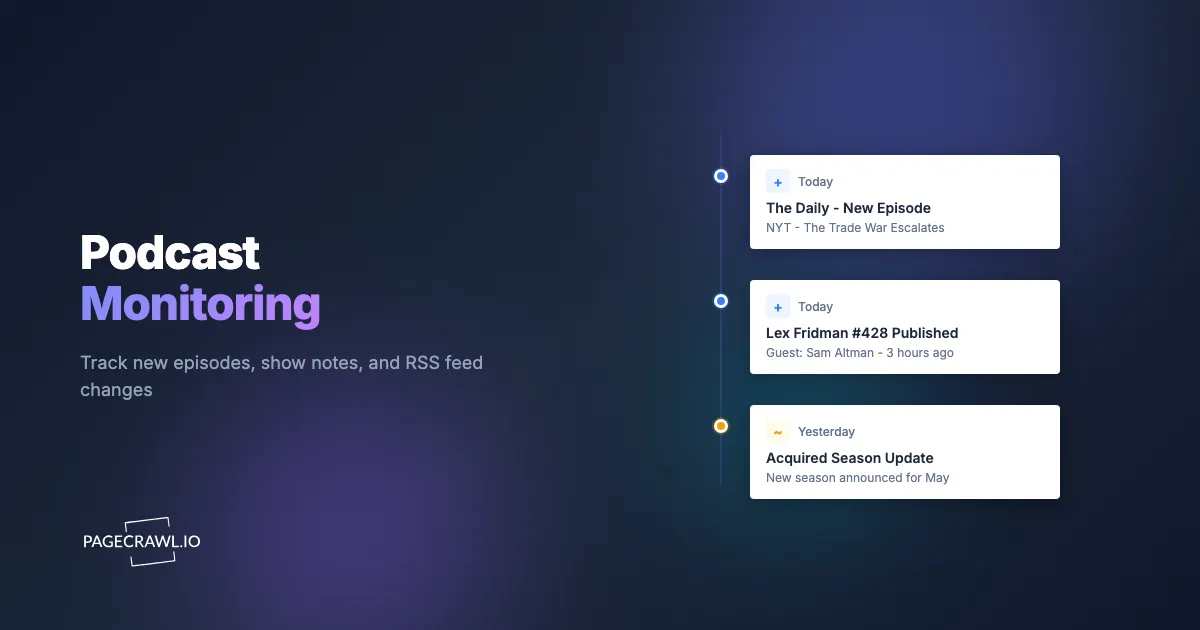
Add the feed URL as a monitor, use feed tracking so new items are detected as structured additions, and set the check interval to match how urgent the show is. The feed updates before the episode propagates to every platform, so an alert fires on the first check after the new item appears, which on tight intervals means minutes after publication.

To set up podcast RSS feed monitoring:
Find the podcast's RSS feed URL. Most podcast hosting platforms provide public RSS feed URLs. You can find them by searching for the show on a podcast directory or checking the podcast's website, and if a show has no obvious feed you can build an RSS feed for any page yourself. Common hosting platforms use URLs like
feeds.buzzsprout.com/12345.rss,anchor.fm/s/12345/podcast/rss, orfeeds.simplecast.com/abcdef.Add the RSS feed URL as a monitor in PageCrawl. Use the content-only or reader tracking mode, which focuses on the text content of the feed and filters out structural XML noise. Feed tracking mode goes further and treats the feed as a structured item list, so you are alerted about specific additions rather than a wall of XML diff.
Configure your alert channels. Set up email alerts, Slack notifications, or webhooks depending on your workflow. For time-sensitive monitoring, alert on every change rather than using digest mode.
Set check frequency based on your needs. For shows that publish on a known schedule (weekly on Tuesdays, for example), checking every few hours is sufficient. For shows with unpredictable schedules or breaking-news formats, more frequent checks ensure you catch episodes quickly.
RSS feed monitoring works well for tracking a handful of key shows. If you are monitoring dozens of podcasts, consider organizing monitors into folders by category (industry shows, competitor podcasts, brand mention targets) to keep alerts manageable.
Tracking Specific Shows on Apple Podcasts and Spotify
Not every podcast makes its RSS feed URL easy to find. Apple Podcasts and Spotify provide consistent, publicly accessible web pages that can be monitored directly.
Apple Podcasts Monitoring
Apple Podcasts web pages follow a predictable URL structure: podcasts.apple.com/us/podcast/show-name/id123456789. You can find these URLs by searching for a show on Apple Podcasts in a web browser.
When you add an Apple Podcasts show page as a monitor, PageCrawl tracks the episode list and show metadata. Each time a new episode appears on the page, you receive an alert with the episode title and description. This approach also catches changes to the show's description, category, and artwork.
Spotify Monitoring
Spotify's web player provides podcast pages at URLs like open.spotify.com/show/abc123. These pages list episodes with titles, descriptions, and dates.
Monitoring Spotify pages alongside RSS feeds is useful because Spotify sometimes receives episodes on a different schedule (some shows have Spotify exclusivity windows or early access periods). Tracking both ensures you catch episodes regardless of where they appear first.
Monitoring for Brand and Competitor Mentions in Episode Descriptions
One of the most valuable podcast monitoring use cases is tracking when specific brands, products, or people are mentioned. While you cannot monitor audio content directly through web monitoring, episode descriptions, show notes, and transcripts are text-based and fully searchable.
To monitor for mentions:
Identify the shows most likely to mention your brand or competitors. Focus on industry-specific podcasts, shows hosted by analysts or journalists in your space, and podcasts that frequently feature guests from your industry.
Monitor each show's RSS feed or web page. Set up monitors for the shows you have identified.
Use keyword filtering to reduce noise. PageCrawl's AI-powered change analysis can help you focus on episodes that mention specific terms. Instead of reviewing every new episode across 20 monitored shows, you can filter alerts to surface only episodes where descriptions contain your brand name, competitor names, or product keywords.
Track show notes pages for detailed mentions. RSS feed descriptions are often summaries. The full show notes on a podcast's website contain more detail, including links to mentioned products and services. Monitor these pages separately for complete coverage.
This approach is particularly effective for online reputation monitoring. Podcast mentions can shape brand perception significantly, especially in B2B markets where industry podcasts carry authority with decision-makers, so they belong alongside review sites and comparison pages in brand and reputation monitoring.
Tracking Podcast Launch Announcements and New Shows
Monitoring existing shows is only part of the picture. New podcasts launch constantly, and some of those launches are strategically significant.
Why New Show Launches Matter
When a competitor launches a branded podcast, it signals a content strategy investment. When an industry analyst starts a new show, it creates a new channel for expert commentary that you should be tracking. When a media company launches a podcast covering your market, it adds a new source of industry coverage.
Where to Find Launch Announcements
- Podcast network websites. Major networks (Wondery, iHeart, Spotify Studios, SiriusXM) announce new shows on their websites and blogs. Monitoring these pages catches launches before they appear in directories.
- Industry publication podcast sections. Many trade publications have podcast recommendation sections or "new shows to follow" columns.
- Podcast hosting platform directories. Platforms like Buzzsprout, Podbean, and Transistor maintain browsable directories that surface new shows.
- Social media and newsletter announcements. Show creators often announce launches on Twitter/X and LinkedIn before the show appears in major directories.
Setting up monitors on podcast network pages and industry publication podcast sections provides early awareness of relevant new shows that should be added to your regular monitoring list.
Building a Media Monitoring Workflow
Podcast monitoring is most powerful when integrated with your broader media monitoring and competitive intelligence workflow. Podcasts do not exist in isolation. An executive who appears on a podcast likely also published a LinkedIn post about it. A product announcement made on a podcast will be followed by a press release. Connecting these signals gives you a complete picture.
Combine with News and Press Release Monitoring
When you detect a brand or competitor mention on a podcast, check whether the same topic appeared in recent press releases or news coverage. Often, a podcast appearance is coordinated with a broader announcement campaign. Monitoring both channels lets you see the full picture.
Use your press release monitoring setup to cross-reference podcast mentions with official announcements. If a competitor discusses a new feature on a podcast but has not issued a press release, that is early intelligence that a formal announcement may be coming.
Combine with Social Media and Reputation Monitoring
Podcast episodes generate social media activity. Guests share their appearances. Listeners discuss episodes. Clips get posted to YouTube and TikTok. When your podcast monitoring alerts you to a relevant episode, check social channels for the conversation around it.
Your reputation monitoring setup should already be tracking social mentions. Connecting podcast alerts with social monitoring creates a feedback loop: you learn about the episode from your podcast monitor and track its impact through your social monitors.
Route Alerts to the Right Teams
Different podcast signals matter to different teams. Use notification routing to send alerts to the right people:
- PR and communications: Brand mentions, executive appearances, competitor spokesperson quotes
- Product and strategy: Competitor product discussions, feature comparisons, market analysis episodes
- Sales: Prospect company mentions, industry trend discussions relevant to sales messaging
- Marketing: Opportunities for content response, guest appearance opportunities, industry trend signals
PageCrawl supports alerts via email, Slack, Discord, Microsoft Teams, Telegram, and webhooks. Use webhooks to integrate podcast alerts with your existing tools, routing different types of alerts to different channels automatically.
Create a Review Cadence
Not every podcast alert requires immediate action. Establish a review cadence that matches the urgency of each monitoring category:
- Brand mentions: Review immediately. These may require a response or amplification.
- Competitor activity: Review daily. Batch competitor podcast appearances for weekly competitive intelligence summaries.
- Industry trends: Review weekly. Aggregate insights from industry podcast monitoring into periodic reports.
- New show launches: Review monthly. Evaluate whether new shows should be added to your active monitoring list.
Using email digest alerts for lower-priority categories and per-change notifications for high-priority ones keeps the workflow manageable as you scale the number of shows you track. Scheduled reports bundle the low-priority monitors into a daily or weekly digest so only the urgent shows interrupt you.
Choosing your PageCrawl plan
PageCrawl's Free plan lets you monitor 6 pages with 220 checks per month, which is enough to validate the approach on your most critical pages. Most teams graduate to a paid plan once they see the value.
| Plan | Price | Pages | Checks / month | Frequency |
|---|---|---|---|---|
| Free | $0 | 6 | 220 | every 60 min |
| Standard | $8/mo or $80/yr | 100 | 15,000 | every 15 min |
| Enterprise | $30/mo or $300/yr | 500 | 100,000 | every 5 min |
| Ultimate | $99/mo or $999/yr | 1,000 | 100,000 | every 2 min |
Annual billing saves two months across every paid tier. Enterprise and Ultimate scale up to 100x if you need thousands of pages or multi-team access.
Standard at $80/year covers 100 pages, enough to monitor RSS feeds, Apple Podcasts, and Spotify pages for every relevant show in your industry alongside other web monitoring needs. For PR teams, media relations, or competitive intelligence operations covering a broad podcast landscape, Enterprise at $300/year handles 500 pages with 5-minute check intervals, so you catch a brand mention in show notes within minutes of an episode publishing rather than days after it has circulated.
Getting Started
Podcast monitoring does not require a large setup to be useful. Start with the five to ten shows most relevant to your brand, competitors, or industry. Add their RSS feeds or platform pages as monitors in PageCrawl, configure alerts to your preferred channels, and review what you receive for a week before expanding.
PageCrawl's free tier includes six monitors, which is enough to cover the most critical shows in your space. If you need broader coverage, paid plans start at $8/month for up to 100 pages or $30/month for up to 500 pages, enough to monitor a comprehensive podcast landscape alongside your other web monitoring needs.
The podcasts that matter to your business are publishing new episodes right now. The only question is whether you find out when they happen or days after everyone else already knows.