
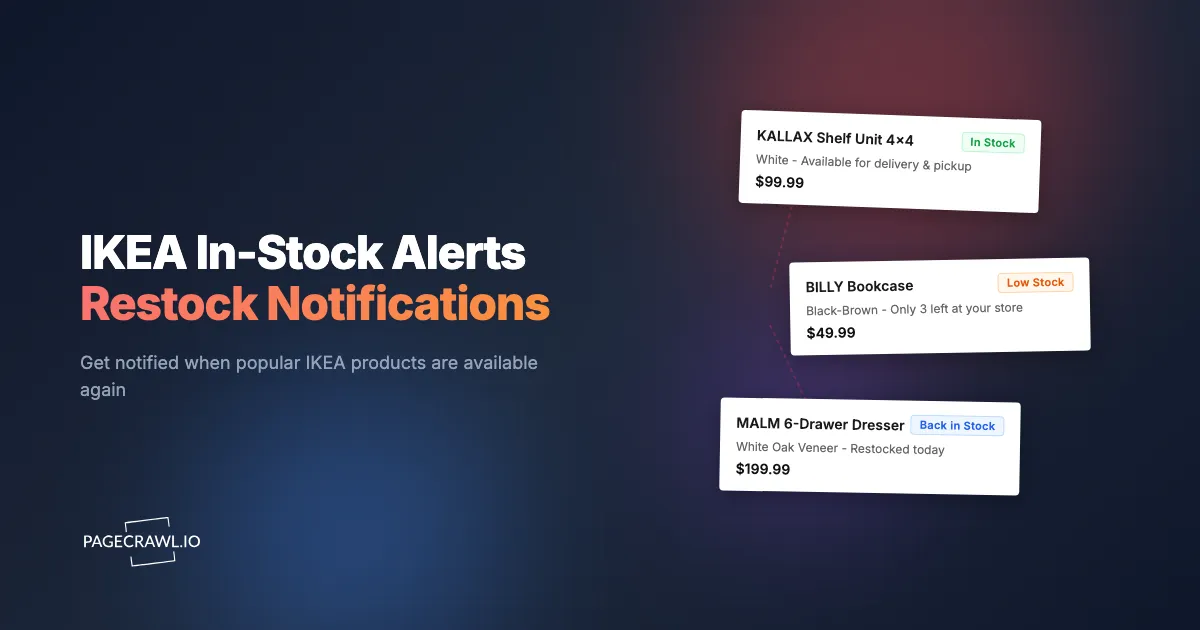
The BILLY bookcase you want is in oak effect, not white. The KALLAX 4x4 you measured the wall for is only sold in black-brown right now. The MALM 6-drawer in white stained oak veneer has been "Sold out" for three weeks at your local store. IKEA's catalogue runs into the thousands of items, but the specific finish, size, or colour you actually want is the one that disappears, and stays gone.
IKEA does offer a "Notify me when available" option on some product pages. Anyone who has used it knows the alert tends to arrive late, never arrive at all, or land in your inbox after the item has already sold out a second time. The notification is also tied to a specific store, which means you only learn about pickup availability at one location, not online delivery and not the other store an hour up the motorway.
Automated back-in-stock monitoring fixes both problems. A monitor checks the IKEA product page on a schedule, watches for the availability text to change, and sends a fast alert through Slack, email, push notification, or a webhook. This guide focuses on the back-in-stock case specifically: catching a previously sold-out item as soon as a check sees it return, on the variant and at the store that actually matters to you.
Why do IKEA's built-in restock notifications fall short?
Because the "Notify me when available" form is tied to one store, delivers by email only, often lags by hours, and covers pickup or delivery but rarely both. It also offers no price conditions and no cross-store comparison, so the alert you get is narrower than the question you were actually asking.
The form looks helpful on paper, and occasionally it works. Most of the time it falls short for the same reasons retailer-native alerts always do:
- Per-store dependency: You select a store when you sign up for the alert, and the alert only fires for pickup availability at that store. If the item comes back online for home delivery, you do not hear about it.
- Email-only delivery: Notifications are sent by email, often with a delay of hours. Popular items can be sold out again before the email arrives.
- No support for online-only items: Items that only ship from the central warehouse, or that are sold exclusively online, do not always expose the notify-me option.
- No price or promo conditions: You cannot tell IKEA to alert you only if the price drops, only if the item appears as part of a sale, or only if it is back at the original price rather than a marked-up clearance.
- No multi-store or cross-country comparison: If the item is in stock 30 minutes away but not at your home store, you will not know.
- Pickup and delivery signals do not always align: A product can show "Available for delivery" on the website while still reading "Sold out at this store" for pickup, and vice versa. The native alert covers one signal, not both.
For one or two casual purchases this is fine. For anyone hunting a discontinued finish, replacing covers on an existing sofa, or trying to land a limited collection drop, it is not enough.

How does an IKEA product page signal stock?
In plain text, in four places: an online delivery status near the buy button, a pickup status for the store selected in the header, an optional "Back in stock around" date, and sometimes a separate click-and-collect line. All four are readable by a monitor without any special integration.
- Online delivery status appears as "Available for delivery" or "Sold out online" near the buy button. This is the warehouse-level signal and reflects whether IKEA can ship the item to your home.
- Pickup availability is displayed for the store currently selected in the site header. It typically reads "In stock at this store", "Low stock at this store", or "Out of stock at this store", sometimes with a unit count when stock is low.
- Estimated restock date is shown for some out-of-stock items as a "Back in stock around" line. This is a useful signal on its own because the date itself can change as IKEA's inventory plans shift.
- Click-and-collect availability is a separate signal from in-store pickup on some sites, and reflects whether the item can be reserved online and collected without walking the aisles.
Pickup availability is set per store via a store-selector control. The current store is held in a cookie, so the same product URL will report different pickup status to different visitors depending on the cookie value. Online delivery is a single global signal for that country site. Both are visible as text, which means a monitor can read them and detect changes without any special integration.
How does automated back-in-stock monitoring work?
Stock availability monitoring loads the product page on a schedule, reads the availability text, compares it to the previous check, and alerts you when the status flips from unavailable to available. The alert lands on the check that spots the flip, so your chosen frequency decides how fresh the news is.
The pattern is the same regardless of the retailer:
- Check the product page on a regular schedule (every 15 minutes, every 30 minutes, hourly).
- Extract the availability text from the page (for example "Available for delivery", "Sold out online", "Out of stock at this store").
- Compare to the previous check to detect changes.
- Send an alert when the status changes from unavailable to available.
The advantage is that the monitor runs continuously. It checks while you are at work, while you are asleep, and while you are nowhere near your phone. By the time you read the alert, the item has only just come back, not been gone again for an hour.
Setting Up IKEA Back-in-Stock Alerts with PageCrawl
PageCrawl can monitor any IKEA product page and alert you when availability changes. The setup takes a few minutes per item.

Step 1: Get the Product URL
Open the IKEA product page in your browser and copy the full URL. It will follow the pattern:
https://www.ikea.com/{country}/{lang}/p/product-name-article-id/For example, the US site uses ikea.com/us/en/p/..., the UK site uses ikea.com/gb/en/p/..., and Germany uses ikea.com/de/de/p/.... The country and language segment matters because availability, pricing, and even product range differ between markets. A BILLY in oak effect can be in stock in the UK and sold out in the US on the same day. Save the URL exactly as it appears on the country site you actually buy from.
If the page redirects you to a different country (which IKEA does based on your browser location), open the URL in a clean session or copy it from the IKEA site footer where the country switcher lives.
Step 2: Pick the Right Tracking Mode
PageCrawl supports several tracking modes. For IKEA back-in-stock alerts, three are useful.
Option A: Full page text
Track the full readable text of the page. This catches every change: availability, price, delivery copy, and the "Back in stock around" date. It is the easiest to set up and works without any selector knowledge. The trade-off is that you may also get alerted on review additions or marketing badges that have nothing to do with availability.
Option B: Element tracking with a CSS selector
Use element tracking to target only the availability section. This is more precise and avoids noise from unrelated changes. The exact selector will vary by country site, but you can find it by inspecting the availability area in your browser. Our CSS selector guide walks through how to pick a stable selector that survives small layout updates.
Option C: Availability tracking mode
Availability mode reduces a product page to a binary "in stock" or "out of stock" signal. It is the cleanest option if all you want is a single notification when the item comes back, with no false alerts from copy edits or price changes elsewhere on the page.
For most household use cases, Option C is the right starting point. Option A is a good fallback if availability mode misreads a page. Option B is worth the extra setup if you are running 20 or more IKEA monitors and want to keep the alert volume tight. The full list of tracked element types explains what each mode captures if you want to compare availability, number, and text tracking side by side.
Step 3: Set Check Frequency
For high-demand items (limited collections, sofa covers in popular patterns, discontinued finishes that briefly resurface) set the frequency to every 15 to 30 minutes. For everything else, hourly is plenty.
IKEA does not throttle anonymous browsing as aggressively as some retailers, but it is still polite to keep frequency reasonable. The 15-minute floor is enough to catch almost every restock window, and avoids hammering the country site harder than necessary.
Step 4: Configure Alerts
Pick the channels where you will actually see the alert quickly:
- Slack: Best for households or small teams using a shared channel.
- Push notification: Through a webhook into your phone's notification system, this is the fastest single channel for a solo buyer.
- Email: Reliable but slower if you do not check constantly.
- Webhook: Fires any custom automation, including SMS, group chat, or a script that opens the buy page on your laptop.
- Discord: Useful if you already run a deals or home-renovation Discord server.
For limited drops where you have minutes rather than hours, choose Slack or webhook. Email is a fine secondary channel.
Step 5: Enable AI Summaries
Turn on AI summaries so that each alert arrives with a one-line description of what changed instead of a raw text diff. Instead of reading two paragraphs of HTML-flavoured text, you will see something like:
KALLAX 4x4 in white is now Available for delivery. Pickup at Brooklyn store remains Out of stock.
That summary line is what you actually want at 9:47 on a Wednesday morning when you are deciding whether to drop everything and check out.
Tracking Per-Store Availability
The hardest part of monitoring IKEA is that pickup availability is store-scoped. If you care about both online delivery and pickup at your local store, the page needs to be loaded with the store cookie set to the right location, otherwise pickup status will reflect a different store, or no store at all.
Two approaches work in practice:
- Lock the store context on the monitor. PageCrawl can hold the store cookie steady so each check reads pickup status for the store you actually drive to. Set this once when you create the monitor and the same product URL will report consistent pickup data check after check.
- Run one monitor per store you would realistically collect from. If you live between two stores, create two monitors with the same URL, each pinned to a different store. You will see both pickup signals plus the online delivery signal that is common to both.
Most households do not need more than two pinned stores. If you are tracking a limited collection that drops nationally, the online delivery signal is usually the one that matters first, and pickup follows in the days after.
Items Worth a Back-in-Stock Monitor
Bestsellers in Specific Finishes
The base SKUs (a generic BILLY, a generic KALLAX) are almost always available somewhere. The variants people actually want are the ones that disappear:
- BILLY in a specific colour and height combination, especially the taller versions and the oak-effect finish.
- KALLAX in specific cube counts (1x4, 2x4, 4x4, 5x5) crossed with specific finishes. The 4x4 in white and 4x4 in black-brown sell faster than the rest.
- MALM dressers in specific drawer counts (3, 4, 6 drawers) and specific finishes. The white stained oak veneer is the perennial out-of-stock variant.
- PAX wardrobe frames and the popular interior fittings in the sizes that fit standard UK and German bedroom alcoves.
Each variant has its own URL and its own stock signal, so product page monitoring belongs on the exact variant. Set up a separate monitor for each variant you would actually buy, not just the family page.
Discontinued and "Last Chance" Items
IKEA maintains a "Last chance to buy" page (and equivalents on each country site) that surfaces items being phased out. Stock on these items is finite by definition. Two monitors are useful here:
- The "Last chance" listing page itself, so you get alerted when new items appear. Items often drop onto this page weeks before the popular finishes vanish entirely.
- The specific product page for any item already on the list that you care about. The "Last chance" listing can take a day to update after stock actually runs out, so the product page is the more reliable signal for the final hours.
Limited Collections and Designer Drops
IKEA runs a steady programme of limited collections: NYTILLVERKAD reissues of archive pieces, OBEGRÄNSAD, AVSIKTLIG, plus designer collaborations that drop a few times a year. These collections release online and at flagship stores, and the popular items sell out within hours, much like the viral Kmart restocks that disappear the moment they land. The collection landing page goes live on the announced date, and the individual product pages are added at or just before that moment.
Set up the monitors a week before the announced launch. Monitor the collection landing page so the next check tells you when it changes from "Coming soon" to live, and prepare individual product monitors using the URLs IKEA publishes in pre-launch press materials. If a URL is not available yet, monitor the closest equivalent (a designer's profile page, the previous collection's landing page) until it links to the new one.
After launch day, the more interesting back-in-stock window for limited collections is the second wave: items that sold out in hours often see a small follow-up restock a few weeks later as cancelled orders return to inventory. Keep the monitors running.
Replacement Parts and Sofa Covers
Replacement covers for EKTORP, KIVIK, SÖDERHAMN, FRIHETEN, and the older POÄNG models restock irregularly and tend to be the actual reason a household keeps the sofa. Specific patterns (linen blends, the heavier weaves, the seasonal prints) can be unavailable for months and then briefly back for a fortnight before disappearing again.
Cover monitors are some of the highest-value pages to track because the alternative is replacing the entire sofa. A 30-minute check frequency is appropriate, and pairing the monitor with a webhook that texts your phone is worth the setup time.
Outdoor Season Items
ÄPPLARÖ tables and chairs, KUNGSHOLMEN modular outdoor furniture, parasols, and outdoor cushions are spring and summer stock. Inventory spikes in March and April, sells through May and June, and is largely gone by July. Set up monitors in late winter for the items you want to buy, set check frequency to every 30 minutes during launch week, and drop to hourly once you have an alert in hand.
Advanced Back-in-Stock Strategies
Monitor the "Last Chance to Buy" Listing Page
A list-page monitor on "Last chance to buy" catches new entries before they vanish. Use full-page tracking mode on this URL, accept the slightly higher noise rate, and treat each alert as a prompt to review the page. New entries on the list are early-warning signals for items that will be gone within weeks.
Track Price and Availability Together
IKEA marks down end-of-season items, last-chance stock, and outdoor furniture at predictable points in the calendar. A back-in-stock alert paired with a price-drop alert is more actionable than either alone. Full-page tracking mode catches both signals on the same monitor. If you also track other retailers, see our e-commerce monitoring tools guide for how the same approach scales across stores.
Use Webhooks for Automation
A PageCrawl webhook can feed any downstream system. For IKEA monitors, the most useful patterns are:
- A push notification to your phone as soon as an alert fires.
- A message in a household group chat ("KALLAX 4x4 is back, who is going").
- A row appended to a Google Sheet or Notion database, which over time becomes a restock-frequency log you can use to predict the next window.
- An automation that opens the buy page in a browser tab on your laptop, so when you sit down the link is already there.
Watch the IKEA Family Member Page
IKEA Family-only deals appear on a member-specific page and rotate regularly. Stock on Family deals is often limited because the discount applies to a specific run. A full-page monitor on the Family deals page surfaces both new deals and stock changes on existing ones.
Comparing IKEA Back-in-Stock Alert Methods
| Method | Speed | Reliability | Channels | Always On |
|---|---|---|---|---|
| IKEA "Notify me" | Slow (hours) | Low | Email only | Yes |
| Browser extensions | Fast | Medium | Browser popup | No (needs browser open) |
| Manual checking | As fast as you refresh | Depends on you | N/A | No |
| PageCrawl monitoring | Fast (15-60 min) | High | Slack, email, webhook, Discord, push | Yes |
PageCrawl is the only option that gives you the combination of always-on monitoring, fast channels, and per-store control. The native IKEA form is fine as a backup. Browser extensions only work when your browser is open. Manual checking eats time you do not have.
What goes wrong with IKEA stock monitors?
Four things account for almost every misfire: a URL saved on the wrong country site, a store-selector cookie that is not pinned, watching the delivery signal when you meant the pickup one (or the reverse), and an article ID that changed when IKEA reorganised the product family.
Country and Language Redirects
IKEA aggressively redirects visitors to their country site based on browser location. If you save a URL while travelling, or if your VPN was on when you copied it, the saved URL may not match the country you actually shop in. Always copy URLs while on the country site you buy from, and confirm the URL contains the right country and language segment (/us/en/, /gb/en/, /de/de/, etc.).
Cookie Banners and Store Selector Modals
PageCrawl handles cookie banners and overlays by default, so the availability text on the page is what gets monitored, not the cookie consent dialog. If a banner still leaks into your diffs, the guide to blocking cookie popups and ads on monitored pages shows how to switch the blocking options on. For per-store availability, the store-selector cookie needs to be set on the monitor so each check reads pickup status for the same location. Setting this once on creation is enough, the monitor will keep it consistent across checks.
"Sold Out Online" Versus "Out of Stock at Your Store"
These are two separate signals on the same product page. Decide which one you actually care about before you set up the monitor:
- If you are willing to drive to any local store, monitor the online delivery signal. It reflects warehouse stock and is the leading indicator.
- If you only buy from one specific store, monitor the pickup signal for that store and ignore the delivery signal.
- If both matter, use full-page tracking mode and accept that you will get alerts for either change.
Targeting the wrong signal is the most common reason a monitor "feels noisy". Pick one, lock it in, add a second monitor if you genuinely need both.
Variant URL Drift
When IKEA reorganises a product family (for example after a redesign or a renaming round) the article ID at the end of the URL can change. The old URL usually 301-redirects to the new one for a while, then stops working. If a monitor goes silent for weeks, open the URL in a fresh browser and confirm it still loads the right product. If not, copy the new URL from the live site and update the monitor.
Choosing your PageCrawl plan
PageCrawl's Free plan lets you monitor 6 pages with 220 checks per month, which is enough to validate the approach on your most critical pages. Most teams graduate to a paid plan once they see the value.
| Plan | Price | Pages | Checks / month | Frequency |
|---|---|---|---|---|
| Free | $0 | 6 | 220 | every 60 min |
| Standard | $8/mo or $80/yr | 100 | 15,000 | every 15 min |
| Enterprise | $30/mo or $300/yr | 500 | 100,000 | every 5 min |
| Ultimate | $99/mo or $999/yr | 1,000 | 100,000 | every 2 min |
Annual billing saves two months across every paid tier. Enterprise and Ultimate scale up to 100x if you need thousands of pages or multi-team access.
The math is straightforward. Standard at $80/year covers 100 product pages. If monitoring catches one $20 price drop, one mispriced competitor SKU, or one restock you would otherwise miss each month, the plan has paid for itself roughly four times over in the first year. For teams running real competitive pricing programs, Enterprise at $300/year tracks 500 SKUs, which is usually enough to cover a full category across every major competitor.
Getting Started
Set up your first IKEA back-in-stock alert in under five minutes:
- Copy the IKEA product URL for the variant you actually want, on the country site you buy from.
- Create a new PageCrawl monitor with that URL.
- Choose availability tracking mode for a clean back-in-stock signal, or full-page tracking if you want price changes too.
- Set check frequency to every 30 minutes for high-demand items, hourly for everything else.
- Add your preferred notification channel (Slack, push, webhook, or email) and enable AI summaries.
The free plan is usually enough for a single household: six monitored pages covers the BILLY, KALLAX, MALM, sofa cover, and limited-collection page you actually care about, and the 60-minute check frequency catches most IKEA restock windows comfortably. If you are furnishing a full flat or watching a designer drop, Standard at $80/year gives you 100 pages and 15-minute checks, which is enough to cover every variant of every item on the move-in list. For a sense of how the same workflow applies elsewhere, see our Amazon in-stock alerts guide for a sister setup on a different retailer.


