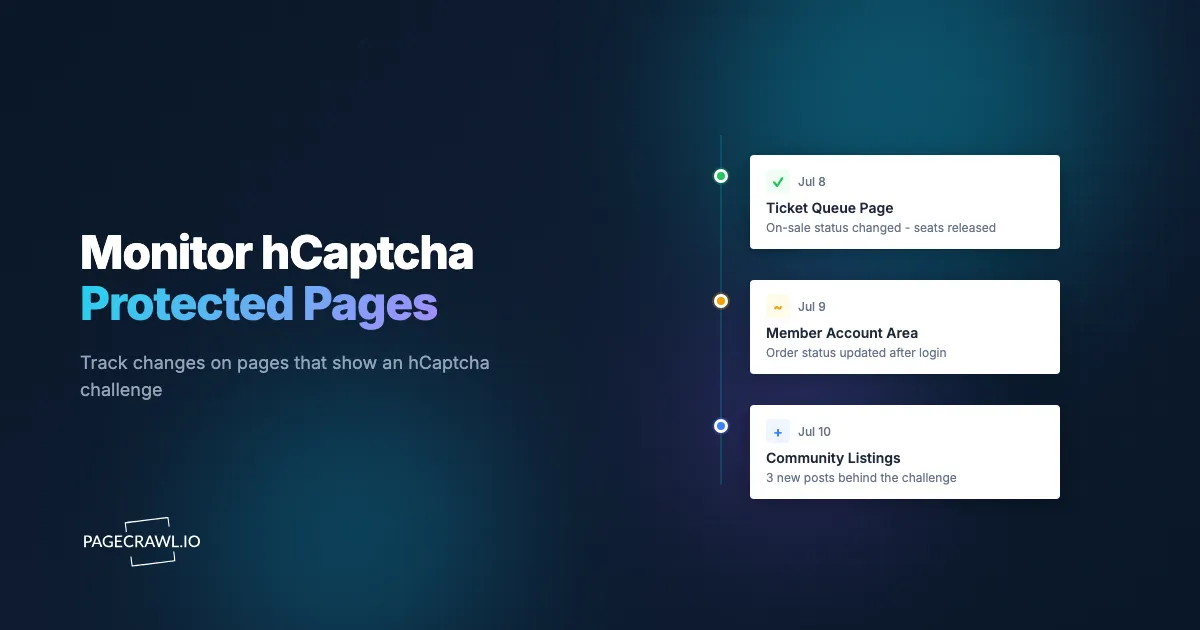
hCaptcha is the privacy-focused challenge that has become a popular alternative to Google's reCAPTCHA. You will see it on independent sites, forums, ticketing platforms, and account pages, usually as an image-selection challenge or a simple checkbox. When the content you want to track sits behind one, a basic monitoring tool never clears the challenge and never reports the change.
Monitoring an hCaptcha-protected page means running a check that clears the challenge and reads the page behind it. PageCrawl does this on paid plans through an optional captcha-solving integration you connect to your account, including the common case where the challenge only appears after you log in, run a search, or submit a form. This guide covers how it works and how to keep the cost low.
This is one part of a broader topic. For the full picture across every challenge type, see the guide to monitoring captcha-protected websites.
Can PageCrawl monitor a page behind hCaptcha?
Yes. PageCrawl loads pages the way a real browser does, so when a page presents an hCaptcha challenge, the optional captcha integration on paid plans clears it and PageCrawl captures the content behind it. It compares each capture to the previous one and alerts you when a check finds something changed, just as it would for a page with no challenge. The help centre covers how to connect the optional captcha integration to your account.
This matters because hCaptcha is designed to stop tools that only fetch raw HTML. Those tools receive the challenge instead of the content, so they report no change forever or alert on the challenge screen. With the integration connected, the challenge is cleared first and the monitor tracks the content you care about.
What does hCaptcha look like on a page?
hCaptcha usually appears as a checkbox labeled to confirm you are human, followed by an image-selection challenge (choose all the images that match a prompt). Sites place it on login and signup forms, contact forms, ticket queues, and account pages. Some deployments run it with little or no visible prompt and decide in the background.
Because hCaptcha is a drop-in alternative to reCAPTCHA, a page can switch from one to the other without you noticing, and some sites use different challenges in different regions, which is where checking a page from a residential IP in a specific country helps. You generally do not need to track which one is in use. PageCrawl detects the challenge on the page and handles it, whichever it is.
How do I monitor an hCaptcha that appears after login or a search?
This is the most common and most useful case. hCaptcha frequently does not appear on the first page. It shows up after you act: after you submit a login form, join a queue, run a search, or choose an option. PageCrawl runs your action steps first, and when hCaptcha appears as a result, the connected captcha integration clears it and PageCrawl then captures the page.

A typical action-then-challenge sequence
- Navigate to the starting page.
- Fill the fields you need (for example, an email and password, or a search query).
- Select any dropdown options (a location, a category, a date).
- Click the submit or search button.
- hCaptcha appears. The connected captcha integration clears it automatically.
- Wait for the real page to load.
- Check the content for changes.
You configure steps 1 to 4 and 6 to 7 in PageCrawl's Actions system; step 5 is automatic once captcha handling is on. For help building action sequences and finding the fields to fill and buttons to click, see monitoring password-protected websites and the CSS selector guide. If the login also sends a one-time code, PageCrawl can handle that step too.
Because PageCrawl reuses the signed-in session between checks, the login and its challenge usually come up only occasionally, not on every check. Most checks run straight through to the content.
How much does it cost to monitor an hCaptcha-protected page?
Checking a page behind hCaptcha costs more per check than a standard page, because solving the challenge takes extra work. The cost scales with frequency, so checking once a day or once a week keeps the total very low. It only becomes noticeable if you check every few minutes.
hCaptcha often protects pages that change slowly, such as account areas, login-gated listings, and forum or community pages you review periodically. Those suit a daily or twice-daily check, which catches every meaningful change while keeping the cost near the floor. Save frequent checks for the rare page where minutes genuinely matter, such as a ticket queue on sale day.
Note: captcha handling is available on paid plans. Start on a low frequency, confirm the monitor is capturing the right content, and raise the frequency only for the specific pages that need it.
What can I do once PageCrawl sees the page?
Once the hCaptcha is cleared and the page is captured, everything works like any other monitor. The next check that finds a difference sends a notification with an AI summary of what changed, routed to email, Slack, Discord, Teams, Telegram, or a webhook, with a priority score so routine updates do not distract from important ones.
You can track the whole page or just a single element (a price, a status label, a specific row) with a CSS selector, so the challenge in front of the page never gets in the way of watching exactly the content that matters. If a protected page still sends more alerts than you want, notification conditions and filters let you fire only on the keywords or thresholds you choose.
Choosing your PageCrawl plan
hCaptcha handling is a paid-plan feature. PageCrawl's Free plan lets you monitor 6 pages with 220 checks per month, enough to validate ordinary monitoring before you add protected pages.
| Plan | Price | Pages | Checks / month | Frequency |
|---|---|---|---|---|
| Free | $0 | 6 | 220 | every 60 min |
| Standard | $8/mo or $80/yr | 100 | 15,000 | every 15 min |
| Enterprise | $30/mo or $300/yr | 500 | 100,000 | every 5 min |
| Ultimate | $99/mo or $999/yr | 1,000 | 100,000 | every 2 min |
Annual billing saves two months across every paid tier. Because hCaptcha-protected pages are usually best checked once or twice a day, even several of them fit comfortably inside a paid plan's monthly checks. All plans include the PageCrawl MCP Server, so you can ask an assistant like Claude or Cursor what changed behind your monitored logins this week and get an answer drawn straight from your history.
Getting Started
Choose one page behind hCaptcha, whether the challenge shows on load or only after you log in and search, and set up a monitor. Add your action steps, enable captcha handling, start with a daily check, and confirm it captures the real content. Then add the rest of your protected pages.
Create a free PageCrawl account and start monitoring your hCaptcha-protected pages today.