You built a RAG pipeline. You ingested your documentation, product pages, knowledge base articles, and competitor data into a vector database. Your AI assistant answers questions accurately. For about two weeks.
Then the source material changes. Documentation gets updated. Pricing pages shift. Policies get revised. Your vector database still has the old content, and your AI starts giving wrong answers with full confidence. The worst kind of failure: one that looks like it is working.
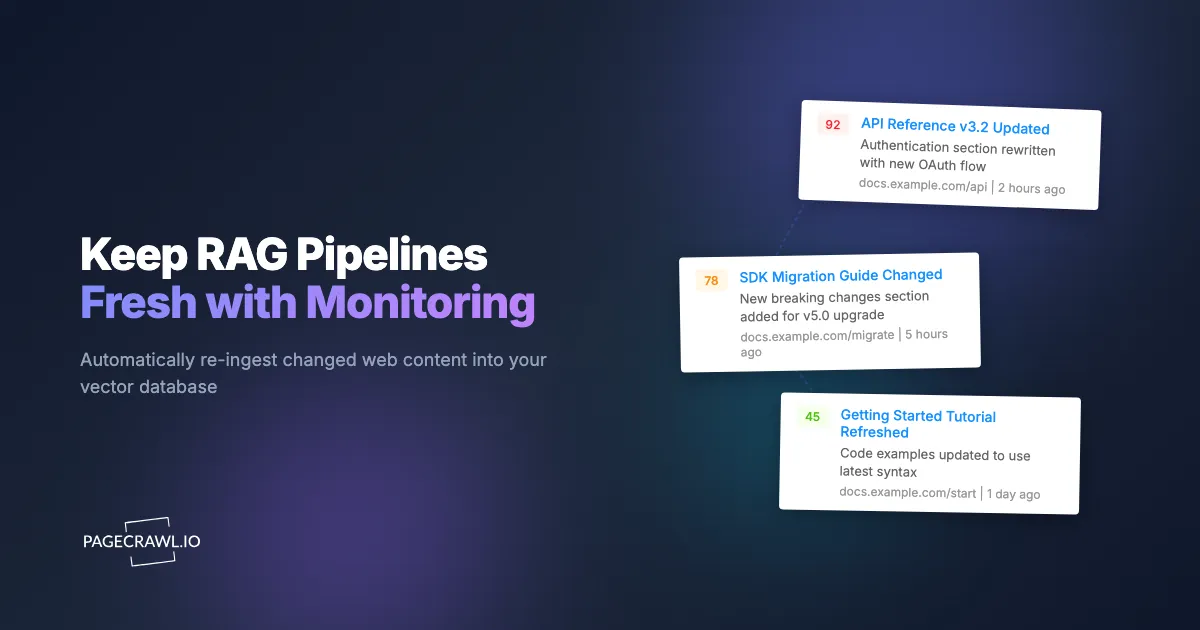
This is the data freshness problem, and it affects every RAG pipeline that ingests web content. The solution is not to re-crawl everything on a schedule. It is to monitor the source pages with content monitoring and change detection and only re-ingest content that actually changed.
Why does periodic re-crawling fail for RAG freshness?
Periodic re-crawling fails because it re-processes everything on a fixed timer regardless of whether anything changed. The obvious approach to keeping RAG data fresh is to scrape all your source pages every day (or hour) and re-embed everything, and it breaks down in three ways.
This has three problems:
It is expensive. If you have 500 source pages and re-embed them daily, that is 500 embedding API calls per day, plus the scraping costs. Most of those calls process unchanged content.
It is slow. Re-embedding 500 pages takes time. During the re-embed window, some pages have stale data and some have fresh data. Your pipeline is in an inconsistent state.
It misses changes between cycles. If you re-crawl daily and a critical page changes at 9am, your users get wrong answers until the next crawl at midnight. Fifteen hours of stale data.
The Monitoring Approach
Web monitoring flips the model. Instead of "re-process everything on a schedule," the approach is "watch every source page and only re-process what changed."
Here is the architecture:
- Initial ingestion - Scrape all source pages and embed them into your vector database (one-time)
- Set up monitors - Add each source URL as a PageCrawl monitor with a webhook
- Process change events - When a page changes, the webhook fires with the new content
- Re-embed only changed pages - Update only the affected entries in your vector database
This is faster (seconds of work instead of hours), cheaper (only process changed pages), and more reliable (changes surface on the next check rather than waiting for the next full crawl).
Implementation

Step 1: Initial Ingestion
Use your preferred scraping tool to do the initial data load, embedding each page with a model such as those documented in the OpenAI platform docs and storing the vectors in Chroma or your database of choice. This is a one-time operation.
import chromadb
from openai import OpenAI

openai = OpenAI()
chroma = chromadb.HttpClient()
collection = chroma.get_or_create_collection("knowledge_base")

# Your list of source URLs and their content (from initial scrape)
for url, content, title in source_pages:
    embedding = openai.embeddings.create(
        model="text-embedding-3-small",
        input=content,
    )
    collection.upsert(
        ids=[url],
        documents=[content],
        embeddings=[embedding.data[0].embedding],
        metadatas=[{"url": url, "title": title, "ingested_at": datetime.now().isoformat()}],
    )
Step 2: Create Monitors via API
Add every source URL as a PageCrawl monitor, the same wiring behind API and documentation change monitoring. Use content_only or reader mode for documentation to avoid tracking navigation changes. Token creation and the full endpoint list are covered in the help centre guide to the API and webhooks for custom integrations.
import requests

API_TOKEN = "your_pagecrawl_token"
HEADERS = {"Authorization": f"Bearer {API_TOKEN}"}

for url in source_urls:
    requests.post(
        "https://pagecrawl.io/api/track-simple",
        headers=HEADERS,
        json={
            "url": url,
            "tracking_mode": "content_only",
            "frequency": 60,  # check hourly
            "ignore_duplicates": True,
        },
    )
Then create a webhook to receive change notifications:
requests.post(
    "https://pagecrawl.io/api/hooks",
    headers=HEADERS,
    json={
        "target_url": "https://your-app.com/webhooks/content-changed",
        "match_type": "all",
        "events": ["change_detected"],
        "payload_fields": ["title", "contents", "ai_summary", "page"],
    },
)
Step 3: Handle Change Events
When content changes, re-embed only the affected page. The handler below is a Flask endpoint; if you want signature verification and retry-safe handling, the help centre has reference implementations in Python, Node.js, and PHP.
from flask import Flask, request as flask_request

app = Flask(__name__)

@app.route("/webhooks/content-changed", methods=["POST"])
def handle_content_change():
    data = flask_request.json

    url = data["page"]["url"]
    new_content = data["contents"]
    title = data["title"]

    # Re-embed only this page
    embedding = openai.embeddings.create(
        model="text-embedding-3-small",
        input=new_content,
    )

    collection.upsert(
        ids=[url],
        documents=[new_content],
        embeddings=[embedding.data[0].embedding],
        metadatas=[{
            "url": url,
            "title": title,
            "ingested_at": datetime.now().isoformat(),
            "change_summary": data.get("ai_summary", ""),
        }],
    )

    print(f"Re-embedded: {title} ({url})")
    print(f"Change: {data.get('ai_summary', 'N/A')}")

    return "", 200
That is the entire implementation. When a check detects a change on a source page, the webhook fires and that single document is re-embedded right away, with no full re-crawl in between.
How do you handle deleted and new pages?
Handle removals with error-event webhooks and new pages with automatic discovery. Monitoring tells you when content changes, but a RAG corpus also drifts when source pages are deleted or when the site publishes URLs you were never watching.
Deleted pages: If a monitored page starts returning 404 errors, PageCrawl will flag it with an error status. Set up a webhook for error events and handle them:
if data.get("status") == "error":
    # Page may have been removed - mark as stale in vector DB
    collection.update(
        ids=[url],
        metadatas=[{"stale": True, "error_since": datetime.now().isoformat()}],
    )
New pages: If you are monitoring a documentation site that adds new pages, use PageCrawl's auto page discovery feature to automatically detect and start monitoring new URLs.
Tracking What Changed for Better Context
The AI summary in the webhook payload tells you what changed in natural language. Store this alongside your embeddings to give your RAG pipeline richer context:
collection.upsert(
    ids=[url],
    documents=[new_content],
    embeddings=[embedding.data[0].embedding],
    metadatas=[{
        "url": url,
        "title": title,
        "last_change_summary": data.get("ai_summary"),
        "last_changed_at": data.get("changed_at"),
        "change_count": existing_meta.get("change_count", 0) + 1,
    }],
)
Your AI can now reference when content was last updated and what changed, which improves answer quality for time-sensitive questions.
How much does monitoring-driven re-ingest cost?
Monitoring-driven re-ingest costs an order of magnitude less than periodic re-crawling, because you only pay for embeddings on the pages that actually changed. The comparison below assumes a corpus of 500 documentation pages.
500 documentation pages, checked hourly:
| Approach | Monthly cost | API calls | Freshness |
|---|---|---|---|
| Daily re-crawl + re-embed | ~$50-100 (scraping) + $15 (embeddings) | 15,000 scrapes + 15,000 embeddings | Up to 24 hours stale |
| Hourly re-crawl + re-embed | ~$400-800 (scraping) + $360 (embeddings) | 360,000 scrapes + 360,000 embeddings | Up to 1 hour stale |
| PageCrawl monitoring | $8/mo (monitoring) + ~$0.50 (embeddings for changed pages only) | 15,000 checks (included) + ~100 embeddings | Next check |
The monitoring approach is cheaper by an order of magnitude and provides better freshness. You only pay for embeddings on pages that actually changed, which for a stable documentation corpus is a small fraction of the total in any given week.
Getting Started
Start with your 10 most critical source pages. Set up monitors and a webhook handler. Run it alongside your existing re-crawl pipeline for two weeks and compare: how many pages actually changed? How quickly did each approach detect the changes? What did the embedding costs look like?
For most teams, the data makes the decision obvious. Monitoring is cheaper, faster, and more reliable than periodic re-crawling.
PageCrawl was built with developers in mind from day one. The API, webhooks, and MCP server make it straightforward to integrate monitoring into any pipeline. The free tier includes 6 monitors with content_only tracking and webhooks, so you can prototype the integration without any cost.