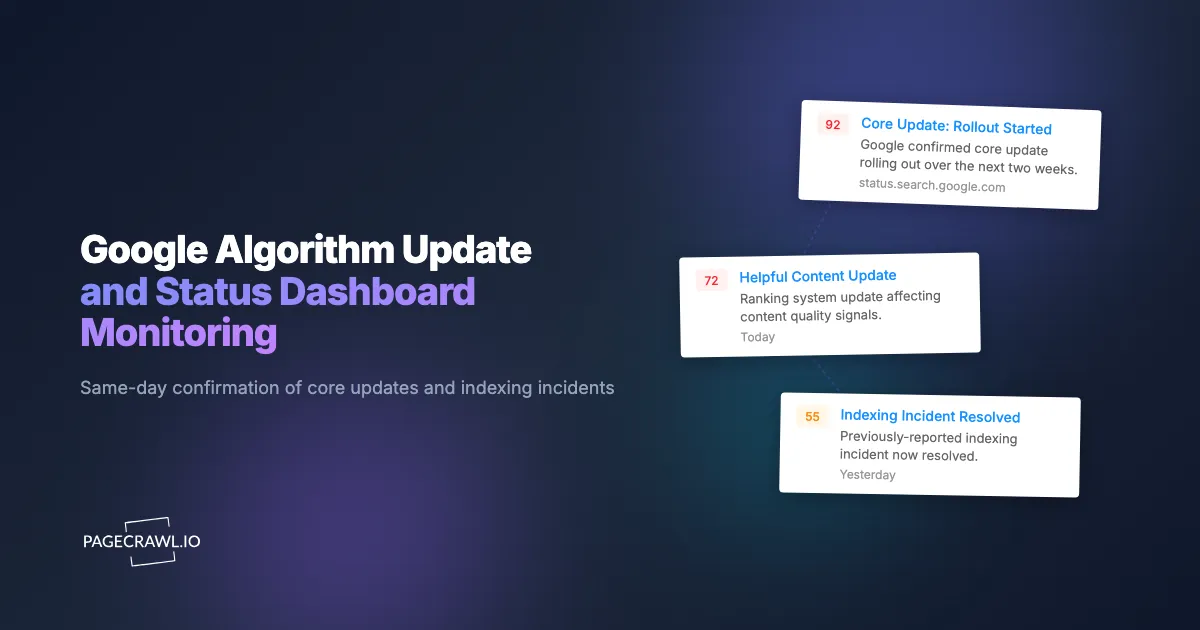
When Google confirmed the March 2024 core update on the Search Status Dashboard, the confirmation was public well before most SEO teams saw it in a Twitter feed or a trade-press newsletter. By the time the news filtered through, the traffic anomalies showing up in Search Console had been accumulating for hours. The teams with a monitor on the dashboard itself picked up the confirmation on their next check, correlated it against their own traffic data the same morning, and started triage while the rest of the industry was still waiting for the blog post.
Google has historically been opaque about algorithm updates, leaving the SEO community to triangulate from third-party rank-tracker volatility and unconfirmed Google representative tweets. That changed when Google launched the Search Status Dashboard, which now publishes confirmed core updates, ranking-system updates, and indexing incidents with official start and end timestamps. For SEO teams, this is the cleanest signal available about what Google is doing at any given moment, and being one of the first teams to see a confirmation matters operationally. Same-day traffic anomalies are far easier to interpret when you know an update is rolling out.
This guide covers how Google publishes algorithm and infrastructure events, what surfaces are worth monitoring, and how to set up alerts that surface every confirmed update on the next scheduled check after Google posts it.
Why are Google's status pages worth monitoring?
Because they are the only official, timestamped record of what Google is changing in Search, and Google does not push that record to anyone. Four public surfaces carry the signal (the status dashboard, the ranking systems changelog, the Search Central blog, and the documentation itself), and each one carries distinct information.
The Search Status Dashboard Is The Official Confirmation
The Search Status Dashboard at status.search.google.com confirms core updates, ranking-system updates, indexing incidents, crawling issues, and serving incidents. Each entry has an official start time and, after the rollout completes, an end time. This is the source of record. Traffic correlation against the official timeline is dramatically more useful than against rumor.
The Ranking Systems Updates Page Documents Named Systems
Google publishes a changelog of named ranking systems at developers.google.com/search/updates/ranking-systems. Updates to helpful content, reviews, spam, and product systems are documented here. Some of these updates appear on the Search Status Dashboard, others only on this page. For a complete picture, both pages need to be monitored.
The Google Search Central Blog Carries Context
When a major update rolls out, Google typically publishes a Search Central blog post with context, guidance, and any new or updated documentation. The blog post often arrives hours after the dashboard confirmation, but contains the editorial framing that informs your communication with stakeholders and clients.
Documentation Edits Telegraph Future Changes
Edits to Search Central documentation often precede algorithm changes by weeks. When Google rewrites a section on link quality or content helpfulness, the rewrite tends to predict the next update's emphasis. Monitoring documentation pages alongside the status surfaces this leading indicator.
How does Google publish algorithm events?
Google publishes them as ordinary web pages, not as a feed: a timeline of tagged events on the status dashboard, a reverse-chronological changelog of named ranking systems, and editorial posts on the Search Central blog. Each surface has a different update cadence and structure, and none of them notifies you.
The Search Status Dashboard renders a timeline of recent events, each tagged with type (core update, ranking system, indexing, serving), status (in progress, complete), and timestamps. New events add rows. Status changes (in progress to complete) update existing rows. PageCrawl monitors the page content and flags both new entries and status transitions.
The ranking systems updates page is a changelog with reverse-chronological entries. Each new ranking system change adds a dated entry with a short description. Monitoring this page surfaces system updates that may not appear on the dashboard.
The Search Central blog publishes named posts. New posts add to the index page. Monitoring the index catches every new editorial post including major update narratives.
Comparing Approaches
| Approach | Cost | Latency | Coverage | Best For |
|---|---|---|---|---|
| Manual dashboard refresh | Free | Hours | Single page | Hobby SEO |
| Google Search Liaison Twitter | Free | Minutes | Curated highlights | News-driven SEOs |
| Third-party SERP volatility (Semrush Sensor, MozCast) | Free / Paid | Hours | SERP-derived inference | Algorithm-watchers |
| Industry newsletters (SE Roundtable, Search Engine Land) | Free | Hours | Editorial coverage | General awareness |
| PageCrawl on dashboard, updates, and blog | Free tier to $80/year | 1-15 minutes | All official sources | Active SEO teams |
Third-party volatility tools tell you when ranking turbulence is happening but cannot confirm what Google is doing. The dashboard tells you what Google is doing but does not measure ranking impact. Combining both is the operating norm.
Setting Up Google Status Monitoring

Step 1: Add the Search Status Dashboard
https://status.search.google.com/Add as a content monitor. New events and status transitions both trigger alerts.
Step 2: Add the ranking systems updates page
https://developers.google.com/search/updates/ranking-systemsAdd as a content monitor. New changelog entries trigger alerts.
Step 3: Add the Search Central blog index
https://developers.google.com/search/blogAdd as a content monitor. New posts trigger alerts.
Step 4: Set hourly checks during expected update windows
Core update rollouts can start at any time but Google often posts in US business hours. During known volatility windows (after a third-party tool flags significant SERP movement), hourly checks catch the confirmation on the first check after it lands.
Step 5: Daily checks otherwise
Outside hot windows, daily checks are enough. The volume of changes on these pages is low and missing an update by 24 hours is rarely operationally significant unless you are managing client communications by the hour.
Step 6: Route alerts to an SEO channel
For SEO teams, a dedicated #seo-updates Slack channel is the standard pattern, set up with an incoming webhook as described in the help article on sending change notifications to Slack. Alerts include the AI summary describing which event was added or updated.
Worked Example: Watching For A March Core Update
An in-house SEO lead at a mid-market publisher wants to be first to know whenever Google confirms a core update. The setup:
- Add Search Status Dashboard, ranking systems updates page, and Search Central blog index.
- Set hourly checks during March (a historically high-volatility month).
- Route alerts to a
#seo-alertsSlack channel with the team's growth lead and head of content tagged. - Add a sibling Semrush Sensor screenshot monitor for visual cross-reference of SERP volatility.
A core update is confirmed early on a Thursday morning. The Slack alert fires on the next hourly check, before the team is properly awake. The 9am standup already has a written update prepared, an internal traffic monitoring dashboard pinned to the channel, and a draft client communication ready to send to top accounts. Competing publishers send their first client update mid-afternoon.
Patterns Worth Watching
Core update confirmations. The headline events. Each one has official start and end timestamps. Traffic correlation against the timeline is the foundation of every post-update analysis.
Ranking system updates. Helpful content, reviews, product reviews, and spam updates all have their own cadence and impact profile. Reading the named-system updates alongside core updates tells you which signal Google is currently weighing more heavily.
Indexing incidents. Sometimes traffic anomalies are infrastructure, not algorithm. An indexing or serving incident on the dashboard explains the anomaly without any algorithm interpretation.
Documentation updates. Edits to Search Central documentation often telegraph upcoming algorithm changes by several weeks, so treat them like any other documentation and changelog monitoring target. Major doc rewrites are worth flagging.
Multi-event clusters. Two or three events posted within a 48-hour window often relate to a coordinated rollout. The cluster pattern matters for interpretation.
Combining Google Status Alerts With Other SEO Signals
Pair with third-party SERP volatility tools. Semrush Sensor, MozCast, and Advanced Web Ranking publish daily SERP volatility scores. A confirmation on the dashboard paired with a spike on the volatility tools tells you the update is hitting your sector specifically. See the help center diff monitoring guide for parallel monitoring of any documentation surface.
Pair with Search Console anomaly detection. The performance report in Google Search Console is the ground truth on your own traffic. A dashboard alert plus Search Console traffic data is the complete picture.
Pair with competitor SERP monitoring. When Google rolls out an update, winners and losers shake out within a few weeks. Using SERP monitoring tools to track competitor ranking positions on key queries during the rollout window shows you who gained and who lost.
Pair with the AI search status monitoring. AI Overviews and AI search features have their own rollout cadence that overlaps with traditional algorithm updates, and they are a major reason why rank position data alone can mislead. Monitoring AI feature announcements provides context.
Pair with review velocity alerts. Algorithm changes correlate with traffic shifts, which correlate with review velocity changes for brands whose discovery depends on search. See the Trustpilot, G2, and Capterra review velocity alerts for that side of the watchlist.
Who needs Google algorithm update alerts?
Anyone whose work is judged on search traffic: in-house SEO teams, agencies handling client communication, content teams planning editorial sprints, technical SEOs diagnosing anomalies, SEO educators, and analysts modelling ad-supported businesses. Each reads the same confirmation for a different decision.
In-house SEO teams. Same-day awareness of confirmed updates lets the team correlate with traffic data the same morning, cross-check it against their own SEO monitoring and change detection, and brief leadership before competitors do. Operationally, this is the difference between proactive and reactive update response.
Agencies. Update tracking supports client communication and recovery planning. The agency that emails clients the same morning Google confirms an update is in a far stronger position than the agency that emails 48 hours later.
Content teams. Helpful content updates and reviews updates affect editorial strategy. Knowing within a day that a new system has started rolling out informs the next sprint's editorial brief.
Technical SEO. Indexing incidents explain anomalies in Search Console data. Alerts on infrastructure events save hours of misdirected diagnosis.
SEO content creators and educators. Same-day coverage when Google confirms an update earns shares, links, and authority. Speed matters for SEO content because the cycle moves on within 72 hours.
Search analyst and investor research. SEO performance is a material input for ad-supported businesses. Algorithm event awareness informs equity research models.
Frequently Asked Questions
How often does Google confirm core updates? Only a handful of times a year, historically around three or four, with rollout windows that usually run one to three weeks. Named ranking-system updates are more frequent, and indexing or serving incidents appear irregularly. The dashboard carries the official start and end dates for every one of them, which is the only count worth trusting.
Will alerts include details about the update? Yes. PageCrawl's AI summary describes which event was added and the timestamp from the dashboard. For full context, click through to the source page.
Can I monitor for specific event types only? PageCrawl alerts on any change to the monitored page. For event-type filtering, use the webhook integration to send alerts through a script that applies your filtering rules; the help article on sending change data to an external service documents the payload you will receive.
What about Bing and other search engines? Bing publishes its own algorithm updates on the Bing Webmaster blog. Add that as a sibling monitor for cross-engine coverage. Bing's cadence is less frequent and less impactful for most sites but still worth tracking.
Will I be alerted when a rollout completes? Yes. The dashboard updates the status of in-progress events to complete when the rollout finishes. PageCrawl detects the status change and fires a new alert.
Do I need a paid plan for SEO monitoring? No. Dashboard, ranking systems, and Search Central blog plus one or two related pages fits inside the 6-monitor free tier. Standard at $80/year is the right step up when you start adding competitor monitoring and SERP volatility screenshots.
Choosing your PageCrawl plan
PageCrawl's Free plan lets you monitor 6 pages with 220 checks per month, which is enough to validate the approach on your most critical pages. Most teams graduate to a paid plan once they see the value.
| Plan | Price | Pages | Checks / month | Frequency |
|---|---|---|---|---|
| Free | $0 | 6 | 220 | every 60 min |
| Standard | $8/mo or $80/yr | 100 | 15,000 | every 15 min |
| Enterprise | $30/mo or $300/yr | 500 | 100,000 | every 5 min |
| Ultimate | $99/mo or $999/yr | 1,000 | 100,000 | every 2 min |
Annual billing saves two months across every paid tier. Enterprise and Ultimate scale up to 100x if you need thousands of pages or multi-team access.
One competitive signal caught early can swing a deal worth more than a decade of Enterprise. If you win one additional deal per year because you spotted a pricing change, a product launch, or a messaging shift before your competitors did, $300/year is a rounding error. Standard at $80/year handles 100 monitored pages, enough for a Tier 1 and Tier 2 competitor program. Enterprise adds 500 pages and SSO. All plans include the PageCrawl MCP Server for AI assistants like Claude and Cursor.
Getting Started
Add the Search Status Dashboard, ranking systems updates page, and Search Central blog to PageCrawl on a daily check. Create a free account and the next confirmed update will arrive in your SEO channel within a day of Google posting it.