The auditor asks a simple question: "Show me evidence that this heat treat supplier held a current Nadcap accreditation on the date these parts were processed." Kwame, the supplier quality engineer, pulls the certificate PDF out of the approved supplier list folder. It expired four months ago. The supplier never mentioned it. Nobody at his company noticed, because nobody was looking.
That is the ordinary shape of a certification failure. It is almost never dramatic. A certificate quietly moves from valid to suspended while a certification body works through a major nonconformity. A scope line that used to say "machining and welding" now says only "machining", so the welded assemblies you have been buying for eight months sit outside the approval you relied on. A site address changes because production moved to a second plant that was never audited. Every one of those changes is published on a public registry the same week it happens, and every one of them is invisible to you unless something is watching the record.
Purchasing teams treat certification as a document collected at onboarding. Quality systems treat it as a live status. The gap between those two views is where recalls, source inspections, and audit findings come from. The certificate you filed in 2024 tells you what was true in 2024, and nothing at all about today.
This guide covers the registries that publish live certification status, what each field change actually means for your supply base, how to monitor supplier records so a suspension or scope reduction reaches your team on the next check, and how to turn that alert stream into evidence an auditor will accept.
Why does a supplier's certificate lapse without anyone telling you?
Because the notification goes to the certificate holder, not to their customers. When a certification body suspends, withdraws, or narrows a certificate, it tells the supplier and updates the public registry. Nothing in that process pushes a message to the hundred buyers who depend on that certificate. You are expected to check the registry.
The notification chain stops at the supplier
A certification body's contract is with the organisation it certified. Suspension letters, surveillance audit results, and scope amendments flow along that contract. Your name is not on it. Registries such as IAF CertSearch, the global database of accredited management system certifications maintained by the International Accreditation Forum, exist precisely so that third parties can look the status up themselves, but looking it up is a pull action. No registry emails you when a specific supplier's record changes.
Suppliers have every incentive to stay quiet
A supplier under suspension risks removal from your approved list, a cancelled purchase order, or a new source inspection requirement. Telling you early is commercially painful and rarely required in any timeframe that helps you. Most intend to close the finding before anyone notices, and often they do. The problem is the shipments that leave the dock in the meantime.
Annual PDF collection is a snapshot, not a control
The common control is an annual certificate refresh: purchasing emails every supplier once a year and files the returned PDF. That process catches a certificate that expired eleven months ago. It cannot catch a suspension issued in month three, a scope reduction in month five, or a transfer to a different certification body in month eight. A PDF is a photograph of a status that changes continuously.
The volume makes manual checking unrealistic
ISO's annual ISO Survey of certifications counted 1,265,216 valid certificates to ISO 9001:2015 in its 2022 results, the largest population of any management system standard it tracks. A mid-size manufacturer with 300 approved suppliers, several of them holding two or three certifications each, is tracking hundreds of records that each change on their own schedule. Nobody checks 600 registry records by hand every month, which is why nobody checks them at all.
Which certification registries should you actually monitor?
Monitor the registry that is authoritative for each scheme your supply base uses: IAF CertSearch for accredited ISO management system certificates, the IATF Global Oversight database for IATF 16949 automotive certificates, IAQG OASIS for the 9100 series in aerospace, and the eAuditNet Online QML for Nadcap special process accreditations.
| Registry | Covers | What the record shows | Typical audience |
|---|---|---|---|
| IAF CertSearch | ISO 9001, ISO 14001, ISO 45001, ISO 27001 and other accredited management system certificates | Certificate status and validity, standard and scheme, scope, certified sites, certification body, accreditation body | Any buyer verifying an ISO claim |
| IATF Global Oversight | IATF 16949 automotive quality management | Certificate validity by certificate number, certified client name, current status | Automotive OEM and tier 1 supplier quality |
| IAQG OASIS | 9100, 9110 and 9120 aerospace quality management | Certificate of registration, scope of certification, assessment dates, current certification status | Aerospace and defence procurement |
| Nadcap Online QML via eAuditNet | Special process accreditations (heat treat, welding, NDT, chemical processing, coatings) | Accredited process commodities, accreditation status and merit period | Aerospace special process control |
Aerospace: OASIS and the Nadcap QML together
Aerospace needs both, and they answer different questions. OASIS answers "is this supplier's 9100 quality system certified, and for what scope". The IAQG requires accredited 9100 series holders to appear in OASIS, so a supplier missing from it is itself a finding. The Nadcap Qualified Manufacturers List, published through eAuditNet by the Performance Review Institute, answers "is this supplier accredited for the specific special process I am buying". A shop can hold a perfectly valid 9100 certificate and have lost its Nadcap welding accreditation, and only the QML will tell you.
Automotive: certificate-number lookups
IATF 16949 verification is built around the certificate number. An IATF 16949 certificate runs on a three-year cycle subject to successful annual surveillance audits, and the oversight database returns the current state of that cycle, including whether a certificate has been suspended or withdrawn. Because the lookup keys on a number you already hold from onboarding, it is straightforward to build one monitored record per automotive supplier.
Everyone else: accredited ISO certificates
For general manufacturing, logistics, food, and services, the practical check is whether an ISO 9001, ISO 14001, ISO 45001, or ISO 27001 claim is backed by an accredited certificate that is currently valid. IAF CertSearch is the place that answer lives. It is also worth monitoring the supplier's own certification page for the claims they make publicly, which frequently drift out of step with the registry. Our guide to vendor trust centre and certification page monitoring covers that second, softer signal, and the two together are much stronger than either alone.
What exactly changes on a certificate record, and why does it matter?
Five fields carry almost all the risk: status, expiry date, scope, certified sites, and certification body. A status flip to suspended is a quality hold decision. A scope reduction quietly invalidates the work you are buying. A site addition means production moved somewhere unaudited. Each one demands a different response.
Status: valid, suspended, withdrawn
This is the field that stops shipments. A suspension usually means a major nonconformity is open and unresolved, and it is temporary by design, but while it is in force the supplier does not hold a current certificate. If your purchase order or contract flows down a certification requirement, product built during suspension may not meet your own purchase specification. Withdrawal is the terminal case and normally means the supplier must come off the approved list until recertified.
Expiry date and surveillance cycle
Certificates run on multi-year cycles with surveillance audits in between, so an expiry date that slides forward is routine and an expiry date that arrives without moving is a problem. Watching the date field gives you a natural early-warning horizon: alert at 90 days out, and you have time to ask the supplier for their recertification audit date instead of discovering the lapse afterwards.
Scope: the field nobody reads
Scope is the most commonly missed change and often the most expensive. A certificate that once covered "design, manufacture and assembly" and now covers only "assembly" means design authority you were relying on is no longer inside the certified system. Scope wording also changes when a supplier drops a process line or exits a product family. Because the change is a few words inside a paragraph, it is invisible to anyone comparing certificate numbers and expiry dates.
Certified sites and address changes
Certification applies to specific sites, not to a company name. When a new address appears, production has probably moved or expanded, and the new plant may or may not be inside the certified scope yet. When an address disappears, a plant has closed or been dropped. Either change deserves a phone call before the next shipment.
How do you set up certification registry monitoring in PageCrawl?
Point a monitor at the registry record page for each critical supplier, choose text or content tracking so wording changes register, check daily or weekly depending on supplier criticality, and route alerts to the channel your quality team already reads. Add keyword rules so words like "suspended" or "withdrawn" escalate differently from routine edits.
- Get a stable record URL. Search the registry for the supplier, open the certificate record, and copy the URL of the page that actually displays status, scope, and expiry. A search box or a homepage is not enough. If the registry only produces the record after a search, save the results URL that includes the certificate number or organisation identifier so the page reloads to the same view each time.
- Add the URL to PageCrawl and name the monitor after the supplier and scheme, for example "[supplier] - Nadcap QML" or "[supplier] - IAF CertSearch ISO 9001". Consistent naming matters more than it sounds, because in a year you will have dozens of these and you will search them by name.
- Pick text or content tracking focused on the certificate detail area rather than full-page visual comparison. You want wording changes inside scope and status to be treated as content, not as pixels. For registries that render the record as a downloadable certificate rather than a web page, use PDF tracking instead, which our guide to monitoring PDF documents for changes walks through.
- Handle logins where the registry needs one. Several registries require a free account before they show full records. Capture the session once using the steps in our guide to monitoring pages behind a login form, and the monitor keeps seeing the signed-in record instead of a login wall.
- Set check frequency by criticality. Sole-source and special-process suppliers earn daily checks. The broad approved supplier list is fine on a weekly cadence. Alerts arrive when the next check detects the change, so the frequency you choose is the worst-case delay you are accepting for that supplier.
- Choose notification channels your team reads. Email, Slack, Discord, Microsoft Teams, Telegram, and outbound webhooks are all available. Most quality teams route these into a shared Slack or Teams channel so the supplier quality engineer and the buyer see the same alert at the same time. Our walkthrough on sending website change alerts to Slack covers the setup.
- Add keyword and threshold rules. Configure conditions so a change containing "suspended", "withdrawn", "expired", or "cancelled" fires as a high-priority alert while ordinary edits go to a digest. The techniques in our guide to conditional alerts using price, keyword, and threshold rules apply directly here.
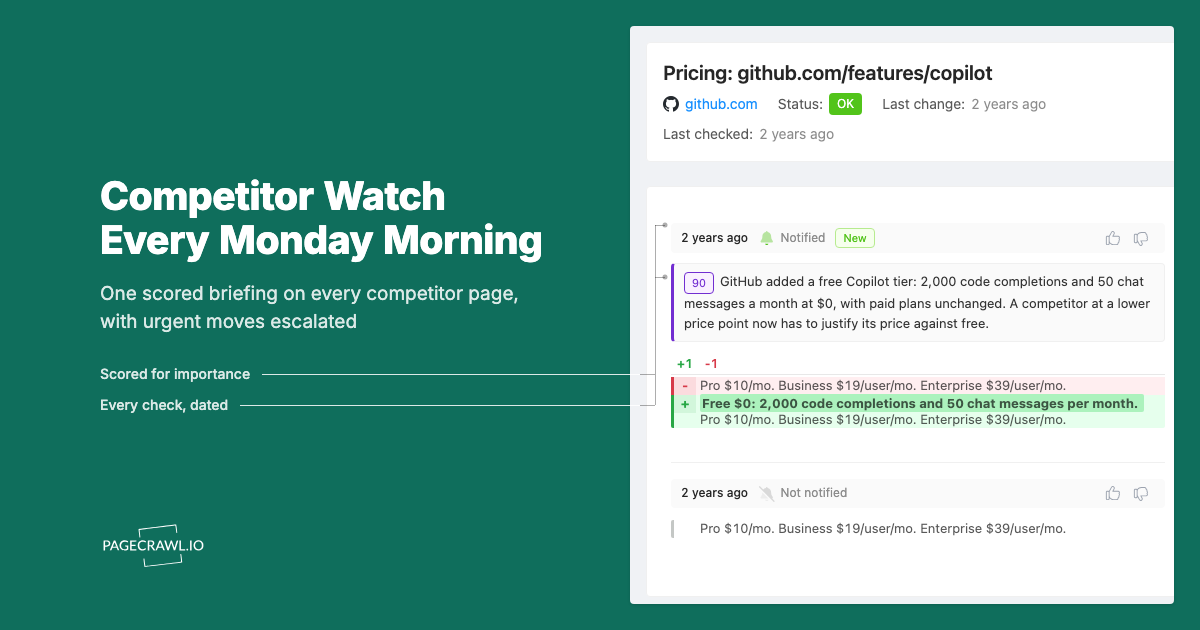
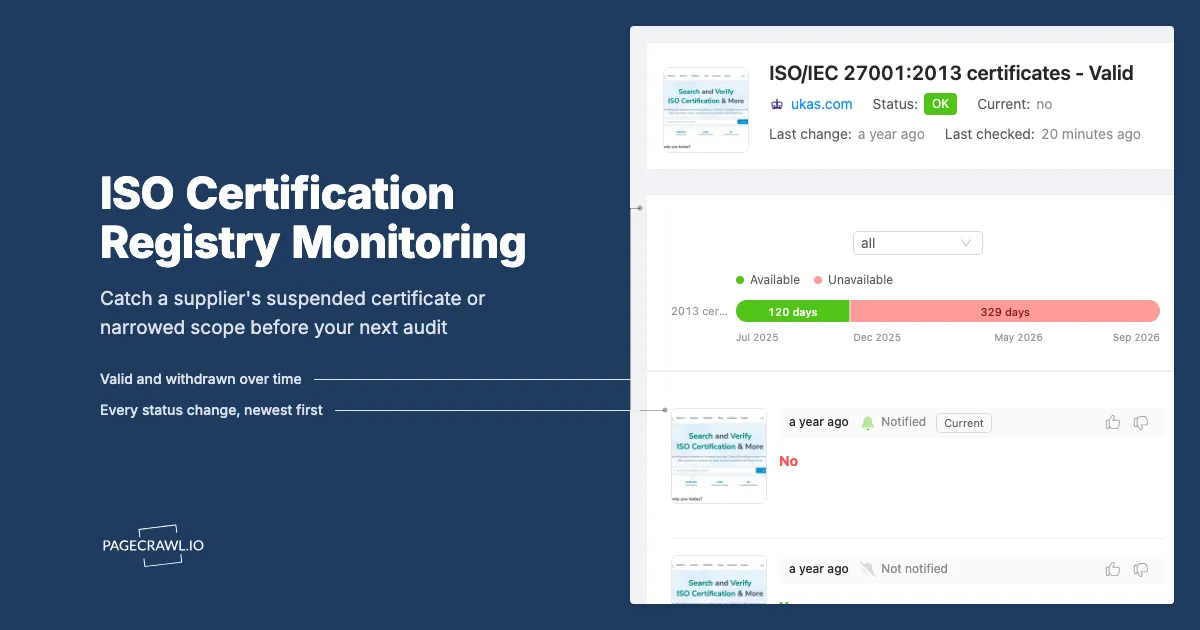
- Turn on screenshot capture and keep the history. Every check stores a timestamped copy of the record as it appeared. That archive is the evidence that answers the auditor's question about what the status was on the date the parts were processed.
- Send the webhook into your systems. If your approved supplier list lives in an ERP or quality management system, the webhook channel lets a suspension alert flag the vendor record without anyone retyping it.
How often should you check each registry record?
Match frequency to consequence. Sole-source suppliers, special process approvals, and any supplier whose certificate is flowed down in a customer contract deserve daily checks. Second-source and commodity suppliers are well served weekly. Registries update on business days, so sub-hourly checking adds cost without adding information.
A workable three-tier cadence
| Tier | Which suppliers | Cadence | Alert routing |
|---|---|---|---|
| Critical | Sole source, special process (Nadcap), safety or airworthiness relevant, customer-mandated flowdown | Daily | Per-change alert to the quality and purchasing channel |
| Standard | Dual-sourced production suppliers, key subcontractors | Weekly | Daily digest to the quality inbox |
| Watch | Indirect, low-spend, non-production suppliers | Weekly or monthly | Weekly digest, reviewed at the supplier review meeting |
Why daily is usually fast enough
A certificate suspension is not a ticket drop. It is an administrative state change that persists for weeks while the supplier closes a nonconformity. Finding out within a day of publication is early enough to place a quality hold before the next receipt in almost every case, and it is a transformation compared with finding out at the annual refresh eleven months later. On higher plans checks run within minutes, but for this use case the value is in never missing the change rather than in seconds.
What goes wrong when monitoring certification registries?
Three things: registry pages that change layout or session behaviour, noisy fields that fire alerts without meaning anything, and suppliers whose public claims disagree with the registry. All three are manageable, and the third is genuinely useful information rather than a nuisance.
Session expiry on gated registries
Registries that require an account will eventually expire the saved session, and the monitor starts seeing a login page instead of a record. The symptom is obvious once you know it: a burst of alerts across every monitor pointing at the same registry on the same day. Refresh the captured session once and the fleet recovers. Grouping all monitors for one registry into a single folder makes this a two-minute job rather than an afternoon.
Noise from timestamps and rotating content
Registry pages carry generated content that has nothing to do with the certificate: "data retrieved on" timestamps, result counters, session identifiers, and rotating help panels. Left alone, these produce a change alert every single check and train your team to ignore the feed. PageCrawl lets you mark a detected change as noise so that region is ignored in future, and the approach in our guide to reducing website monitoring false positives gets a new monitor quiet within a few checks.
When the supplier's website and the registry disagree
You will find suppliers whose website still displays an ISO 9001 badge and a certificate PDF that the registry shows as expired or withdrawn. That is not a monitoring error. It is a finding, and it is exactly the kind of evidence that justifies a supplier audit. Treat the registry as authoritative and the supplier's own page as a claim to be reconciled against it.
Records you cannot reach
Not every scheme publishes an open record for every supplier, and some registries only expose full detail to registered members or to the certificate holder's nominated contacts. Where a public record does not exist, the fallback is a contractual one: require the supplier to notify you of any status or scope change within a fixed number of days, and monitor whatever page they do publish. Partial coverage of your supply base is still a large improvement over none.
How does this fit into your approved supplier list process?
Registry monitoring converts the approved supplier list from a document into a controlled process with continuous evidence. Instead of an annual certificate collection exercise, you get a dated record of every status, scope, and site change across your supply base, which is what audit clauses on supplier control and external provider monitoring are really asking for.
Evidence an assessor will accept
ISO 9001 and its sector standards expect organisations to control externally provided processes and to monitor supplier performance, not merely to have collected a certificate once. A monitoring history with timestamped screenshots of each supplier's registry record demonstrates that control continuously, and it answers the follow-up question about what you knew on a specific date without anyone having to reconstruct it from memory.
A trigger for supplier corrective action
Wire the high-priority keyword alert to your corrective action process. A suspension alert should open a supplier corrective action request, place a receiving hold, and prompt a review of open purchase orders for that process. Because the alert arrives with the diff attached, the person opening the request can see the exact wording that changed rather than starting from "something happened".
Choosing your PageCrawl plan
PageCrawl's Free plan lets you monitor 6 pages with 220 checks per month, which is enough to validate the approach on your most critical pages. Most teams graduate to a paid plan once they see the value.
| Plan | Price | Pages | Checks / month | Frequency |
|---|---|---|---|---|
| Free | $0 | 6 | 220 | every 60 min |
| Standard | $8/mo or $80/yr | 100 | 15,000 | every 15 min |
| Enterprise | $30/mo or $300/yr | 500 | 100,000 | every 5 min |
| Ultimate | $99/mo or $999/yr | 1,000 | 100,000 | every 2 min |
Annual billing saves two months across every paid tier. Enterprise and Ultimate scale up to 100x if you need thousands of pages or multi-team access.
Compliance monitoring is the cheapest insurance you can buy. A single missed regulatory change can trigger fines in the tens or hundreds of thousands, not to mention the audit overhead of proving you did not see it coming. Enterprise at $300/year covers 500 regulatory pages with unlimited history and timestamped screenshots, which is usually exactly what an assessor wants to see. All plans include the PageCrawl MCP Server, so your compliance team can ask Claude to summarize every change to a specific regulation over the last quarter and pull the exact diff, turning your monitoring history into a queryable audit trail. AI assistants can create monitors through conversation on every plan, including Free. Standard at $80/year is enough to cover 100 pages across your primary regulatory bodies if your program is smaller.
Getting Started
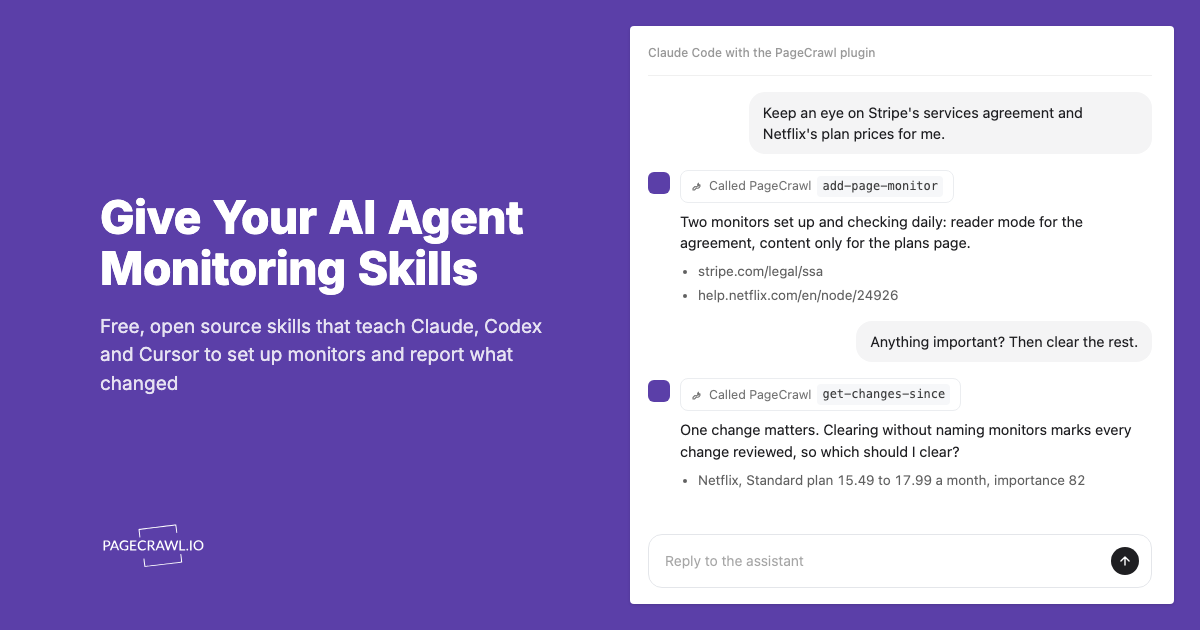
Start with the suppliers where a lapse would stop production or breach a customer flowdown, usually five or six names. Look each one up in the registry that governs their scheme, copy the record URL, and add it to PageCrawl with text tracking and a daily check. That fits inside the free tier and takes about twenty minutes.
Then add the keyword rules so "suspended", "withdrawn", and "expired" escalate to your quality channel while routine edits collect in a weekly digest. Once the noise is trained out and the alerts are landing where people read them, expand to the rest of the approved supplier list on a weekly cadence and point the webhook at your quality management system so a status change opens a supplier corrective action request on its own.
The certificate in your folder describes the past. Watch the registry, and you will know the current status of your supply base before the auditor asks.