
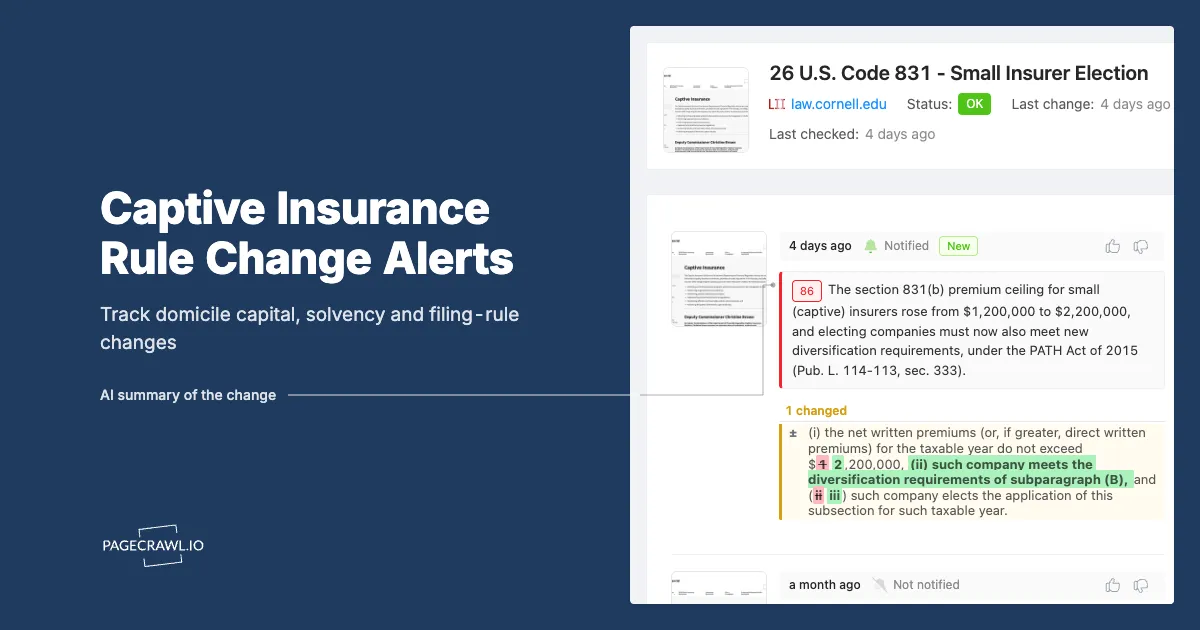
Bettina manages eleven captives across three domiciles: two single-parent captives and a protected cell company in Vermont, a risk retention group in Delaware, and a group captive in Bermuda with a segregated accounts vehicle attached. Her clients pay her to know things before they become problems. In practice, she found out about a revised annual return template in late February, four weeks after her regulator posted it, because a colleague mentioned it in a hallway at a conference.
Nothing terrible happened. The revised template only added a supplemental schedule, and she got the filings in. But it sharpened a question she had been avoiding: how many other pages had quietly changed across those three domiciles while she was not looking? A minimum capital and surplus regulation gets amended. A consultation paper opens with a six-week comment window and closes before anyone in her firm reads it. A form is re-versioned and the old one gets rejected. None of that reaches her on a schedule she controls.
Captive regulation suits automated monitoring unusually well: the number of pages that matter is small, they live on stable regulator sites, and the consequences of missing one are financial and dated. This guide covers which domicile pages carry the signal, why regulator mailing lists do not cover them, and how to set up monitoring that tells you on the next check when a capital rule, a solvency standard, or a filing requirement moves.
What actually changes on a captive domicile regulator's website?
Four things change with real consequences: bulletin lists gain new entries, regulation text is amended (minimum capital and surplus, financial reporting, governance), filing form pages get re-versioned each year, and consultation pages open comment windows with hard closing dates. Each of these is a visible edit to a specific public page.
Bulletins and guidance notes
A bulletin is how a captive regulator tells the market what it expects without amending a statute. Vermont, Delaware and Bermuda all publish them, and they are numbered and dated, which means the list page itself changes in a detectable way when a new one lands. Delaware's captive bulletins, for example, are published as numbered PDFs on the department's site, and a revised bulletin can replace a prior version rather than appear as a new number. A silent in-place revision is the dangerous case: the page looks the same length, but the substance moved.
Regulation text and capital standards
Minimum capital and surplus is the number that determines whether your captive is adequately funded in the regulator's eyes, and it varies by captive type: pure captive, association captive, industrial insured, sponsored, risk retention group. When a domicile revises these, it usually does so through an administrative rule with a stated effective date and sometimes a transition period for existing licensees. That is a page edit with a compliance deadline attached to it. Vermont publishes its captive regulations through the Vermont Department of Financial Regulation captive insurance section, which is the authoritative source rather than any secondary summary.
Filing forms and annual return templates
This is the most frequently changing category and the least covered by any alerting service. Vermont's captive applications and forms page lists the Vermont Captive Annual Report templates by version year, along with submittal forms for annual audited financial statements and the annual certification of loss reserves. When a template version rolls forward or a new supplemental schedule appears, that page text changes. Delaware publishes an equivalent list of the annual statement and premium tax documents captives must submit at its captive annual statement filing requirements page. Filing the prior year's form is a rejected filing, and a rejected filing near a deadline is an avoidable fire.
Consultation papers with closing dates
Bermuda runs a formal consultation process, and the Bermuda Monetary Authority standards and regulations section plus its documents centre are where proposed rule changes appear before they bind anyone. Consultations carry a stated comment deadline, typically measured in weeks. If you want to influence a prudential standard rather than absorb it, the window is the whole opportunity, and the window is announced on a web page.
Why is a missed captive rule change expensive rather than merely annoying?
Because captive obligations are dated and money-denominated. A revised minimum capital standard can require a capital contribution before an effective date. A re-versioned annual return can invalidate a filing. A closed consultation window removes your ability to object. And an examination finding that you were not tracking regulatory change is itself a governance problem.
The direct financial exposure
If a domicile raises minimum capital and surplus for your captive class, the owner has to fund the difference or restructure. Discovering that with a full quarter of notice is a budgeting conversation. Discovering it two weeks before the effective date is an emergency capital call to a parent company's treasury team that had no line item for it. The dollar amount is identical either way. The pain is entirely a function of lead time.
The filing deadline exposure
Captives file annual returns, audited financial statements, actuarial certifications of loss reserves, and premium tax returns. Each of those has a due date and each depends on using the current form. A late or rejected filing exposes the captive to penalties and, in a worse case, to remediation conditions on the licence. Captive managers running dozens of entities across domiciles are managing a filing calendar where a single template change ripples across every client in that domicile at once.
The governance and examination exposure
Regulators expect a captive board to have a process for staying current with the domicile's requirements, and "we read the trade press" is not a process. A timestamped record showing your team detected a rule change on a specific date, with the before-and-after text captured, turns an awkward examination question into a two-minute answer. Our guide to regulatory change management software covers how that evidence trail gets assembled.
Which specific pages should a multi-domicile captive program monitor?
Monitor the pages that display the value, not the homepages. For a Vermont, Delaware and Bermuda program that means the captive regulations and bulletins listings, the forms and annual return template pages, the annual statement filing requirement pages, and the regulator's consultation or proposed-rule listings. Roughly three to six pages per domicile.
| Domicile | Page type | What the change tells you |
|---|---|---|
| Vermont | Captive regulations listing | A capital, reporting or governance rule was amended |
| Vermont | Applications and forms | An annual return or submittal template was re-versioned |
| Vermont | Captive bulletins listing | New or revised supervisory guidance |
| Delaware | Laws, regulations and bulletins index | A new bulletin or regulation reached the public list |
| Delaware | Proposed regulations page | A rule is in its comment period and can still be influenced |
| Delaware | Captive annual statement filing requirements | The required filing set or form version moved |
| Bermuda | Standards and regulations | An insurance rule or code of conduct was updated |
| Bermuda | Discussion and consultation papers | A prudential or group solvency change is open for comment |
Cover the domiciles you do not yet use
If your program is considering redomestication, add the equivalent pages for the domiciles on your shortlist. Domicile competition is real, and states amend their captive statutes to attract formations. A capital or premium tax change in a domicile you are evaluating is decision-grade information, and it arrives as a web page edit long before it appears in a market survey.
Add the connected pages that are not regulations
Premium tax pages, fee schedules, and examination or manager licensing requirements all carry cost, as do the filing calendar pages domiciles maintain. These are cheap monitors and they catch the operational changes a regulation-only watchlist misses. If your organisation also touches the commercial market, the same approach applies to underwriting and appetite pages, covered in our post on insurance underwriting web monitoring.
Why aren't the regulator's own email alerts enough?
Some regulators run bulletin mailing lists. Delaware, for instance, offers an email subscription for departmental bulletins. But these lists cover one document class on one regulator's site, they do not cover form re-versioning or quiet edits to regulation text, and no subscription exists that spans a Vermont, Delaware and Bermuda program at once.
They cover documents, not pages
A bulletin list emails you when a bulletin is issued. It does not email you when the 2026 annual return template quietly replaces the 2025 one, when a fee schedule gains a line, or when a paragraph inside an existing regulation is amended in place. Those are precisely the changes that break a filing, and they are invisible to any document-issuance list.
They are per-regulator and per-topic
Three domiciles means three separate subscriptions with three different scopes, three different senders, and three different failure modes. Multiply that by the shortlist domiciles you are watching for redomestication and you have a mailbox nobody owns. Consolidating multiple regulators into one watchlist is a well-worn pattern, and our guide to tracking multiple regulatory websites walks through organising it without drowning in noise.
How do you set up captive regulation monitoring in PageCrawl?
Point a monitor at each domicile page, choose text tracking so layout noise is ignored, check daily or better, and route alerts to the channel your compliance team lives in. A three-domicile watchlist of a dozen pages takes under half an hour to build and then runs without maintenance.
Collect the exact URLs. Open each domicile's captive section and copy the URL of the page that actually displays the changing content: the regulations listing, the forms page, the filing requirements page, the consultation listing. Skip homepages and department landing pages, which change for reasons that have nothing to do with your captives.
Add each URL as a monitor and give it a name your team will recognise under pressure, such as "VT - Captive Annual Report Templates" or "BMA - Open Consultations". Names matter more than they seem when an alert arrives on a Friday afternoon.
Pick the tracking mode. Use text or reader tracking for regulation and bulletin pages so you compare the substantive wording and ignore navigation, banners and rotating footers. For a page whose meaning lives in a specific table (a capital requirement figure, a fee schedule row), use element or number tracking pointed at that region instead.
Set check frequency by page type. Consultation listings and forms pages during filing season deserve daily or better. Regulation text pages can sit at daily. Free-tier hourly checks are more than enough resolution for regulatory work, where the real problem is weeks of blindness, not minutes.
Choose notification channels. Route alerts to email for the record, and to Slack, Microsoft Teams, Discord or Telegram for the channel your compliance and filing team actually watch. Webhooks let you push a detected change straight into a GRC platform, a Jira ticket, or the filing calendar you already maintain.
Add keyword rules where a page is noisy. Set conditions so an alert fires when the change contains terms like "minimum capital", "surplus", "solvency", "annual return", "premium tax", "effective date" or "comment period", and stays quiet otherwise. Our walkthrough on conditional alerts using price, keyword and threshold rules shows how to build these filters.
Turn on screenshots and keep the history. A timestamped capture of the page as it read before and after the change is the artefact that makes the alert useful six months later, in an examination or in a board paper.
Group monitors into folders by domicile. One folder per domicile, with shortlist domiciles in a separate folder, keeps the watchlist legible as it grows past twenty pages.
Handling PDF-based rules
Much captive guidance lives in PDFs rather than HTML: bulletins, consultation papers, form instructions. Monitor the PDF URL directly so a re-issued document with the same filename does not slip past you, which is a common failure mode when a regulator revises a bulletin in place. Our guide to monitoring PDF documents for changes covers how to treat these as first-class monitors rather than links you hope somebody opens.
How often should each type of page be checked?
Match frequency to the deadline attached to the page. Consultation listings and forms pages carry dated windows, so check them daily at minimum. Regulation and bulletin pages can be checked daily. Fee schedules, premium tax pages and shortlist-domicile pages are fine at a slower cadence because the consequence of a two-day lag is negligible.
During filing season, tighten the fast pages
A form change published three weeks before a due date is materially different from the same change in a quiet month. If your program has a March filing peak, raise the frequency on the forms and filing requirements pages for the surrounding weeks and drop them back afterwards. Alerts arrive when the next check detects the change, so the check interval is the only lever on your lead time.
What goes wrong when monitoring government and regulator sites?
Three things: dynamic page furniture creating false alerts, documents revised in place under an unchanged filename, and URLs that move when a department redesigns its site. All three are manageable, and the fix for each is a setup decision rather than ongoing work.
Page furniture and false positives
Government sites carry news carousels, event promos, "last reviewed" stamps and social feeds that change without regulatory meaning, and left alone these train your team to ignore the channel. Use text or reader tracking to focus on the substantive body, then exclude any region that keeps firing. Our post on reducing website monitoring false positives covers the tuning pattern. A watchlist that fires four times a year and is right every time beats one that fires weekly.
In-place document revisions
The most under-appreciated risk in regulatory monitoring is the revision that does not announce itself. A bulletin gets amended and re-uploaded under the same number and the same filename. No email goes out, because from the regulator's perspective nothing new was issued. A monitor on the document URL catches it because the content differs, even when the name and the listing entry do not.
Site restructures and dead URLs
Departments redesign. A URL that worked for three years starts redirecting or returning an error, and a monitor that quietly fails is worse than no monitor because it creates false confidence. Watch for monitors reporting errors rather than changes, and re-point them when a section moves. A quarterly watchlist review alongside your filing calendar catches these before they matter.
How do you turn monitoring into evidence a regulator will accept?
Keep the change history. Every detected change stores what the page said before, what it says now, the timestamp of detection, and a screenshot. That combination answers the two questions an examiner asks: did you know, and when did you know it. Retain it for the full examination cycle rather than the current year.
Build the paper trail as a by-product
You do not assemble this evidence later. If the monitors run continuously, the archive builds itself, and the record of "no changes detected on this regulation between these dates" is as useful as the record of a change. Negative assurance is hard to produce retrospectively and trivial to produce from a monitoring history.
Link changes to actions
When an alert leads to a capital contribution, a form update, a board memo or a consultation response, note that against the change. A history showing detection followed by a dated response is a governance narrative. Detection alone is just a list. Broader structuring techniques are covered in our guide to regulatory horizon scanning.
Choosing your PageCrawl plan
PageCrawl's Free plan lets you monitor 6 pages with 220 checks per month, which is enough to validate the approach on your most critical pages. Most teams graduate to a paid plan once they see the value.
| Plan | Price | Pages | Checks / month | Frequency |
|---|---|---|---|---|
| Free | $0 | 6 | 220 | every 60 min |
| Standard | $8/mo or $80/yr | 100 | 15,000 | every 15 min |
| Enterprise | $30/mo or $300/yr | 500 | 100,000 | every 5 min |
| Ultimate | $99/mo or $999/yr | 1,000 | 100,000 | every 2 min |
Annual billing saves two months across every paid tier. Enterprise and Ultimate scale up to 100x if you need thousands of pages or multi-team access.
Compliance monitoring is the cheapest insurance you can buy. A single missed regulatory change can trigger fines in the tens or hundreds of thousands, not to mention the audit overhead of proving you did not see it coming. Enterprise at $300/year covers 500 regulatory pages with unlimited history and timestamped screenshots, which is usually exactly what an assessor wants to see. All plans include the PageCrawl MCP Server, so your compliance team can ask Claude to summarize every change to a specific regulation over the last quarter and pull the exact diff, turning your monitoring history into a queryable audit trail. AI assistants can create monitors through conversation on every plan, including Free. Standard at $80/year is enough to cover 100 pages across your primary regulatory bodies if your program is smaller.
Getting Started
Start with one domicile and three pages. Take the domicile where most of your captives sit, and monitor its captive regulations listing, its forms and annual return template page, and its bulletin listing. That is three monitors, it fits inside the free tier, and it covers the two changes most likely to cost you money: a capital rule amendment and a re-versioned filing template.
Once those are running, add your other two domiciles, then the consultation and proposed-rule pages so comment windows reach you while they are still open. Point the alerts at the Slack or Teams channel where filings are already discussed, and assign one named owner per domicile so every alert has somebody responsible for deciding what happens next.
Then add the domiciles you are only considering. A capital or premium tax change in a redomestication candidate is competitive information, and it costs one more monitor to have it.
Pick your primary domicile, add three pages today, and stop finding out about rule changes in a conference hallway.


