Ramesh runs bids for a twenty-person electrical contracting firm in Pune. On a Tuesday afternoon he opens a GeM bid his team has been pricing for nine days, planning a final review of the technical parameters before upload. The page has changed. A corrigendum posted five days earlier revised the cable specification from one conductor grade to another and added a mandatory past-performance document to the eligibility clause. His quote is built on the old grade. He has eighteen hours to reprice, chase a vendor quotation, and pull three years of completion certificates out of a filing cabinet.
They submit, and they lose on price because the reprice was rushed. What failed was not the pricing, it was discovery. Nobody had a reason to reload that page between the day they downloaded the bid document and the day they planned to submit, so a change that reset the commercial basis of the bid sat unread for five days.
Selling to government in India means watching a lot of separate websites. Common goods and services move through GeM, the national public procurement marketplace. Works and larger service tenders publish on the Central Public Procurement Portal and on the eProcurement portals run by ministries, PSUs, railways, defence organisations, and every state government. No single feed covers all of it, and the firms that win consistently see matching bids early in the response window and catch every corrigendum on the bids they are writing.
This guide covers how to turn that scatter into one monitored pipeline: which pages to watch, how corrigendum tracking works, a setup walkthrough, and the practical problems Indian bid teams hit.
Why do Indian government tenders get missed so often?
Because opportunity discovery is spread across dozens of portals with different taxonomies, and because a bid you already found can change under you. A supplier can watch GeM diligently and still miss a state works tender, or win the discovery race and lose on a corrigendum they never read.
The volume is genuinely large
Public procurement in India is not a niche channel. The Press Information Bureau reported that GeM crossed ₹4 lakh crore in gross merchandise value within ten months of FY 2024-25, and that is one portal among many. CPPP aggregates notices from central government organisations, and each state runs its own eProcurement system on top of that. For a specialised firm the relevant subset is small, but it is scattered across sources that do not talk to each other.
Every portal has its own filters and language
GeM organises around product and service categories. CPPP filters by keyword, location, value, organisation name, organisation type, tender type, and product category. State portals use their own department lists and work classifications. A "cable laying" tender might be categorised three different ways on three portals, which is why a single search on a single site quietly misses work you were qualified to win.
Buyers also word the same scope as "supply and installation", "turnkey execution", or "erection, testing and commissioning" depending on who drafted the notice. Serious watchlists therefore run several searches per portal rather than one perfect query.
The window is short and partly invisible
Bid windows on smaller GeM tenders can be measured in days, not weeks. Discover a bid with three days left and you are competing against firms that saw it on day one. Then the corrigendum risk starts: a change to specification, eligibility, or closing date that arrives while you are drafting, and that nobody posts you a copy of.
What should you monitor on GeM and eProcure?
Monitor filtered search or listing pages rather than individual notices for discovery, and monitor individual bid pages for the tenders you are actively pricing. Two different jobs, two different monitor types. Discovery finds new work; bid-page monitors defend the work you have already committed effort to.
Filtered search result pages for discovery
Build the search that describes your business on each portal, apply your category, location, and value filters, then copy the results URL from the address bar and add it as a monitor. When a new notice enters those results, the alert shows you the new row. Aim for searches returning roughly five to thirty open notices; hundreds means the query needs another filter.
Run one monitored search per category family rather than one giant query. A firm doing both electrical works and instrumentation supply should watch those separately, so you can tell which line of business an opportunity belongs to without opening it.
Individual bid pages for corrigendum defence
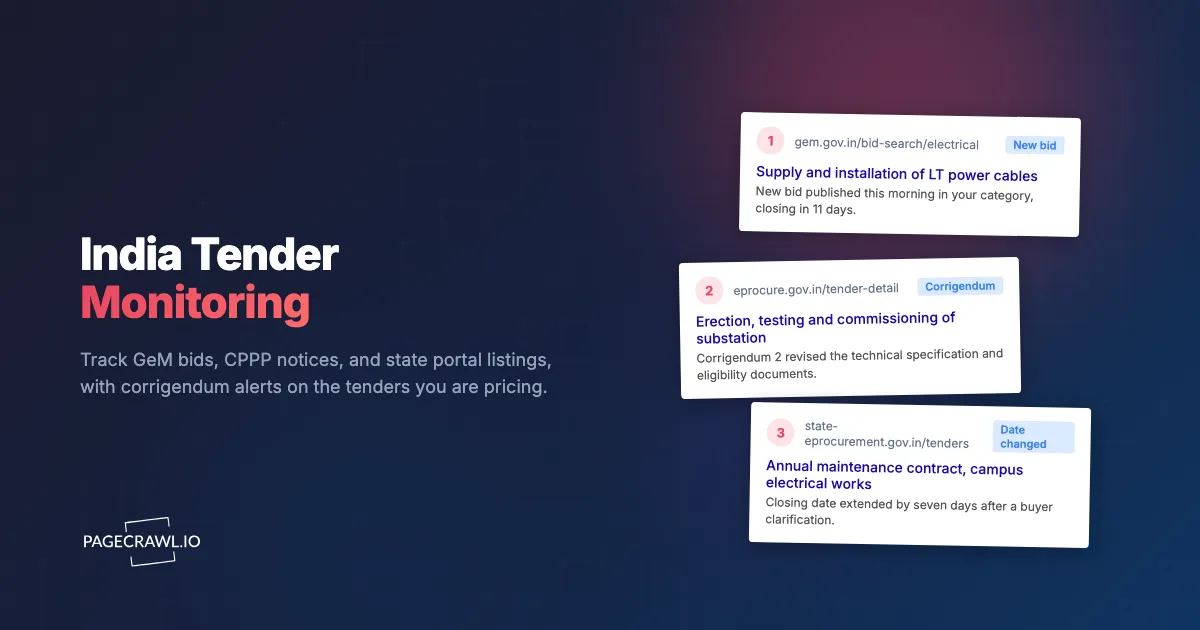
The day your team decides to bid, add that specific bid or tender detail page as its own monitor. This is the highest-value monitor in the setup because it protects effort already spent. A corrigendum that revises a technical parameter, adds a document to the eligibility list, changes the EMD amount, or moves the closing date reaches you as a diff of the changed lines instead of being discovered by luck on a final review. Retire the monitor after submission so the watchlist does not fill with dead tenders.
Award and results pages for the losses
Contract award pages are worth watching even when you are not bidding. Knowing who won, at what value, and how often a buyer awards to the same three vendors tells you where your effort is worth spending. Over a year that becomes the most honest input into your bid-no-bid decisions, and it is the discipline described in our guide to RFP monitoring and government contract alerts.
Policy and eligibility pages
Procurement rules change what you are entitled to bid for. The Ministry of MSME's public procurement policy for micro and small enterprises sets an annual procurement target from MSEs for central ministries, departments, and CPSEs, with sub-targets for enterprises owned by SC/ST entrepreneurs and by women entrepreneurs. If your eligibility rests on a registration, a preference scheme, or a local-content rule, watch the official page describing it. These pages change rarely, which is why nobody checks them and why a change goes unnoticed for months.
How do you catch a GeM corrigendum before it costs you the bid?
Add the specific bid page as a monitor on the day you decide to bid, check it at least daily, and route the alert to a channel your bid team actually reads. A corrigendum can revise specifications, eligibility conditions, or the closing date, and the alert arrives on the next check after the page updates.
What a corrigendum can change
Buyers issue corrigenda to correct errors, revise technical specifications, alter terms and conditions, or extend timelines. Any one of those can invalidate work already done. A specification change resets your costing. An eligibility change disqualifies a bid that was compliant yesterday. A date extension moves your internal deadlines and changes who else has time to enter the race.
Why relying on the portal alone fails
Portals do publish corrigenda, and CPPP surfaces them on the tender detail screen and on the active tenders list. The failure is not publication, it is attention. Between download and submission a bid page is typically opened twice, once at the start and once at the end, and everything that changes in between is invisible unless somebody reloads out of habit. Monitoring replaces the habit with a check that runs whether or not anyone remembers.
Set the frequency to match the risk
For a bid worth a few lakh with a two-week window, a daily check is proportionate. For a high-value tender in its final week, tighten to the fastest frequency your plan allows so a late corrigendum reaches you with working hours to spare rather than overnight. On the paid tiers checks run every 15, 5, or 2 minutes.
Keep the diff as evidence
When an alert fires, the diff and timestamped screenshot record what the page said before and after. That settles internal arguments about whether a requirement was always there, and it is useful when you need to show a partner exactly what changed and when. Our guide to EU TED tender monitoring covers the same amendment-tracking discipline on European notices.
Which Indian portals belong on your watchlist?
Start with GeM and CPPP, then add the state portal for every state you deliver in, plus the standalone eProcurement sites of the PSUs and departments that buy what you sell. Most firms end up with five to twenty-five monitored pages once discovery searches and live bid pages are counted.
| Source | What publishes there | Monitor type |
|---|---|---|
| GeM | Common goods and services, custom bids, category-based bids | Filtered category search, plus live bid pages |
| CPPP (eprocure.gov.in) | Tender notices, corrigenda, and award details from central government organisations | Filtered keyword and location search |
| State eProcurement portals | State department, corporation, and municipal tenders | One filtered search per state you deliver in |
| PSU and departmental portals | Railways, power utilities, defence organisations, ports, and large PSUs running their own systems | One listing page per buyer that matters to you |
| Buyer award pages | Contract award notices and results | One monitor per priority buyer |
Prioritise by where you actually win
Do not try to cover the whole country on day one. Pull the tenders your firm bid on in the last twelve to eighteen months, note which portal each came from, and build monitors for those sources first. A watchlist grown from your own bid history beats an aspirational one that generates alerts nobody reads.
Then keep a sheet listing each monitor: URL, portal, category family, and the owner of triage. It answers the question that always follows a missed opportunity, which is whether the source was being watched at all. That coverage-sheet habit keeps multi-portal setups honest, in India as much as in our Canadian government tender monitoring guide.
How do you set up India tender monitoring in PageCrawl?
Build each portal search, copy the results URL, add it as a monitor, choose how the page is tracked, set the check frequency, and route alerts to the channel your bid team lives in. The first watchlist takes about half an hour, and every monitor after that takes a minute.
Build the search on the portal. On GeM, filter to your product or service category and any location or value constraints. On CPPP, use the tender search with your keywords, location, organisation type, and product category. Sort by publication date and confirm the result set is a manageable size before you go any further.
Copy the results URL. Test it by pasting the address into a fresh browser tab. If it comes back with your filters intact, it is monitorable. If the portal resets to a blank search, monitor the portal's latest-tenders listing for your category instead and filter with keyword rules.
Add the URL to PageCrawl. Give the monitor a name that says what it covers, for example "CPPP: electrical works, Maharashtra" rather than "Tender 1". You will thank yourself when the watchlist reaches twenty entries.
Pick the tracking mode. For a search listing, content tracking on the results area works well: new rows trigger an alert and the page furniture is ignored. For a live bid page, track the tender detail content so specification, eligibility, EMD, and date changes all register. For a bid document served as a PDF, use PDF text extraction so a revised attachment is compared as text rather than as a file name.
Set the check frequency. Daily suits discovery searches, because portals publish on a working-day rhythm and a morning digest turns discovery into a five-minute triage. Tighten live bid pages during the final week of a window. Free checks hourly, Standard every 15 minutes, Enterprise every 5, and Ultimate every 2.
Choose notification channels. Route discovery alerts to a shared channel the whole bid team sees. PageCrawl sends to email, Slack, Discord, Microsoft Teams, Telegram, and outbound webhooks, so alerts land in an existing bid-desk channel or feed your CRM through a webhook rather than starting another inbox.
Add keyword and threshold rules. Filter discovery alerts to words describing work you can deliver, and add a contract-value threshold if you never bid below a certain size. Our walkthrough on conditional alerts using price, keyword, and threshold rules covers building these conditions.
Turn on screenshots and read the first week of alerts. Correct anything that fires on noise. A monitor tuned in week one stays quiet and trustworthy for the rest of the year.
What problems come up when monitoring Indian procurement portals?
The usual ones are search URLs that do not survive a reload, pages behind a login, bid documents that live inside attachments, and portal noise that fires alerts with no content in them. Each has a practical workaround, and none require you to abandon the portal.
Portal noise and false alerts
Procurement portals generate movement that means nothing: result counts, "last updated" stamps, rotating banners, session identifiers, and pagination. Left alone these produce alerts nobody can act on, and a feed people ignore is worse than no feed because it creates false confidence. Exclude a region after it triggers a meaningless change and within a couple of cycles the monitor only speaks when the tender list changes. Splitting the streams helps too: discovery as a daily digest for whoever owns bid-no-bid decisions, corrigendum alerts on live bids as something personal and noisy.
Search URLs that reset
Some eProcurement systems keep search state in a session rather than in the URL, so pasting the address into a new tab returns a blank search. Monitor the portal's public latest-tenders or category listing page instead and filter with keyword rules on the alert side. You cast a slightly wider net, but nothing is missed because a session expired.
Pages that need a login
Parts of GeM behave differently for a signed-in seller than for an anonymous visitor. Where the view you need requires a session, set the monitor up as authenticated monitoring so checks see the signed-in page rather than a login screen. This is a one-time setup.
Note: monitoring is read-only. It watches pages and tells you what changed. It does not submit bids, and it is not a substitute for your own portal registrations and digital signature certificate.
Content that lives inside attachments
On works tenders especially, the substance sits in a downloadable document rather than in the HTML. Where a stable document URL exists, monitor it with PDF text extraction so a revised annexure shows as a text diff. Where the document sits behind a download workflow, monitor the tender detail page for a new corrigendum entry or a changed document list, which is the signal to re-download.
Regional language and formatting variation
State portals vary in layout, language, and how much detail appears in the listing versus the detail page. Rather than chasing one universal configuration, treat each portal as its own small setup: check what its listing rows contain, decide whether the listing alone is enough or whether shortlisted tenders need detail-page monitors, and move on.
Clustering around the financial year end
Publication and closing dates cluster around the government financial year end and thin out around major public holidays, so the periods when your watchlist is busiest are the periods when your team has least slack. Tune the filters before that rush, not during it.
Choosing your PageCrawl plan
PageCrawl's Free plan lets you monitor 6 pages with 220 checks per month, which is enough to validate the approach on your most critical pages. Most teams graduate to a paid plan once they see the value.
| Plan | Price | Pages | Checks / month | Frequency |
|---|---|---|---|---|
| Free | $0 | 6 | 220 | every 60 min |
| Standard | $8/mo or $80/yr | 100 | 15,000 | every 15 min |
| Enterprise | $30/mo or $300/yr | 500 | 100,000 | every 5 min |
| Ultimate | $99/mo or $999/yr | 1,000 | 100,000 | every 2 min |
Annual billing saves two months across every paid tier. Enterprise and Ultimate scale up to 100x if you need thousands of pages or multi-team access.
Compliance monitoring is the cheapest insurance you can buy. A single missed regulatory change can trigger fines in the tens or hundreds of thousands, not to mention the audit overhead of proving you did not see it coming. Enterprise at $300/year covers 500 regulatory pages with unlimited history and timestamped screenshots, which is usually exactly what an assessor wants to see. All plans include the PageCrawl MCP Server, so your compliance team can ask Claude to summarize every change to a specific regulation over the last quarter and pull the exact diff, turning your monitoring history into a queryable audit trail. AI assistants can create monitors through conversation on every plan, including Free. Standard at $80/year is enough to cover 100 pages across your primary regulatory bodies if your program is smaller.
Getting Started
Start with two monitors, not twenty. Build one filtered search on the portal where most of your work comes from, GeM or CPPP for most suppliers, and add it with a daily check and a shared alert channel. Then add the single bid page your team is currently pricing, checked as often as your plan allows, so the next corrigendum reaches you as a diff rather than as a discovery on submission day.
Run those two for a week and read every alert, correcting anything that fires on page furniture. Once they are quiet, expand along your bid history: a search per category family, a state portal for each region you deliver in, and a live bid monitor opened whenever you commit to a tender.
Stop finding out about specification changes on submission day. Put the pages that decide your bids on a watchlist and let the changes come to you.