
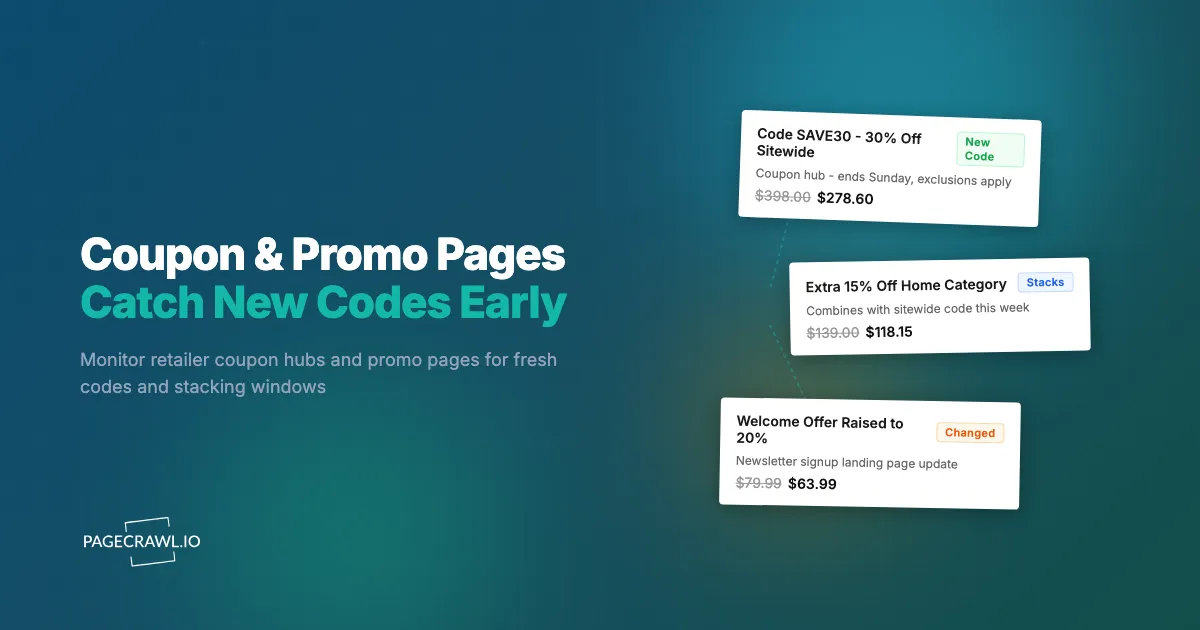
You had a $412 cart saved at your favorite retailer, waiting for a decent code. On Thursday night the retailer quietly posted a 30% off sitewide code on its own coupons page, valid for 48 hours. You found out on Sunday from a friend, a full day after the code expired, and ended up paying full price for half the cart and abandoning the rest. The discount existed. You just were not told.
This is the frustrating economics of promo codes. Retailers publish their best codes on their own sites, on coupon hub pages, loyalty offer pages, and newsletter welcome landing pages, and those codes run on short, unannounced windows. The stacking opportunities are even shorter: the few days when a sitewide percent-off code overlaps with a category code and a rewards credit are the cheapest days of the quarter to buy, and they are never advertised as such.
Aggregator sites and browser extensions are built for the checkout you are already doing. They answer "is there a code for this cart right now?" They do not answer the more valuable question: "a new code just appeared, should I buy now?" For that, you need to watch the source pages themselves.
This guide covers which retailer pages actually carry the codes, why aggregators and extensions keep missing the good ones, how to spot stacking windows, and how to set up automated monitoring so a fresh code reaches your phone on the next check instead of after it expires.
Why do the best promo codes disappear before you can use them?
The strongest codes run on deliberately short windows, often 24 to 72 hours, and retailers rarely announce them beyond their own pages and email lists. By the time a code spreads to aggregators and forums, the window is half gone, the best inventory is sold, or the code has hit its redemption cap and stopped working.
Short windows are the point
A deep discount that ran forever would just be the price. Retailers use short-lived codes to create urgency, clear specific inventory, or hit an end-of-quarter number, and then pull them. Flash codes tied to a single weekend, a holiday, or a "friends and family" event are the deepest discounts most retailers ever offer, and they are structurally designed to be missed by anyone who is not paying attention that exact week.
Redemption caps kill codes early
Many codes carry a hidden budget: a maximum number of redemptions or a total discount spend. A code advertised as "valid through Sunday" can die on Friday afternoon because it hit its cap. This is why a code that works for the person who found it early routinely fails for the person who found it through a forum thread two days later. Early discovery is not a nice-to-have, it decides whether the code works at all.
Demand around promotions is enormous
Promotions move real crowds. The National Retail Federation counted a record 202.9 million shoppers over the 2025 Thanksgiving weekend, and its survey found sales and promotions were a primary motivator for those purchases. When that many people respond to discounts, the limited ones, capped codes, doorbuster quantities, clearance-plus-code combinations, are consumed fast. The shopper who learns about the offer on day one is playing a different game from the one who learns on day three.
What coupon and promo pages should you monitor?
Monitor the retailer's own coupon hub, its current promotions or offers page, its loyalty program offers page, and its newsletter signup landing page. These four page types are where codes are born. Everything on aggregator sites is downstream of them, later, incomplete, and often already expired.
Here is how the main page types differ and what a change on each one means:
| Page type | Example | What changes | What it tells you |
|---|---|---|---|
| Coupon hub | Retailer's "coupons and deals" page, like the one Kohl's maintains | New code blocks, expiry dates, exclusion lists | A code you can use today, plus how long you have |
| Promotions / sale event page | "Current offers", "deals of the week" | Event names, dates, featured categories | Which categories are about to get cheap |
| Loyalty offers page | Target Circle deals and bonus offers | Member-only percent-off deals, bonus reward offers | Discounts that never appear on aggregators at all |
| Newsletter welcome landing page | "Sign up and get 15% off" page | Welcome offer size and terms | When the signup incentive jumps from 10% to 20% |
| Promo terms / fine print page | Offer terms and conditions page | Stacking rules, exclusions, date ranges | Whether two offers can legally combine |
The retailer coupon hub
Most large retailers maintain a first-party coupons page listing every code that is currently live: sitewide percentages, category codes, cardholder codes, shipping codes. This single page is the master record. When a new code launches, this page changes. When an exclusion list is quietly edited, this page changes. One monitor here replaces hours of manual checking, and it sees codes that never get submitted to aggregators.
Loyalty program offer pages
Programs like Target Circle publish member deals and bonus offers on their own pages, and these are invisible to most code-scraping tools because they are tied to accounts, not paste-anywhere codes. If you shop a retailer regularly, its loyalty offers page is often worth more than its public coupon hub, and it changes weekly.
Newsletter welcome landing pages
The "get 15% off your first order" landing page is a monitoring target most people never think of. Retailers tune this number seasonally. When a brand raises its welcome offer from 10% to 20% ahead of a slow quarter, that is a signal: sign up with a fresh email that week, and expect broader discounting to follow. The landing page copy is where that change shows up first.
Promo terms pages
The fine print page attached to a promotion answers the question the marketing banner never does: what does this exclude, and what does it stack with? When a retailer edits an exclusion list mid-promotion (it happens more often than you would expect), the terms page is the only place the change appears. If you are planning a large purchase around a code, the terms page is the page to watch.
How do you catch coupon stacking windows?
Monitor the coupon hub and the loyalty offers page of the same retailer together. A stacking window opens when both change in the same period: a sitewide code goes live while a category code or rewards multiplier is already running. Alerts from both monitors landing in the same week is your buy signal.
What a stacking window looks like
Stack-friendly retailers, Kohl's being the classic example, allow a sitewide percent-off code, a category-specific code, and earned rewards credit to combine in one order. Each piece is individually unremarkable: 20% off here, 10% off apparel there, $10 credit from a previous order. Combined during the overlap, the effective discount can reach 40% or more. The overlap is the scarce thing. Sitewide codes might run four or five times a year, and only some of those runs coincide with a category code you care about.
Why monitoring is the only practical way to catch overlaps
Catching an overlap manually means checking two or three pages, per retailer, every day, indefinitely, and most days finding nothing. That is exactly the kind of tedious, high-value watching that automation is for. With a monitor on each source page, the overlap announces itself: two alerts about the same retailer within a few days means the stack is live. Add the promo terms page and you also learn whether the combination is allowed before you build the cart.
Plan purchases around windows, not urges
The deepest savings come from inverting the usual shopping sequence. Instead of deciding to buy and then hunting for a code, keep a running wishlist per retailer and let the alerts decide the timing. When the stacking window opens, buy everything on the list at once, because multi-code stacks usually apply per order, so one big order during the window beats five small ones spread across the year.
Why aren't coupon aggregator sites and extensions enough?
Aggregators and checkout extensions are reactive and crowd-sourced. They surface codes that other shoppers already found, tested, and submitted, which builds in a delay of hours to days, precisely the delay that kills capped and short-window codes. They also miss loyalty offers, welcome offer changes, and terms edits entirely.
The submission lag
A code on an aggregator got there because someone found it on the retailer's site or in an email, used it, and submitted it. You are, by definition, behind that person. For long-running codes it does not matter. For the 48-hour flash code and the capped friends-and-family code, the aggregator timeline is a list of things that recently worked, not things that work now. Anyone who has pasted five "verified" codes into a checkout and watched them all fail knows this experience.
Extensions optimize the wrong end
Checkout extensions activate after you have decided to buy, at the cart. They cannot tell you that a code appeared on Tuesday and that this is the week to make the purchase you have been putting off. The savings from picking the right week routinely dwarf the savings from finding a slightly better code at checkout. Timing is upstream of code selection, and only source-page monitoring gives you timing.
Loyalty and terms changes never reach them
Member-only offers on pages like Target Circle, welcome offer increases on newsletter landing pages, and mid-promotion edits to exclusion lists are not paste-able codes, so aggregators have no mechanism to carry them. A meaningful share of the real discount landscape is simply invisible to code-scraping tools. A page monitor sees all of it, because it watches the page, not the code format.
How do you set up coupon and promo page monitoring in PageCrawl?
You add each promo page as a monitor at pagecrawl.io, pick a tracking mode that watches the offer content, set a check frequency matched to how fast that retailer moves, and route alerts to the channel you actually see. Setup for a retailer takes about five minutes.
- Add the URL. Go to pagecrawl.io, create a free account, and add the retailer's coupon hub page as your first monitor. Add the loyalty offers page and the newsletter landing page as separate monitors if you shop that retailer often.
- Pick a tracking mode. For a coupon hub, track the page content or select just the list of offers, so alerts fire when a code block is added, removed, or edited rather than when a banner rotates. For a terms page, full text tracking works well because any edit matters. AI-assisted tracking can also be told in plain language to focus on codes, discount amounts, and dates and ignore everything else.
- Set the check frequency. Codes launch on business-day mornings more often than not, but flash offers appear at odd hours. Hourly checks on the free tier are a fine starting point for slower retailers. For flash-heavy retailers and event weeks, the 15-minute checks on Standard or the 5-minute checks on Enterprise mean a short-window code still reaches you with most of its life left.
- Choose notification channels. Email suits a personal deal watch. For a household or a deal-sharing group, push the alerts into Slack, Discord, Teams, or Telegram so everyone sees the code at once, and webhooks let you feed changes into a spreadsheet or automation of your own. A phone-visible channel matters more than a perfect one, because a code alert you read tonight is worth more than one you read on Sunday.
- Add keyword and threshold rules. This is the step that separates a useful system from a noisy one. Set a keyword rule so alerts only fire when the change contains "%" or "code" or "off", or a threshold rule so only discounts of 20% or more ping you. Our guide to conditional alerts with price, keyword, and threshold rules walks through the options in detail.
- Test it. Trigger a manual check, confirm the baseline snapshot looks right, and make sure the monitor is reading the offers area and not a cookie banner or a rotating hero image.
A starter portfolio
A sensible first setup is three retailers you actually buy from, two pages each: the coupon hub and the loyalty offers page. That is six monitors, which fits the free tier exactly, and it will teach you each retailer's promotional rhythm within a month. Expand from there to newsletter landing pages, terms pages, and seasonal event pages as you learn which alerts you act on.
How do you keep promo alerts useful instead of noisy?
Filter aggressively, monitor the offers area rather than the whole page, and match frequency to each retailer's tempo. The goal is a quiet feed where every alert is a code worth reading. An unfiltered promo page monitor will drown you in banner rotations and train you to ignore it.
Ignore the parts of the page that always change
Promo pages are among the noisiest pages on the web: countdown timers, rotating heroes, "trending now" carousels, personalized recommendations. Scope the monitor to the code list or offers grid, and tell PageCrawl to ignore regions that change without meaning. Our guide to reducing website monitoring false positives covers how to train out the noise in a couple of checks.
Let keyword rules define "worth knowing"
Decide in advance what deserves your attention, for example any sitewide code, any code of 25% or more, or any change mentioning "stack" or "extra". Encode that as keyword and threshold conditions. Everything else still gets recorded in the monitor's history, so you can review the full picture weekly, but only the qualifying changes interrupt you.
Match frequency to the retailer's rhythm
A retailer that refreshes codes every Monday needs a daily check at most. A flash-sale-heavy retailer justifies the fastest frequency your plan allows, especially during November, when the difference between hourly and 15-minute checks is the difference between catching and missing a capped code. During major sale periods it is worth temporarily raising frequency on your key monitors, the same approach we recommend for Black Friday and Cyber Monday deal monitoring.
Beyond codes: monitoring the whole discount surface
Codes are one layer of a retailer's discount system. The same monitoring habit extends naturally to sale sections, clearance pages, and price drops on specific products, and the combination is where the deepest savings live: a clearance price with a sitewide code on top is usually the lowest price an item will ever have.
A practical structure is one folder per retailer containing its promo pages plus a handful of product pages you are actively waiting on. When a product page alert (price drop) and a coupon hub alert (new code) arrive in the same window, you have found the bottom. If you want the broader version of this system, covering sale sections and price tracking across many stores, our guide on getting notified when anything goes on sale is the natural next read.
For resellers and deal-community moderators, the same setup is a content engine. Being the first person to post a working code with its terms and stacking notes is exactly the value a deal community rewards, and a monitored coupon hub hands you that first post reliably.
Choosing your PageCrawl plan
PageCrawl's Free plan lets you monitor 6 pages with 220 checks per month, which is enough to validate the approach on your most critical pages. Most teams graduate to a paid plan once they see the value.
| Plan | Price | Pages | Checks / month | Frequency |
|---|---|---|---|---|
| Free | $0 | 6 | 220 | every 60 min |
| Standard | $8/mo or $80/yr | 100 | 15,000 | every 15 min |
| Enterprise | $30/mo or $300/yr | 500 | 100,000 | every 5 min |
| Ultimate | $99/mo or $999/yr | 1,000 | 100,000 | every 2 min |
Annual billing saves two months across every paid tier. Enterprise and Ultimate scale up to 100x if you need thousands of pages or multi-team access.
The math is straightforward. Standard at $80/year covers 100 product pages. If monitoring catches one $20 price drop, one mispriced competitor SKU, or one restock you would otherwise miss each month, the plan has paid for itself roughly four times over in the first year. For teams running real competitive pricing programs, Enterprise at $300/year tracks 500 SKUs, which is usually enough to cover a full category across every major competitor.
Getting Started
Start with the one retailer where you spend the most. Add its coupon hub page as a free monitor, scope the tracking to the offers list, and add a keyword rule so only real codes ping you. Then add its loyalty offers page as a second monitor, because that is where the discounts nobody else sees live.
Run the pair for two weeks. You will learn the retailer's promotional rhythm, and somewhere in that fortnight a code will reach you with its full window still ahead of it. Build your wishlist, wait for the overlap, and buy once at the bottom.
Stop finding out about codes after they expire. Watch the pages where they are born.


