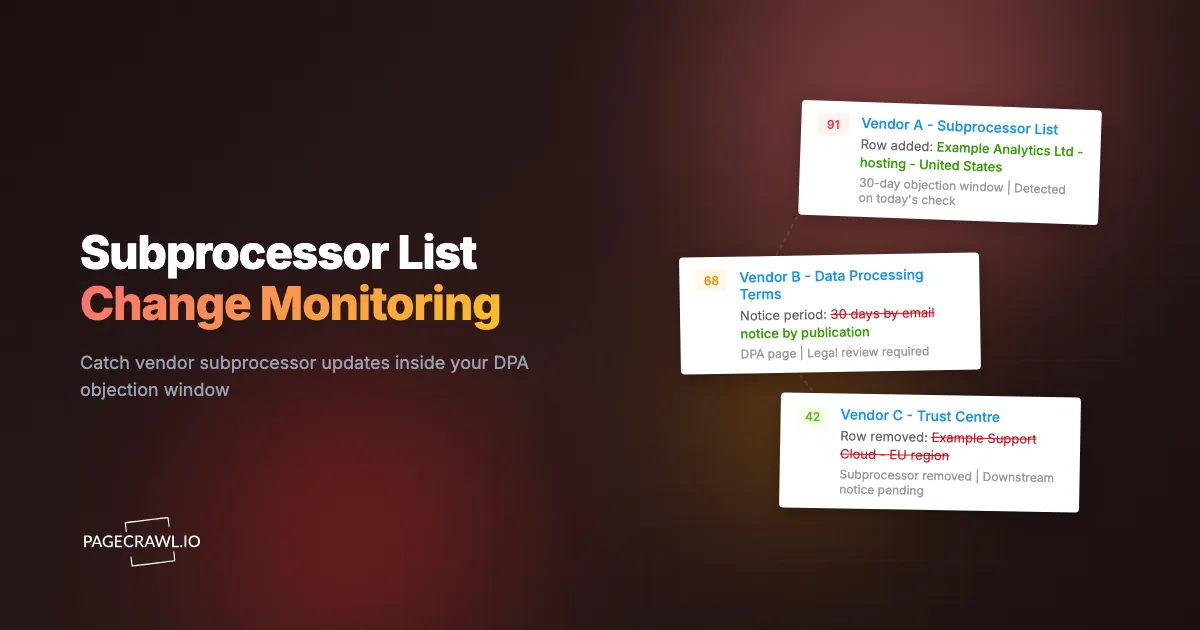
A subprocessor alert tells you that captured wording changed. It does not tell you whether the new entity handles your data, whether the edit constitutes contractual notice, or whether your team needs to object. Those are review questions, and answering them requires more than the current list.
Consider a fictional vendor that adds a support provider to a page covering several products. Your company uses only one of those products. The first useful action is to identify the affected service and connect the change to the applicable agreement, rather than treating every addition as a new deadline for every customer.
This guide starts after detection. It explains how to turn an alert into a review record with a verified scope, timing basis, owner, and decision. For source discovery, capture settings, and portfolio coverage, use the separate subprocessor monitoring setup guide.
What should you check in the signed DPA before setting a deadline?
Check the applicable signed agreement for its authorization model, notice channel, notice timing, objection procedure, and available remedies. Do not assume a public page edit starts a universal 30-day window. Record the contractual basis for the deadline, and have the responsible privacy or legal owner resolve any ambiguity before treating it as confirmed.
Article 28(2) of the GDPR requires prior specific or general written authorization for another processor. Under general authorization, the processor must inform the controller about intended additions or replacements, giving the controller an opportunity to object. The article does not prescribe a single notice period for every contract.
Extract the operational terms
Read the signed DPA and relevant amendments, then record:
- Applicable service: The product, entity, and processing arrangement covered by the agreement.
- Authorization model: Whether the agreement uses specific or general authorization and what approvals are already documented.
- Notice mechanism: Email, a named publication page, a portal, or another agreed route.
- Timing language: The trigger event, period, treatment of business days, and any relevant delivery rules.
- Objection route: Where an objection must be sent, who may send it, and what information it needs.
- Next steps: The process for questions, objections, mitigation, or termination described by the contract.
A new standard DPA on the vendor's website is useful context, but it does not by itself establish that your signed terms changed. Keep the version applicable to your relationship available to the reviewer.
The European Commission's controller-processor standard contractual clauses also distinguish authorization options. In the general-authorization option, the notice period is a field to be agreed. Do not borrow a deadline from a different vendor or a generic template.
What belongs in a subprocessor change review record?
Create a record that separates the captured change, the vendor's notice, your contractual timing assessment, and the review outcome. Include the affected service and a named owner. A reader should be able to understand why the team acted, or decided no action was needed, without reconstructing the case from scattered alerts.
| Field | What to record |
|---|---|
| Review reference | A unique ticket or register entry |
| Vendor and service | The product, region, and configuration actually used |
| Change | Entity added or removed, or purpose/location amended |
| Source evidence | URL, captured comparison, relevant versions, and source files |
| Detection time | When your monitor captured the change, with timezone |
| Vendor notice | The original email, portal notice, or applicable publication record |
| Proposed effective date | The date stated by the vendor, if any |
| Deadline basis | Applicable clause, trigger event, and reviewed calculation |
| Review ownership | Responsible person, deputy, and next internal checkpoint |
| Outcome | Decision, rationale, approval, and any required follow-up |
Keep three dates distinct
Suppose, in a fictional example, a vendor notice is dated November 3, your monitor detects a list edit on November 5, and the notice proposes engagement on December 4. These are three different facts. The detection on November 5 does not automatically restart a notice period or establish when the vendor first published the information.
Record an unverified deadline as unverified. Missing information should create a follow-up for the owner, rather than a guessed due date that everyone later treats as authoritative. Use your existing contract or ticketing system for deadline tracking; PageCrawl's change timestamp is evidence of a capture, not an automatic contract interpretation.
How do you confirm that a change applies to your service?
Compare the changed entry with the product and region you use, then check the processing purpose and any scope notes. Ask the vendor to clarify uncertain applicability. A shared subprocessor page can cover several services, so a new entity on that page does not necessarily process your organization's data.
Start with the captured source:
- Is the entry part of the list for your product, or a separate product family?
- Does its stated purpose relate to a feature your team uses?
- Does its region match your service configuration?
- Are there footnotes, effective dates, or exceptions outside the highlighted row?
- Does the vendor's notice describe a narrower or wider change than the page?
Inspect the original context before relying on an AI summary. A row moved between sections may look like a removal and addition; a renamed legal entity may need confirmation before you treat it as a new supplier.
If you discover that the monitor watches the wrong regional list or only captures the first page of a table, fix the coverage gap and document the limitation. The setup guide explains how to validate those sources. A corrected monitor cannot reconstruct versions that were never captured.
How do you turn a detected change into a documented objection review?
Use a consistent review sequence: confirm the source change, establish applicability, assess the relevant commitments, decide through the authorized owner, and save the outcome. Keep open questions and follow-up dates visible. A change is complete for your process only when the agreed decision and required actions are documented.
A five-step review with a recorded outcome
- Confirm the change. Open the diff. Identify whether the entity was added, removed, or had its role or country changed. A removal can matter as much as an addition if your customers were told a specific processor handled a specific function.
- Scope it to your data. Does the new entity touch the service you actually use, and the categories of personal data you send? Many additions apply to product lines you do not buy, and those close in one line.
- Assess relevant commitments. Have the privacy or legal owner review the processing purpose, location, transfer arrangements where relevant, and applicable customer commitments. Avoid inferring a breach from an entity's name or location alone.
- Decide and act through the agreed process. Record acceptance, no applicable action, a request for information, or an objection as appropriate to the agreement and your review. A request for information does not by itself extend a deadline. If time remains uncertain, escalate it to the responsible owner rather than silently closing the record.
- Record the decision. Store the diff, the screenshot, the date detected, the reviewer, and the outcome. That record is what turns a monitoring feed into an audit trail.
Check downstream obligations separately
If your organization processes data for customers, review whether the vendor change affects your own subprocessor arrangements and notice commitments. Do not assume that every upstream list edit requires the same outbound message to every customer.
When an outbound action is required, link it to the review record and record its recipient scope, approval, delivery method, and time. Keep the relevant notice deadline separate from the date your monitor happened to detect the edit.
What evidence should you retain for the review?
Retain the source material needed to explain the decision: the captured change, relevant before-and-after versions, vendor notice, applicable agreement reference, assessment, and outcome. Preserve original files separately from summaries or annotations. The record should show what you observed and how you responded, while making capture gaps and unresolved questions explicit.
Keep evidence and interpretation separate
A useful record might contain:
- The captured list before and after the detected change.
- The original vendor email or downloaded notice, including its stated dates.
- A comparison identifying the relevant row or wording.
- The agreement clause used to establish the response process.
- Review notes identifying applicable products and unanswered questions.
- The final decision, approving person, and any follow-up correspondence.
A screenshot is helpful context, but it may not include content below the visible area or inside a closed section. A captured text comparison may omit formatting or linked attachments. Preserve the original relevant files when your process requires them and identify what each artifact actually contains.
Keep originals, annotations, verification results and scope gaps distinct in the evidence package you hand to the reviewer. None of those artifacts alone guarantees an audit conclusion.
Retain records according to your policy
Apply the retention period and access controls approved for the relevant contracts and records. Check the monitoring plan's history availability and any exports your process needs before depending on a future lookup. The website archiving guide describes additional capture options, while the third-party risk management guide places review records in the broader program.
Do not treat a summary as a substitute for the underlying captured source. If an artifact is unavailable, record the gap and the evidence you used instead.
What goes wrong with subprocessor monitoring, and how do you avoid it?
Watch for three operational failures: irrelevant page edits overwhelming the review queue, incomplete captures being mistaken for coverage, and alerts being closed without a decision record. Resolve each explicitly. Filtering can reduce noise, but an aggressive threshold or ignored region can also hide a small change that matters.
Noise from the rest of the page
Legal pages carry rotating banners, "last updated" timestamps, chat widgets and marketing modules that change without the list changing. Scope the monitor to the list region and mark the noisy areas to be ignored after the first couple of false alerts. A monitor that fires weekly on a cookie banner gets muted, and a muted subprocessor monitor is worse than none because it leaves the coverage claim in your policy intact.
Lists behind logins or rendered on the fly
For a gated trust portal, configure authorized login access and verify that captures show the list rather than a sign-in screen. For a dynamically loaded list, inspect the extracted content and any required wait or interaction settings. Recheck access after login changes, and keep the vendor's subscription or notice route active.
Vendors with no published list
Some smaller vendors have no subprocessor page. Request the list in writing at renewal and get a commitment to publish or to email changes to a named group address rather than an individual. Until then, monitor the privacy policy's data-sharing section as an imperfect proxy. If you are unsure whether a given entity even counts, our explainer on what a subprocessor is sets out the definitions and examples.
Treating detection as completion
The subtlest failure is a monitoring program with no review workflow behind it. Alerts arrive, people glance at them, nothing gets recorded, and the audit position is no better than before. Detection is the input. The dated decision is the deliverable. Assign a named reviewer and a triage service level, and check the backlog monthly.
How do you close a review without losing the follow-up?
Close a review only when its outcome, rationale, decision owner, and required actions are recorded. If the team is waiting for vendor information, keep a visible follow-up with an owner and checkpoint. A monitoring alert marked reviewed is a workflow status; it does not establish that contractual obligations have been satisfied.
Use a small set of outcome descriptions in your review register:
| Outcome | Minimum supporting note |
|---|---|
| Not applicable | Why the affected service or arrangement is outside your use |
| Assessed, no further action | What was checked and who accepted the result |
| Waiting for information | Open question, owner, and next checkpoint |
| Action required | Agreed action, authorized owner, and deadline basis |
| Completed | Action taken and links to supporting records |
Use the PageCrawl review board to separate changes awaiting review, flagged items and reviewed changes. Keep contractual deadlines and individual task assignments in the system your team uses for those commitments.
Start with one detected change already in your queue. Connect it to the signed agreement, separate its timing facts, and record a decision with the source evidence attached. That completed record gives the next reviewer a repeatable process, while the monitoring setup guide handles expansion to additional vendors.