When ollama/ollama hit GitHub Trending in mid-2023, it was a few hundred stars old and built by a handful of contributors. By the time it appeared in Hacker News headlines, JavaScript newsletters, and AI-tooling roundups several days later, the star count had jumped by an order of magnitude and the project had become impossible to evaluate carefully without significant time investment. The hours between "new on Trending" and "everyone is talking about it" are exactly the window for engineers, investors, and developer advocates to actually look at the project.
GitHub Trending is the closest thing the developer ecosystem has to a live "what is hot" feed. New tools, libraries, and frameworks reach Trending hours or days before they show up in newsletters or blog roundups. For developer advocates evaluating partnership leads, VCs scouting community-validated tools, and engineering teams looking for new libraries to consider, monitoring Trending is the cheapest possible discovery signal. GitHub does not push notifications when new repos hit Trending. The page just updates silently.
This guide covers how GitHub Trending is published, the patterns worth watching, and how to set up a continuous monitor that surfaces new trending repos within hours of appearance.
Quick Setup
Pick a language and timeframe to preview new-entry and velocity-spike alerts on GitHub Trending.
Why should you monitor GitHub Trending?
Because Trending captures a project while community interest is spiking, which is usually the right time to evaluate it and the last moment it is still small enough to read end to end. GitHub sends no notification when a repo appears, so the only way to catch it early is to watch the page yourself.
New Trending Repos Signal Community Attention
Trending uses star velocity (not absolute star count) as the primary signal. A repo on Trending today is being starred more rapidly than its peers right now. That is precisely the signal worth chasing for early evaluation.
Repeat Trending Appearances Indicate Sustained Interest
A single-day appearance on Trending may be a launch spike. Multi-day or multi-week appearances signal sustained community interest. Monitoring over time distinguishes one from the other.
Topic and Language Filters Narrow the Firehose
Trending supports filters by language and topic. For an AI tooling investor, the daily Python and machine-learning Trending pages are the relevant surfaces; for a frontend-focused developer advocate, the TypeScript and CSS pages. Per-filter monitoring keeps signal-to-noise high.
Star Count Progression Measures Real Velocity
The star count on the Trending page reflects the current count. Tracking the daily delta gives you a continuous velocity measure that distinguishes flash-in-the-pan launches from genuinely accelerating projects.
Geographic and Spoken-Language Filters
GitHub Trending supports a spoken-language filter (English, Chinese, etc.) that surfaces ecosystem-specific projects. Useful for tracking ecosystems beyond the English-speaking developer community.
How is GitHub Trending published?
Trending is published as a set of plain, bookmarkable pages: one per language and time range, plus spoken-language variants. Each page ranks repositories by recent star growth rather than absolute star count, and GitHub refreshes it several times a day with no feed, webhook, or email behind it.
GitHub Trending lives at predictable URLs by language and time range:
https://github.com/trending
https://github.com/trending/python?since=daily
https://github.com/trending/typescript?since=weekly
https://github.com/trending?spoken_language_code=en&since=daily
https://github.com/trending/javascript?since=daily
https://github.com/trending/rust?since=monthly
Each page renders 25 repositories ranked by recent star velocity. The page updates several times per day on GitHub's own schedule. New entries appear at the top; established entries fall off as their velocity normalizes.
Per-topic Trending is also available via the GitHub topic pages:
https://github.com/topics/llm
https://github.com/topics/machine-learning
https://github.com/topics/devops
Topic pages are less curated than the main Trending listing but useful for following specific subject areas over time.
Comparing Monitoring Approaches
| Approach | Cost | Latency | Coverage | Best For |
|---|---|---|---|---|
| Manual Trending refresh | Free | Variable | Per-page effort | Casual interest |
| Hacker News firehose | Free | Real-time, very noisy | Broad | Discovery, not focused |
| Awesome lists / newsletters | Free | Days late | Curated | Awareness only |
| Custom GitHub API scrapers | Free + engineering | Variable | Custom | Teams with engineering capacity |
| PageCrawl on Trending pages | Free tier to $80/year | Hours | Configurable per filter | DevRel, VC scouts, engineering tool evaluation |
For most users, PageCrawl on the language and topic filters relevant to their work gives the same signal that a custom scraper would, without the maintenance cost. The integrated monitoring view (with other dev-ecosystem signals like Docker Hub, npm, and PyPI) is the workflow value.
Setting Up GitHub Trending Monitoring in PageCrawl

Step 1: Build trending URLs for relevant languages or topics
Identify the 3-5 Trending filters that match your interests. For a DevRel team focused on AI tooling: Python daily, TypeScript daily, llm topic, machine-learning topic. For a generalist VC scout: main Trending plus a couple of language filters.
Step 2: Add each URL as a content monitor
The trending list renders as page content. PageCrawl detects new entries when they appear at the top of the list.
Step 3: Pick check frequency
GitHub updates Trending on its own schedule, typically several times per day. Twice-daily checks catch most new entries; hourly checks give you maximum lead time on the rest.
Step 4: Tag by domain
Use folders to organize: AI/ML, DevOps, security, frontend, infrastructure. Per-folder digest channels keep alerts manageable across multiple Trending pages. The help article on organizing monitored pages with labels, folders, and workspaces covers how the hierarchy and inherited settings work.
Step 5: Use AI summaries
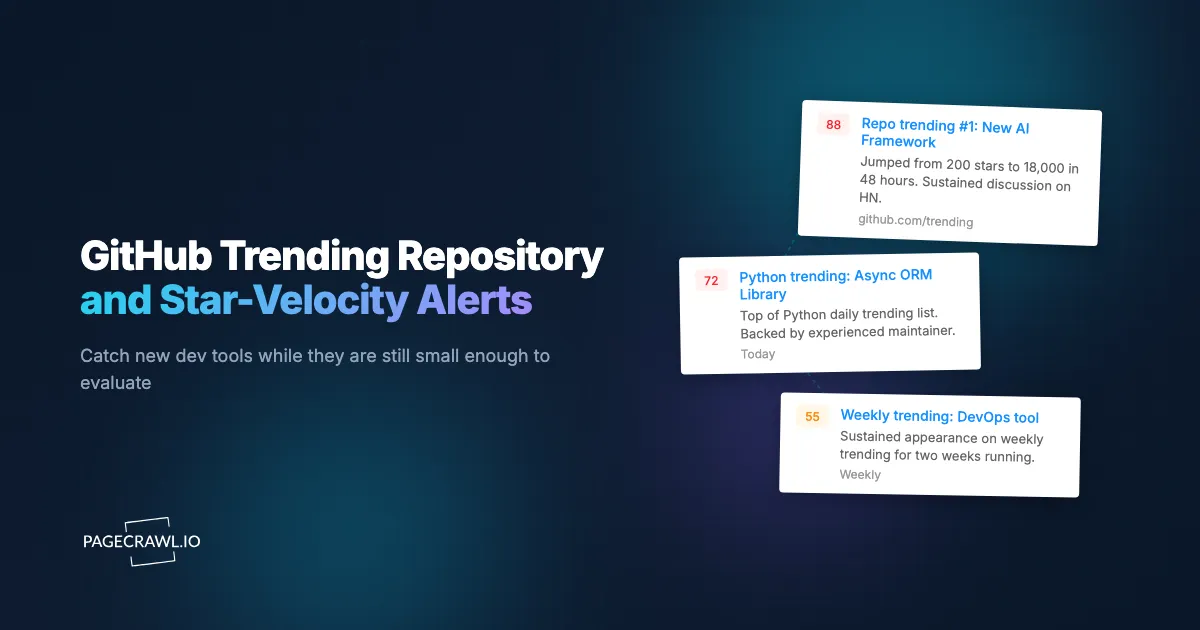
PageCrawl's AI summaries describe new entries in plain language: "New on Python daily Trending: org/repo (2,400 stars, AI agent framework); rose from off-list to rank 3 in 24 hours." This converts a list diff into a focused alert, and AI-powered change detection and smart filtering explains how to tune what the summary emphasises.
Step 6: Route to discovery channels
A #trending-discovery Slack channel for engineering or product teams; a separate channel for partnership and investment leads. The two audiences want different framings of the same data.
Worked Example: A DevRel Discovery Pipeline
Take a DevRel team at a developer-tools company supporting Python and TypeScript ecosystems. The setup:
- Add 4 PageCrawl monitors: Python daily Trending, TypeScript daily Trending, llm topic, web-framework topic.
- Set hourly checks on all four.
- Route alerts to
#trending-devrelSlack with AI summaries. - Cross-reference each new entry against partnership-prospect and content-pipeline criteria.
- For repos that match, create a content-evaluation ticket within 24 hours of first Trending appearance.
- For follow-up tracking on the most relevant repos, follow each one's release feed (
github.com/{owner}/{repo}/releases.atom) with Feed mode, as the help centre guide to monitoring GitHub and GitLab repositories shows, and pair it with our PyPI and npm release monitor.
Total cost: four monitors checked hourly use roughly 2,900 checks a month, which the Standard plan at $80/year covers with room for the follow-up release feeds. For a DevRel team, this is a low-cost continuous discovery flow.
Patterns Worth Watching For
Repos appearing in Trending for the first time. The highest-value signal for discovery. New entries warrant a quick evaluation pass.
Repeat appearances across multiple days. Indicates sustained interest beyond a single launch spike. Worth deeper evaluation.
New entries in your focus language or topic. Filtered Trending pages give per-area signal that the main page dilutes.
Repos with unusually high star velocity relative to age. A two-day-old repo with 5,000 stars is a different signal from a six-month-old repo with 5,000 stars. AI summaries help highlight velocity-vs-age anomalies.
Repos that move from monthly to weekly to daily Trending. Accelerating velocity is a stronger signal than steady-state.
Topic shifts. Topic-page changes (e.g. a new wave of "agentic" tools displacing classic ML tools) signal ecosystem-level shifts.
Adjacent-ecosystem moves. A repo trending in Rust that competes with an established Python tool is sometimes the early signal of a language-level migration in that category.
Combining Trending Monitoring With Other Signals
The full value of Trending monitoring shows up when you pair it with adjacent ecosystem signals, including release notes and changelog monitoring across the rest of your stack.
Combine with PyPI and npm release monitoring. Pair the Trending monitor with our PyPI and npm release monitor. New Trending repos that publish to PyPI or npm become candidates for active monitoring.
Combine with Docker Hub tag releases. Our Docker Hub monitor tracks the container distribution of fast-moving projects. New Trending repos with Docker Hub presence indicate active adoption.
Combine with LLM benchmark leaderboards. Our LLM benchmark leaderboard monitor covers the AI-model side; Trending covers the tooling around it. Together they give a complete picture of the AI-tooling ecosystem.
Combine with Kubernetes release notes. Our Kubernetes CVE monitor tracks the orchestration ecosystem; new Trending repos in Kubernetes tooling often signal community direction.
Who benefits most from GitHub Trending alerts?
The people who need to act on a project before it is widely known: developer advocates, early-stage investors, engineering teams choosing libraries, open source maintainers, technical content creators, and competitive-intelligence analysts in developer-tool categories. Each reads the same list for a different decision.
Developer advocacy. Trending repos are content opportunities and partnership leads. Same-day awareness gives DevRel teams a first-mover advantage for blog posts, partnerships, and community engagement.
Venture capital. Early discovery of community-validated developer tools is a meaningful sourcing edge for early-stage VC. Trending captures the moment community signal becomes measurable.
Engineering tool evaluation. New libraries reach Trending while still small enough to evaluate carefully. Engineering teams adopting before the tool becomes mainstream often capture meaningful productivity gains.
Open source maintainers. Watching adjacent trending repos identifies potential collaborators, contributors, and integration opportunities.
Technical content creators. Bloggers, newsletter authors, and YouTube creators benefit from same-day Trending awareness for content prioritization.
Competitive intelligence. Companies competing in fast-moving developer-tool categories track Trending as part of a wider competitive intelligence monitoring program covering competitor projects and adjacent solutions.
Frequently Asked Questions
How often does GitHub update Trending? Multiple times per day, on GitHub's own schedule. Hourly monitoring catches most updates without significant delay.
Will I get noise from minor rank shifts? AI summaries help focus on new entries and significant rank movement, ignoring minor reshuffles in the middle of the list.
Can I monitor Trending for a specific topic only? Yes. The topic pages (github.com/topics/{topic}) are monitorable the same way as language Trending pages.
What about per-region or per-spoken-language Trending? GitHub supports spoken_language_code URL parameter. Build per-language URLs for ecosystem-specific monitoring (especially useful for tracking Chinese-language open source).
How long do repos stay on Trending? Variable. Single-day appearances are common for launch spikes; multi-day appearances indicate sustained interest. The daily-vs-weekly-vs-monthly Trending pages provide different windows on the same signal.
Do I need a paid plan? For hourly checks on several Trending pages, yes. Four monitors checked hourly use about 2,900 checks a month, which Standard at $80/year covers, and its 100 pages leave room for a comprehensive multi-language, multi-topic monitor.
Choosing your PageCrawl plan
PageCrawl's Free plan lets you monitor 6 pages with 220 checks per month, which is enough to validate the approach on your most critical pages. Most teams graduate to a paid plan once they see the value.
| Plan | Price | Pages | Checks / month | Frequency |
|---|---|---|---|---|
| Free | $0 | 6 | 220 | every 60 min |
| Standard | $8/mo or $80/yr | 100 | 15,000 | every 15 min |
| Enterprise | $30/mo or $300/yr | 500 | 100,000 | every 5 min |
| Ultimate | $99/mo or $999/yr | 1,000 | 100,000 | every 2 min |
Annual billing saves two months across every paid tier. Enterprise and Ultimate scale up to 100x if you need thousands of pages or multi-team access.
At an engineering hourly rate, Standard at $80/year pays for itself the first time you catch a breaking API change, a deprecated endpoint, or a silent config change before it takes down production. 100 monitored pages is enough to cover the changelogs and docs of every third-party API your stack depends on. Enterprise at $300/year adds 5-minute checks and 500 pages. All plans include the PageCrawl MCP Server, which plugs directly into Claude, Cursor, and other MCP-compatible tools. Developers can ask "what changed in the Stripe API docs this month?" and get a summary pulled from your own monitoring history. AI assistants can create monitors through conversation on every plan, including Free, turning your tracked pages into a living knowledge base instead of a pile of alert emails.
Getting Started
Add a Trending URL per language or topic you care about to PageCrawl on a twice-daily check. Create a free account and new trending repos will arrive in your channel each day.
Once basic coverage is in place, expand to multiple language filters and topic pages, and pair with package-registry and Docker Hub monitors for follow-up tracking on the most interesting projects. The Standard plan at $80/year covers a serious DevRel or VC-scouting setup. For teams whose work depends on early awareness of developer-ecosystem shifts, this is one of the highest-leverage discovery flows available.