
Sinead runs benefits for a 900-person manufacturer with three sites and two carriers. In March, a warehouse supervisor emailed her a pharmacy receipt: a maintenance medication that had cost him $35 a month for two years now cost $180. He wanted to know what she had changed at renewal. She had changed nothing. The carrier had moved the drug to a non-preferred tier and added step therapy, published the updated drug list on its public site six weeks earlier, and Sinead learned about it from an angry employee holding a receipt.
That is the shape of the problem. The documents that define what your plan covers, the Summary of Benefits and Coverage, the prescription drug list, the provider directory, the medical policy pages behind prior authorisation decisions, live on carrier websites and get revised on the carrier's schedule, not yours. Nobody sends the plan sponsor a diff. The version you downloaded at renewal and pasted into your intranet quietly stops matching the version the claims system uses.
The stakes are not only employee goodwill. Under the Affordable Care Act, plan sponsors have to give participants advance notice of material modifications to coverage that are made outside of renewal, and the practical rule of thumb benefits counsel apply is at least 60 days before the change takes effect (see this employer-side summary of the SBC and notice-of-modification rules). You cannot give a notice about a change you have not noticed. Every week between the carrier publishing and you reading is a week of that window burned.
This guide covers what changes on carrier benefits pages between plan years, which pages carry the signal, why carrier communications reach you late or not at all, and how to set up monitoring that puts a dated diff of every revised plan document into your benefits channel.
What actually changes in benefits documents between plan years?
Coverage documents are living files, not annual snapshots. Between renewals, carriers move drugs between formulary tiers, add prior authorisation and step therapy requirements, terminate or add network providers, revise medical policy criteria, and reissue SBCs with corrected or amended terms. Each of those changes alters what an employee pays or can access.
Formulary and drug list revisions
Prescription drug lists are the most frequently revised benefits document in most plans. Carriers publish dated versions with explicit effective dates, and many also publish a companion "changes" document listing what moved. UnitedHealthcare, for example, maintains public prescription drug lists for fully insured commercial plans with effective dates on each version, and Cigna publishes a separate medication coverage changes document for employer-sponsored plans. Movements to look for are tier increases, removals in favour of a preferred alternative, newly added quantity limits, and new prior authorisation or step therapy flags.
Network additions and terminations
A provider leaving the network turns an in-network specialist into an out-of-network bill, often mid-treatment. Carriers post network change notices and provider directory updates naming the affected facilities and effective dates. For an employer whose workforce sits near one hospital system, a single termination can be the most disruptive benefits event of the year, and it never appears in a renewal spreadsheet.
Medical policy and coverage criteria updates
Behind every prior authorisation decision is a written coverage policy defining medical necessity for a procedure, device, or drug. Carriers revise these on a rolling calendar, tightening criteria, adding required documentation, or moving a service into review. When utilisation review starts denying a procedure your plan covered last quarter, the change usually happened in a policy bulletin weeks earlier.
SBC reissues and template changes
The SBC itself gets reissued when terms change, and the federal template and instructions behind it are maintained centrally by CMS on its forms, reports and other resources page. Template and glossary updates matter to anyone producing SBCs for a self-funded plan, because the format, coverage examples, and taglines are prescribed rather than optional.
Which benefits pages should you actually monitor?
Monitor the specific carrier pages that display the values that change: the drug list for each of your plan designs, the drug list change bulletin, the provider network change notices, the medical policy update index, and the SBC download page for each plan option. A carrier homepage or a member portal login screen is useless here. The page itself has to show the version, the date, or the value.
Your carriers' drug lists, one monitor per plan design
If you offer three medical plans on two drug lists, that is two monitors, not one. Carriers separate drug lists by formulary type (standard, performance, value, advantage variants are common), so watching the wrong list produces alerts about drugs your population is not on and silence about the ones they are. Follow the carrier's public index through to the exact PDF or HTML list your plan uses. Because most of these are PDFs, use document-level monitoring: our guide to monitoring PDF documents for changes covers extracting text from a PDF so a revised drug list produces a readable diff rather than a "file changed" ping.
The change bulletin, not just the list
Most large carriers publish a companion document listing upcoming changes with effective dates, far easier to read than diffing a 200-page formulary. Monitor both: the bulletin gives you the summary, the full list lets you search for the specific molecules your population takes. When the bulletin appears before the list updates, you get the advance warning that makes a 60-day participant notice achievable.
Provider directory and network notices
Watch the carrier's network change or provider notice page for the states you operate in, plus the negotiation update pages carriers and health systems post when a contract is in dispute. Alert on named facilities near your worksites. A termination effective 1 January is a very different communication project in September than in December.
Medical policy update indexes
Carriers publish a dated index of new and revised medical policies. Monitoring the index rather than each individual policy keeps the monitor count sane: you get alerted that policies changed this cycle, and you open the index to see which.
Regulatory pages that drive plan design
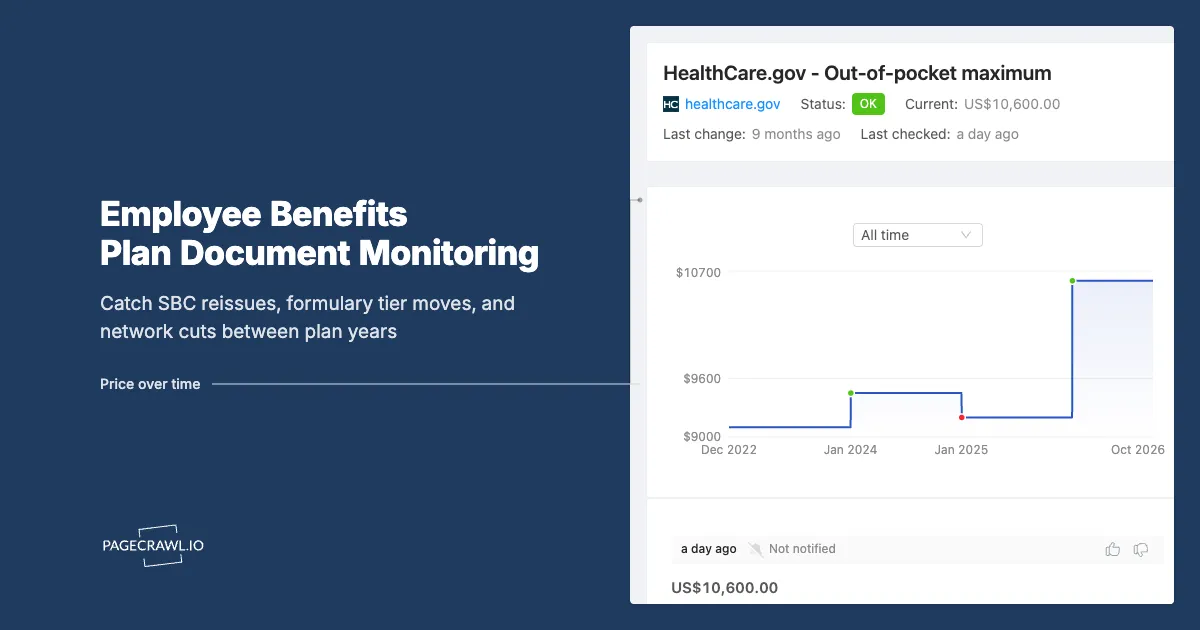
Federal indexing changes flow into plan documents every year: HSA contribution and high-deductible plan limits from the IRS, and out-of-pocket maximums from HHS. Monitoring the official pages where those figures are published means your open enrollment materials are built on current numbers rather than last year's memory.
Why isn't the carrier's own notification enough?
Carriers notify affected members, not plan sponsors, on their own timetable and through channels members ignore. A benefits team supporting several carriers and plan designs has no single feed of "what changed in our documents," and brokers supporting dozens of clients have even less. The notice reaches the employee at the pharmacy counter, and the employer hears about it second-hand.
Member notices bypass the plan sponsor
When a drug moves tiers, the letter goes to the members currently filling that prescription. That is appropriate, and it is also invisible to you. You cannot brief the service centre or evaluate an exception process based on a letter you never received, and by the time enough employees have complained for a pattern to be obvious, the change is in effect.
Account teams summarise, and summaries lag
Your carrier account manager or broker will eventually flag material changes, often in a quarterly stewardship deck. Quarterly is the wrong resolution for a change carrying a 60-day notice obligation. Account teams also summarise by exception: they tell you about the changes they judged significant, not the ones that hit your population hardest.
No email exists for "the PDF was replaced"
The most common failure mode is not a missed email, it is a silently replaced file. Carriers overwrite a drug list at the same URL, or publish a new dated version alongside the old one on the same index page. There is no subscription for that event. The document is public, the change is not announced, and the burden of noticing sits entirely with the reader.
How do you set up benefits document monitoring in PageCrawl?
Point PageCrawl at each carrier document URL, choose a tracking mode that reads the document text rather than the page furniture, check on a daily or weekly cadence, and route alerts to the channel your benefits team already lives in. A full carrier set takes under an hour to configure, and then it runs through the plan year without maintenance.
Collect the exact URLs. For each plan design, follow the carrier's public drug list index to the specific list your plan uses and copy that URL. Do the same for the change bulletin, the network notices page, the medical policy index, and the SBC for each plan option. Every URL must display the value you care about: a version date, a tier table, a list of named providers. If the page is a search form, it is the wrong URL.
Add the URL and pick the tracking mode. Use reader or content tracking for HTML policy and notice pages so navigation and promotional modules do not count as changes. For PDF drug lists and SBCs, use PDF text extraction so the alert shows the changed lines rather than a checksum. Where the only meaningful field is a version or effective date, specific-text tracking on that field gives the quietest monitor.
Set the check frequency. Benefits documents are not a seconds-matter signal, so daily checking is sufficient for most pages and the free tier's hourly checks are more than enough to prove the setup. Raise the frequency on network negotiation pages during an active contract dispute, when a deal or non-deal can land on any business day.
Choose notification channels. Route to whatever your benefits team reads: email for a documented record, plus Slack, Microsoft Teams, Discord, Telegram, or a webhook into your HRIS or ticketing system for the working channel. Send drug list and network alerts to a shared channel rather than one person's inbox, so coverage does not depend on who is on holiday.
Add keyword and threshold rules. This is what makes the system usable. Add keyword conditions for the drug names your population actually takes, the hospital systems near your worksites, and terms like "prior authorization," "step therapy," "quantity limit," "tier," and "terminated." Our walkthrough of conditional alerts using price, keyword, and threshold rules shows how to turn a noisy document feed into a short list of changes that matter to your census.
Organise by carrier and plan year. Put every monitor in a folder per carrier and tag by plan design. At renewal you can pull twelve months of detected changes on that carrier's documents as a single evidence pack for the negotiation.
Turn on screenshots and keep the history. Timestamped captures give you a dated record of what each document said and when it changed. That record supports a participant notice, an appeal, or a conversation with the carrier about a change you were never told about.
Note: public carrier pages need no credentials. Only documents locked inside an employer portal require authenticated setup, so start with the public set.
What does the plan year calendar look like for benefits monitoring?
Benefits monitoring has a rhythm. Formulary changes cluster around 1 January and mid-year effective dates, renewal and open enrollment dominate the autumn, and network contract expiries fall wherever the underlying agreements land. Matching your attention to that calendar keeps alerts relevant instead of constant.
| Period | What to watch most closely | Why it matters |
|---|---|---|
| January to March | New plan year drug lists, tier changes now in effect, new prior authorisation rules | Employees hit changed cost-sharing at the first refill of the year |
| April to June | Mid-year formulary bulletins, medical policy revisions, IRS indexing for the following year | Mid-year changes carry advance participant notice obligations |
| July to September | Renewal quotes, network contract expiries, upcoming plan year drug lists | Decisions made now define next year's employee experience |
| October to December | Open enrollment materials, SBC reissues, final network status, 1 January effective dates | Everything you publish to employees must match the final documents |
The renewal window deserves the closest watch
During renewal, the carrier is producing the documents you will hand to employees. A drug list that changes between the version you reviewed and the version effective on 1 January produces open enrollment materials that are wrong on day one. Monitor the exact documents your employee communications cite, while a benefits guide can still be corrected.
Mid-year changes are where the exposure sits
Renewal changes are expected, disclosed, and communicated. Mid-year changes are the ones that surprise everyone, and they are also the ones that carry the advance notice obligation for material modifications made outside of renewal. A monitor that catches a mid-year bulletin in the week it posts converts a compliance problem into a routine communication task.
What goes wrong when you monitor carrier documents?
The three recurring problems are noisy pages that change without meaning, documents that move to a new URL each version, and alerts that land somewhere nobody is accountable for. All three are solvable with configuration, and all three are worth solving before you scale from three monitors to thirty.
Page furniture that changes daily
Carrier sites carry rotating promotional modules, session identifiers, "last reviewed" stamps, and personalisation blocks that change on every load, producing a daily alert that says nothing. Use content or reader tracking to focus on the document body, and mark the noisy regions to be ignored after the first few checks. Our guide to reducing monitoring false positives walks through training a monitor to ignore the parts of a page that change without meaning anything.
Versioned URLs and moving documents
Some carriers publish each version at a new dated URL rather than overwriting one file. Monitoring only the January PDF means the monitor goes quiet forever while the plan changes around it. Monitor the index page that lists the versions, so a new entry appearing is itself the alert, then add a monitor on the new document. Watch both for anything your employee communications depend on.
Alerts without an owner
A change detected and ignored is worse than no monitoring, because you now hold a dated record showing you were told. Decide in advance who triages benefits alerts, what the response is for each type (tier move, network termination, policy revision), and where the decision gets logged.
Confusing member-facing and employer-facing documents
Carriers publish parallel document sets for members, providers, and employers, and they do not always change in step. The provider-facing drug list may update before the member-facing one. Monitor the member-facing document for accuracy about what employees will experience, and the provider-facing one as a leading indicator. Treat a divergence between them as a question for the account team.
Individual market pages are a different job
If your work also touches individual coverage, marketplace plans and payer formularies aimed at consumers follow their own publication rhythm. Our post on health insurance marketplace plan and formulary change alerts covers that audience, including specialty pharmacy and patient advocacy use cases.
Choosing your PageCrawl plan
PageCrawl's Free plan lets you monitor 6 pages with 220 checks per month, which is enough to validate the approach on your most critical pages. Most teams graduate to a paid plan once they see the value.
| Plan | Price | Pages | Checks / month | Frequency |
|---|---|---|---|---|
| Free | $0 | 6 | 220 | every 60 min |
| Standard | $8/mo or $80/yr | 100 | 15,000 | every 15 min |
| Enterprise | $30/mo or $300/yr | 500 | 100,000 | every 5 min |
| Ultimate | $99/mo or $999/yr | 1,000 | 100,000 | every 2 min |
Annual billing saves two months across every paid tier. Enterprise and Ultimate scale up to 100x if you need thousands of pages or multi-team access.
Compliance monitoring is the cheapest insurance you can buy. A single missed regulatory change can trigger fines in the tens or hundreds of thousands, not to mention the audit overhead of proving you did not see it coming. Enterprise at $300/year covers 500 regulatory pages with unlimited history and timestamped screenshots, which is usually exactly what an assessor wants to see. All plans include the PageCrawl MCP Server, so your compliance team can ask Claude to summarize every change to a specific regulation over the last quarter and pull the exact diff, turning your monitoring history into a queryable audit trail. AI assistants can create monitors through conversation on every plan, including Free. Standard at $80/year is enough to cover 100 pages across your primary regulatory bodies if your program is smaller.
Getting Started
Start with the single document that would cause the most disruption if it changed without you knowing. For most employers that is the prescription drug list for the plan design most of the workforce is enrolled in. Find the exact public URL, add it as a monitor with PDF or reader tracking, set a daily check, and route the alert to your benefits channel.
Then build out in three passes:
- Add the drug list change bulletin and the SBC for each plan option, so document reissues and upcoming changes both reach you.
- Add network change notices for the states and health systems near your worksites, plus the medical policy update index for your carriers.
- Add keyword rules for the drug names, facilities, and phrases that matter to your census, and file everything in a folder per carrier so renewal evidence is one click away.
Run it through a single quarter and you will catch at least one change you would otherwise have learned about from an employee. Set up the first monitor today, before the next drug list quietly replaces the one on your intranet.


