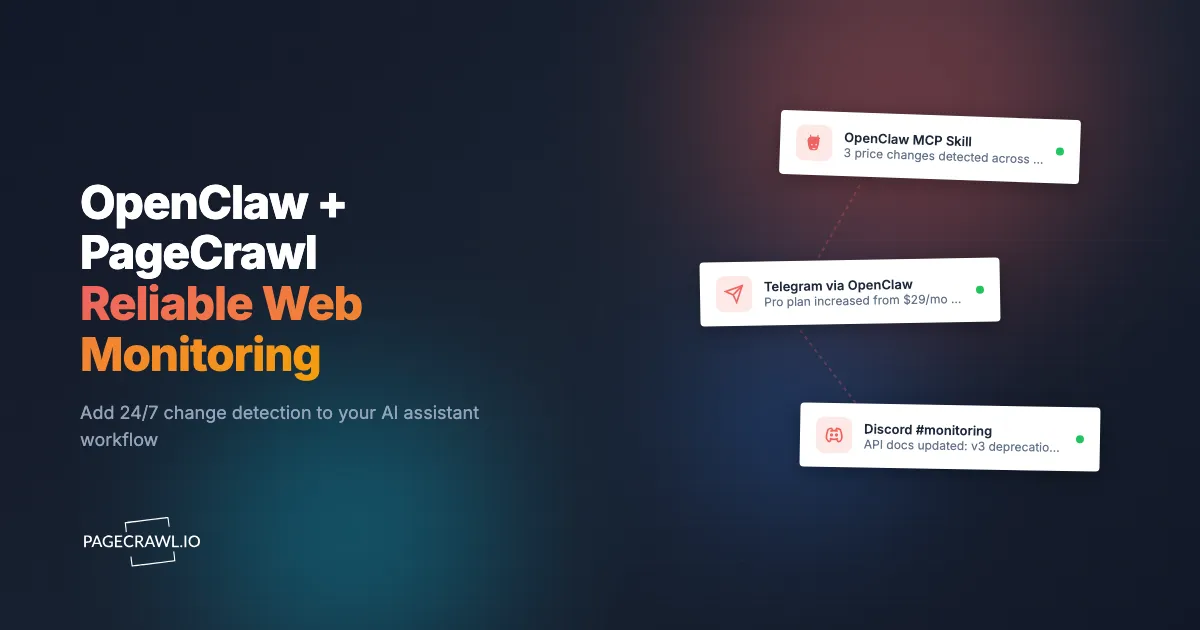
One of the first things people do after setting up OpenClaw is ask it to watch a web page. "Monitor this competitor's pricing page and tell me when it changes." "Check this product page every hour and message me if the price drops." "Watch the FDA recalls page and alert me if anything new appears." It is one of the most natural use cases for an AI assistant that can browse the web.
The approach works for casual one-off checks. But anyone who has tried to run persistent web monitoring through OpenClaw knows the reality: checks stop when your laptop sleeps, the LLM hallucinates changes that did not happen, token costs quietly climb, and scaling past a handful of pages turns into a maintenance project. Web monitoring is a specialized problem, and general-purpose tools hit a ceiling fast.
This guide shows OpenClaw users how to pair their assistant with PageCrawl, a dedicated web monitoring service, to get reliable 24/7 change detection while keeping OpenClaw as the intelligent interface for acting on what gets detected.
How do OpenClaw users currently monitor the web?
Most OpenClaw users write a skill that loads a page with the browser tool, saves the extracted text locally, and compares it against the previous snapshot on the next run. It works for a page or two checked once a day, and it starts falling apart as soon as you need it to be persistent.
The Browser Tool Approach
The typical setup looks like this: you write a skill (or download one from ClawHub) that uses OpenClaw's browser or web_fetch tool to load a target page. The skill extracts the visible text, compares it to a previously saved version stored locally, and sends you a message through Telegram, Discord, or whichever channel you have configured if something looks different.
More sophisticated versions use the LLM itself to compare the old and new content, asking it to identify meaningful changes and ignore noise. Some skills save snapshots to local files, others use simple hash comparisons, and a few even attempt to track specific elements using CSS selectors passed to the browser tool.
This is resourceful engineering. For checking whether a single page has changed once or twice a day, it gets the job done.
Where Ad-Hoc Monitoring Breaks Down
The problems start when you try to make this approach reliable and persistent.
Your device must be running. OpenClaw runs locally. If you close your laptop, put your phone in airplane mode, or restart your machine, monitoring stops. There is no server keeping checks running while you sleep. Miss a price drop at 3am? You will never know it happened.
No built-in scheduler. OpenClaw does not have a native cron system for recurring tasks. Users work around this with system cron jobs, keep-alive scripts, or by telling OpenClaw to "check every 30 minutes." These workarounds drift, fail silently, and are hard to debug when they stop working.
LLM token costs add up. Every check sends the full page content through an external LLM (Claude, GPT, or whichever model you have configured). A typical web page is 2,000-10,000 tokens. If you are monitoring 20 pages every 30 minutes, that is 960 checks per day. At even modest per-token pricing, the monthly bill grows quickly, and you are paying for the LLM to do work that a simple diff algorithm handles for free.
No diff engine. When you ask an LLM to compare two versions of a page, it is doing a best-effort comparison based on its training. It can miss subtle but important changes (a single number in a pricing table) and hallucinate differences that do not exist (especially on long pages with repetitive content). Purpose-built diff algorithms do not have this problem.
No history or audit trail. OpenClaw skills typically store the last version of a page, not every version. You cannot go back and see what a page looked like two weeks ago, compare screenshots over time, or prove when a change happened.
Protected websites block you. This is one of the biggest limitations. A growing number of websites use bot protection that actively blocks automated requests. When OpenClaw's browser tool hits one of these sites, it gets a CAPTCHA page, a "please verify you are human" interstitial, or a blank response. The skill thinks it succeeded, compares the CAPTCHA text to the previous version, and either reports a false change or silently fails.
The problem is worse than it sounds. E-commerce sites (Amazon, Best Buy, Walmart), airline pricing pages, financial data portals, government databases, and many SaaS platforms all run bot protection. These are exactly the sites people most want to monitor. OpenClaw's browser tool has no proxy infrastructure and no way to handle challenge pages. When a site blocks you, the skill just breaks.
Even sites that do not actively block bots often return different content to automated browsers than to real users. Cookie consent walls, region-based redirects, and A/B tests all produce inconsistent results that confuse LLM-based comparison.
Scaling is painful. Monitoring 5 pages is manageable. Monitoring 50 pages through OpenClaw means managing 50 skills, 50 saved states, debugging failures across all of them, and hoping your device stays online long enough to get through the queue.
The Case for Dedicated Monitoring
OpenClaw is an excellent general-purpose AI assistant. It handles email, manages calendars, browses the web, and automates dozens of tasks through its skills system. But web monitoring is a specialized problem that benefits from specialized infrastructure.
The analogy is straightforward: you would not use your email client to manage a database, even though both deal with structured data. Each tool is optimized for its domain. Monitoring requires infrastructure and algorithms that are purpose-built for the job.
What a Monitoring Service Handles That an AI Assistant Does Not
- 24/7 infrastructure. Checks run on dedicated servers, not on your laptop. Your device can be off, asleep, or on the other side of the world.
- Reliable scheduling. Checks happen on time, every time. No drift, no silent failures, no dependency on cron hacks.
- Browser rendering. JavaScript-heavy sites, single-page applications, cookie consent banners, and overlay popups are handled automatically. The page is rendered exactly as a human would see it.
- Protected site access. Sites with bot protection that block OpenClaw's browser tool are handled for you. E-commerce platforms, airline pages, government portals, and financial sites work reliably.
- Purpose-built diff algorithms. Changes are detected by comparing content structurally, not by asking an LLM to guess. This means no hallucinated changes and no missed updates.
- Noise filtering. Ad rotations, timestamp updates, cookie banner text, and other dynamic elements are filtered out automatically. You only get alerted about meaningful changes.
- Persistent history. Every check is stored with a timestamp, a screenshot, and a record of exactly what changed. You can go back weeks or months and see the full history of a page.
- Structured alerting. Notifications go to Slack, Discord, Telegram, Email, Microsoft Teams, or webhooks, with consistent formatting and reliable delivery.
Is it safe to monitor pages through OpenClaw skills?
It depends on where the skill came from and what it sends off your device. Community skill marketplaces are a persistent target for malicious actors, and monitoring skills are an especially attractive vector because they fetch external web content and feed it to an LLM, which is a natural path for prompt injection attacks.
There is also a data exposure angle. When OpenClaw's browser tool fetches a page and sends it to an external LLM for comparison, the full page content leaves your device and traverses third-party APIs. If you are monitoring competitor pricing, internal tools, or sensitive business data, every check creates a data exposure path.
A dedicated monitoring service processes pages on its own infrastructure. Basic change detection (text diffing, structural comparison, price extraction) happens without sending content to third-party LLMs. AI summaries are opt-in and process only the detected changes, not the full page content.
How PageCrawl Fills the Gap
PageCrawl is a managed web monitoring service that handles the infrastructure, diffing, and alerting that OpenClaw is not designed for. It runs 24/7, checks pages on a schedule you configure, captures screenshots on every check, and sends structured notifications to the channels you already use.
What Reliable Monitoring Actually Catches
Here are real scenarios that OpenClaw-based monitoring routinely misses:
- A GPU restocks at 2am. Your laptop is closed. By 8am when you open it and OpenClaw resumes checking, the stock is gone. PageCrawl checked at 2:03am, sent a Telegram notification at 2:04am, and you could have ordered from your phone.
- A competitor quietly raises their prices. Their site runs bot protection. OpenClaw's browser tool gets a CAPTCHA page and the skill silently fails. PageCrawl catches the change on the next scheduled check through managed infrastructure and sends you the exact diff: "Enterprise plan changed from $49/month to $69/month."
- An airline fare drops $200. The fare page is JavaScript-heavy with dynamic pricing. OpenClaw's
web_fetchgets the raw HTML without rendered prices. PageCrawl renders the full page, extracts the price, and alerts you within minutes. - Your SaaS vendor changes their terms of service. The change is three sentences buried in a 10,000-word document. The LLM comparison says "no significant changes detected." PageCrawl's diff algorithm highlights the exact three sentences that changed and the AI summary explains the legal implications.
These are not edge cases. They are the normal failure modes of ad-hoc monitoring. The question is not whether you are missing things right now, but how many.
Setting Up Your First Monitor
Adding a page to PageCrawl takes under two minutes. Enter a URL, choose a tracking mode, set your check frequency, and pick your notification channels. There is no server to provision, no skill to write, no Docker container to maintain. Monitors run whether your device is on or off, and every check produces a screenshot and a diff record.
For OpenClaw users accustomed to writing skills for everything, this simplicity can feel almost suspicious. The point is that the complexity lives on PageCrawl's side: rendering JavaScript, handling bot protection, filtering noise, computing diffs, and storing history. You get the results.
Handling Protected and Bot-Resistant Websites
This is where the difference between a general-purpose browser tool and a dedicated monitoring service is most stark.
PageCrawl reliably monitors sites that actively block automated access. E-commerce platforms, airline booking pages, financial portals, government databases, and enterprise SaaS products all run bot protection that would stop OpenClaw's browser tool cold. PageCrawl handles these for you, so the check returns the page a human would see rather than a challenge screen.
The practical impact: you can monitor Amazon product pages, Best Buy inventory, airline fare pages, SEC filing portals, and protected competitor dashboards without your checks silently returning garbage data. Pages that require cookie consent, overlay dismissal, or multi-step navigation before the content is visible are handled through configurable pre-check actions.
For sites behind a login, PageCrawl supports automated authentication sequences. You configure the login steps once, and every subsequent check authenticates automatically before capturing the page. The help centre guide to monitoring password-protected pages covers form logins and HTTP authentication. This works for membership sites, internal tools, customer portals, and any page that requires credentials, something that is extremely fragile to set up through OpenClaw skills and breaks as soon as the login flow changes.
Tracking Modes for Different Use Cases
PageCrawl offers multiple tracking modes optimized for different types of content:
- Full page captures all visible text. Best for compliance pages, terms of service, documentation, and any page where every word matters.
- Content only strips navigation, headers, footers, and boilerplate before comparing. Ideal for news articles, blog posts, and editorial content where surrounding elements change frequently but the core content is what matters.
- Price tracking automatically detects prices and monitors product availability. It understands pricing formats across currencies and handles sale indicators, strikethrough pricing, and out-of-stock states.
- Specific element monitors a targeted section of a page using a CSS or XPath selector. Useful when you only care about one table, one paragraph, or one data point on a larger page.
For a deeper walkthrough of each mode and when to use it, see our guide to monitoring website changes.
Screenshots and Visual Comparison
Every PageCrawl check captures a full-page screenshot. This gives you a visual timeline of how a page has changed over weeks or months, something no text-based OpenClaw skill can replicate. When a competitor redesigns their pricing page, you do not just see that text changed. You see the old layout and the new layout side by side.
Combined with notifications to your phone through Telegram, Discord, or Slack, you get alerted wherever you are. If a competitor drops their prices or a product comes back in stock while you are away from your desk, you still see it as soon as the next scheduled check picks the change up, which is the foundation of any ongoing competitive intelligence monitoring program.
AI Summaries vs LLM-Based Diffing
This is where the approach fundamentally differs from OpenClaw-based monitoring.
When OpenClaw monitors a page, the LLM receives two blobs of text (the old version and the new version) and is asked to figure out what changed. This is expensive (you are paying for thousands of input tokens on every check), inconsistent (the same change can produce different summaries depending on model temperature and context), and unreliable (the LLM can miss changes or hallucinate them, especially on long pages).
PageCrawl separates the two tasks. First, a purpose-built diff algorithm compares the old and new content and identifies exactly what changed. This step is deterministic, fast, and free of hallucination. Then, optionally, AI summarizes the detected diff in plain English. The AI sees only the changes, not the entire page, which means it costs a fraction of the tokens and produces more focused summaries.
The result: you get a notification that says "the Pro plan price was changed from $29/month to $39/month" instead of "I compared the two versions and I think the pricing might have changed, though I am not entirely sure about the formatting differences in the footer." For a broader comparison of how AI fits into the monitoring workflow, see our guide to AI website monitoring tools.
Connecting PageCrawl to OpenClaw
The best setup uses both tools: PageCrawl handles the monitoring (reliable, 24/7, structured), and OpenClaw acts as the intelligent interface for interpreting and acting on changes. There are three integration paths, available at different plan tiers.

Webhooks to OpenClaw Channels (All Plans, Including Free)
The simplest integration, available on every plan. PageCrawl sends change notifications directly to the messaging channels OpenClaw is already connected to. When a monitored page changes, PageCrawl pushes a structured notification with the page name, what changed, and the AI summary to Slack, Discord, Telegram, Email, Microsoft Teams, or any webhook endpoint.
The notification lands in your chat channel. From there, you can ask OpenClaw to analyze it further ("what does this pricing change mean for our competitive positioning?"), take action ("draft a response to our sales team about this"), or dig deeper.
No code required. Set up your PageCrawl monitors, configure your preferred notification channels, and your existing OpenClaw chat becomes a monitoring dashboard. Even on the free plan, you get all notification channels with AI summaries included.
For advanced webhook configurations, payload structures, and automation patterns, see our webhook automation guide.
API Integration (Standard and Above)
For users who want OpenClaw to query monitoring data programmatically, PageCrawl provides a full REST API on every plan, including Free. OpenClaw's web_fetch tool can call the API to list monitors, pull recent changes, retrieve AI summaries and diff details, trigger on-demand checks, and get screenshot history. The help centre covers the REST API and webhooks for custom integrations, including how to authenticate.
This turns OpenClaw from a page-fetching tool into an intelligent frontend for structured monitoring data. Instead of loading a web page and guessing what changed, OpenClaw queries an API that returns clean, structured results.
For examples of what you can build with the API, see our guide to building custom monitoring dashboards.
MCP Server Integration (All Plans)
This is the most powerful connection between OpenClaw and PageCrawl. PageCrawl provides an MCP (Model Context Protocol) server, and OpenClaw supports MCP servers natively. Once connected, OpenClaw can query your monitoring data and create new monitors directly through its tools system, no custom API calls or web_fetch workarounds needed.
Connecting the PageCrawl MCP server is a one-time step and works on Free accounts. In your AI tool's MCP or connector settings, add the PageCrawl server at https://mcp.pagecrawl.io/mcp and sign in once with OAuth 2.0. There is no API key or token to paste. Headless or CLI clients (Claude Code, Cursor, scripts) can alternatively use a personal API token from Settings > API. Compatible clients include Claude, Claude Code, Cursor, ChatGPT, OpenClaw, and any MCP-compatible tool. Free accounts are rate-limited to 30 requests per minute.
The PageCrawl MCP server's tools, grouped by what they do:
Read tools (work on all plans, including Free):
- search and fetch - Find a monitored page by topic and read its current captured content
- list-workspaces - List the workspaces on your account
- list-monitors - Search and filter all your monitors across workspaces
- get-monitor-details - Pull the full configuration for a single monitor
- get-monitor-history - Pull change history for any monitor with AI summaries
- get-latest-values - Batch-fetch current values from up to 50 monitors at once
- get-check-diff - View the exact text diff from a specific check
- get-changes-since - List changes detected since a given point in time
- get-screenshot - Return a screenshot already stored by a past check, as an image
- get-summary - A workspace roll-up over a date range, plus a timeline of what changed
- get-intelligence - Which pages actually move, and when, workspace-wide or per monitor
- get-archive - Archive metadata, integrity verification, captured pages, and Wayback Machine lookups
- get-statistics - Checks used, changes, notifications, and AI usage for the account
- list-templates - List available monitor templates
Create and manage tools (work on all plans, including Free):
- add-page-monitor - Create a new monitor from a URL through conversation. Auto-detects the tracking mode when you do not specify one, and supports all 13 tracking modes, page-interaction actions, tags, check frequency, and notification channels. Your plan's monitor-count limit still applies.
- manage-monitors - Update an existing monitor, clear its stored history, or delete it. Deletion is permanent and destroys the monitor's checks, values, screenshots and history.
- test-configuration - Dry-run a selector or tracking mode against a URL and see what it would capture, without creating a monitor
- manage-tags - List workspace tags and add or remove tags/labels on a monitor
- manage-folders - List the folder tree, create folders and nested subfolders, rename or delete folders, and move monitors into folders
- mark-changes-seen - Mark detected changes as reviewed
- set-monitor-status - Enable or disable a monitor
- update-monitor-defaults - Change a workspace's default screenshots, notifications, frequency, or AI focus
Setup and delivery tools (work on all plans, including Free):
- manage-templates - Create, update or delete templates, run page discovery, and maintain discovery filters
- manage-discovered-pages - List or summarise discovered pages, then import, pause, resume, stop or delete them
- manage-workspaces - Create, rename or delete workspaces
- manage-webhooks - List, create, update, delete or test the webhooks PageCrawl posts to on a change
- manage-reports - List, create, update, delete or generate scheduled reports and read their digests
- list-authentications - List saved site logins so a new monitor can use one. Creating, editing or deleting a login is deliberately not available over MCP, because credentials must never pass through a chat client.
- create-data-source and record-data - Push values in yourself instead of having PageCrawl crawl for them
On-demand action tool:
- trigger-check - Force an on-demand check on any monitor.
Add the PageCrawl MCP server to your OpenClaw configuration and you can ask things like "what changed on Competitor X's pricing page this week?" and get an answer pulled from your monitoring archive, complete with timestamps, diffs, and AI summaries. You can also say "start watching this page for me" and OpenClaw will create the monitor for you, even on the Free plan. Our MCP server setup guide walks through the connection process in detail.
Building an OpenClaw Monitoring Skill with PageCrawl
The quickest start is PageCrawl's official skill. Copy the pagecrawl folder from github.com/pagecrawl/skills into ~/.openclaw/skills/ and connect the MCP server. It teaches OpenClaw which tracking mode fits a page, how to report what changed in one call instead of one call per monitor, and to ask before deleting monitors or clearing changes. The PageCrawl skills guide lists the other install options. The examples below show how to write narrower skills of your own on the same backend.
Instead of building skills that fetch and compare pages directly, build skills that use PageCrawl as the monitoring backend. On every plan, including Free, skills can read your monitoring data, create new monitors, edit or delete existing ones, trigger on-demand checks, manage tags and folders, mark changes as reviewed, enable or disable monitors, set up webhooks and scheduled reports, and update workspace defaults through the MCP server. On every plan, including Free, skills can also call the REST API via web_fetch. Either way, the monitoring runs 24/7 on PageCrawl's infrastructure and the skill just surfaces the results.
Example: Competitor Price Watch Skill
Create ~/.openclaw/skills/competitor-prices/SKILL.md:
---
name: competitor-prices
description: Check recent competitor price changes detected by PageCrawl monitoring
version: 1.0.0
metadata:
  openclaw:
    requires:
      mcp:
        - pagecrawl
---
When the user asks about competitor prices or price changes:
1. Use the `list-monitors` MCP tool with search parameter to find monitors
tagged "competitor" or matching the competitor name the user mentioned.
2. Call `get-latest-values` once with `monitor_ids` set to every matching
monitor for the current prices, and `get-monitor-history` with the same
`monitor_ids`, `changes_only: true` and `limit: 5` for recent changes.
3. If the user asked about a specific change, use `get-check-diff` with
the check_id to show the exact before/after text diff.
4. Format the results as a table showing:
- Competitor name (from monitor name)
- Current price (from latest values)
- Previous price (from the change record)
- Change date
- AI summary of what changed
5. If no changes were detected, say "No competitor price changes found
in the monitored period."
Note: Do NOT fetch competitor pages directly with the browser tool.
PageCrawl monitors these pages on a schedule with full browser rendering
and bot protection handling. Use the MCP tools to query the results.The key difference from a traditional monitoring skill: this skill does not load any web pages. It queries structured data from PageCrawl's MCP server. The heavy lifting (fetching pages, rendering JavaScript, handling bot protection, computing diffs, generating summaries) already happened on PageCrawl's servers.
Example: "Watch This Page" Skill (Works on Free)
With add-page-monitor, OpenClaw can turn a plain request like "watch this page and alert me when it changes" into a real, 24/7 monitor on PageCrawl, all on the Free plan. The skill never fetches the page itself. It just hands the URL to PageCrawl and lets the dedicated infrastructure take over.
Create ~/.openclaw/skills/watch-page/SKILL.md:
---
name: watch-page
description: Create a PageCrawl monitor from a natural-language request to watch a page
version: 1.0.0
metadata:
  openclaw:
    requires:
      mcp:
        - pagecrawl
---
When the user asks to watch, track, or monitor a web page (for example
"watch this page and tell me when it changes" or "track the price on this
product page"):
1. Extract the URL from the user's message. If no URL is present, ask for it.
2. Call the `add-page-monitor` MCP tool with the URL. Let PageCrawl
auto-detect the tracking mode unless the user clearly wants something
specific (for example "track the price" maps to the price mode, "watch
for new entries on this feed" maps to the feed mode).
3. If the user mentioned a check frequency ("every hour", "daily"), pass it.
Otherwise let the workspace default apply.
4. If the user named a category ("this is a competitor"), pass a matching tag.
5. Confirm back to the user: the monitor name, the detected tracking mode,
the check frequency, and where alerts will be delivered.
Note: Do NOT fetch the page with the browser tool to "verify" it first.
PageCrawl renders the page with full browser support and bot protection
handling on its own infrastructure. Creating the monitor is enough.
Note: add-page-monitor works on every plan, including Free. Your plan's
monitor-count limit still applies. If the limit is reached, tell the user
how many monitors their plan allows and suggest reviewing or removing one.Once the monitor exists, the checks run on PageCrawl's servers whether your device is on or off, and alerts arrive through your configured channels. You can layer the read skills above on top to ask "what changed?" later. This is the full loop, create, monitor, and review, driven entirely through conversation and available from the first free monitor.
Example: Daily Digest Skill
Create ~/.openclaw/skills/monitoring-digest/SKILL.md:
---
name: monitoring-digest
description: Generate a daily summary of all website changes detected by PageCrawl
version: 1.0.0
metadata:
  openclaw:
    requires:
      mcp:
        - pagecrawl
---
When the user asks for a monitoring digest, daily summary, or "what changed":
1. Call `get-changes-since` with `since: "24 hours ago"` (or the period
the user names) and `min_priority: 50`, so minor changes are filtered
out by PageCrawl. One call covers every monitor.
2. For each change worth reporting, call `get-check-diff` to see exactly
what changed before describing it.
3. Group the changes by tag (competitor, compliance, product, etc.),
using one `list-monitors` call to look up each monitor's tags.
4. For each group, list:
- Monitor name and URL
- When the change was detected
- What changed, from the diff
- A "no changes" note for groups with nothing new
5. End with a count: "X changes detected across Y monitored pages."
If the user asks about a specific time period, adjust the limit and
filter by date accordingly.This gives you the "morning briefing" experience without any of the reliability problems of direct monitoring. PageCrawl caught the changes overnight while your device was off. The skill just queries the MCP server and formats the summary.
Self-Hosted Monitoring vs Managed Monitoring
If you are considering running your own monitoring with something like Changedetection.io, you can. It is free and self-hosted. But you trade the subscription fee for server maintenance, browser container setup, proxy configuration, and debugging at 2am. It also cannot handle bot-protected sites out of the box. Our Changedetection.io vs PageCrawl comparison covers the full tradeoff. For most OpenClaw users who chose an AI assistant precisely to avoid maintaining infrastructure, the managed approach is the natural fit.
Does OpenClaw monitoring actually cost less than PageCrawl?
Below roughly ten monitored pages, yes. Above that, no. The cost of monitoring through OpenClaw is not zero even though the tool itself is free, because every check spends LLM tokens, and a VPS to keep checks running while your laptop is closed is another line item. Here is a realistic breakdown.
OpenClaw monitoring costs (20 pages, checked every 30 minutes):
- LLM API tokens: Each page averages 3,000-5,000 tokens for content extraction and comparison. At 960 checks per day across 20 pages, that is roughly 3-5 million tokens daily. Depending on your model and provider, this costs $3-15/month in API fees alone.
- Compute: If you are running OpenClaw on a VPS to avoid the "laptop must be open" problem, add $5-20/month for the server.
- Your time: Debugging failed skills, restarting crashed processes, handling blocked requests, and managing saved states. This is the most expensive cost and the hardest to quantify.
PageCrawl costs (20 pages, checked every 15 minutes):
- Standard plan: $8/month or $80/year. Covers 100 pages with 15,000 checks per month.
- AI summaries, all notification channels, screenshot history, and browser rendering are included.
The breakeven is typically around 10-20 pages, depending on page size and your LLM pricing. Beyond that, PageCrawl is significantly cheaper and vastly more reliable.
For users who want to build a complete automation pipeline beyond just monitoring, our complete monitoring automation stack guide covers how to connect detection, processing, and action layers. You can also connect PageCrawl to n8n for complex multi-step workflows that trigger when changes are detected.
Choosing your PageCrawl plan
PageCrawl's Free plan lets you monitor 6 pages with 220 checks per month, which is enough to validate the approach on your most critical pages. Most teams graduate to a paid plan once they see the value.
| Plan | Price | Pages | Checks / month | Frequency |
|---|---|---|---|---|
| Free | $0 | 6 | 220 | every 60 min |
| Standard | $8/mo or $80/yr | 100 | 15,000 | every 15 min |
| Enterprise | $30/mo or $300/yr | 500 | 100,000 | every 5 min |
| Ultimate | $99/mo or $999/yr | 1,000 | 100,000 | every 2 min |
Annual billing saves two months across every paid tier. Enterprise and Ultimate scale up to 100x if you need thousands of pages or multi-team access.
If you are already spending $5-15/month on LLM API tokens for OpenClaw-based monitoring, Standard at $6.67/month (paid annually) costs less and covers 100 pages with proper browser rendering, bot protection, and AI summaries included. If monitoring catches one price drop, one restock, or one competitor change you would have missed, the plan has paid for itself. Enterprise at $25/month (paid annually) adds 500 pages, 5-minute check frequency, and SSO. All plans include the PageCrawl MCP Server, which plugs directly into OpenClaw and other MCP-compatible tools. You can ask "what changed on my competitor's pricing page this week?" and get an answer pulled straight from your monitoring archive. AI assistants can create monitors through conversation on every plan, including Free, turning your tracked pages into a living knowledge base your AI assistant can query on demand.
Getting Started
Pick the 6 pages you care about most, the ones where a missed change actually costs you money or time, and add them to PageCrawl's free tier right now. It takes two minutes per page. No credit card, no server setup, no skill to write.
Within a day you will have your first real comparison: structured AI summaries instead of LLM guesswork, screenshots on every check, and notifications that arrive whether your laptop is open or not. Most users see the difference on the first detected change.
Once you have the free monitors running, you are already getting webhook notifications in your OpenClaw channels. The MCP server integration works on every plan, so from day one OpenClaw can query your monitoring archive natively, create new monitors through conversation, and trigger checks on demand, no paid plan required. Free is capped at 10 on-demand checks a day; scheduled checks are unaffected. When you hit the 6-page limit and want to scale, Standard at $8/month covers 100 pages with 15-minute checks and includes all notification channels and full bot protection. Enterprise at $30/month adds 500 pages, 5-minute checks, and SSO.