Consider a sequence that plays out regularly. At 6:13 AM on a Wednesday, a single post appears on Truth Social naming a publicly traded company and a tariff figure. By the time the opening bell rings two and a half hours later, the traders who saw the post minutes after it published have already repositioned. Everyone else finds out when the stock gaps at the open and spends the morning reconstructing what happened and when. The post itself is three sentences long and arrives with no warning, no press release, and no notification to anyone who is not actively watching the page.
Donald Trump's account on Truth Social is one of the most market-moving and newsworthy public web pages in the world, and it behaves like every other social profile in one important way: it tells nobody when something new appears. There is no official email digest, no guaranteed push, and no algorithmic feed that promises to surface every post to you in order. If you want to find out within minutes of a new post going live, you have to watch the page itself.
This guide covers what is publicly visible on a Truth Social profile, what is worth tracking, how fast you realistically need the alert, and a step-by-step setup that catches new posts within minutes. The approach is neutral and factual: you are tracking what a public account publishes, the same way a newsroom or a research desk would, and routing it to the right people fast.
Why monitor Donald Trump's Truth Social account?
You monitor the account because the highest-impact posts arrive without warning and reward whoever sees them first. A post can name a company, signal a policy direction, react to breaking news, or stake out a position hours before traditional outlets report it. There is no built-in alert, so watching the public page directly is the only reliable way to catch each new post shortly after it lands.
The core problem is timing asymmetry. Social platforms are built around engagement-ranked feeds, not completeness. Even if you follow the account, there is no promise that every post reaches your timeline in real time, in order, or at all during a busy news cycle. Notifications get throttled, batched, or buried. For a page where a few minutes of lead time has measurable value, "I follow the account" is not a monitoring strategy. Watching the page and getting told on the first check that finds it different is.
The audiences who care break down into a few clear buckets:
- Markets and trading desks. Posts that name companies, sectors, tariffs, or policy directions can move prices before mainstream coverage catches up, the same reason desks run investment intelligence monitoring on filings and IR pages. Speed is the entire edge.
- Newsrooms and journalists. A new post is often the story itself, and being first to report it (with an exact timestamp) matters, which is why newsrooms pair this with journalist and publication monitoring.
- Researchers and analysts. Academics, political scientists, and policy teams build timelines of public statements and need a complete, time-stamped record.
- Communications and brand teams. Organizations and individuals named in a post need to know quickly so they can prepare a response.

What is publicly visible on a Truth Social profile?
A public Truth Social profile reliably exposes the display name, the @handle, the profile and banner images, the bio, the follower and following counts, the total post count, and the stream of posts (called Truths) and reposts (called ReTruths) in reverse chronological order. The most recent post sits at the top of the timeline, which makes a new post one of the easiest changes on the web to detect.
The profile lives at a simple, predictable URL:
https://truthsocial.com/@realDonaldTrumpThe top of that page is the stable, signal-dense surface. The newest post is always in the same position, so any monitor that watches the page content will see the top item change on the first check after a new post publishes. The header fields (bio, links, follower count, display name) change far less often, but when they do, the change is deliberate and worth knowing about. Like any social platform, parts of the experience can be gated for anonymous visitors at busy moments, so anchor your monitoring on the public profile page and treat the always-visible post stream as the primary target.
What should you monitor on a Truth Social account?
Monitor the things that change and carry meaning: new posts and reposts at the top of the timeline, the bio and display name, the profile links, the follower count, and specific keywords inside post text. Each maps to a different kind of signal, so you can route them to different people and check them at different frequencies instead of treating every change the same way.
New posts and reposts at the top of the timeline
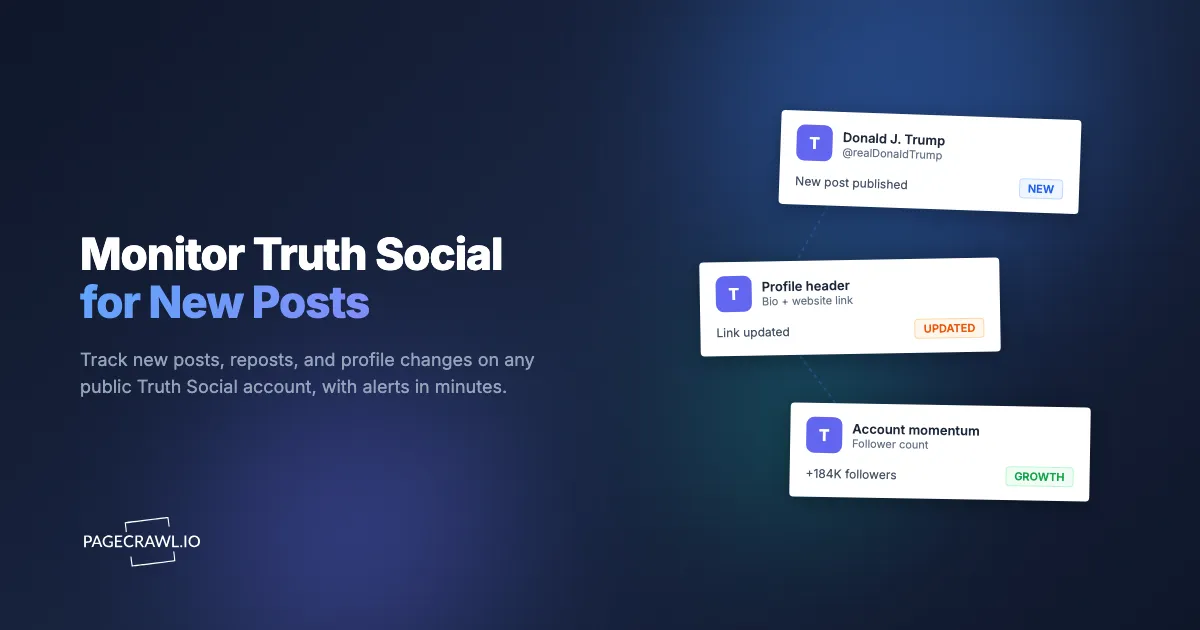
New posts are the headline event. Because the newest Truth always appears at the top of the page in a fixed position, a content monitor on the profile catches it on the very next check. Reposts (ReTruths) matter too: amplifying someone else's content is itself a statement, and it shows up in the same stream. Track the full post stream so that any new item, original or repost, triggers an alert with the text included.
Bio, display name, and profile links
The bio and display name are self-written status lines, and edits to them are intentional. A changed bio, a new external link, or a swapped display name can signal a shift in focus or a new campaign well before any formal announcement. Profile links in particular are prime real estate. When a link changes, attention is being redirected somewhere on purpose. Watch the header text so any wording or link change is flagged.
Follower count and account status
The follower count is a momentum metric. A sudden spike of hundreds of thousands in a day signals a viral moment or a coordinated push worth investigating, and a steady climb maps audience growth over time. Track the numeric value so you can alert on meaningful thresholds rather than every tiny fluctuation. The same content-monitoring approach also surfaces account-level changes like a paused, restricted, or renamed profile.
Specific keywords inside post text
Sometimes you do not care about every post, only the ones that mention a particular company, ticker, person, or policy term. Keyword conditions let you watch the whole stream but only fire an alert when a post contains a word you care about, and the reference on notification conditions and filters shows the matching options available. This is how a trading desk monitoring a specific stock filters out the noise. Our guide on keyword and trigger-word alerts walks through the exact setup, including how to combine keywords with thresholds.
Who watches Truth Social posts, and how fast do they need the alert?
Different audiences need different speeds, and matching the check frequency to the use case is what keeps a monitor useful instead of noisy. Markets need minutes, newsrooms need single-digit minutes, researchers can tolerate an hourly cadence, and communications teams sit somewhere in between. Set the frequency to the value of being early, not to the maximum the platform allows.
For market and trading use, the value of a post decays in minutes, so you want the tightest check frequency your plan supports and alerts that arrive on a channel you watch constantly. This is the same logic behind event-driven web monitoring for investors: the edge is in the gap between when something is published and when the rest of the market notices. Always verify a post on the official profile before acting on it; this article is informational and not investment advice.
For newsrooms, a few minutes of lead time is the difference between breaking a story and matching one. Journalists also care about the exact timestamp of the original post, which a monitoring tool records automatically each time it captures a change. For researchers and analysts, completeness beats speed: an hourly check that never misses a post builds a cleaner long-term archive than a frantic real-time setup you cannot sustain.
This is not unique to Truth Social. The same playbook applies to monitoring X (Twitter) profiles for changes, Facebook competitor pages, and the broader landscape of newer platforms like Bluesky, Mastodon, and Threads. A serious watcher usually runs the same account across several platforms in parallel, because a figure often posts to more than one.
How do you set up Truth Social monitoring in PageCrawl?
You set it up by pointing a monitor at the public profile URL, choosing a tracking mode that captures the post stream, picking a check frequency, and routing alerts to a channel you actually watch. The whole process takes about five minutes, and you can validate the entire approach on the free tier before paying anything. Here is the exact walkthrough.

Step 1: Create a free PageCrawl account. The free tier includes 6 monitors and 220 checks per month, which is enough to run one Truth Social monitor at an hourly cadence and still have room to test other pages. You do not need a paid plan to confirm the setup works.
Step 2: Add the profile as a new monitor. Paste the full profile URL (https://truthsocial.com/@realDonaldTrump) into the new-monitor form. PageCrawl loads the public page reliably, so you do not need any browser extension, scraper, or login on your end.
Step 3: Choose a tracking mode that captures posts. Use full page text monitoring so that any new post at the top of the timeline registers as a change. If you find the surrounding navigation and footer create noise, switch to a content-focused mode that strips boilerplate and concentrates on the main post stream. The goal is for a new Truth to reliably produce a detected change.
Step 4: Add keyword conditions if you only want specific posts. If you are a trading desk watching for a single company or ticker, or a comms team watching for your own brand name, add keyword conditions so the monitor only alerts when a post contains those terms. Leave conditions off if you want every new post.
Step 5: Set your check frequency. Match it to the use case from the section above. Free runs hourly, which suits researchers and casual watchers. Markets and newsrooms will want a paid plan for tighter frequencies (every 15, 5, or 2 minutes). Set the cadence to how quickly the alert needs to reach you.
Step 6: Pick your alert channels. Route alerts to wherever your team lives. Options include email, Slack, and web and mobile push notifications for the fastest delivery available, which you can turn on by following the guide to browser push notifications for change alerts. For a market desk, push or a dedicated Slack channel beats email, because email latency alone can cost you the lead time you set everything up to capture.
Step 7: Save, baseline, and confirm. Save the monitor and let it run one check to capture a baseline of the current page. The next time a post appears, you get an alert that includes the new text and the timestamp. Trigger an on-demand check once to confirm the monitor loads the page correctly and the diff looks the way you expect.
That is the entire setup. One monitor on one public URL, and you have a time-stamped, alert-driven record of everything the account publishes.
How do you keep the alerts clean and the record useful?
You keep alerts clean by separating the high-value signal from routine noise and by capturing each change as evidence rather than a fleeting notification. Use keyword conditions to narrow what fires, use an AI change summary to read what happened at a glance, and rely on the saved snapshot of each check so you have a permanent, time-stamped record even if a post is later edited or deleted.
An AI-generated summary turns a raw diff into a sentence you can act on, like "New post mentioning a named company and a tariff figure," which is actionable without anyone reading the full page. Each captured change is also stored with its timestamp, so if a post is deleted hours later your monitor already holds the snapshot. For sensitive or legal contexts, see our guide on preserving internet evidence, which covers how time-stamped captures hold up as a record.
If you also track discussion around the posts, not just the posts themselves, pair this with monitoring Reddit for new posts so you see both the original statement and the reaction forming around it.
How reliable is monitoring a public social profile?
Monitoring a public profile is reliable because the newest post always sits in the same place at the top of the page, which makes a new post one of the most detectable changes on the web. The main caveats are that social platforms occasionally gate content for anonymous visitors and that very rapid posting can produce several changes between checks. Both are manageable with the right cadence and tracking mode.
A few practical notes keep the setup dependable:
- Anchor on the public profile page. The post stream and header are the always-public surface. Build your monitor around the profile URL rather than any view that requires an account.
- Match cadence to posting volume. During a high-activity period, several posts can land between two checks. PageCrawl still flags that the page changed and captures the new state, but a tighter frequency on a paid plan gives you a cleaner one-alert-per-post experience.
- Pick the tracking mode that minimizes false positives. If a page element rotates on every load, it can trigger changes that are not real posts. A content-focused mode that concentrates on the post text reduces this.
- Confirm with one on-demand check. A single manual check after setup tells you right away whether the page loads and the diff looks right, before you depend on it.
The same reliability principles carry over to any public figure or organization you track, and to government and political pages generally.
Common Truth Social monitoring scenarios
Three scenarios show how the same monitor serves very different goals. Each is the same public-page monitor with a different frequency and alert route, which is what makes the approach flexible enough to cover markets, newsrooms, and research at once.
A market-moving post before the open
The scenario: A pre-market post names a public company and a policy figure. With a tight-frequency monitor routed to push and a dedicated Slack channel, the desk sees the post within minutes of it going live, reads the AI summary, and acts before the broader market reacts at the open. Without monitoring, the team learns about it when the stock gaps, having lost the entire lead window.
A newsroom breaking the story
The scenario: A reporter covering politics needs to be first, and accurate, on what was said and exactly when. The monitor captures each new post with its timestamp and full text, so the journalist can quote it precisely and cite the time without scrambling to screenshot a page that might change. The saved snapshot also protects against a post being edited mid-story.
A research desk building a statement timeline
The scenario: An analyst building a long-term record of public statements runs an hourly monitor and lets it accumulate a complete, time-stamped archive of every post and profile change. Completeness matters more than speed here, and the captured history becomes a clean dataset for analysis rather than a pile of manual screenshots.
Choosing your PageCrawl plan
PageCrawl's Free plan lets you monitor 6 pages with 220 checks per month, which is enough to run one Truth Social monitor at an hourly cadence and test the approach end to end before paying anything. Most serious watchers move to a paid plan once they need tighter check frequencies.
| Plan | Price | Pages | Checks / month | Frequency |
|---|---|---|---|---|
| Free | $0 | 6 | 220 | every 60 min |
| Standard | $8/mo or $80/yr | 100 | 15,000 | every 15 min |
| Enterprise | $30/mo or $300/yr | 500 | 100,000 | every 5 min |
| Ultimate | $99/mo or $999/yr | 1,000 | 100,000 | every 2 min |
Annual billing saves two months across every paid tier. Enterprise and Ultimate scale up to 100x if you need thousands of pages or multi-team access.
For market and newsroom use, frequency is the whole point, so the choice comes down to how much lead time is worth to you. Standard at $80/year and a 15-minute cadence is a reasonable starting point for most watchers. Enterprise at five minutes and Ultimate at two minutes are built for desks where a post's value decays in single-digit minutes and being early has direct financial or editorial impact. The page count on paid plans also lets you watch the same figure across Truth Social, X, and other platforms at once, plus any company or government pages you track alongside them.
All plans include the PageCrawl MCP Server, so you can ask an AI assistant to summarize every new post and profile change from the past day in plain language instead of scanning a dashboard. AI assistants can create monitors through conversation on every plan, including Free.
Getting Started
Spin up the monitor in five minutes: create a free account, paste in the public profile URL, choose full page text tracking, set your frequency, and route alerts to push or Slack. Let it baseline once, fire a single on-demand check to confirm it works, and you are done. From that point on you have a time-stamped record of every new post, captured automatically and delivered as soon as a check detects it.
The next market-moving post is coming whether you are watching or not. The only question is whether you find out in minutes or in hindsight.