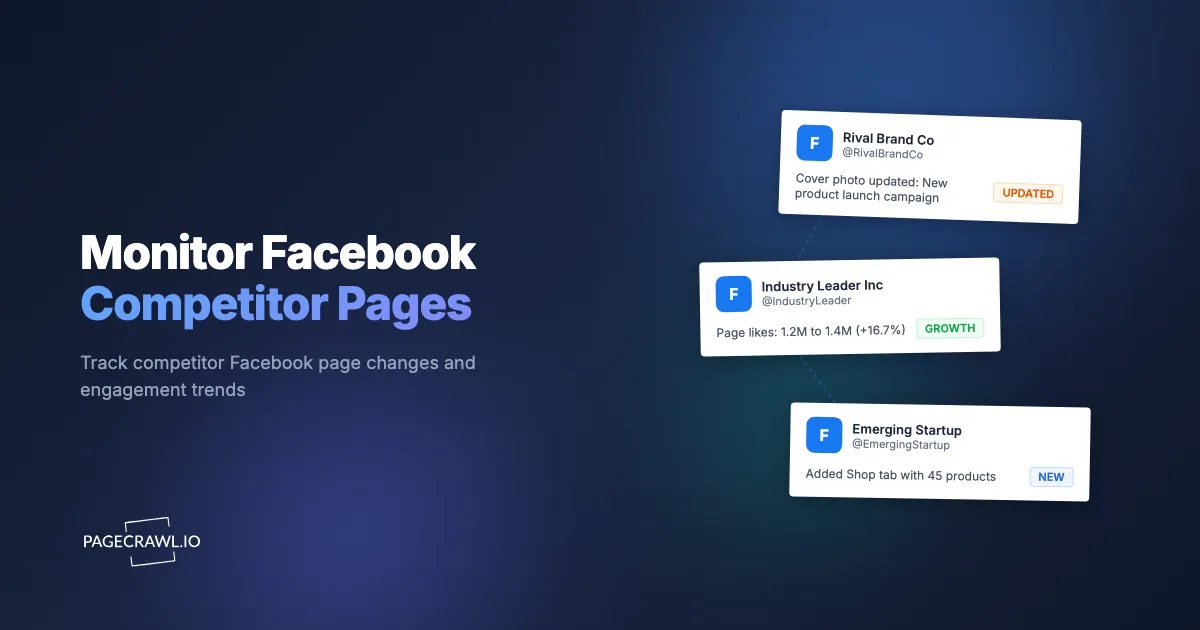
Your competitor quietly adds "AI-powered analytics" to their Facebook business page services list. Two weeks later, they launch a major ad campaign around that new offering. You find out when your sales team starts hearing about it from prospects. By that point, the competitor has a two-week head start on messaging, audience building, and market positioning.
Facebook business pages are public signaling channels. Every change a business makes to its Facebook page, whether updating the About section, adding a new service, changing business hours, or shifting its visual identity, tells you something about its strategy. These changes are visible to anyone who visits the page, but nobody visits competitor pages daily. Changes accumulate unnoticed until they surface through customer feedback, lost deals, or industry gossip.
This guide covers what to monitor on competitor Facebook pages and why each element matters, how to set up automated monitoring using PageCrawl, the challenges of tracking Facebook pages and how to work around them, how to combine Facebook monitoring with other social platforms for complete competitive intelligence, and specific use cases for local businesses, franchise brands, and agencies.
Why should you monitor competitor Facebook pages?
Because a Facebook business page is a public strategy document that competitors update without announcing it. A new service line, a rewritten description, a changed call-to-action button, or a drift in review sentiment all show up there first, and they are visible to anyone who bothers to look.
Facebook remains one of the largest platforms for business presence. Even companies that focus their organic efforts elsewhere maintain a Facebook business page because of the platform's advertising infrastructure and local business features. Changes to these pages reveal strategic shifts.
Positioning and Messaging Changes
When a competitor updates their Facebook page description, tagline, or About section, they are signaling a change in how they want to be perceived. A company that changes from "Full-service marketing agency" to "AI-first growth partner" is making a strategic pivot. Catching this change early lets you assess whether to respond, differentiate, or prepare for competitive messaging shifts.
These text changes are small but meaningful. They often precede larger moves like new product launches, rebranding campaigns, or market repositioning efforts.
Service and Product Updates
Facebook business pages include sections for services, products, and menu items (for restaurants). When a competitor adds, removes, or modifies their listed services, it directly indicates changes to their business offering. A law firm adding "Cryptocurrency Compliance" to their services list, a restaurant removing a food category, or a SaaS company adding a new product tier are all competitively relevant signals.
Review Trends and Sentiment
Competitor review patterns on Facebook reveal operational quality. A sudden increase in negative reviews might signal a product issue, a service decline, or a problematic business decision. A competitor whose reviews shift from "great customer service" to "long wait times" is experiencing something worth noting.
PageCrawl renders the dynamically loaded reviews, so you can track the aggregate review count and rating displayed on the page as well as the individual review text that is visible on it. A competitor going from 4.7 stars to 4.2 stars over a few months tells a story.
Ad Spending Signals
While you cannot directly see a competitor's ad spend on their Facebook page, changes to their page activity, follower growth, and content patterns correlate with ad investment. A competitor whose page suddenly shows increased posting frequency or significant follower growth is likely investing in paid promotion.
The Facebook Ad Library shows active ads from any page. Combined with page monitoring, you get a more complete picture of competitive ad strategy.
Community Engagement Patterns
How actively a competitor engages with their Facebook community reveals their social media investment. Posting frequency, response patterns, and content types indicate their resource allocation. A competitor that shifts from posting twice a week to daily is investing more in social content, which often signals broader marketing strategy changes.
What should you monitor on a competitor's Facebook page?
Four things, in order of value: the About section (description, categories, contact details, hours), the services and products list, page metadata such as the name, vanity URL, photos, and call-to-action button, and pinned or milestone posts. Everything else is mostly noise.
Not every element of a Facebook page is equally valuable for competitive intelligence. Focus on the elements that reveal strategic decisions.
The About Section
The About section contains the most strategically significant content on a Facebook page:
- Page description: How the business describes itself in 1-2 sentences
- Categories: The business categories the page claims (these are selected from Facebook's taxonomy)
- Contact information: Phone numbers, email addresses, and website URL
- Business hours: Operating hours and days
- Location: Physical address(es)
- Founded date: When the business was established
- Mission statement: If provided, the company's stated mission
Changes to any of these elements are worth tracking. A business changing its phone number might be moving to a new system. A changed website URL might indicate a rebrand. Updated business hours could signal expansion or contraction.
Services and Products Listed
Facebook allows businesses to list services with descriptions and price ranges. These listings serve as a public record of what the business offers. Monitor for:
- New services added (indicates expansion)
- Services removed (indicates contraction or refocusing)
- Price range changes (indicates pricing strategy shifts)
- Description updates (indicates repositioning of existing services)
Page Information Changes
The visible metadata on a Facebook page includes:
- Page name changes: A renamed page signals a rebrand
- Username/URL changes: The vanity URL (facebook.com/businessname) changing indicates a name or brand change
- Profile and cover photos: Visual identity changes often coincide with broader rebranding
- Call-to-action button: The primary CTA (Shop Now, Book Now, Contact Us, etc.) indicates what the business prioritizes
Milestone and Timeline Posts
Some businesses use Facebook's milestone feature to announce achievements, expansions, or events. Pinned posts on the timeline highlight what the business considers its most important current message. Both are worth monitoring for competitive signals.
What makes Facebook pages hard to monitor?
Four things: content is rendered by JavaScript rather than served as HTML, more of it now sits behind a login wall, posts and reviews load on infinite scroll rather than in one document, and page URLs come in several shapes. Each has a workaround, covered below.
Facebook presents specific technical challenges for automated monitoring.
JavaScript-Heavy Rendering
Facebook pages are built as single-page applications that rely heavily on JavaScript to render content. The page HTML delivered to a basic HTTP request contains very little of the visible content. The actual page information, posts, reviews, and services are loaded dynamically through JavaScript execution.
This means simple web scraping approaches that only read HTML will see an empty or minimal page. PageCrawl handles this by rendering the full page, executing JavaScript, and capturing the content as a visitor would see it.
Login Walls and Privacy Settings
Facebook increasingly requires login to view page content. Public business pages may show limited information to non-authenticated visitors. PageCrawl can monitor the publicly visible portions of Facebook business pages, and it can also log in with your credentials to reach content that Facebook restricts to logged-in users. You provide the login URL and sign-in details once, and the signed-in session is saved and reused, so posts, reviews, and detailed page sections behind the login wall stay monitorable.
If you would rather monitor without logging in, focus on the publicly accessible elements of business pages. The About section and basic page details are most likely to be visible without logging in, though even these may be restricted depending on the page's settings and Facebook's current access policies. When viewed logged out, some About and services text and reviews may be sparse or unavailable, so expect partial content on certain pages.
Numeric Signals Are De-Emphasized
To avoid constant false alerts from numbers that change on their own, PageCrawl de-emphasizes numeric signals on Facebook pages: follower count, ratings, business hours, phone numbers, and price ranges. These shift frequently and would otherwise flood you with low-value alerts. Treat the qualitative content (the About description, services list, messaging, and visual identity) as the default monitored signal. When a specific number like the follower count or rating is what you want to track, set up a dedicated number tracker with threshold or direction alerts so you only hear about meaningful moves.
For a fuller competitor picture, also monitor the competitor's own website and LinkedIn page alongside their Facebook page.
Dynamic Content Loading
Content on Facebook pages loads dynamically as you scroll. Posts, reviews, and photos appear through infinite scroll. This means that a single page check captures the initially visible content but not the full history of posts or all reviews.
For competitive monitoring, this is usually fine. You are primarily interested in changes to the static elements (About, services, page info) and the most recent visible content, not in crawling through every historical post.
URL Structure
Facebook business page URLs follow predictable patterns:
facebook.com/businessname(vanity URL)facebook.com/profile.php?id=NUMERIC_ID(pages without vanity URLs)facebook.com/businessname/about(About section specifically)facebook.com/businessname/services(Services listing)
For the most reliable monitoring, use the About page URL (facebook.com/businessname/about) as your primary monitor, since it consolidates the most strategically valuable information on a single page.
Setting Up Facebook Page Monitoring with PageCrawl
Here is how to configure effective monitoring for competitor Facebook pages.

Step 1: Identify Competitor Pages
Start by listing every competitor whose Facebook presence you want to track. Include:
- Direct competitors in your market
- Aspirational competitors (larger companies you are growing toward)
- Adjacent competitors (companies in related but not identical markets)
- Local competitors (for businesses with geographic focus)
Find their Facebook page URLs. Search on Facebook directly, or check their website for a Facebook link in the footer or social media icons.
Step 2: Choose What to Monitor
For each competitor, decide which page sections to monitor. Options include:
About page (recommended for all competitors): The /about URL captures business description, categories, contact information, hours, and services. This is the highest-value monitoring target for competitive intelligence.
Main page: The root page URL captures the page name, profile photo, cover photo, and featured content. Useful for detecting visual rebranding or major content changes.
Services page: If the competitor lists services on Facebook, monitor the /services URL specifically for service additions, removals, or pricing changes.
Step 3: Configure Monitors
For each Facebook page URL:
- Add the URL to PageCrawl
- PageCrawl applies full-page monitoring for Facebook pages automatically (it sets the mode for you), so you do not need to choose a tracking mode
- Set check frequency to daily or every 12 hours (Facebook page information does not change by the minute)
- Configure notifications to go to your competitive intelligence channel (email, Slack, or a dedicated webhook)
Step 4: Handle Multiple Competitors
For monitoring 5-10 competitor Facebook pages:
- Create a folder called "Facebook Competitors" to keep monitors organized
- Tag each monitor with the competitor name for quick filtering
- Set up a daily or weekly digest notification so you get a summary rather than individual alerts for minor changes
For broader competitive monitoring that includes websites, social profiles, and more, see our guide on how to track competitor websites.
Combining Facebook with Other Social Platforms
Facebook monitoring alone gives partial visibility. Competitors maintain presence across multiple platforms. A complete competitive social intelligence setup includes multiple channels.
LinkedIn Monitoring
LinkedIn business pages contain different information than Facebook pages. Job postings reveal hiring priorities. Company updates signal strategic direction. Employee count changes indicate growth or contraction. See our detailed guide on monitoring LinkedIn pages for setup instructions.
Facebook reveals how a company presents itself to consumers. LinkedIn reveals how it presents itself to professionals and potential employees. Together, they provide a more complete picture.
Instagram Monitoring
For consumer-facing businesses, Instagram often receives more creative investment than Facebook. Visual content, Stories highlights, and bio changes on Instagram can signal brand shifts that the Facebook page echoes later. Monitor both to see which platform leads in messaging changes, and the same setup works for tracking new posts on any public profile beyond your competitors.
Review Platforms
For local businesses and service providers, review monitoring across Google Business, Yelp, and industry-specific platforms complements Facebook review tracking. A competitor's reputation may look different across platforms. See our guide on online reputation monitoring for a comprehensive approach.
Website Monitoring
Social media monitoring should complement, not replace, direct website monitoring. Competitor website changes (pricing page updates, new product pages, team page changes) often contain more detail than social media updates. Use PageCrawl to monitor competitor websites alongside their social profiles for complete intelligence. See our competitive intelligence guide for a framework.
Who benefits most from monitoring competitor Facebook pages?
Local businesses, franchise operators, agencies, brands selling through retailers, and recruiters get the most out of it. What they share is a market where a competitor's service list, hours, promotions, or review trend is both public and directly actionable, and where nobody has time to check those pages by hand.
Local Businesses
Local businesses compete for customers in a defined geographic area. Monitoring competitor Facebook pages reveals:
- New services or products being offered
- Changed business hours (expansion or reduction)
- Location changes or new locations opening
- Special promotions and events
- Review trends indicating service quality changes
For a local restaurant, knowing that a competitor added a new cuisine category, extended hours, or received a cluster of negative reviews provides actionable intelligence for your own marketing and operations.
For a local service business (plumber, electrician, landscaper), tracking competitor service listings, pricing, and coverage areas on Facebook helps you identify gaps in the market and opportunities to differentiate.
Franchise Brands
Franchise operators monitor both their direct competitors and other franchisees in their brand. Competitor monitoring follows the same patterns as local business monitoring. Franchisee monitoring reveals how other operators in the same brand are positioning, what services they emphasize, and what promotions they run.
Corporate franchise management teams monitor franchisee Facebook pages to ensure brand compliance, identify best practices, and detect issues before they escalate.
Agency Competitive Research
Marketing agencies, PR firms, and digital agencies monitor competitor agencies to understand their service offerings, client wins, and positioning. When a competitor agency adds "TikTok Management" to their services or removes "Print Advertising," it signals market trends.
Agencies also monitor client prospects' Facebook pages to understand their current social media presence, identify pain points, and prepare tailored pitches. Knowing that a prospect's Facebook page has not been updated in months supports an outreach message about social media management services.
Brands Monitoring Retailers
Brands that sell through multiple retailers monitor each retailer's Facebook page for promotional content that includes (or excludes) their products. When a retailer features a competitor's product but not yours, it is worth a conversation with your retail account manager.
Job Seekers and Recruiters
Job seekers monitor target company Facebook pages for culture signals, team changes, and expansion announcements. Recruiters monitor companies for growth signals that indicate upcoming hiring needs. Both benefit from automated monitoring rather than periodic manual checking.
Building a Facebook Monitoring Workflow
Raw alerts are useful, but a structured workflow turns monitoring data into competitive advantage.
Weekly Competitive Review
Designate a weekly time to review all Facebook monitoring alerts from the past week. PageCrawl's AI importance scoring helps you prioritize this review by rating each detected change on how significant it is. A competitor updating their business hours scores lower than a competitor completely rewriting their About section to describe a new market focus. This means you can scan your alerts quickly and focus your analysis time on the changes that actually matter.
Look for patterns:
- Are multiple competitors making similar changes? This suggests an industry trend
- Has one competitor made dramatic changes? This suggests a strategic pivot worth investigating
- Are review trends shifting for competitors? This might indicate market opportunities
Change Classification
Classify Facebook page changes by type and significance:
- Strategic changes: Repositioning, new services, messaging shifts (share with leadership)
- Operational changes: Hours, contact info, location (note but lower priority)
- Visual changes: Profile photo, cover photo, CTA button (may signal upcoming campaign)
- No change: Stable competitors are worth noting too, as it indicates they are maintaining rather than evolving
Integration with Competitive Intelligence
Facebook monitoring feeds into your broader competitive intelligence monitoring program. Combine it with:
- Website monitoring for product and pricing changes
- LinkedIn monitoring for hiring and organizational changes
- News monitoring for press coverage and announcements
- Review monitoring for customer sentiment trends
The combined picture is more valuable than any single data source.
Advanced Monitoring Techniques
Monitoring Facebook Ad Library
The Ad Library shows all active ads from any page. While PageCrawl can monitor this page for changes, the Ad Library is designed to be queried interactively. The business-page setup described in this guide is not appropriate for the Ad Library and needs manual configuration, especially because the numbers (active ad counts and spend ranges) are the whole point there, and those numeric signals are de-emphasized by the standard page setup. Consider monitoring a competitor's Ad Library page with a configuration tailored to it to detect when they launch new ad campaigns.
Tracking Page Follower Count
Some Facebook pages publicly display their follower count. Monitoring this number over time reveals growth patterns. A sudden spike in followers often correlates with paid advertising investment. Consistent growth indicates effective organic strategy. Declining followers may signal audience dissatisfaction.
Monitoring Facebook Groups
If competitors run public Facebook Groups, the group description, rules, and featured content can be monitored. Active groups signal community investment. Changes to group rules or descriptions signal community management shifts.
Note that Facebook Groups may have stricter access requirements than business pages, and some groups are private. The business-page setup is not appropriate for Groups, so monitoring a group needs manual configuration rather than the standard page setup.
Choosing your PageCrawl plan
PageCrawl's Free plan lets you monitor 6 pages with 220 checks per month, which is enough to validate the approach on your most critical pages. Most teams graduate to a paid plan once they see the value.
| Plan | Price | Pages | Checks / month | Frequency |
|---|---|---|---|---|
| Free | $0 | 6 | 220 | every 60 min |
| Standard | $8/mo or $80/yr | 100 | 15,000 | every 15 min |
| Enterprise | $30/mo or $300/yr | 500 | 100,000 | every 5 min |
| Ultimate | $99/mo or $999/yr | 1,000 | 100,000 | every 2 min |
Annual billing saves two months across every paid tier. Enterprise and Ultimate scale up to 100x if you need thousands of pages or multi-team access.
Standard at $80/year monitors 100 pages, which covers the Facebook About and services pages of your top competitors alongside their websites and LinkedIn profiles - the full set most competitive intelligence programs need. Missing a competitor's service addition or messaging pivot for two weeks can mean walking into a sales call unprepared; daily automated monitoring keeps your team current without anyone spending time on manual page checks. Enterprise at $300/year handles 500 pages for agencies or larger teams tracking dozens of competitors across Facebook, LinkedIn, and their websites simultaneously. All plans include the PageCrawl MCP Server, which lets you ask your AI tools to summarize all competitor Facebook changes from the past month in one read rather than reviewing individual alerts. AI assistants can create monitors through conversation on every plan, including Free.
Getting Started
Choose 3-5 competitors you most want to track. Find their Facebook business page URLs and navigate to each page's About section (add /about to the page URL). Add each About page URL to PageCrawl with daily check frequency (PageCrawl sets full-page monitoring for Facebook pages automatically).
Run it for two weeks. Review what changes you catch. You may be surprised at how frequently competitors update their Facebook pages with small but meaningful changes that previously went unnoticed.
Then expand. Add services pages for competitors that list services on Facebook. Add main page monitoring for visual identity tracking. Set up monitoring for competitor LinkedIn pages alongside Facebook. Build folders and tags to organize your growing competitive intelligence operation.
PageCrawl's free tier includes 6 monitors, enough to track the Facebook About pages of your top competitors and see the value of automated social media monitoring. The Standard plan at $80/year covers 100 pages, which handles Facebook, LinkedIn, and website monitoring for a full set of competitors. Enterprise at $300/year handles 500 pages for agencies or enterprises monitoring large competitor sets across multiple platforms.
The competitors who seem to always know what is happening in the market are not spending hours on Facebook every day. They have automated monitoring running quietly in the background, surfacing the changes that matter while they focus on running their business.