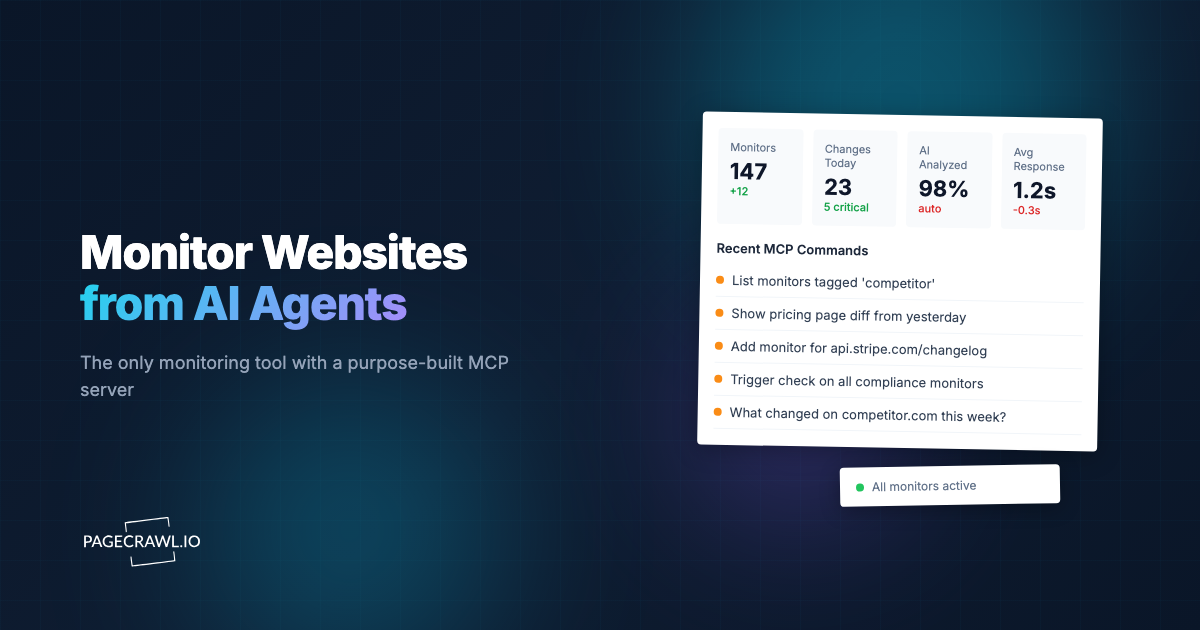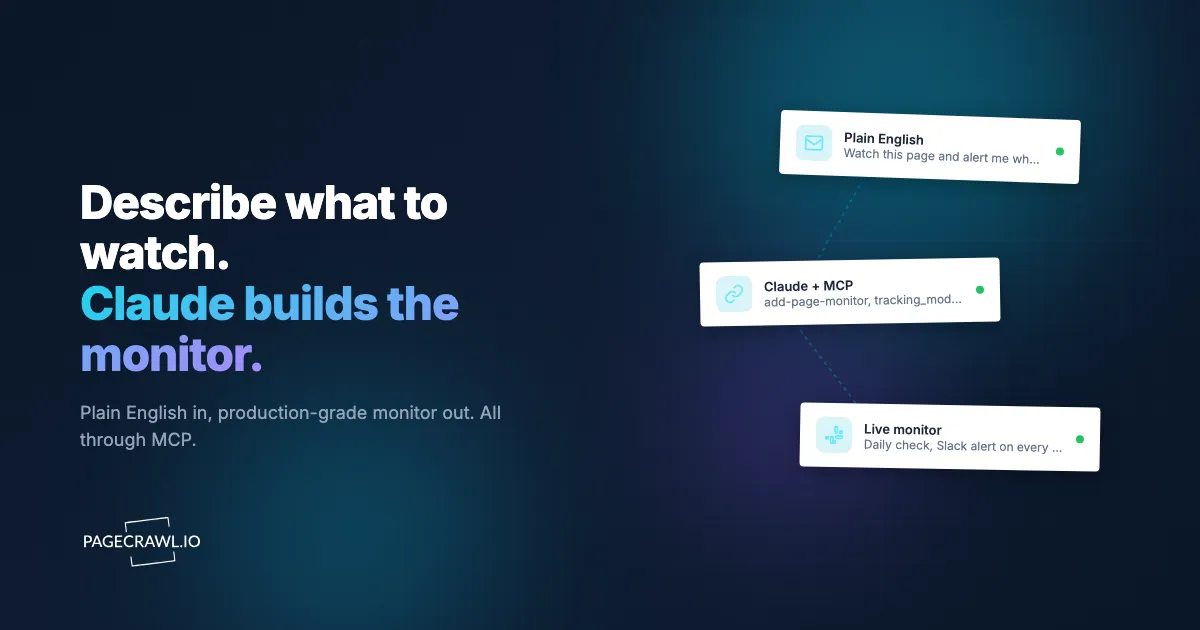
Someone types one sentence into Claude asking it to watch a page. The boring path is opening the PageCrawl dashboard, clicking "New monitor", filling the form. The better path is letting Claude make the call directly through the PageCrawl MCP (Model Context Protocol) server, with the right tracking mode, selector, frequency, and (now) page actions picked from your description. The same payloads work over the public REST API for anyone who prefers to script it from a shell instead.
This guide walks through five real prompts and the monitors Claude produces from them, simple to complex. The point is not that any of this is magic. It is that the MCP schema is detailed enough that Claude can read your sentence, pick the right tracking mode out of thirteen, build the selector or element array, and call add-page-monitor with the right shape. Every example below also shows the equivalent curl against the public REST API and developer docs, hidden under a collapsed block so the post stays scannable.
If you have not connected the PageCrawl MCP server yet, it takes one click. In your AI tool's MCP or connector settings, add PageCrawl pointing at https://mcp.pagecrawl.io/mcp and sign in once with OAuth 2.0, the same flow used in the walkthrough for adding pages to PageCrawl from Claude. There is no API key or token to paste, and it works on Free accounts. Headless and CLI clients (Claude Code, Cursor, scripts) can alternatively use a personal API token from Settings > API. The MCP launch post and the integration KB article cover setup for Claude.ai web, Claude Code, Cursor, ChatGPT, and other MCP-compatible tools. This post picks up where those leave off.
Why does this work at all?
It works because the MCP tool description that Claude reads for add-page-monitor is long on purpose. Every tracking mode (price, reader, fullpage, content_only, feed, specific_text, specific_number, json_path, ai_extract, seo, leaderboard, pdf_extract, http_status) carries one or two sentences explaining when to use it. That context is what lets the model pick correctly from a sentence of human input. It also documents the shape of the actions array (when interaction is needed), the elements array (when a tracking mode is too coarse for what you want), and the cross-workspace search behavior of every read tool. If you want to read the same prompt the model sees, it is the description field on the schema entries in app/Mcp/Tools/AddPageMonitor.php.
Plan note: the full tool set works on every plan, including Free. Read tools (list-monitors, get-changes-since, get-check-diff, get-monitor-history, get-screenshot, get-summary, get-intelligence, get-archive, get-statistics), creating monitors with add-page-monitor, diagnosing a monitor that captures the wrong value with test-configuration, editing or deleting them with manage-monitors, tagging with manage-tags, organizing with manage-folders, mark-changes-seen, set-monitor-status, update-monitor-defaults, the setup tools (manage-templates, manage-discovered-pages, manage-workspaces, manage-webhooks, manage-reports, and list-authentications to pick a saved login), and firing an on-demand check outside the schedule with trigger-check are all available through the connector, subject to your plan's monitor limit. The headline is that an AI assistant can create, tag, organize, edit, and re-check monitors through conversation on any plan, including Free.
Five real prompts, five real monitors
If you would rather wire this up from a script, every example below has a collapsed REST API equivalent right after the MCP snippet. Click "Doing the same thing without Claude" to expand it.

Price monitor in one sentence
You type: "Watch https://www.apple.com/shop/buy-mac/macbook-pro and tell me when the price changes."
Claude calls add-page-monitor with tracking_mode: "price". That mode auto-detects the price on the page and attaches an availability element alongside it, so you get both "price changed from X to Y" and "now out of stock" without saying so explicitly.
{
  "url": "https://www.apple.com/shop/buy-mac/macbook-pro",
  "tracking_mode": "price"
}
The monitor runs daily by default, captures a screenshot every check, and sends a notification when the price moves or the availability flips.
Doing the same thing without Claude (POST /api/pages)
curl -X POST "https://pagecrawl.io/api/pages?api_token=YOUR_TOKEN" \
  -H "Content-Type: application/json" \
  -d '{
    "url": "https://www.apple.com/shop/buy-mac/macbook-pro",
    "name": "MacBook Pro price",
    "frequency": 1440,
    "elements": [
      {"type": "price", "selector": "*", "label": "Price"},
      {"type": "availability", "selector": null, "label": "Availability"}
    ],
    "notifications": ["mail"]
  }'
The MCP server collapses the price + availability pair into a single tracking_mode: "price" shorthand, but the REST API expects the explicit elements array. Token setup is covered in the API developer quickstart.
Watching a legal page for changes
You type: "Send a weekly Slack message if Anthropic's consumer terms change at https://www.anthropic.com/legal/consumer-terms."
Claude picks tracking_mode: "reader". Reader mode runs a Readability-style extraction on the page, which strips the nav, header, footer, and the cookie banner so you do not get a notification every time the marketing site rotates a hero image. It also pulls the frequency from "weekly" (10,080 minutes) and the notification channel from "Slack".
{
  "url": "https://www.anthropic.com/legal/consumer-terms",
  "tracking_mode": "reader",
  "frequency": 10080,
  "notifications": ["slack"]
}
For other long-form legal and policy pages (privacy policies, terms, refund pages, cancellation flows), the help-center monitoring guide covers the broader pattern of treating these as competitive intelligence sources.
Doing the same thing without Claude (POST /api/pages)
curl -X POST "https://pagecrawl.io/api/pages?api_token=YOUR_TOKEN" \
  -H "Content-Type: application/json" \
  -d '{
    "url": "https://www.anthropic.com/legal/consumer-terms",
    "name": "Anthropic consumer terms",
    "frequency": 10080,
    "elements": [
      {"type": "fullpage", "selector": "article", "label": "Reader Mode"}
    ],
    "notifications": ["slack"]
  }'
Reader mode is shorthand for "track the article element with full-page rules". The REST API uses the explicit fullpage type with the article selector.
Latest CVE timestamp from a JSON API
You type: "Track the timestamp of the latest CVE published in https://services.nvd.nist.gov/rest/json/cves/2.0?resultsPerPage=1, ping me hourly when a new one drops."
Claude picks tracking_mode: "json_path" (the URL is a JSON endpoint, not an HTML page) and writes the JSONPath expression from "the timestamp of the latest CVE published".
{
  "url": "https://services.nvd.nist.gov/rest/json/cves/2.0?resultsPerPage=1",
  "tracking_mode": "json_path",
  "selector": "$.vulnerabilities[0].cve.published",
  "frequency": 60
}
The interesting thing here is that Claude does not need to know about the NVD response shape. It guesses a reasonable JSONPath from the phrase "latest CVE published", and you can correct it on the next turn ("the array is vulnerabilities, not cves") if you spot it before the first check.
Doing the same thing without Claude (POST /api/pages)
curl -X POST "https://pagecrawl.io/api/pages?api_token=YOUR_TOKEN" \
  -H "Content-Type: application/json" \
  -d '{
    "url": "https://services.nvd.nist.gov/rest/json/cves/2.0?resultsPerPage=1",
    "name": "NVD latest CVE timestamp",
    "frequency": 60,
    "elements": [
      {"type": "json_path", "selector": "$.vulnerabilities[0].cve.published", "label": "Latest CVE published"}
    ]
  }'
A JavaScript tracked element for a value buried in a data attribute
You type: "On https://podcastindex.org/podcast/12345 I want to track the value of data-listener-count on .episode-stats. Nothing else."
A plain CSS selector cannot reach a data attribute on its own. Claude drops out of the high-level tracking_mode and uses the raw elements array with a javascript element type. The selector field on a javascript element is the JS expression whose return value becomes the tracked content.
{
  "url": "https://podcastindex.org/podcast/12345",
  "name": "Podcast listener count",
  "elements": [
    {
      "type": "javascript",
      "selector": "document.querySelector('.episode-stats')?.dataset.listenerCount",
      "label": "Listener count"
    }
  ]
}
The CSS selector guide covers when to reach for a JS expression versus a selector, and the JavaScript Tracked Elements and Custom JavaScript Actions KB article has a longer list of patterns (regex extraction, JSON-LD parsing, multi-element aggregation).
Doing the same thing without Claude (POST /api/pages)
curl -X POST "https://pagecrawl.io/api/pages?api_token=YOUR_TOKEN" \
  -H "Content-Type: application/json" \
  -d '{
    "url": "https://podcastindex.org/podcast/12345",
    "name": "Podcast listener count",
    "frequency": 1440,
    "elements": [
      {
        "type": "javascript",
        "selector": "document.querySelector(\".episode-stats\")?.dataset.listenerCount",
        "label": "Listener count"
      }
    ]
  }'
Click the Pricing tab, wait for the prices to render, then track
You type: "On [your pricing page URL] the headline price only appears after you click the Pricing tab. Click it, wait for the price block to load, then track the headline price."
Claude reaches for the actions array. The default actions for a new monitor are cookie-banner removal and overlay removal; passing an explicit actions array replaces those defaults, so Claude re-adds remove_cookies_v2 at the top of the sequence to keep the cookie wall out of the way. Then it clicks the tab, waits for the price element to appear (wait_element blocks for up to 15 seconds), and tracks the price text.
{
  "url": "<pricing page URL>",
  "tracking_mode": "specific_text",
  "selector": ".pricing-headline-price",
  "actions": [
    {"type": "remove_cookies_v2"},
    {"type": "click", "selector": "a[href='#pricing']"},
    {"type": "wait_element", "selector": ".pricing-headline-price"}
  ]
}
When the click and wait actions are not enough
For pages where the interaction is more involved (form-built React inputs, a confirm dialog you have to dismiss, content that lazy-loads on scroll), Claude can reach for the javascript action type. Write the code as a self-executed async arrow function so you can await between steps. The value field carries the code and is capped at 1500 characters.
{
  "url": "<category page URL>",
  "tracking_mode": "specific_text",
  "selector": ".product-grid",
  "actions": [
    {"type": "remove_cookies_v2"},
    {
      "type": "javascript",
      "value": "(async () => { const sleep = ms => new Promise(r => setTimeout(r, ms)); document.querySelector('#load-more')?.click(); await sleep(800); document.querySelector('#load-more')?.click(); await sleep(800); })();"
    },
    {"type": "wait_element", "selector": ".product-grid"}
  ]
}
This clicks "Load more" twice, with a short wait between each click so the next batch of products has time to render. Native actions (click, wait_element, type, select) are still better for single-step interactions because the engine produces clearer logs. Reach for javascript when you need delays between steps, framework-aware event dispatching, or polling for an element that may take an unpredictable time to appear. The KB has the longer pattern guide with reusable helpers.
Doing the same thing without Claude (POST /api/pages)
curl -X POST "https://pagecrawl.io/api/pages?api_token=YOUR_TOKEN" \
  -H "Content-Type: application/json" \
  -d '{
    "url": "<pricing page URL>",
    "name": "SaaS headline price",
    "frequency": 1440,
    "elements": [
      {"type": "text", "selector": ".pricing-headline-price", "label": "Headline price"}
    ],
    "actions": [
      {"type": "remove_cookies_v2"},
      {"type": "click", "selector": "a[href=\"#pricing\"]"},
      {"type": "wait_element", "selector": ".pricing-headline-price"}
    ]
  }'
The actions array shape is identical across MCP and REST. The element-type mapping is the only difference: the MCP specific_text shorthand becomes {"type": "text", "selector": ...} on the REST side.
Bonus: bulk setup and tagging in one message
You type: "Set up daily price-page monitors for these six competitor URLs and tag them all competitor-pricing: [list of URLs]."
Claude calls add-page-monitor six times in a row, each with tracking_mode: "price" and tags: ["competitor-pricing"]. Creating the monitors works on any plan, including Free, subject to your plan's monitor limit. Adding the tag in the same breath via manage-tags is free too, as is passing tags directly on creation. This is where the MCP integration starts to feel worth it: six form submissions in the dashboard becomes one chat message.
The REST equivalent is a single call with track_type: "multiple" and a urls array, which is documented in the API quickstart.
After setup, which follow-up prompts earn the integration?
The creation prompts are the obvious win, but the ongoing prompts are what actually compound. These all work on every plan, including Free:
- "What changed across all monitors in the last 24 hours, sorted by priority?" Claude calls
get-changes-sincewithmin_priority: 70and reads back the AI summaries. - "Show me the exact diff for the monitor on stripe.com pricing." Claude calls
list-monitorsto find the slug, thenget-check-diffand paraphrases the result. - "Which monitors am I tracking, and what tags do they have?" Claude calls
list-monitors(tag listing is read-only). - "Tag all my competitor monitors as
tier-1." Claude callslist-monitorsto find the set, thenmanage-tagsto add the tag to each one. - "Group my competitor pricing monitors into a Competitors folder." Claude calls
manage-foldersto create the folder (nested subfolders work too) and move the matching monitors into it. - "Mark everything as seen, I am caught up."
mark-changes-seenwith nomonitor_iddoes this in one call. - "Pause the staging monitors, I am done with that release." Claude calls
set-monitor-statusto disable them, and re-enables later the same way. - "Turn screenshots off by default and switch new monitors to hourly." Claude calls
update-monitor-defaultsto change the workspace defaults. - "Check the OpenAI pricing page right now, do not wait for the schedule." Claude finds the monitor with
list-monitors, then callstrigger-checkto run an on-demand check. - "Change that monitor to hourly and move it into the Competitors folder." Claude calls
manage-monitorswith theupdateaction. - "Delete the three staging monitors, I do not need them any more." Claude calls
manage-monitorswithdelete. This is permanent and destroys the history too, so Claude will confirm first. - "Show me the screenshot from the last check on the pricing page." Claude calls
get-screenshotand looks at the stored image rather than only the text. - "Would
.price-nowactually pick up the number on this page?" Claude callstest-configurationagainst the URL and reports what it captured, before anything is created. - "How did this workspace do last month?" Claude calls
get-summaryfor the roll-up,get-intelligencefor which pages move most, andget-statisticsfor the usage side. - "Send changes on these monitors to our Slack relay endpoint." Claude calls
manage-webhooksto create and then test the webhook. - "Set up a weekly digest of everything in the Competitors folder." Claude calls
manage-reportsto create the schedule, and can read back the generated digests later. - "Crawl the docs site and start watching the pages under /api." Claude calls
manage-templatesto turn discovery on, thenmanage-discovered-pagesto import the matching candidates as monitors.
None of these are documented anywhere; the schema descriptions are detailed enough that Claude figures them out from the way you ask.
Claude web vs Claude Code: which should you use?
Claude.ai web is the right surface for one-off setup ("watch this page", "what changed this week", "force a recheck"), conversational triage, and sharing the result with a teammate via a chat link. The MCP server connects through OAuth the first time and stays connected.
Claude Code is the right surface when monitors are part of a larger development workflow. Examples that show up in practice: piping a CSV of URLs into a one-shot script that creates a hundred monitors with consistent tags, building a CLI playbook that adds a monitor + triggers an immediate check + waits for the result, or wiring the MCP server into a CI job that creates a monitor for every new deployment URL. Token-based auth in Claude Code makes this scriptable in a way that browser OAuth does not.
Either way, add PageCrawl's skills. In Claude Code, /plugin install pagecrawl --marketplace pagecrawl/skills adds the MCP connection together with skills that steer Claude toward the right tracking mode and the fewest calls, and that make it ask before deleting monitors or clearing changes. On Claude.ai, the same skills can be uploaded as a plugin under Customize > Plugins.
For background on hybrid workflows (assistant in the middle, dedicated monitoring on the side), the OpenClaw integration post covers the same shape applied to a different AI assistant.
Frequently asked questions
Which tools work on Free? All of them: read tools, creating monitors with add-page-monitor (subject to your plan's monitor limit), editing and deleting them with manage-monitors, dry-running a selector with test-configuration, tagging with manage-tags, organizing with manage-folders, marking changes seen with mark-changes-seen, enabling or disabling monitors with set-monitor-status, changing workspace defaults with update-monitor-defaults, the setup tools for templates, discovery, workspaces, webhooks and reports, and firing on-demand checks with trigger-check are all available on every plan, including Free. Free accounts are rate-limited to 30 requests per minute.
Can Claude figure out tracking modes I have never used before? In our testing, yes. The mode descriptions in the schema are long enough that the model picks the right one from a sentence of context. If you want to override, name the mode explicitly: "use ai_extract with the prompt 'pull every new CVE name from the JSON'" wins over any inference.
What if a page needs a real login flow? Set up the authentication once in the PageCrawl dashboard under Authentications, following the guide to monitoring password-protected pages, then reference it when you create the monitor. Claude can list your saved logins through list-authentications and pass one to a new monitor, but creating, editing or deleting a login is deliberately not available over MCP, because credentials must never pass through a chat client. The dashboard-created monitor will use the saved authentication on every check.
Can I run this without OAuth? Yes. Headless and CLI clients (Claude Code, Cursor, scripts) can use a personal API token from Settings > API, which is the right shape for scripted use. Claude.ai web and other connector-based clients use the one-click OAuth flow at https://mcp.pagecrawl.io/mcp. Both paths are covered in the MCP integration KB.
Does this work in Cursor, ChatGPT, OpenClaw, and other MCP clients? Same MCP server, same tools, same schema. The conversation feel differs by client; the underlying capability does not.
Choosing your PageCrawl plan
PageCrawl's Free plan lets you monitor 6 pages with 220 checks per month, which is enough to validate the approach on your most critical pages. Most teams graduate to a paid plan once they see the value.
| Plan | Price | Pages | Checks / month | Frequency |
|---|---|---|---|---|
| Free | $0 | 6 | 220 | every 60 min |
| Standard | $8/mo or $80/yr | 100 | 15,000 | every 15 min |
| Enterprise | $30/mo or $300/yr | 500 | 100,000 | every 5 min |
| Ultimate | $99/mo or $999/yr | 1,000 | 100,000 | every 2 min |
Annual billing saves two months across every paid tier. Enterprise and Ultimate scale up to 100x if you need thousands of pages or multi-team access.
At an engineering hourly rate, Standard at $80/year pays for itself the first time you catch a breaking API change, a deprecated endpoint, or a silent config change before it takes down production. 100 monitored pages is enough to cover the changelogs and docs of every third-party API your stack depends on. Enterprise at $300/year adds 5-minute checks and 500 pages. All plans include the PageCrawl MCP Server, which plugs directly into Claude, Cursor, and other MCP-compatible tools. Developers can ask "what changed in the Stripe API docs this month?" and get a summary pulled from your own monitoring history. AI assistants can create monitors through conversation on every plan, including Free, turning your tracked pages into a living knowledge base instead of a pile of alert emails.
Getting Started
The Free plan is enough to connect the MCP server, explore your existing monitors through Claude, create new monitors by conversation, tag and organize them into folders, trigger checks on demand, and manage the whole workspace. Free is capped at 10 on-demand checks a day; scheduled checks are unaffected. Sign up at pagecrawl.io/register, connect the MCP server in your client of choice with one-click OAuth at https://mcp.pagecrawl.io/mcp (instructions here), and ask Claude to set up the first monitor.