OpenAI deprecated the GPT-4-0314 model with roughly six months notice. The deprecation announcement lived in a changelog entry and a model deprecation page that most teams never checked directly. Engineering teams that had hardcoded that specific model version into their production systems discovered the deprecation in different ways: some from a colleague's Slack message, some from a blog post weeks later, some when their API calls started returning errors after the cutoff date. The teams that caught the notice early had time to evaluate replacement models, run benchmarks, update their code, and deploy calmly. The teams that missed it scrambled during an outage.
The AI model landscape moves faster than any other area of software. Major providers ship new models every few weeks. Each release can change performance benchmarks, alter pricing structures, deprecate older models, shift rate limits, or introduce new capabilities that reshape what is possible. If your product, workflow, or research depends on AI models, you need a systematic way to track these changes rather than relying on social media chatter or accidental discovery.
This guide covers what to monitor across the major AI providers, how to catch API deprecations before they break your integrations, how to track pricing changes that affect your costs, and how to build an automated monitoring dashboard that delivers the right alerts to the right people.
Why do AI model releases demand active monitoring?
AI model updates are not routine software patches. Each one can break production code through deprecations, shift your costs through pricing changes, and reshape the competitive landscape, and providers announce most of these changes only on documentation pages that no one pushes to you.
API Deprecations Break Production Code
When a model version gets deprecated, any application calling that specific model will eventually fail. AI providers typically announce deprecations weeks or months in advance, but only through their documentation and changelog pages. There is no universal notification system. If you are not watching those pages, you will not know until your API calls start returning errors or degraded results from an automatic model migration you did not expect.
Deprecation timelines vary by provider. Some give 90 days, some give six months, and some retire models with shorter notice for older versions. Tracking these timelines is essential for planning migrations without production disruptions. For a deeper look at monitoring API deprecations across all your dependencies, see our guide to monitoring REST APIs for breaking changes.
New Models Change the Competitive Landscape
When a provider releases a model that is significantly better, cheaper, or faster, your competitors who adopt it first gain an advantage. Monitoring model releases lets you evaluate new options as soon as they become available rather than months later.
Pricing Changes Directly Affect Your Costs
AI API costs are a significant line item for many applications. Providers regularly adjust pricing, sometimes dramatically. A new model might cost half as much as the one you are using for equivalent quality. An existing model might get a price increase. Batch API discounts might appear or disappear. Without monitoring, you discover pricing changes when your monthly bill arrives.
Safety and Policy Updates Affect Compliance
AI providers update their usage policies, content filtering rules, and safety guidelines regularly. A tightened content policy might cause previously allowed requests to be blocked. New required safety headers or content labeling requirements might need code changes. If your application operates in a regulated industry, these policy changes interact with your compliance obligations. For a broader look at tracking AI governance changes, see our guide to AI regulation monitoring.
What should you monitor across major AI providers?
For each provider you depend on, watch four page types: the changelog, the model deprecation page, the pricing page, and the blog. Each AI provider publishes updates in different places, so here is a comprehensive map of what pages to watch.
OpenAI
OpenAI publishes model and API updates across several pages:
- OpenAI Blog (openai.com/blog): Major model announcements, research papers, and product launches appear here first. New models like GPT releases and capability updates are announced through blog posts.
- API Changelog (platform.openai.com/docs/changelog): The most operationally important page. Contains API changes, new features, deprecation notices, and behavioral updates. Check this frequently.
- Model Deprecation Page: Lists all deprecated and upcoming-deprecated models with specific shutdown dates. This is the page that tells you exactly when a model you depend on will stop working.
- Pricing Page: Token pricing for all models, including input and output rates, batch discounts, and cached input pricing.
- API Reference (platform.openai.com/docs/api-reference): Documentation changes here often signal new parameters, changed defaults, or modified behavior.
Monitoring approach: Set up separate monitors for each page. The changelog and deprecation page should be checked daily. The blog can be checked every few hours to catch announcements quickly. Use reader mode for the blog to focus on content changes without layout noise.
Google (Gemini and Vertex AI)
Google's AI updates span multiple documentation surfaces:
- Google AI Blog (blog.google/technology/ai): High-level announcements about new Gemini models, research breakthroughs, and product integrations.
- Vertex AI Release Notes: Detailed release notes covering model availability, API changes, quota updates, and deprecation notices for Google Cloud's AI platform.
- Gemini API Changelog (ai.google.dev/gemini-api/docs/changelog): Changes specific to the Gemini API, including new model versions, changed parameters, and updated rate limits.
- Model Documentation (ai.google.dev/gemini-api/docs/models/gemini): Available models, their capabilities, context windows, and pricing.
- Pricing Page (cloud.google.com/vertex-ai/generative-ai/pricing): Token pricing for Gemini models through Vertex AI, including per-character and per-image rates.
Monitoring approach: Monitor the release notes and changelog daily. The blog captures broader announcements but is less operationally urgent. Watch the pricing page weekly to catch cost changes.
Anthropic (Claude)
- Anthropic Changelog (docs.anthropic.com/en/docs/about-claude/changelog): API changes, model updates, and new features. This single page covers most operationally relevant updates.
- Anthropic Blog (anthropic.com/blog): Research papers, model announcements, and safety publications.
- Model Documentation (docs.anthropic.com/en/docs/about-claude/models): Available models, capabilities, context windows, and version details.
- API Reference (docs.anthropic.com/en/api): Endpoint documentation, parameter changes, and usage examples.
Monitoring approach: The changelog is the most critical page to monitor daily. Blog posts capture major model announcements and research findings.
Meta (Llama and Open Source Models)
Meta's AI releases follow a different pattern because their models are open source:
- Meta AI Blog: Model announcements, research papers, and release details for Llama and other models.
- Llama GitHub Repository: Release pages, model cards, and documentation updates for Llama models.
- Hugging Face Model Pages (huggingface.co/meta-llama): Model weights, documentation, and community benchmarks for each Llama release.
Monitoring approach: Monitor the blog and GitHub releases page. Since Meta releases models less frequently than API-based providers, weekly monitoring is usually sufficient. For more on monitoring GitHub repositories, see our guide to monitoring GitHub releases and changelogs.
Hugging Face (Community and Trending Models)
Hugging Face serves as the central hub for open-source AI models:
- Trending Models (huggingface.co/models?sort=trending): Shows which models are gaining traction in the community. Useful for discovering new models from smaller labs and fine-tuned variants.
- Papers Page (huggingface.co/papers): Research papers with associated models, often the first place new architectures appear.
- Blog (huggingface.co/blog): Announcements about platform features, partnerships, and notable model releases.
Monitoring approach: The trending models page changes constantly, so monitor it with visual or keyword-based change detection to catch significant shifts rather than every minor fluctuation.
Monitoring API Changes and Deprecations
API deprecations are the highest-stakes changes to track. A missed deprecation can lead to production downtime. Here is how to set up effective monitoring.

Track Deprecation Pages Directly
Every major AI provider maintains a deprecation schedule page. These pages list models that will be retired, their shutdown dates, and recommended replacements. Set up a dedicated monitor for each provider's deprecation page using fullpage text monitoring. When new entries appear, you will see exactly which models are being deprecated and when.
Configure alerts to go directly to your engineering team's communication channel. Deprecation notices should not sit in an email inbox waiting to be read. For setting up team alerts, see our guides on Slack notifications and Discord notifications.
Monitor API Changelogs for Breaking Changes
Changelogs contain more than deprecation notices, which is why release notes and changelog monitoring deserves its own monitor per provider. They include changes to default parameters, modified response formats, new required headers, changed rate limits, and updated error codes. Any of these can affect your integration.
Set up changelog monitors with keyword-based alerting. Filter for terms like "deprecated," "removed," "breaking," "required," "changed," and "migration" to prioritize critical updates over minor feature additions. PageCrawl's AI-powered change summaries help you quickly assess whether a changelog update is relevant to your use case without reading every word.
Watch API Reference Documentation
Documentation changes often precede actual API behavior changes. When a parameter description changes, a new required field appears, or a response schema is modified in the docs, the actual API change is coming. Monitoring the API reference pages, the same API and documentation change monitoring you would apply to any critical dependency, gives you advance warning to prepare. For a comprehensive approach to changelog monitoring across your entire tool stack, see our guide to SaaS changelog monitoring.
Tracking Model Pricing Changes
AI model pricing is dynamic. Providers adjust rates as they optimize infrastructure, face competition, or launch new model tiers. Here is how to stay on top of costs.
Monitor Pricing Pages Directly
Each provider's pricing page lists per-token costs for input, output, cached input, batch processing, and different model tiers. Set up monitors for these pages and you will be alerted whenever any price changes. Even small per-token price changes can have a large impact at scale.
PageCrawl's price tracking mode is especially useful here, and the guide to monitoring numeric values for changes walks through the setup. It can detect numerical changes on pricing pages and alert you to specific price increases or decreases, including the exact amount of the change.
Compare Across Providers
New model releases often come with pricing that undercuts existing options. By monitoring pricing pages across all providers simultaneously, you can spot opportunities to reduce costs by switching models or providers. Maintain monitors for the pricing pages of all providers you might use, not just the ones you currently use.
Watch for Tier and Quota Changes
Beyond per-token pricing, providers change free tier limits, rate limits per pricing tier, and volume discount thresholds. These changes affect how much you can do at each spending level. Monitor the rate limits and quotas documentation alongside the pricing pages.
Monitoring AI Policy and Safety Updates
AI providers regularly update their acceptable use policies, content filtering behavior, and safety guidelines. These changes can directly affect your application's functionality.
Usage Policy Pages
Monitor each provider's usage policy or acceptable use policy page. Changes here can restrict previously allowed use cases, add new requirements for specific application types, or modify content filtering sensitivity. If your application operates in a sensitive domain (healthcare, finance, legal), policy changes may require immediate evaluation.
Content Filtering and Safety Documentation
Providers adjust their content filtering without always announcing it prominently. System-level safety changes can cause your existing prompts to return refusals or modified responses. Monitoring the safety and content policy documentation helps you anticipate these changes.
Terms of Service and Data Processing
Changes to data processing terms, data retention policies, and service terms can affect regulatory compliance. Monitor terms of service pages alongside the technical documentation, especially if your application processes personal data through AI APIs.
Setting Up a Comprehensive AI Monitoring Dashboard
With all the pages identified above, here is how to organize them into an effective monitoring system with PageCrawl.
Organize by Provider and Priority
Create folders or tags in PageCrawl to group monitors by provider (OpenAI, Google, Anthropic, Meta, Hugging Face) and by priority level:
- Critical (check every 1-6 hours): Deprecation pages, API changelogs, pricing pages
- Important (check daily): API reference documentation, usage policy pages, release notes
- Informational (check every few days): Blog posts, research papers, trending model pages
This tiered approach ensures you catch urgent changes quickly without generating excessive alerts for lower-priority updates.
Use AI Change Summaries
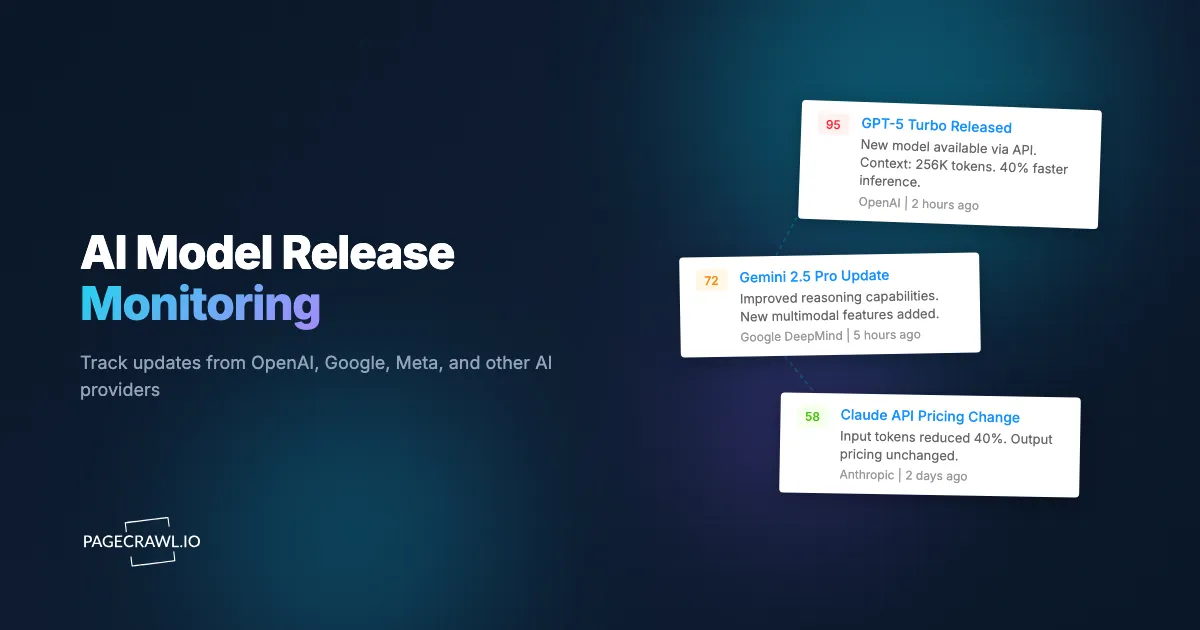
AI model providers pack a lot of technical detail into their changelogs and documentation. PageCrawl's AI-powered change summaries distill each detected change into a concise explanation of what changed and why it matters. This is particularly useful when a changelog entry contains 20 items but only one affects your use case.
Set Up Keyword Filters
Not every blog post or changelog entry requires your attention. Use notification conditions and filters so monitors alert you only when changes contain specific keywords relevant to your stack. If you use GPT-4o, filter for that model name. If you care about function calling, filter for "function calling" or "tool use." This reduces noise while ensuring you catch what matters.
Integrating with Developer Workflows
Monitoring is only useful if alerts reach the right people at the right time through the right channels.
Slack and Discord for Team Awareness
Route AI model alerts to dedicated channels where your engineering team can discuss and act on them. A "#ai-model-updates" channel in Slack or Discord keeps everyone informed without cluttering general channels. PageCrawl integrates directly with both platforms. See our guides on Slack integration and Discord integration for setup details.
Webhooks for Automated Responses
For teams that want to automate their response to AI model changes, PageCrawl's webhook integration sends structured change data to any endpoint. You can use this to trigger CI/CD pipelines that run your AI integration tests against new model versions, automatically create tickets in your project management tool when deprecations are detected, or update internal documentation. See our webhook automation guide for implementation details.
Centralized Change Log
Use PageCrawl's history and change tracking to maintain a centralized record of all AI model changes across providers. This is valuable for compliance documentation, incident post-mortems (when you need to correlate an application issue with an upstream model change), and planning meetings where you review the AI landscape.
Choosing your PageCrawl plan
PageCrawl's Free plan lets you monitor 6 pages with 220 checks per month, which is enough to validate the approach on your most critical pages. Most teams graduate to a paid plan once they see the value.
| Plan | Price | Pages | Checks / month | Frequency |
|---|---|---|---|---|
| Free | $0 | 6 | 220 | every 60 min |
| Standard | $8/mo or $80/yr | 100 | 15,000 | every 15 min |
| Enterprise | $30/mo or $300/yr | 500 | 100,000 | every 5 min |
| Ultimate | $99/mo or $999/yr | 1,000 | 100,000 | every 2 min |
Annual billing saves two months across every paid tier. Enterprise and Ultimate scale up to 100x if you need thousands of pages or multi-team access.
Catching an API deprecation notice the day it appears rather than the day production breaks can save an engineering team days of emergency work. Standard at $80/year covers 100 monitors, enough to track every changelog, deprecation page, pricing page, and blog for OpenAI, Google, Anthropic, Meta, and Hugging Face simultaneously, with 15-minute checks so a new deprecation entry surfaces in your team channel well before its cutoff date. Enterprise at $300/year adds 500 monitors and 5-minute checks, which supports larger teams monitoring secondary providers, API reference documentation, terms of service pages, and model-specific documentation across the full AI stack they depend on.
Getting Started
The AI model ecosystem will only get more complex. More providers, more models, more frequent updates, more pricing tiers, and more policy changes. Setting up automated monitoring now means you catch every change that matters rather than discovering them after they cause problems.
PageCrawl's free tier includes 6 monitors, which is enough to cover the most critical pages: one deprecation page, one changelog, and one pricing page for your primary provider, plus a few extras for secondary providers or blogs. Paid plans starting at $8/month for 100 pages and $30/month for 500 pages let you build comprehensive coverage across every provider and page type described in this guide.
Start with the pages that would cause the most damage if you missed a change. For most teams, that means the deprecation page and API changelog for your primary AI provider. Add pricing pages and secondary providers from there. Within a few minutes, you will have a monitoring system that keeps you ahead of every significant AI model release, deprecation, and pricing change across the entire ecosystem.