
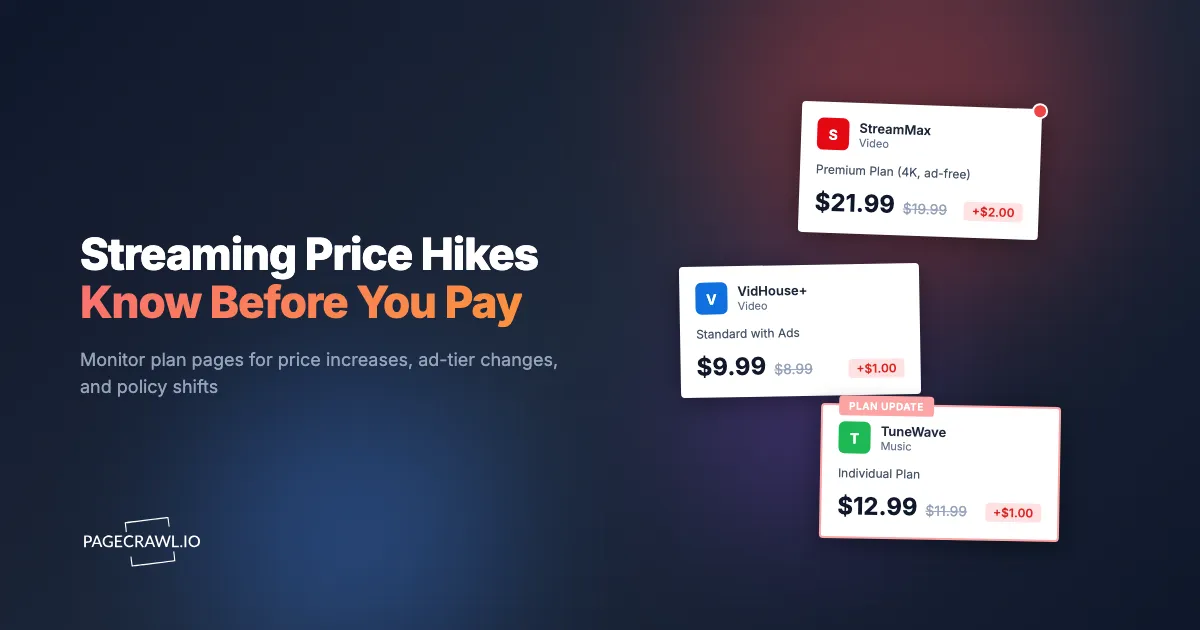
You opened your credit card statement and something was off. Netflix charged you more than last month. So did Disney+. Spotify's line item looked different too. Nobody asked you anything. Somewhere in the past few weeks, an email you never opened mentioned "an update to your membership price," a help-center page quietly gained a new number, and a plan you signed up for at one price became a plan you pay more for at another.
This is how streaming pricing works now. The services do not negotiate with you. They edit a page, queue a notification email that lands next to forty promotional messages, and roll the new price into your next billing cycle. The changes are not only about the headline price either. Ad-supported tiers appear and get repositioned, features migrate from cheaper plans to expensive ones, extra-member fees change, and household or password-sharing rules tighten in ways that decide whether your current setup is even allowed anymore.
None of these edits are secret. They happen on public pages: plan and pricing pages, help-center articles, terms of use. The problem is purely that nobody rereads those pages after signing up. Watching them automatically turns every quiet edit into an alert you actually see, so you can downgrade, switch to an annual plan, hop to a rival's promotion, or cancel before the new price ever bills.
This guide covers which streaming pages are worth monitoring, why the providers' own notification emails fail, and how to set up automated alerts for price increases, ad-tier changes, and policy shifts across Netflix, Disney+, Spotify, and the rest of your stack.
Why do streaming prices keep going up?
Mature streaming services have slowing subscriber growth, rising content and licensing costs, and public shareholders who expect revenue to climb anyway. Raising prices is the most direct lever left. Increases arrive in small, irregular steps across many services, so no single change feels worth acting on, while the combined total climbs year after year.
The era of cheap streaming is over
Streaming was priced to win subscribers away from cable. That land-grab phase ended. Once a service becomes the default place your household watches or listens, the calculus flips from growth to monetization: nudge the ad-free tier up, hold the ad tier as the affordable-looking anchor, and charge for the things people used to get free, like additional household members. Netflix even maintains a dedicated help page explaining why your Netflix price changed, which tells you how routine these adjustments have become.
Small steps across many services
A single increase of one or two dollars a month is engineered to be ignorable. But most households do not have one subscription, they have a stack: two or three video services, a music service, maybe a live TV or sports add-on. When each of those moves up a notch on its own schedule, the yearly total grows by real money without any single event dramatic enough to make you sit down and re-evaluate. Monitoring restores the missing visibility: every step gets logged, dated, and pushed to you, so the pattern is impossible to miss.
Price is only half of the story
The sticker price can hold steady while the deal underneath it gets worse. Video quality limits shuffle between tiers, simultaneous-stream counts change, ad loads on ad-supported plans evolve, and extra-member pricing moves independently of the base plan. A plan page edit that removes a feature from your tier is a price increase in disguise, and it will never show up on your credit card statement as one.
What should you monitor on streaming services?
Monitor four public surfaces per service: the plan and pricing page (the source of truth for what each tier costs), the ad-tier description (features and limits), the household or password-sharing policy pages, and the terms of use. Together these catch price rises, feature removals, and rule changes before they reach your bill.
Plan and pricing pages
This is the core monitor. Every service maintains a canonical page listing its tiers and prices, such as the Netflix plans and pricing page or the Spotify Premium plans page. When a price changes, this page changes, usually before or at the same time as the notification emails go out. Watching the numbers on this page means you learn about an increase from the primary source, not from a headline weeks later.
Ad-tier pages and feature tables
Ad-supported tiers are where the most churn happens: they get introduced, repriced, renamed, and repositioned, and their feature lists (resolution caps, download rights, catalog exclusions) shift over time. If you are on an ad tier, or using one as your fallback plan for the next increase, monitor the page that describes it. A quiet edit that degrades the ad tier changes the math on whether your downgrade escape route is still worth taking.
Password-sharing and household policy pages
Account-sharing rules are published on help-center pages that define what counts as a "household," how devices are verified, and what an extra member costs. These pages rewrote themselves substantially across the industry in recent years, and each revision decided whether a family's existing setup remained allowed, needed a paid extra-member slot, or needed a separate account. If your account is shared across locations, a policy-page monitor tells you the rules moved before an enforcement prompt does.
Terms of use and help-center billing pages
Price-adjustment mechanics, notice periods, and cancellation terms live in the terms of use and billing help articles. Changes here often foreshadow pricing action: new language about price adjustments or billing notice tends to precede the adjustment itself. The same monitoring approach we cover in our guide to tracking privacy policy and terms of service changes applies directly, and a dated change history is useful evidence if you ever dispute a charge.
Which pages should you watch for Netflix, Disney+, and Spotify?
For each service, watch the official plans page plus the policy page most likely to affect you: the household and sharing rules for video services, and the plan-comparison page for music. The table below maps the highest-value monitor for each major service so a small set of monitors covers a whole subscription stack.
| Service | Primary monitor | Secondary monitor | What it catches |
|---|---|---|---|
| Netflix | Plans and pricing help page | Household / extra member pages | Tier prices, extra-member fees, sharing rules |
| Disney+ | Plans page via Disney+ Help Center | Bundle pricing pages | Tier prices, ad-tier terms, bundle changes |
| Spotify | Premium plans page | Duo / Family plan pages | Individual and family prices, plan features |
| Max, Paramount+, Hulu, others | Their plans or sign-up pricing page | Terms of use | Tier prices and plan restructures |
A few practical notes on choosing URLs:
- Prefer help-center pricing pages over sign-up flows where both exist. Help pages are stable, public, and list every tier in one place, while sign-up flows sometimes vary by visitor.
- Monitor the page for your country. Streaming prices differ by region and change on different dates, so watch the page that shows the currency you actually pay in.
- If you pay for a bundle (video plus music, or a multi-service bundle), monitor the bundle page separately. Bundle prices move independently of the standalone plans inside them.
- Add the one or two services you are considering switching to. Knowing a rival's price dropped or a promotion appeared is as actionable as knowing your own price rose.
Why isn't the provider's own email notice enough?
Provider emails announce only their own increases, only after the decision is final, and only through the single channel most likely to lose them: a crowded inbox full of promotional mail from the same sender. They say nothing about feature removals, policy tightening, or competitors' pricing, and they leave you no record to compare against.
The notice is designed to be missed
Price-increase emails come from the same address that sends you "new season now streaming" marketing, which most people have trained themselves (or their spam filter) to skip. The subject lines are soft, the effective date is weeks out, and there is no follow-up. The provider has met its legal notice obligation once the email is delivered, whether or not you ever read it. Your first real notice is usually the charge itself.
No coverage of the changes that matter most
No service emails you to say "we moved 4K from your tier to a more expensive one" or "we tightened the household definition your family relies on." Those changes ship silently on plan and policy pages. And no service will ever email you about a competitor cutting prices or launching a cheaper ad tier, which is exactly the information you need to respond to an increase by switching rather than absorbing it.
No history, no comparison
An email tells you the new price and nothing else. A monitoring history shows you the old price next to the new one, the date each change landed, and every prior change on the same page. Over a year or two that becomes a personal record of how each service treats its subscribers, which is far better input for a keep-or-cancel decision than a single notification you half-remember.
How do you set up streaming price alerts with PageCrawl?
Add each service's plans page as a monitor at pagecrawl.io, let price tracking read the tier prices from the page, set a daily or faster check frequency, and route alerts to the channel you actually read. Setup for a full subscription stack takes about fifteen minutes, then it runs unattended.
- Add the URL. Sign up free at pagecrawl.io, click Add Page, and paste the plans or pricing page URL, for example the Netflix plans and pricing help page or the Spotify Premium page. Repeat for each service in your stack.
- Pick a tracking mode. For plan pages, use price tracking so PageCrawl reads the actual tier prices and reports old versus new values. For policy and terms pages, use content or text tracking so any meaningful wording change is captured as a readable diff.
- Set the check frequency. Daily checks are plenty for pricing pages, which change a handful of times a year. If a service has signaled an upcoming change and you want the exact date it lands, raise the frequency on that one monitor. Paid plans check as often as every 15, 5, or 2 minutes.
- Choose notification channels. Alerts can go to email, Slack, Discord, Teams, Telegram, or a webhook. For personal subscriptions, Telegram alerts reach your phone reliably. For a shared family or team budget, a Slack or Discord channel gives everyone the same visibility.
- Add keyword and threshold rules. Attach conditions so alerts fire only on what matters: a price above your pain threshold, or keywords like "price," "household," "extra member," or "ad-supported" appearing in a change. Our guide to conditional alerts with price, keyword, and threshold rules walks through the options.
- Enable screenshots and history. Timestamped screenshots give you a dated record of what the page said before and after each change, which is handy when a service claims the price "was always" the new number.
Group the monitors in a folder called "Subscriptions" so the whole stack lives in one view, and add a monitor for any service you are trialing or considering, not just the ones you pay for today.
How do you catch ad-tier and password-sharing policy changes?
Use content tracking with keyword rules rather than price tracking. Policy shifts arrive as wording changes on help-center pages, so monitor the household, extra-member, and ad-tier pages for each service and alert on terms like "household," "extra member," "verify," "device," or "ads." The diff shows you exactly which sentences changed.
Reading a policy diff
When a policy monitor fires, PageCrawl shows the old and new text side by side. That matters because policy edits are often subtle: a definition of "primary location" gains a verification step, an extra-member price changes in one sentence, a grace period quietly disappears. The diff pinpoints the changed sentences so you can judge in seconds whether the edit affects your setup or is just a copyediting pass.
Ad-tier watch list
For ad-supported tiers, the details worth alerting on are the price, the resolution cap, whether downloads are included, and any language about ad frequency or catalog exclusions. These determine whether the ad tier is a genuine budget option or a degraded one. If you use the ad tier as your planned response to the next ad-free increase, a monitor on its description page keeps that plan current.
Policy changes as early warnings
Sharing crackdowns and tier restructures tend to roll out region by region, and the policy pages usually update ahead of enforcement. A monitor that catches new household-verification language gives you weeks to decide calmly whether to add an extra member, split accounts, or consolidate, instead of making that decision under a blocking prompt on your TV. The same early-warning logic applies to terms-of-use edits that introduce new price-adjustment language.
What should you do when a price increase alert arrives?
Treat every alert as a decision point with a deadline: the increase usually takes effect on your next billing date after a notice period. In that window you can downgrade to an ad tier, switch to annual billing at the old rate where offered, rotate to a competitor, or cancel and rejoin later.
- Check the effective date. The plan page change lands before the new price bills you. Confirm your renewal date so you know exactly how long you have to act.
- Compare the ad tier. The single most common money-saving move is dropping from ad-free to ad-supported on the same service, which typically preserves the catalog at a much lower price. Your ad-tier monitor tells you whether that tier's terms are still acceptable.
- Check the competition. If you monitor rival plan pages too, you already know whether another service is cheaper for the content you actually watch. Streaming has no loyalty pricing; switching is the only leverage subscribers have.
- Consider rotating. Many households now subscribe to one or two services at a time, binge what they want, cancel, and move on. Monitors on the plan pages of your rotation candidates tell you when each one is cheapest to re-enter, and monitors on their promotional pages catch win-back offers.
- Log the change. Your PageCrawl history already recorded the old price, the new price, and the date. If your annual review shows a service raising prices repeatedly while its rivals hold steady, that pattern, not any single increase, is the real signal to leave.
The wider version of this playbook, covering SaaS tools and cloud services alongside streaming, is in our guide to subscription price increase monitoring. The streaming-specific difference is speed and optionality: streaming services are interchangeable in a way business software is not, so an alert is worth more because you have more ways to act on it.
Choosing your PageCrawl plan
PageCrawl's Free plan lets you monitor 6 pages with 220 checks per month, which is enough to validate the approach on your most critical pages. Most teams graduate to a paid plan once they see the value.
| Plan | Price | Pages | Checks / month | Frequency |
|---|---|---|---|---|
| Free | $0 | 6 | 220 | every 60 min |
| Standard | $8/mo or $80/yr | 100 | 15,000 | every 15 min |
| Enterprise | $30/mo or $300/yr | 500 | 100,000 | every 5 min |
| Ultimate | $99/mo or $999/yr | 1,000 | 100,000 | every 2 min |
Annual billing saves two months across every paid tier. Enterprise and Ultimate scale up to 100x if you need thousands of pages or multi-team access.
In event-driven strategies, minutes matter. One actionable signal surfaced before the broader market reacts can return more than a year of Ultimate. Standard at $80/year covers the core IR, press, and filings pages for a handful of positions. Enterprise at $300/year scales to a full watchlist. All plans include the PageCrawl MCP Server, so you can ask Claude to summarize every material change across a company's IR, press, and filings over any period you care about and get the evidence pulled straight from your monitoring archive. AI assistants can create monitors through conversation on every plan, including Free. Ultimate at $999/year adds 2-minute frequency and web archiving, which matters if you need provable timestamps for a thesis.
Getting Started
Start with the services on your credit card statement. Add each one's plans page as a monitor, put price tracking on it, and route alerts to your phone or inbox. That alone means the next quiet increase reaches you as a dated old-price-versus-new-price alert instead of a surprise charge.
Then add a policy layer: the household and ad-tier pages for the services your family shares, with keyword rules on terms like "household" and "extra member." Finally, add one or two rival services' plan pages so every increase alert arrives alongside the information you need to respond to it.
Set it up once, and let the plan pages report to you from now on.


