A SaaS company noticed their main competitor's conversion rate doubled over a quarter. They only discovered why six months later during a competitive review: the competitor had completely redesigned their pricing page, switched from annual-only to monthly billing, and added a free tier. All of this was visible on the competitor's public website, in real time, as it happened. Nobody was watching.
Competitor website analysis has evolved beyond occasional manual checks. The volume of publicly available competitive intelligence on websites is enormous: pricing pages, product features, job postings, blog content, technology stacks, SEO strategies, and marketing messaging. The challenge is not access but systematic collection and timely analysis.
This guide covers the major categories of competitor website analysis tools, compares specific options within each category, and shows how to build a complete competitive analysis toolkit without paying for tools that overlap or go unused.
What are the categories of competitor website analysis tools?
Competitor website analysis tools fall into five categories: change detection and monitoring, SEO and search analysis, technology detection, traffic and audience analysis, and content and social monitoring. Each discipline has specialized tools, and most teams combine two or three rather than buying everything.
Change Detection and Monitoring
Change detection tools watch competitor websites and alert you when something changes. This is the foundation of ongoing competitive intelligence because it answers the most basic question: what did the competitor change, and when?
What change detection captures:
- Pricing page updates (new tiers, price changes, feature modifications)
- Product feature additions and removals
- Content strategy shifts (new topics, messaging changes)
- Hiring patterns (career page changes)
- Technology and integration announcements
- Terms of service and policy modifications
Change detection operates continuously. Rather than checking a competitor's website once a quarter during a competitive review, you receive an alert as soon as a scheduled check detects a change. This transforms competitive intelligence from a periodic project into an ongoing data stream.
SEO and Search Analysis
SEO tools analyze competitor search visibility, keyword rankings, backlink profiles, and content performance. They answer questions like: What terms does the competitor rank for? Where are they gaining or losing visibility? What content drives their organic traffic?
What SEO analysis captures:
- Keyword rankings and changes
- Organic traffic estimates
- Backlink profiles and new links
- Content performance metrics
- Technical SEO health
- Featured snippet and SERP feature ownership
Technology Detection
Technology detection tools identify what software, frameworks, and services a competitor's website uses. This reveals their technical stack, marketing tools, analytics platforms, and infrastructure decisions.
What technology detection captures:
- Content management systems
- Analytics and tracking tools
- Marketing automation platforms
- E-commerce platforms
- CDN and hosting providers
- Third-party integrations
Traffic and Audience Analysis
Traffic analysis tools estimate competitor website traffic, audience demographics, and engagement metrics. These are estimates based on panel data and statistical modeling, not exact figures.
What traffic analysis captures:
- Monthly visit estimates
- Traffic source breakdown (search, social, direct, referral)
- Audience demographics and interests
- Geographic distribution
- Engagement metrics (bounce rate, pages per visit, time on site)
- Top referring websites
Content and Social Monitoring
Content monitoring tools track competitor content publication, social media activity, and advertising campaigns. They reveal content strategy, posting frequency, and messaging themes.
Tool Reviews by Category
Here is a detailed look at the leading tools in each category.
Change Detection: PageCrawl
PageCrawl is a dedicated website change detection platform. You add competitor page URLs, and PageCrawl monitors them at configurable intervals, sending alerts when content changes.
Strengths:
- Targeted element monitoring: Rather than tracking entire pages (which creates noise from ads, layout shifts, and irrelevant changes), PageCrawl lets you target specific elements. Monitor just the pricing table, just the feature list, just the job count on a careers page, or specific keywords on the page.
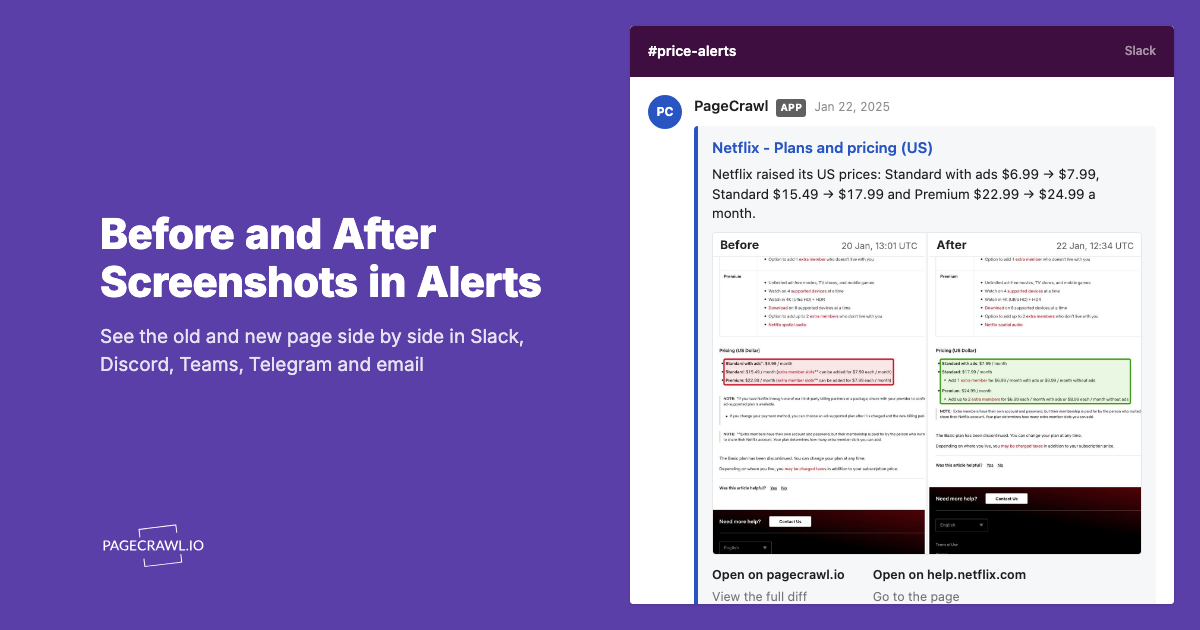
- Visual and text comparison: See both what the text content changed and what the page looks like before and after. Screenshot comparison catches visual changes (new design, new graphics, layout shifts) that text-only tools miss.
- AI-powered change summaries: When a change is detected, AI-powered change detection and smart filtering summarizes what changed in plain language. Instead of reading a raw diff, you get a description like "Added Enterprise tier at $299/month with SSO and audit logging."
- Multiple notification channels: Alerts via email, Slack, Discord, Teams, Telegram, and webhooks. Route competitive intelligence to the channels your team already uses.
- API access: Build custom integrations and dashboards with the REST API and webhooks for custom integrations. Pull competitive monitoring data into your existing workflows.
- JavaScript rendering: Monitors modern web applications that load content dynamically. Many competitor websites use React, Vue, or similar frameworks that require JavaScript execution to see the actual content.
Pricing: Free plan with 6 monitors. Standard plan at $80/year for 100 monitors. Enterprise plan at $300/year for 500 monitors.
Best for: Ongoing competitive monitoring of specific pages (pricing, features, hiring, content). The core use case for competitive intelligence.
PageCrawl also offers templates that save a complete monitoring configuration (tracking mode, check frequency, notification channels, and alert thresholds) so you can apply the same setup across all competitors with one click. For teams tracking 10 or more competitors, templates eliminate repetitive setup and ensure consistent monitoring across your entire competitive landscape.
For a comprehensive guide on using PageCrawl for competitor tracking, see the competitor website tracking guide.
SEO Analysis: Semrush
Semrush is the most comprehensive SEO and competitive analysis platform, covering keyword research, rank tracking, backlink analysis, and content marketing.
Strengths:
- Massive keyword database covering most countries and languages
- Competitor keyword gap analysis (find terms competitors rank for that you do not)
- Backlink analytics with historical data
- Content audit and optimization tools
- Advertising research (PPC competitor analysis)
- Site audit for technical SEO issues
Limitations:
- Expensive for small businesses (plans start around $130/month)
- Traffic estimates are directional, not precise
- Feature richness creates a learning curve
- Many features require higher-tier plans
Best for: Companies with significant SEO investment who need comprehensive search visibility analysis. Marketing teams that want keyword gap analysis and content optimization in one platform.
SEO Analysis: Ahrefs
Ahrefs competes directly with Semrush, with particular strength in backlink analysis and content exploration.
Strengths:
- Industry-leading backlink index (largest and most frequently updated)
- Content Explorer tool for finding popular content in any niche
- Intuitive interface with less complexity than Semrush
- Strong keyword difficulty scoring
- Site audit with actionable recommendations
Limitations:
- Pricing comparable to Semrush (starts around $129/month)
- Traffic estimates, like all SEO tools, are approximations
- Fewer advertising and social media features than Semrush
- Some features limited at lower price tiers
Best for: Teams focused on link building and content marketing. Ahrefs' Content Explorer is particularly useful for understanding what content performs well in your competitive landscape.
Technology Detection: BuiltWith
BuiltWith identifies technologies used on websites, from CMS platforms to analytics tools to advertising networks.
Strengths:
- Extensive technology coverage (tracks thousands of technologies)
- Historical technology data (when a site adopted or dropped a technology)
- Bulk analysis across competitor lists
- Market share data by technology category
- Free lookups for individual websites
Limitations:
- Technology detection has inherent accuracy limitations (not all technologies are detectable from the front end)
- Premium plans are expensive for technology tracking alone
- Less useful for custom-built technology stacks
Best for: Understanding competitor technology decisions. Useful for sales teams (targeting companies using specific technologies), product teams (understanding market adoption of technologies), and technical leaders (benchmarking infrastructure choices).
Technology Detection: Wappalyzer
Wappalyzer offers technology detection similar to BuiltWith with a browser extension that shows results as you browse.
Strengths:
- Free browser extension for quick lookups
- Clean, organized categorization of detected technologies
- API access for programmatic analysis
- Chrome, Firefox, and Edge extensions
- CRM integrations for sales teams
Limitations:
- Smaller technology database than BuiltWith
- Historical data less comprehensive
- Detection accuracy varies by technology type
Best for: Quick, ad-hoc technology lookups. The browser extension makes it the most convenient option for individual research.
Traffic Analysis: SimilarWeb
SimilarWeb estimates website traffic and audience data using a combination of panel data, ISP data, and statistical modeling.
Strengths:
- Traffic estimates for virtually any website
- Traffic source breakdown (organic, paid, social, referral, direct)
- Audience overlap analysis between competitors
- Industry benchmarking
- Geographic traffic distribution
- App analytics for mobile competitors
Limitations:
- Traffic estimates can be significantly off for smaller websites
- Free version is very limited
- Premium pricing is enterprise-level (thousands per year)
- Data is directional, not precise
Best for: Understanding relative competitive positioning by traffic volume and source. Most valuable at enterprise level where investment in competitive intelligence justifies the cost.
Content Monitoring: Feedly
Feedly aggregates RSS feeds and uses AI to surface relevant competitive content.
Strengths:
- RSS feed aggregation from competitor blogs and news sources
- AI-powered topic prioritization
- Team collaboration features
- Integration with productivity tools
- Clean reading interface
Limitations:
- Depends on RSS feeds being available (not all competitor sites publish feeds)
- Does not detect page changes on non-blog pages (pricing, features, etc.)
- AI prioritization requires training to match your interests
Best for: Monitoring competitor blog content and industry news. Complements change detection tools by aggregating many competitor blogs and news sources into a single reading feed, though teams that need page-level alerts rather than a feed should weigh the Feedly alternative built on change detection.
For RSS feed monitoring setup, see the guide on monitoring RSS feeds.
AI-Powered Monitoring
A growing category of tools uses AI to analyze and summarize competitive changes. For a detailed review of AI-enhanced monitoring tools, see the best AI website monitoring tools guide.
Building a Complete Analysis Toolkit
Most companies do not need every tool listed above. The right combination depends on your priorities and budget.

The Comparison Table
| Capability | Best Tool | Cost Level | Essential? |
|---|---|---|---|
| Change detection | PageCrawl | Low ($0-300/yr) | Yes |
| SEO analysis | Semrush or Ahrefs | High ($100-250/mo) | For SEO teams |
| Technology detection | BuiltWith or Wappalyzer | Free to moderate | Occasionally |
| Traffic analysis | SimilarWeb | Very high | For enterprise |
| Content monitoring | Feedly | Low ($0-18/mo) | Nice to have |
The Essential Stack (Under $100/year)
For small businesses and startups with limited budgets:
- PageCrawl Free or Standard ($0-80/year): Monitor competitor pricing pages, feature pages, and key content pages. The free tier covers 6 pages, enough for 2-3 competitors at 2-3 pages each.
- Wappalyzer Free Extension: Quick technology lookups when evaluating competitors.
- Google Alerts (Free): Basic content monitoring for competitor brand mentions, with the coverage gaps laid out in our Google Alerts alternative comparison.
- Google Search Console (Free): Your own search performance data, which provides context for competitive analysis.
This stack costs under $100/year and covers the most actionable competitive intelligence: what competitors are changing on their websites and what technology they use.
The Growth Stack ($200-400/month)
For growing companies with dedicated marketing teams:
- PageCrawl Standard ($80/year): Comprehensive change monitoring across 100 competitor pages.
- Semrush or Ahrefs ($100-130/month): SEO competitive analysis, keyword gaps, and content opportunities.
- Feedly Pro ($6/month): Competitor content aggregation and industry monitoring.
- Wappalyzer Pro ($50/month): Detailed technology analysis with CRM integration.
This stack provides thorough competitive intelligence across change detection, SEO, content, and technology.
The Enterprise Stack ($1,000+/month)
For companies with competitive intelligence teams:
- PageCrawl Enterprise ($300/year): 500 monitors across all competitor digital properties.
- Semrush Business ($250+/month): Full-featured SEO and advertising analysis.
- SimilarWeb (custom pricing): Traffic and audience analysis at scale.
- BuiltWith Pro (custom pricing): Comprehensive technology intelligence.
- Custom dashboard integration: Connect PageCrawl API with internal tools for unified competitive intelligence.
How do you avoid overspending on competitive tools?
Start every tool on its free tier, audit the subscriptions you already pay for, and keep only the tools whose output changes a decision. The competitive intelligence tool market is crowded, and it is easy to accumulate subscriptions that overlap or go unused.
Start with the Free Tier
Every tool listed above offers a free tier or free trial. Before committing to paid plans:
- Sign up for the free version
- Use it actively for 2-4 weeks
- Identify which features you actually use regularly
- Determine whether the paid tier adds capabilities you need
For a broader comparison of free monitoring options, see the best free website change monitoring tools guide.
Audit Your Existing Tools
Many companies already pay for tools with competitive analysis features they are not using:
- HubSpot includes competitor monitoring in Marketing Hub
- Moz includes rank tracking and competitive SEO
- Sprout Social includes competitive social analysis
- Google Analytics provides referral and audience data
Check what your existing subscriptions offer before adding new tools.
Focus on Actionable Intelligence
The test for any competitive intelligence tool is: does the information it provides lead to decisions or actions? If you review competitor keyword rankings monthly but never change your content strategy based on the data, that tool is not providing value.
Focus your spending on tools that drive action:
- Change detection leads to immediate competitive responses (matching a feature, adjusting pricing)
- Keyword gap analysis leads to content creation targeting specific terms
- Technology detection leads to product positioning or sales targeting decisions
If a tool's output sits unread in a dashboard, cancel the subscription.
Workflow for Integrating Multiple Tools
Having the right tools is step one. Using them effectively requires a workflow.
Weekly Competitive Review
Designate 30 minutes per week for competitive review:
- Review PageCrawl alerts from the past week. What changed on competitor websites? Any pricing, feature, or content changes that require response?
- Check SEO movements in Semrush or Ahrefs. Any significant ranking changes? New content from competitors appearing in your target keywords?
- Scan Feedly for competitor content. What topics are they writing about? Any messaging shifts?
- Update your competitive tracking document with notable changes.
This weekly rhythm keeps competitive intelligence current without consuming excessive time.
Quarterly Deep Dive
Once per quarter, conduct a more thorough analysis:
- Review all PageCrawl monitoring history for trends (pricing direction, feature velocity, messaging evolution)
- Run full competitor keyword gap analysis in your SEO tool
- Check competitor technology stacks for significant changes
- Update competitive positioning documents and battle cards
- Brief the product team on competitive product developments
- Brief the sales team on competitive messaging and pricing changes
Event-Driven Analysis
When a competitor makes a significant move (new product launch, pricing change, acquisition, new market entry), conduct an immediate focused analysis:
- Review what PageCrawl detected and when
- Analyze the competitor's SEO impact from the change
- Check technology changes if relevant
- Develop a response recommendation within 48 hours
For automating parts of this workflow with webhooks, see the webhook automation guide.
Recommendations by Company Size
Solo Founders and Freelancers
Start with PageCrawl's free tier (6 monitors) and Wappalyzer's free extension. Monitor your top 2-3 competitors' pricing and feature pages. Add Google Alerts for brand mention tracking. Total cost: $0.
When you are ready to invest, PageCrawl Standard ($80/year) is the highest-value addition because it enables comprehensive change monitoring across your competitive landscape.
Small Businesses (2-20 employees)
PageCrawl Standard plus either Semrush or Ahrefs (choose based on whether backlink analysis or keyword research is more important to you). Add Feedly for content monitoring. Total cost: approximately $150-200/month.
Mid-Market Companies (20-200 employees)
Full growth stack with PageCrawl Standard or Enterprise, Semrush or Ahrefs at a higher tier, and dedicated technology analysis. Assign competitive intelligence responsibility to a specific team member. Total cost: approximately $300-500/month.
Enterprise (200+ employees)
Full enterprise stack with custom integrations. PageCrawl API feeding competitive data into internal dashboards. Dedicated competitive intelligence function. Total cost: $1,000+/month, but the insight-to-cost ratio improves with scale.
For understanding how competitive intelligence fits into broader business strategy, see the competitive intelligence guide.
What can competitor analysis tools not tell you?
Every competitive analysis tool has blind spots: none can reveal customer perception, internal strategy, non-public pricing, or true cause and effect. Understanding the limitations helps you supplement tool-based intelligence:
Customer perception: No tool captures why customers choose competitors. Supplement with customer interviews, win/loss analysis, and review monitoring.
Internal strategy: Website changes reveal what competitors did, not why. Complement with industry analysis and strategic reasoning.
Non-public information: Private pricing for enterprise deals, internal metrics, and unpublished roadmaps are invisible to any external tool.
Cause and effect: A competitor's ranking increase does not tell you whether it was caused by content, links, or technical changes. Multiple tools provide converging evidence but rarely definitive causation.
Small competitors: Traffic analysis tools like SimilarWeb have less data on smaller competitors. Change detection and SEO tools work regardless of competitor size.
Choosing your PageCrawl plan
PageCrawl's Free plan lets you monitor 6 pages with 220 checks per month, which is enough to validate the approach on your most critical pages. Most teams graduate to a paid plan once they see the value.
| Plan | Price | Pages | Checks / month | Frequency |
|---|---|---|---|---|
| Free | $0 | 6 | 220 | every 60 min |
| Standard | $8/mo or $80/yr | 100 | 15,000 | every 15 min |
| Enterprise | $30/mo or $300/yr | 500 | 100,000 | every 5 min |
| Ultimate | $99/mo or $999/yr | 1,000 | 100,000 | every 2 min |
Annual billing saves two months across every paid tier. Enterprise and Ultimate scale up to 100x if you need thousands of pages or multi-team access.
Change detection is the only category in the competitive analysis stack that costs under $100/year and delivers first-party, same-day intelligence rather than lagging estimates. Standard at $80/year covers 100 monitored pages - pricing pages, feature pages, careers pages, and blog indexes across your full competitive set - and that is more coverage than most teams actually use. Enterprise at $300/year expands to 500 pages with 5-minute check frequency for teams that need comprehensive coverage.
All plans include the PageCrawl MCP Server, which lets AI tools like Claude query your monitoring history directly. Instead of manually reviewing quarterly change logs, your team can ask "what did Competitor X change on their pricing and product pages this month?" and get a structured answer from your own archive - which is more useful than any static competitive snapshot. AI assistants can create monitors through conversation on every plan, including Free.
Getting Started
Pick the two most important competitors you want to track right now. Add their pricing page and main product page to PageCrawl (4 monitors, well within the free tier of 6). Install the free Wappalyzer browser extension and check both competitors' technology stacks.
After one week, review what you have learned from the monitoring alerts. If you are getting actionable intelligence (pricing changes, feature updates, content shifts), expand your monitoring to cover more pages and more competitors. If SEO competitive analysis matters for your business, start a free trial of either Semrush or Ahrefs during this same period to evaluate whether the insights justify the investment.
Build your toolkit incrementally based on what actually drives decisions, not on what sounds comprehensive in a feature comparison table.