
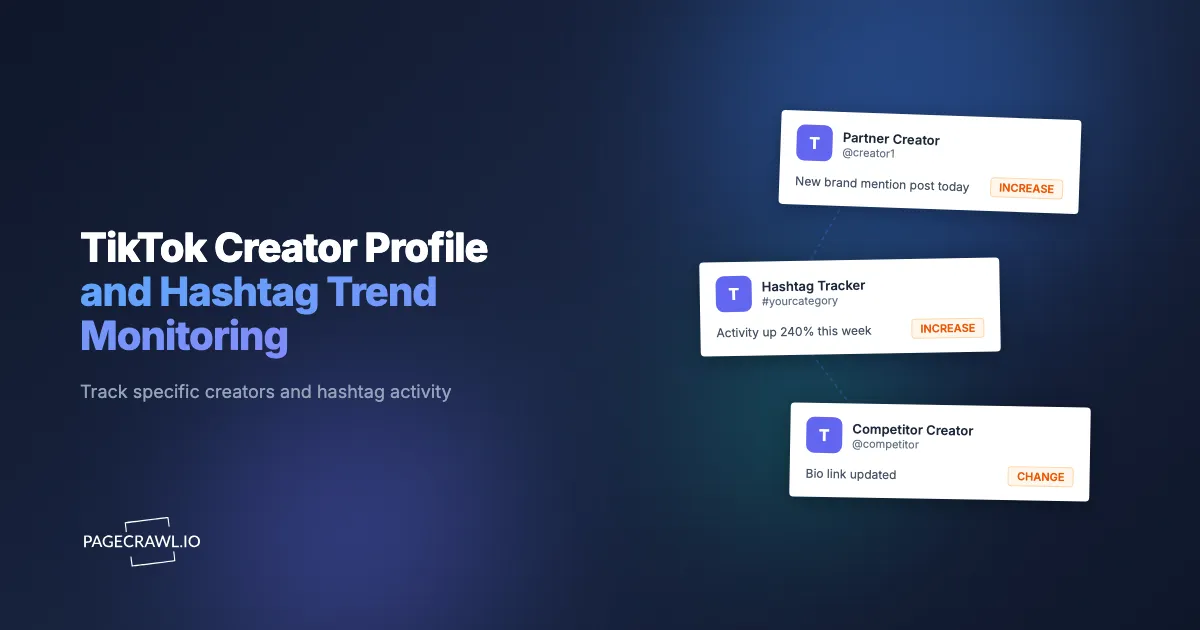
A consumer-brand marketer was running a creator-partnership program with 14 contracted TikTok creators. Each creator was supposed to post their sponsored content within a defined launch window. The reporting workflow was: creator posts, creator's agency manager DMs the brand contact a link, brand contact forwards to the marketing team, marketing team logs the post and schedules amplification. Average latency from post to amplification: 4-9 hours. For one launch, a creator's post outperformed projections at hour 3 and was already past peak before the brand's amplification went live. The brand left meaningful organic reach on the table because the notification path went through human intermediaries.
This is the practical problem with TikTok creator and hashtag monitoring. Access through TikTok for Developers is constrained for marketing tooling, the algorithmic For You feed is by definition not a reliable surfacing layer for specific creators, and the platform's notification settings don't support per-creator new-post alerts at scale. Most marketing teams end up either using expensive enterprise social-listening platforms or relying on the human chain (creator → agency → brand). Direct monitoring of public TikTok profile and hashtag pages bypasses both, surfacing new posts and hashtag activity within hours of when they go live.
This guide covers what's monitorable on TikTok, why direct profile and hashtag page monitoring works for specific use cases, and how to set up a system that surfaces creator posts and hashtag trend shifts as they happen.
Quick Setup
Pick whether to monitor a creator profile or a hashtag, and preview your TikTok alerts.
Why does TikTok creator and hashtag monitoring matter?
It matters because TikTok gives you no reliable push signal for the accounts and tags you actually care about. Partner posts, competitor creator activity, hashtag acceleration, and bio-link swaps all happen silently on public pages, and the sooner you see them, the more of the content's early traction window you can still use.
Partner Creator Post Coordination
For brands running creator-partnership campaigns, hours-fresh awareness of partner creator posts is the difference between coordinated amplification and missed windows. Creator post timing within an agreed launch window is rarely precise; monitoring records when the post actually appeared.
Competitor Creator Activity
Tracking the creators competitors use (or wish they used) surfaces partnership and creative trends. When a competitor begins working with a new creator, the early posts often indicate campaign direction before the formal launch.
Hashtag Trend Identification
Hashtag pages reflect current trending content for any tag. Same-day awareness of hashtag growth identifies trends worth participating in while the window is still active.
Bio Link and Affiliate Updates
Creator bio links rotate based on current promotional priorities. When a partnered creator changes their bio link from your campaign URL to another brand's, the partnership window has effectively closed and the creator has moved on.
Which TikTok pages can you actually monitor?
You can monitor any public page with a stable URL on TikTok: creator profiles, hashtag pages, and sound pages. You cannot monitor the For You feed, private accounts, or live streams, because none of them resolve to a fixed, publicly rendered URL.
Creator profile pages. Public profile URLs follow tiktok.com/@handle. The page lists recent posts, the bio, the link (one bio link per creator), and follower/following counts.
Hashtag pages. Hashtag URLs follow tiktok.com/tag/[hashtag]. The page lists the top videos for that hashtag and the total view count.
Sound pages. Specific sound URLs (tiktok.com/music/[sound-id]) list videos using that sound and the total usage count.
Important constraint. The For You feed and the live algorithmic feed are not monitorable as URLs. Profile and hashtag pages render content reliably as long as the account is public.
A typical TikTok creator profile URL looks like this:
https://www.tiktok.com/@handleWhen a new post is published, it appears at the top of the profile page, which is detectable as a page change.
How does this compare to enterprise social listening tools?
Enterprise social-listening suites cover many platforms and cost orders of magnitude more, which makes sense when you need brand-wide listening. Page-level monitoring is the better fit when you have a specific list of creators and hashtags to watch and want alerts within hours at a fraction of the cost.
| Approach | Cost | Latency | Coverage | Best For |
|---|---|---|---|---|
| TikTok native notifications | Free | Real-time but variable | Per-account, in-app | Casual following |
| Sprout Social, Hootsuite, Iconosquare | $$$ | Real-time | Multi-platform | Enterprise social listening |
| Creator-agency reports | Slow | Days | Specific contracted creators | Formal campaign reporting |
| Manual scrolling | Free | Daily-ish | Whatever shows | Casual research |
| PageCrawl on creator/hashtag URLs | Free tier to $80/yr | 1-24 hours | Any public profile or hashtag | Brand teams, agencies, CI |
The enterprise tools cost orders of magnitude more than PageCrawl. For specific-creator and specific-hashtag monitoring at small to mid scale, PageCrawl is the practical option.
Setting Up TikTok Monitoring in PageCrawl

Step 1: Build your creator and hashtag tracking list
List the creators that matter (partner creators, competitor-aligned creators, trend-driver creators in your category) and the hashtags relevant to your campaigns and competitive watch.
Step 2: Add each profile and hashtag URL as a monitor
Use the canonical TikTok URL for each. Add each as a content monitor.
Step 3: Pick the right check frequency
TikTok monitoring works best at daily-to-hourly frequency, not sub-hour. A reasonable layering:
- Partner creators during active campaigns: 4-6 hour checks. Catches post launch within hours.
- Competitor and trend-driver creators: Daily checks. Acceptable latency for strategic monitoring.
- Campaign hashtags during active launches: 4-6 hour checks.
- Category and trend hashtags: Daily checks.
- Bio and profile structural monitoring: Daily checks.
Step 4: Use AI summaries to filter noise
TikTok profile pages contain dynamic elements (follower counts, like counts, video play counts) that change continuously without new posts. PageCrawl's AI summary distinguishes between new posts, bio changes, and trivial metric updates. The overview of AI-powered change detection and smart filtering explains how the filtering decides what is worth an alert.
Step 5: Route alerts to a creator marketing channel
For brand and agency use cases, route alerts to a shared Slack channel where the campaign manager and amplification team can coordinate a fast response. For CI use cases, route to a competitive intelligence channel.
Step 6: Organize by campaign or category
Create folders for active campaigns, competitor-tracking, and trend-monitoring. Folder views show recent activity at a glance and help separate signal from noise, and the guide to organizing monitored pages with labels, folders, and workspaces covers how agencies keep client campaigns separate.
Worked Example: A Creator-Marketing Agency's Multi-Campaign Setup
An influencer-marketing agency managing 6 simultaneous brand campaigns across 40 contracted TikTok creators set up the following:
- Forty creator profile URLs on 4-6 hour checks during active campaign windows, daily otherwise
- Twelve campaign hashtag pages on 4-hour checks during launches
- Twenty additional creator profiles for competitive and trend tracking on daily checks
- Eight category hashtag pages on daily checks
- All alerts routed to campaign-specific Slack channels via webhook integration
- AI summaries enabled to distinguish new posts from metric updates
Over a 6-month period, the agency cut its average creator-post-to-amplification time from most of a working day to well under two hours, which meant amplification consistently landed inside each post's early-traction window instead of after it. Standard plan cost was insufficient for the volume; Enterprise at $300/year was the right tier.
Patterns Worth Watching
Partner creator post-launch windows. Contracted creators have agreed launch windows. Monitoring catches actual post times within those windows, supporting same-window amplification.
Bio link rotation. Creators rotate bio links based on current sponsorship. Detecting when a partnered creator moves on signals end of effective campaign window.
Hashtag view-count acceleration. Hashtag pages list aggregate view counts. Hourly tracking surfaces hashtags accelerating from steady-state to viral.
Competitor creator partnerships. When a competitor's brand-aligned creator begins posting non-aligned sponsored content, the partnership has likely concluded.
Account name and handle changes. Creators occasionally change handles. Detecting the change preserves your tracking across the rename.
Advanced Patterns: Beyond TikTok
A complete creator-marketing monitoring workflow extends past TikTok itself.
Combine with Instagram Reels monitoring. Most TikTok creators also publish to Instagram. The Bluesky, Mastodon, and Threads pattern extends to Instagram public profile pages.
Combine with YouTube Shorts monitoring. YouTube channel pages list recent uploads including Shorts.
Combine with creator newsletter and Substack monitoring. Many TikTok creators run newsletters as monetization layer. The Substack monitoring pattern applies.
Combine with brand-mention monitoring on adjacent platforms. Creator content frequently sparks discussion on Reddit and Twitter. Brand and reputation monitoring catches that downstream signal.
Use Cases
Brand creator-marketing teams. Hours-fresh awareness of partner creator post timing supports fast amplification and cleaner reporting.
Influencer-marketing agencies. Multi-campaign monitoring across dozens of creators reduces reporting latency and improves campaign performance metrics.
Competitive intelligence teams. Competitor creator-strategy tracking informs your own creator-strategy decisions and feeds the same competitive intelligence monitoring program that watches rival pricing and product pages.
Trend researchers and content marketers. Hashtag-level monitoring identifies trend opportunities while windows are still active.
Talent agencies. Multi-creator monitoring supports portfolio reporting and identifies cross-campaign optimization opportunities.
E-commerce brands. Creator content frequently drives traffic spikes that require coordinated stock and customer-support readiness.
Frequently Asked Questions
Can I monitor private TikTok accounts? No. PageCrawl monitors publicly-visible pages. Private accounts and follower-only content aren't accessible.
What about TikTok Live streams? Live streams aren't monitorable as URL content. Profile-page monitoring will catch the post-stream archive video once it's published.
Does TikTok rate-limit profile monitoring? Daily-to-hourly frequency works reliably. Sub-hourly frequency on many profiles risks rate-limit issues. PageCrawl's default check intervals are designed to stay within reasonable bounds.
Can I monitor TikTok Shop product pages? Yes. Product URLs on TikTok Shop render as monitorable pages.
What about Threads and other Meta-owned platforms? Meta-owned platforms have similar public-profile monitoring capabilities. The Threads monitoring pattern covers this.
Do I need a paid plan? For a 6-profile setup at daily frequency, the free plan works. For an active campaign or agency program monitoring 30-80 profiles and hashtags, Standard at $80/year or Enterprise at $300/year is the right tier.
Choosing your PageCrawl plan
PageCrawl's Free plan lets you monitor 6 pages with 220 checks per month, which is enough to validate the approach on your most critical pages. Most teams graduate to a paid plan once they see the value.
| Plan | Price | Pages | Checks / month | Frequency |
|---|---|---|---|---|
| Free | $0 | 6 | 220 | every 60 min |
| Standard | $8/mo or $80/yr | 100 | 15,000 | every 15 min |
| Enterprise | $30/mo or $300/yr | 500 | 100,000 | every 5 min |
| Ultimate | $99/mo or $999/yr | 1,000 | 100,000 | every 2 min |
Annual billing saves two months across every paid tier. Enterprise and Ultimate scale up to 100x if you need thousands of pages or multi-team access.
Catching a brand impersonation, a defamatory review, or a negative social post in hours instead of weeks is worth multiples of a Standard subscription. $80/year is enough to monitor 100 pages across your name, your products, and the top-volume places people talk about your brand. Enterprise at $300/year fits larger brand protection programs with dedicated ownership.
Getting Started
Identify the 10-15 creators and hashtags that matter most for your current work. Add each profile and hashtag URL as a monitor with daily checks. Create a free account and route alerts to a campaign Slack channel.
Over the first month, you'll see which creators and hashtags produce material signal and which produce noise. Once you see the value, expand to cover active-campaign creators at 4-6 hour frequency and broader competitive and trend tracking at daily frequency. The Standard plan at $80/year covers a focused brand program. Enterprise at $300/year fits multi-campaign agency programs.


