
Last reviewed: September 17, 2026. Server availability and plan details reflect each vendor's public pages at the time of review and can change.
Claude Code and OpenAI's Codex CLI were built for programmers, but many of the people running them never write code. They use the terminal agent as a general assistant that can read files, run commands and, through MCP, reach the tools where the real work lives: the CRM, the task board, the invoices, the notes, the pages on other people's websites.
Out of the box the agent can reach none of that, and most lists of "best MCP servers" are written for developers and lead with GitHub and databases. This one leaves those out.
This guide covers the servers worth connecting for notes, tasks, sales, finance, automation, research, travel and web work. Each entry says what the agent can actually do once connected, gives an example of the kind of request that works, and notes how it connects and what the plan limits are. Everything was checked against the vendor's own documentation in September 2026.
How do you add an MCP server to Claude Code and Codex?
Both clients take a one-line command for a hosted server, and every server below except the browser and local-file ones is hosted: a URL you add once, then a sign-in in the browser. The commands come from the Claude Code MCP documentation and the Codex MCP documentation.
Claude Code. Add the server with the HTTP transport, then run /mcp inside a session to sign in.
claude mcp add --transport http notion https://mcp.notion.com/mcpAdd --scope user to have it in every folder on your machine, or --scope project to write it to a .mcp.json file that anyone opening the same folder picks up. That is how a small team shares one set of servers.
Codex CLI. Add a table per server to ~/.codex/config.toml, then run codex mcp login <name> for servers that sign in with OAuth.
[mcp_servers.notion]
url = "https://mcp.notion.com/mcp"
No terminal at all. The same hosted servers work as connectors in the Claude desktop and web apps: Customize, then Connectors, then add the URL and sign in. A colleague who never opens a terminal can use every hosted server in this guide that way.
What should you look for in an MCP server?
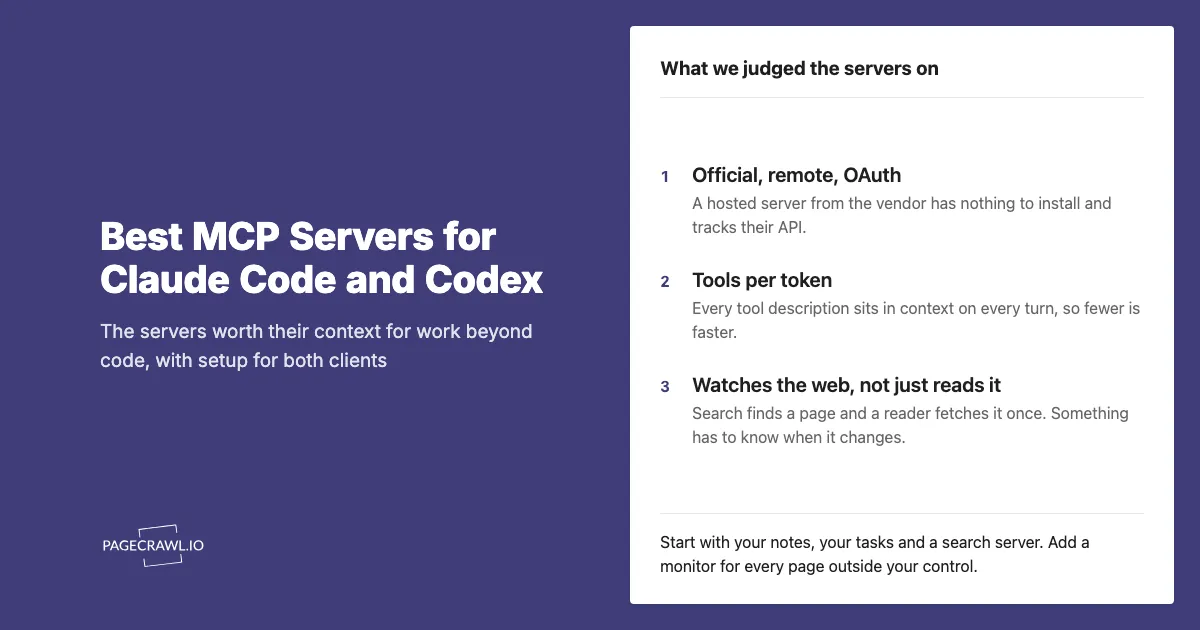
Three things decide whether a server earns its place. Whether the vendor maintains it, because a community wrapper around a paid product rarely keeps up with the API and should not hold customer or financial data. Whether it is hosted, because a URL with OAuth has nothing to install or update. And how many tools it adds, because every tool description sits in the model's context on every turn, so a server you are not using this week is costing you tokens for nothing. Where a vendor offers read-only mode, restricted keys or per-project scoping, use them: the agent should hold no permission you would not give a new contractor on day one.
How did we review these servers?
We reviewed each server against three criteria: whether the vendor maintains it, whether it is hosted with a sign-in rather than a local install, and how many tools it adds to the model's context. Details come from each vendor's own documentation, and every entry notes what the agent can do, how it connects, and its plan limits.
Notes, documents and files
Notion MCP (official). Connects the agent to your Notion workspace: search across pages and databases, read a page in full, create pages, update properties and content, add comments, and create databases. Ask "pull the decisions from this week's meeting notes into the Q4 planning page" and it reads the notes, writes the section and links it. Hosted at https://mcp.notion.com/mcp with OAuth; Notion is retiring its older local server in favour of this one. Works on every Notion plan.
Airtable MCP (official). Connects to your bases: list and query records, create and update rows, add fields and tables, and build interfaces. The closest thing to a spreadsheet server with vendor backing, so "find every supplier in the vendor base with a contract ending this quarter and add a renewal task row for each" is a single request. Hosted at https://mcp.airtable.com/mcp with OAuth, available on all plans including the free one.
Dropbox MCP (official, open beta). Browse folders, search by file name and content, upload, move, copy and delete files, and create share links. Useful for "find the signed contract for this client and give me a link to send". Hosted at https://mcp.dropbox.com/mcp with OAuth. Dropbox also publishes a separate read-only Dash server that searches across everything Dash has indexed, including connected Slack and Google Workspace content.
Memory (Anthropic reference server). A local knowledge graph the agent writes to and reads from across sessions: entities, relations and observations. Tell it once that a client prefers invoices on the first of the month, and it is there next week. Runs locally with npx -y @modelcontextprotocol/server-memory, no account needed. The companion Filesystem server does the same for a folder outside the current project, such as a shared drive mount.
Tasks and projects
Asana MCP (official). Create and update tasks, search projects, read comments and ask workload questions across the whole Asana graph in plain language: "what is overdue on the launch project and who owns it?". Hosted at https://mcp.asana.com/v2/mcp with OAuth. The original v1 endpoint was shut down in August 2026, so use the v2 URL.
Monday.com MCP (official). Read and update boards, items, columns and workflows, so "move every item in the design board that has been in review for more than five days to blocked and comment why" works without opening the app. Hosted at https://mcp.monday.com/mcp with OAuth and preinstalled on every Monday.com account.
ClickUp MCP (official, public beta). Around forty tools covering tasks, search, time tracking, chat and docs: create tasks from a meeting transcript, log time, summarise a doc, find what is assigned to you this week. Hosted at https://mcp.clickup.com/mcp with OAuth. Note: free and lower plans have a low daily request cap unless you buy the AI add-on, so check the limit before you build a routine on it.
Todoist MCP (official). Tasks, projects, sections, labels and comments, so "add the action items from this email to my Admin project with due dates" is one request. Hosted at https://ai.todoist.net/mcp with OAuth. Doist also ships a Claude Code plugin that installs it in one command.
Linear MCP (official). Linear is a software tracker, but product and operations teams run on it too. The server finds, creates and updates issues, projects, initiatives, milestones and comments: "create an initiative for the pricing change with one issue per affected page and assign them to the owners". Hosted at https://mcp.linear.app/mcp with OAuth.
Atlassian MCP (official). One server for Jira, Confluence and Jira Service Management: search and bulk-update issues, read and write Confluence pages, and look up service requests, with every action written to the organisation's audit log. The right choice in a regulated team. Hosted at https://mcp.atlassian.com/v1/mcp with OAuth 2.1.
Communication, support and scheduling
Slack MCP (official, generally available since February 2026). The agent acts as you: search the workspace, read channels and threads, read shared files and post messages. Pair it with a CRM or monitoring server and "summarise what changed on the three competitor pages and post it to #pricing" becomes one request. Hosted at https://mcp.slack.com/mcp with a user OAuth token; a workspace admin has to approve the app first.
Intercom MCP (official, under the Fin brand). Search conversations, contacts and companies, read a customer's history, and create or update help-centre articles. "Find every conversation this month that mentions the export bug and draft a help article from the answers we gave" is the kind of request it is for. Hosted at https://mcp.intercom.com/mcp with OAuth. Note: Zendesk's 2026 MCP release lets Zendesk call other servers, not the other way round; there is no official Zendesk server exposing your tickets.
Calendly MCP (official, every plan including free). Check your availability, create single-use scheduling links, and list or manage booked events, so "send the prospect a 30-minute link for next week, afternoons only" needs no tab switching. Connection details are on Calendly's developer site; it signs in with OAuth.
CRM and sales
HubSpot MCP (official, generally available since April 2026). Read and write contacts, companies, deals, tickets, quotes, invoices and line items. Ask "which deals over 10k have had no activity in two weeks, and draft a follow-up for each owner" and the agent queries the pipeline instead of you building a report. Hosted at https://mcp.hubspot.com with OAuth.
Salesforce MCP (official). Query and update records, run Flows and call Apex actions, all under the signed-in user's own permissions so the agent sees exactly what that person sees. Hosted per organisation with OAuth, available on Enterprise Edition and above and enabled by an admin in Setup; the Salesforce documentation has the steps.
Money
Stripe MCP (official). List customers and subscriptions, fetch invoices, charges and disputes, and take actions: create a payment link, update a subscription, issue a refund. "Find every customer whose card failed this week and send each a payment link" is a single request. Hosted at https://mcp.stripe.com with OAuth, or run locally with a restricted API key. Use a key that cannot refund unless refunds are the agent's job.
PayPal MCP (official). Create and send invoices, list and manage payments, handle disputes and track shipments. Available as a hosted server or a local one, both signing in with your PayPal account, starting from developer.paypal.com.
Square MCP (official, beta). Orders, catalogue, inventory, bookings and sales reporting, and it can push an order to the point of sale, so "how did the Saturday market compare to last month, and reorder anything under ten units" works for a small retailer. Hosted with OAuth; details on Square's developer site.
Xero MCP and QuickBooks MCP (official, self-hosted). Both vendors publish their server but you run it yourself with your own developer credentials, which is more work than the hosted servers above. Once running, Xero exposes invoices, contacts, the chart of accounts, payments, payroll and reports; Intuit's QuickBooks server covers invoices, bills, reports and inventory. Worth it for a bookkeeper who will use it every day, not for an occasional question.
Automation glue
Zapier MCP (official). One connection that lets the agent search across every app you have linked to Zapier and run actions in any of its thousands of integrations: create a record, send a message, trigger a Zap. When the tool you need has no server of its own, this is usually the answer. Hosted at https://mcp.zapier.com/api/v1/connect with OAuth. Because it can reach everything, restrict it to the actions you actually want the agent to take.
Make MCP (official). Run and manage scenarios, connections, webhooks and data stores. The fit is when the multi-step logic already lives in a Make scenario and the agent should trigger it with the right inputs: "run the onboarding scenario for this new customer". Hosted at mcp.make.com with OAuth or a token.
n8n MCP (official, built into the product). A self-hosted or cloud n8n instance can expose chosen workflows to an outside agent, and recent versions let the agent build and edit workflows too. Enabled in the instance settings with its own authentication. The n8n website monitoring guide shows the kind of workflow worth exposing.
Design and content
Canva MCP (official). Generate designs from a brief, edit existing ones, export in the format you need, and search your brand kit and templates. "Make a LinkedIn post graphic from this announcement using the brand template" is the shape of it. Hosted at https://mcp.canva.com/mcp with OAuth. Canva's separate developer server is for building Canva apps and is not the one you want.
Research and search
Exa MCP (official). Web search that returns the page content, not just links, plus academic paper search across arXiv and Semantic Scholar. The best default for "find me everything credible written about X this year and summarise the positions". Hosted at https://mcp.exa.ai/mcp; works anonymously at a low rate limit, or with a key for more.
Perplexity MCP (official). Search with a reasoning step on top, so it answers questions rather than returning results: "what changed in the EU AI Act timeline this quarter?". Hosted at https://api.perplexity.ai/mcp with an API key.
Tavily MCP (official) and Brave Search MCP (official). Tavily adds page extraction, site mapping and crawling to search, and is hosted with the key in the URL. Brave covers web, news, image, video and local business search and runs locally with a key. Either is a solid second search source when you want to cross-check Exa.
Hugging Face MCP (official). Search models, datasets, papers and Spaces, and call community tools hosted there. For anyone evaluating models or reading ML papers rather than training anything. Hosted with OAuth, configured from your Hugging Face settings.
Wikipedia, arXiv, PubMed and YouTube transcripts all have community servers and no official one. They work, but keep them in your personal scope rather than a team config.
Travel and places
Top Rated MCP (official). Sits on a database of restaurants, hotels and attractions ranked by review data across 249 countries. The agent can search places by text, category and rating, get a city overview, build a multi-day itinerary with a hotel per night, reorder a day into an efficient walking route with distances and minutes between stops, check opening hours across the whole trip so a closed museum is caught before you arrive, keep favourites and visited marks, and publish a shareable link. Ask for "a four-day Lisbon trip around food and viewpoints, walking, hotel near the river" and get a day-by-day plan with a link to send to whoever is coming. Hosted at https://www.top-rated.online/mcp with browser OAuth.
Reading and browsing the web
Firecrawl MCP (official). Turns any URL into clean markdown, maps a site's pages, crawls a whole site, and extracts fields against a schema you describe. The right tool when the agent needs one page, or one site, read properly: "read this vendor's documentation index and list every page that mentions rate limits". Runs locally with npx firecrawl-mcp and an API key; the free tier covers light use.
Bright Data MCP (official). Search, page reads through a large proxy network for pages that refuse ordinary fetches, structured extraction from major retail and professional sites, and browser automation. Reach for it when Firecrawl comes back empty. Runs locally with a token and includes 5,000 free requests a month.
Jina AI MCP (official). A URL-to-markdown reader plus web search, hosted at https://mcp.jina.ai/v1 and usable without a key at low volume. The zero-setup way to give the agent a page.
Playwright MCP (Microsoft, official) and Browserbase MCP (official). Both let the agent drive a real browser: navigate, click, fill forms and read the page as an accessibility tree. Playwright runs on your machine with npx @playwright/mcp@latest and no account; Browserbase does the same in a hosted browser at https://mcp.browserbase.com/mcp with a key. Either is the answer for "log into the portal and download this month's statement" tasks that no API covers.
Watching the web
PageCrawl MCP (official). Every server above answers what a page says now. This one tells the agent when a page changes, which for most business use of the web is the whole point: a supplier's price list, a competitor's plans page, a regulator's guidance, a customer's job listings. The agent creates a monitor on a page in plain English, and from then on PageCrawl checks it on a schedule, keeps every version, computes the diff and scores each change from 0 to 100. On later runs the agent asks for changes since a cursor, so a weekly review reads exactly what it has not seen, fetches the text diff or the screenshot of any change, and adds new pages as they come up. Monitors can sign into pages, run actions before capture and track a price, a stock state or a JSON field as a number, and changes also go out by email, Slack, Teams, Discord, Telegram and webhook so people see what the agent sees. Ask "watch these four pricing pages and tell me each Monday what moved" and that is the whole setup. Hosted at https://mcp.pagecrawl.io/mcp with OAuth on every plan. In Claude Code, the PageCrawl plugin (/plugin install pagecrawl --marketplace pagecrawl/skills) adds the server together with skills that teach the agent to use it well, and Codex reads the same skills from ~/.agents/skills. The guide to notifying agents about web changes covers the weekly loop.
Comparison table
| Server | Maintainer | Transport | Auth | What the agent gets |
|---|---|---|---|---|
| Notion | Notion | Hosted | OAuth | Pages, databases, comments |
| Airtable | Airtable | Hosted | OAuth | Bases, tables, interfaces |
| Dropbox | Dropbox | Hosted | OAuth | Files, search, share links |
| Memory | Anthropic | Local | none | Persistent knowledge graph |
| Asana | Asana | Hosted | OAuth | Tasks, projects, workload |
| Monday.com | Monday.com | Hosted | OAuth | Boards and items |
| ClickUp | ClickUp | Hosted | OAuth | Tasks, time, docs |
| Todoist | Doist | Hosted | OAuth | Tasks and projects |
| Linear | Linear | Hosted | OAuth | Issues and initiatives |
| Atlassian | Atlassian | Hosted | OAuth 2.1 | Jira, Confluence, audit logged |
| Slack | Slack | Hosted | User OAuth, admin approval | Search, read, post as you |
| Intercom | Intercom | Hosted | OAuth | Conversations, help centre |
| Calendly | Calendly | Hosted | OAuth | Availability, scheduling links |
| HubSpot | HubSpot | Hosted | OAuth | Contacts, deals, tickets |
| Salesforce | Salesforce | Hosted, per org | OAuth | Records, queries, Flows |
| Stripe | Stripe | Hosted or local | OAuth or key | Customers, invoices, refunds |
| PayPal | PayPal | Hosted or local | OAuth | Invoices, payments, disputes |
| Square | Square | Hosted | OAuth | Orders, inventory, bookings |
| Xero, QuickBooks | Xero, Intuit | Self-hosted | OAuth app | Accounting |
| Zapier | Zapier | Hosted | OAuth | Actions across thousands of apps |
| Make | Make | Hosted | OAuth or token | Scenarios and webhooks |
| n8n | n8n | Your instance | Instance auth | Chosen workflows |
| Canva | Canva | Hosted | OAuth | Designs, brand kit |
| Exa | Exa | Hosted | Optional key | Search with page content |
| Perplexity | Perplexity | Hosted | Key | Search with reasoning |
| Hugging Face | Hugging Face | Hosted | OAuth | Models, datasets, papers |
| Top Rated | top-rated.online | Hosted | OAuth, free tier | Places, itineraries, walking routes |
| Firecrawl | Firecrawl | Local | Key | Page reads, crawls, extraction |
| Bright Data | Bright Data | Local | Token, free tier | Reads through a proxy network |
| Jina | Jina AI | Hosted | Optional key | URL to markdown |
| Playwright | Microsoft | Local | none | Drive a real browser |
| Browserbase | Browserbase | Hosted | Key | Hosted browser |
| PageCrawl | PageCrawl | Hosted | OAuth, free tier | Change history, diffs, scores, alerts |
Which common tools still have no official server?
Four gaps come up often enough to state plainly, so you do not spend an afternoon looking for something that does not exist.
- Google Workspace. No Google-published server for Gmail, Calendar, Drive or Sheets could be verified. The Claude apps ship their own Gmail, Calendar and Drive connectors, which cover most needs, and community Workspace servers exist for the rest, including Sheets.
- Microsoft 365. Microsoft's Mail, Calendar and SharePoint servers exist but sit behind a Copilot licence and a tenant administrator's app registration. There is no personal-account path.
- Shopify. Shopify runs a storefront server for shoppers' agents and a developer server for people building apps. A merchant wanting an agent to manage their own orders and inventory has only community options.
- Google Maps. The official reference server is archived and no Google replacement exists. For places and trip planning, Top Rated above is the maintained option.
Getting Started
Start with three servers: the one holding your notes, the one holding your tasks, and a search server. Add them in project scope so a colleague who opens the same folder gets them too. Use them for a week and note each time you still paste something into the prompt by hand; that is the next server to add.
For any part of the job that depends on a page you do not control, add PageCrawl and let the agent create the monitors. The free tier includes 6 monitors and the MCP server, so the watch list can prove itself before it grows.


