
A writer we will call Maya spent two years on an adult fantasy novel and three months building a query list. Her top choice was an agent who had been closed to submissions since spring. Maya checked the agency's page every Sunday night, a small ritual between drafting query letters. In late October the agent quietly reopened, mid-week, with a note that queries would close again once the inbox hit capacity. The window lasted eleven days. Maya's Sunday check on day thirteen found the page exactly as it had looked all summer: closed to queries. She never saw it open. The agent announced nothing on social media, sent no newsletter, and reopened again five months later, by which point Maya had signed elsewhere with an agent further down her list. Nothing dramatic happened. She just checked on the wrong days.
Querying runs on timing. Agents open and close to submissions without notice, publishers announce short submission windows, and contest deadlines arrive on their own schedule. The writers who get in first are usually not the ones refreshing pages at midnight; they are the ones who found out the page changed within hours of it changing.
Submission pages are exactly the kind of page automated monitoring is good at: they change rarely, the changes are small and specific (a status line flips from closed to open, a guidelines paragraph gains a new requirement), and the cost of missing the change is a lost window. This guide covers how to set that monitoring up, whether you are a querying writer with a shortlist of ten agents or an agency watching the whole market.
How do you get alerted when an agent opens to queries?
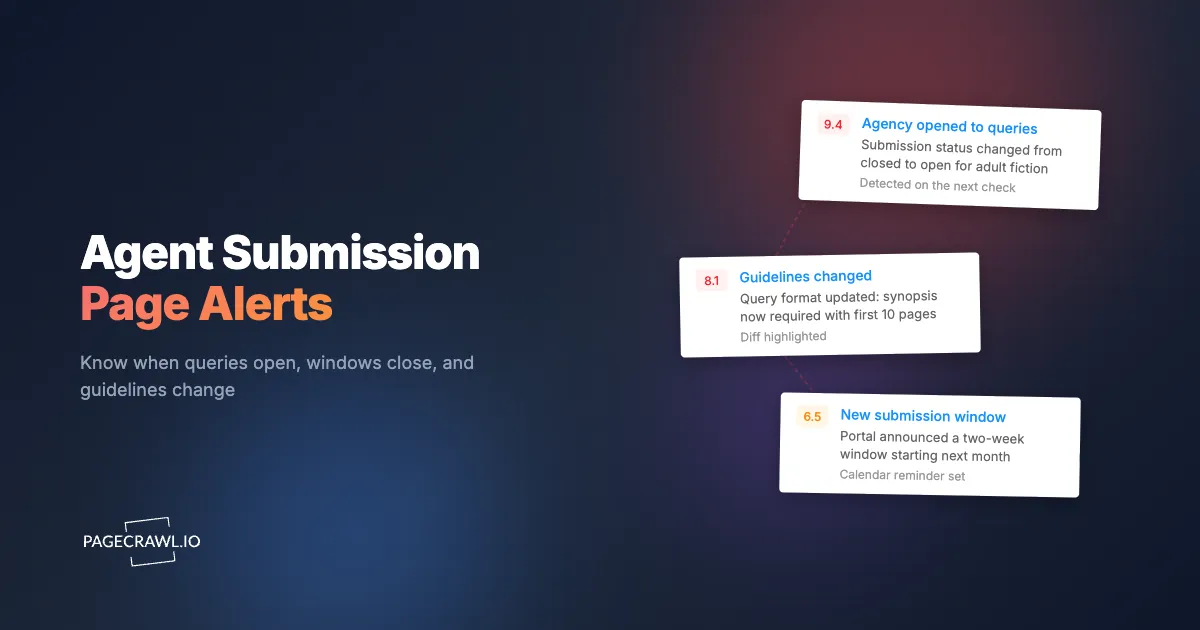
Monitor the agent's own submission page, because that is where the status changes first. Add the agency's submissions page to a monitor, and you will get an email when the page's content changes, with the exact change highlighted, so "Currently closed to queries" flipping to "Open to queries in adult fiction" reaches you as a diff, not as something you have to spot yourself.
Alerts arrive when the next scheduled check detects the change. Checks can run as often as every 2 minutes on paid plans, though for submission pages a check every hour is usually the right cadence: fast enough to be early, calm enough to not matter when a site has a wobbly day.
An AI focus prompt keeps the alerts specific. Telling the monitor to watch for submission status, guideline, and deadline changes, and to ignore blog posts and news sections, means an agency publishing a weekly blog does not generate a false alert every week.
Why do agents open and close to submissions in the first place?
Agents close because querying is asymmetric: a single agent can receive thousands of queries a year and can realistically take on a handful of new clients. Closing is inbox management, not rejection of the market. Understanding why an agent closed tells you a lot about when and how they are likely to reopen, which is exactly what a monitor is waiting for.
The common reasons cluster into three. Query volume: the agent's inbox has outrun their reading time, and they close until the backlog clears, often reopening quietly weeks or months later with no announcement anywhere except the page itself. Client list full: the agent has the roster they can serve, and they may stay closed for a year or more, sometimes reopening only for specific genres where they have room ("closed, except picture book texts"). Leave: maternity, sabbatical, or a role change at the agency, usually with a stated return window that then shifts.
The patterns worth knowing as a querying writer follow from this. Quiet reopenings are the norm, not the exception; the page changes and nothing else does, which is why page monitoring beats following announcements. Genre-specific openings are common and easy to misread at a glance, so read the diff carefully: "open to queries" with a new restriction paragraph is a different opportunity than it appears. And the best odds in the entire landscape are new agents: when an agency announces a new junior agent or an agent moves houses, they open with an empty list and an active appetite, and their submission page appearing at all is the signal. Monitoring the agency's team or news page alongside the submissions page catches these arrivals.
How do you set up query monitoring step by step?
You set it up once per querying round, in about an hour, and then the monitors do the checking for as long as the round runs. The structure below assumes a writer with a researched shortlist; the same steps scale up for an agency watching the market.
Step 1: Build the shortlist first
Do the normal query research: agents who represent your genre, are reputable, and are plausible fits for the manuscript. Rank them into tiers (dream agents, strong fits, solid possibilities). The monitoring layer does not replace this research; it makes the timing part of it automatic.
Step 2: Find each agency's actual submissions page
For each agent, locate the specific page where submission status and guidelines live. This is usually a "Submissions" or "Query us" page on the agency site, sometimes a per-agent page. Avoid monitoring the agency homepage; the status line you care about lives on the submissions page, and the homepage carries news and deal announcements that would only add noise.
Step 3: Add each page as a monitor with a focus prompt
Paste each URL into PageCrawl, or add pages as you research them with the browser-bar bookmarklet, and give every monitor the same AI focus prompt: watch for changes to submission status (open or closed), submission guidelines, wish lists, and deadlines; ignore blog posts, news items, deal announcements, and site navigation. This one sentence is what turns a page full of weekly churn into a monitor that only speaks when it matters. The help centre explains what the focus prompt steers in how PageCrawl uses AI.
Step 4: Set hourly checks on the top tier
Hourly checks on your dream agents mean an opening that lasts days is caught with hours of it elapsed, not most of it. Lower tiers can run on daily checks without meaningful risk, since you would not query them first anyway.
Step 5: Add portal listings as a second signal
For agents who use QueryTracker, QueryManager, or Submittable, add their portal listing page too. Portals sometimes update before the agency site does (an agent flips their form to open before the webmaster updates the page), and sometimes after. Two signals per top-tier agent means you catch whichever moves first.
Step 6: Keep one folder per querying round
Put all of a round's monitors in a folder named for the round ("Fantasy novel, round 2"). When the round ends, pause or archive the folder rather than deleting it; the accumulated change history is your data for timing the next round, and reactivating a folder is faster than rebuilding one.
What does a real querying watchlist look like?
For a serious querying round, the whole watchlist is 25 to 30 monitors, and most of it runs silent most of the time. Take Maya from the opening, rebuilding her process for the next book. Her list is 25 agents in three tiers, and her watchlist looks like this:
- Tier one (6 agents): each agent's agency submissions page on hourly checks, plus the QueryManager or QueryTracker listing for the four who use portals. Ten monitors covering the six agents she would drop everything to query.
- Tier two (9 agents): agency submissions pages on daily checks. Nine monitors.
- Tier three (10 agents): she monitors the four who are currently closed (the open ones she can query now, no monitoring needed) plus one agency's team page, because they announced they are hiring a new agent in her genre. Five monitors.
- Contests and mentorship (2 monitors): the submission pages for one mentorship program and one publisher's unagented open-call page, both of which run short annual windows.
Total: 26 monitors. A typical month of alerts from a list like this: one tier-two agent reopens after a summer closure (the alert Maya acts on that evening, query sent while the window is days old); one agency rewrites its guidelines to require a synopsis with the query (a change that would otherwise have earned a silent form rejection for noncompliance); the mentorship page posts next cycle's dates; and one agency redesigns its site, generating the month's only noise alert, fixed by re-tightening the monitor to the guidelines section. Three actionable signals, one noise event, zero Sunday-night ritual.
Do submission portals like QueryManager and QueryTracker work with monitoring?
Yes. Portal pages such as QueryTracker listings, QueryManager forms, and Submittable landing pages can be monitored like any other public page, and they are useful as a second signal alongside the agency's own site. A portal listing often updates when an agent reopens, changes genres, or switches their form, and monitoring the portal catches agents who update there first.
The mechanics differ slightly by portal. A QueryManager form page is a strong open/closed signal because the form itself appears or is replaced by a closed notice; the page state and the submission state are the same thing. QueryTracker listing pages carry status plus genre and wish-list details, so a monitor there also catches an agent narrowing or expanding what they represent. Submittable landing pages, common for publishers and contests, list active calls with deadlines, so a monitor on an organization's Submittable page catches new calls as they appear.
Note: portals show public listing state, not your personal queue position, so monitoring complements rather than replaces your QueryTracker account. The practical setup for a querying writer is a small list: the submission pages of your shortlisted agents, the one or two portals where those agents maintain listings, and any open contest or mentorship program pages you care about. Ten to twenty monitors covers most querying rounds.
How do agencies, publishers, and scouts use submission monitoring?
At the professional end the same mechanics run in the other direction: instead of one writer watching 25 agents, an agency or publisher watches the whole landscape it competes in, and the questions become strategic rather than personal. The volume is higher, so structure matters: folders per market segment, a shared workspace so the whole team sees the same history, and a weekly summary report instead of individual alerts for the low-priority tail.
Agencies watch competitor agencies: their submissions pages (who is open, in what, and how their wish lists are drifting), their client and team pages (a client disappearing from a roster, a new agent joining, an agent departing), and their news pages. An agent opening aggressively in a genre is market intelligence about where that agency thinks the demand is; a rival's client page changing is sometimes the first public trace of a move.
Publishers and small presses watch the contest and open-call landscape: which prizes are open, which competitors are running unagented submission windows, and how the terms shift year over year. A rival press extending its open window or dropping a fee is a signal about their pipeline. Scouts, who make their living on early information, monitor deal-announcement and news pages across many agencies at once, where a new deal line appearing is precisely the kind of small textual change a diff surfaces well.
For all three, the shared workspace matters as much as the alerts: the change history becomes an institutional record of the market that survives any one employee's memory or departure.
What does the change history tell you over time?
Every monitor accumulates a timestamped record of every change to its page, and over a year or two that history answers questions memory cannot: how long this agent's windows typically stay open, how often that publisher runs its open call, and how the guidelines have drifted between your rounds. The alerts are for acting now; the history is for planning the next round.
Three uses stand out. Window length per agent: after a few cycles, the history shows whether an agent's openings last days or months, which tells you how urgently to act on their next alert (an agent whose last two windows lasted under two weeks gets queried the day the alert lands; one who stays open for months can wait for your letter's next polish). Guideline drift: comparing the current guidelines to the version from your last round, directly from the stored diffs, catches new requirements (a synopsis, a comp-titles rule, a changed word-count range) before they cost you a query. Timing the next round: if the history shows an agent reliably reopens after their conference season, or a press opens its call the same month each year, you can schedule your submission-readiness around observed behavior instead of hope.
None of this requires extra work; it accumulates automatically from the monitors you already run, which is the strongest argument for keeping monitors paused rather than deleted between rounds.
How is this different from pitch events and newsletters?
Pitch events and newsletters are announcement channels, and monitoring is a verification channel; they answer different questions. A pitch event or an agent's newsletter tells you what an agent chose to announce, when they chose to announce it, to the audience that happened to be watching. A page monitor tells you what the authoritative page actually says, checked on a schedule, whether or not anyone announced anything.
The gaps in announcement channels are exactly the cases from this guide. Quiet reopenings are not announced anywhere; the page changes and that is the entire event. Social pitch events run on the platform's algorithmic timing and reach, and an agent's participation says nothing about their page status the following month. Newsletters arrive on the sender's cadence, often summarizing changes days or weeks old, and not every agency sends one. None of these channels tells you about guideline changes at all, which produce no announcement and plenty of silent form rejections.
The channels still have value: pitch events surface agents you had not researched, and newsletters carry wish-list color that a status line cannot. Use them for discovery, then move the agents they surface onto the monitored shortlist, where the actual open/closed state is watched by something that does not depend on anyone remembering to announce it.
What should a submission page monitor ignore?
Everything that changes without meaning a submission change: blog sections, news feeds, deal announcements, rotating testimonials, and social media embeds. Agency websites are often the noisiest pages in a writer's monitoring list, because the submission status is one line on a page that otherwise updates weekly.
Two settings handle this. Monitoring the specific submissions page rather than the agency homepage removes most of the noise structurally. The AI focus prompt handles the rest: state what you care about (submission status, guidelines, deadlines, windows) and what you do not (news, blog posts, navigation), and changes outside your focus stop generating alerts. If a page still produces noise, tightening the monitored selection to the guidelines section alone usually settles it, and the complete guide to reducing false positive notifications covers the rest of the levers.
Choosing your PageCrawl plan
PageCrawl's Free plan lets you monitor 6 pages with 220 checks per month, which covers a focused querying round on your top agents. Most writers and agencies graduate to a paid plan as the watchlist grows.
| Plan | Price | Pages | Checks / month | Frequency |
|---|---|---|---|---|
| Free | $0 | 6 | 220 | every 60 min |
| Standard | $8/mo or $80/yr | 100 | 15,000 | every 15 min |
| Enterprise | $30/mo or $300/yr | 500 | 100,000 | every 5 min |
| Ultimate | $99/mo or $999/yr | 1,000 | 100,000 | every 2 min |
Annual billing saves two months across every paid tier. Enterprise and Ultimate scale up to 100x if you need thousands of pages or multi-team access.
Catching one submission window early can decide a querying round: the difference between querying an agent in week one of an open period and finding out after they close again. Standard at $80/year covers 100 monitored pages, a full querying list plus the portals and contest pages around it, with 15-minute checks. Agencies and publishers watching the market at scale fit Enterprise at $300/year, with shared workspaces for the whole team. All plans include the PageCrawl MCP Server, so you can ask an AI assistant which tracked agents opened or changed guidelines this month, answered from your own monitoring history.
Getting Started
Start with your current query list. Add the submission pages of your top six agents to a free PageCrawl account, set hourly checks, and let the alerts tell you when a page changes. Expand to portals and contest pages as your round grows, and keep the monitors running between rounds, because the best time to hear an agent reopened is before everyone else does.


