If your team needs updates about competitor prices, supplier stock, or policy changes, start with a website monitor such as PageCrawl. If you need to collect thousands of pages for a database, report, or AI application, a scraping API may fit the job. Some services now do both.
Last reviewed: November 8, 2026. Written by the PageCrawl team using official product, pricing, and documentation pages. This is a documentation comparison, not a hands-on success-rate benchmark. Prices can change; annual billing and trial limits are identified below.
This guide covers 13 scraping services and explains when PageCrawl's monitoring API can save you from building the scheduling, change history, and alert workflow yourself.
What does a web scraping API do?
A web scraping API collects information from a web page for another application to use. Depending on the service, it returns page text, screenshots, or named fields such as price and availability. Your team connects it to the application that needs the data. The service's allowance limits how much you can collect.
Common tasks include building a product catalogue, collecting articles for research, or letting an AI assistant read a page. A scraping API can also be part of a monitoring system, but check whether the plan includes repeat visits, comparisons, saved history, and alerts.
No provider can promise that every page will load successfully. Test the actual sites and fields your work depends on.
Which web scraping APIs should you compare?
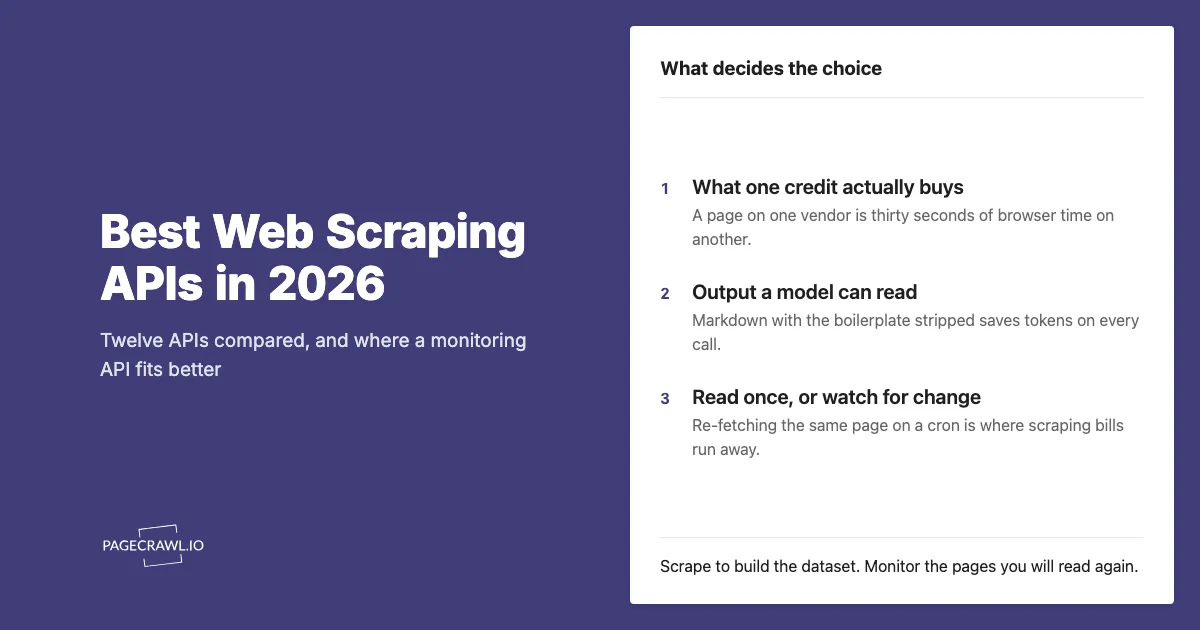
Compare services by the information you need and how they charge for producing it. A credit may buy one simple page, part of a longer browser session, or a smaller share of a more demanding request. The table lists published entry offers, not the cost of an identical workload across providers.
| Service | Useful starting point | Free allowance or trial | Published paid entry |
|---|---|---|---|
| Firecrawl | Page content for AI applications; optional monitoring | 1,000 credits/month | $16/month billed annually, 5,000 credits/month |
| ScrapingBee | Page content, screenshots, and extracted fields | 1,000 trial credits | $19/month, 75,000 credits |
| Zyte API | Product, article, and job data | $5 trial credit, 30 days | Usage pricing; rates vary by site and request type |
| Bright Data Web Unlocker | Page collection alongside a wider scraping product range | 5,000 requests/month | $1.50 per 1,000 successful requests, pay as you go |
| Apify | Ready-made scrapers and custom collection jobs | $5 platform usage/month | $19/month, including $19 of usage |
| ScraperAPI | Page collection and structured data endpoints | 7-day trial, 5,000 credits | $49/month; request costs vary by options |
| Oxylabs Web API | Scraping and structured output | $5 welcome credit | Starter from $15/month; result costs vary |
| Crawlbase | Collection with a shared usage allowance | Up to 5,000 free requests | Pay as you go, or $99/month for 200,000 credits |
| Diffbot | Structured extraction and knowledge-graph data | 10,000 credits/month | $299/month, 250,000 credits |
| Jina Reader | Turning public pages into readable text | Basic access without an API key | Token-based billing with an API key |
| Scrapfly | Scraping, extraction, screenshots, and crawling | 1,000 signup credits | $30/month, 200,000 credits |
| Browserless | Running your own browser workflows | 1,000 units/month | $25/month billed annually, 20,000 units/month |
| ZenRows | Collection, extraction, and batch jobs | 5,000 credits/month | $19/month, or $16/month billed annually, for 45,000 credits/month |
Prices are in USD. The linked pricing pages explain usage rates, taxes, overages, and larger plans. A free trial ends; a recurring free allowance refreshes. Do not treat the two as interchangeable.
What is each service useful for?
The services below cover different jobs, from reading one page to running a large collection project. Start with the output your team needs, then check the relevant provider's documentation and price it against your real pages. These profiles describe published capabilities; they do not rank reliability based on tests we have not performed.
Firecrawl: page content and monitoring for AI applications
Firecrawl returns content in formats suited to AI applications and offers a change-tracking option that compares a page with its previous scrape. Its separate monitoring feature now runs scheduled page checks, website crawls, or searches, with webhook, email, and Slack notifications. It can judge changes against a written goal.
That matters if you already use Firecrawl: you do not necessarily need to build a scheduler yourself. Check monitoring credit costs and retention alongside the scraping plan. Scheduled checks still consume credits; optional judgment adds usage when changed pages are evaluated.
ScrapingBee: page collection with several output choices
ScrapingBee supports page content, screenshots, Markdown, and extracted fields. It also provides options for pages that need to finish loading or require an interaction before the wanted information appears. This suits a team building an application that needs to request and process page data.
Its 75,000-credit entry plan does not necessarily mean 75,000 fully rendered pages. The request options determine the credit cost. Use the same pages and settings when estimating usage or comparing it with another provider.
Zyte API: structured information from different kinds of pages
Zyte API offers extraction for products, articles, jobs, and custom fields. Its pricing distinguishes site difficulty and whether the page needs browser rendering. The published starting rates span $0.13 to $1.27 per 1,000 HTTP responses and $1.01 to $16.08 per 1,000 rendered responses, before commitment discounts.
Use its site-specific estimate for your targets. A low rate for a simple page is not a reliable estimate for a mixed catalogue of demanding sites.
Bright Data: separate tools for page access and ready-made extraction
Web Unlocker is Bright Data's general page-collection service. Its wider range also includes a Web Scraper API for extracting records from supported sites. Check which product and output your project actually needs before comparing the price.
The table uses Web Unlocker's published free allowance and pay-as-you-go rate. It does not assume that every Bright Data product shares the same allowance or that a particular site will always load successfully.
Apify: ready-made scrapers and scheduled jobs
Apify hosts collection and automation programs called Actors. You can use an existing Actor or run your own, with scheduling and saved results as part of the platform. The format and completeness of the data depend on the Actor you choose.
An Actor may charge by results, events, or usage. Platform compute, storage, and other resources can also affect the bill. Check the chosen Actor's own pricing rather than treating the platform subscription as an all-inclusive extraction allowance.
ScraperAPI: collection with structured endpoints and repeat jobs
ScraperAPI offers general page collection, structured data endpoints, and AI parsing. Its DataPipeline product supports recurring collection, which can reduce the work needed to refresh a dataset. The current official pricing page lists Hobby at $49/month and a seven-day trial with 5,000 credits.
Check the credit cost of your target site and selected options. A recurring collection job still needs a clear destination and a process for deciding what changed and what your team should do about it.
Oxylabs Web API: scraping with pricing tied to the result
Oxylabs Web API's Scrape pricing now lists Starter from $15/month and a $5 welcome credit. This replaces the older entry-plan figures often repeated in comparisons. The service offers page collection and structured output, with charges depending on the target and requested work.
Use the provider's current calculator or quote for your page mix. An advertised number of results at the cheapest rate is not a promise that the same allowance covers every target and rendering option.
Crawlbase: one usage system across collection tools
Crawlbase offers pay-as-you-go pricing and monthly credit plans, including Starter at $99 for 200,000 credits. Its published rate card covers different collection tasks. Credits used by a request depend on the work needed, so a single page may consume more than one credit.
This is worth comparing when your project needs several collection functions under one account. Estimate the actual page mix, including repeat visits, before choosing a monthly allowance.
Diffbot: structured records and knowledge-graph data
Diffbot provides structured extraction and access to its knowledge graph. Those activities use credits differently: the pricing page lists one credit for an extraction request and 25 for a knowledge-graph entity. It also lists crawling on Plus and higher, so describing Diffbot as having no crawling capability would be wrong.
Compare the cost of the specific data you need. The free allowance and the $299 Startup plan do not include every feature offered on the $899 Plus plan.
Jina Reader: readable page content with a simple starting point
Jina Reader turns a URL into content suitable for reading or passing to an AI application. Basic use does not require an API key. Supplying a key increases the rate limit and uses token-based billing, where the length of the returned content affects usage.
This can be a useful starting point for reading public pages. Basic access is rate-limited, and being able to read one page does not establish that every target site will work.
Scrapfly: collection, extraction, and screenshots
Scrapfly offers scraping, extraction, screenshots, and crawling through its API products. Its Discovery plan includes 200,000 credits for $30/month, with 1,000 signup credits for trying the service. The features selected for a request affect how many credits it consumes.
Compare the cost of the complete result you need, including any extraction or screenshot work. A large credit total alone does not tell you how many finished records your project can produce.
Browserless: managed browser sessions for your own workflow
Browserless runs browser sessions that your application controls. It fits a team with an existing workflow that clicks through pages, fills forms, or collects screenshots and other outputs. It still requires someone to define and maintain what the browser does.
Its billing unit covers up to 30 seconds per browser connection. Longer sessions consume further units, reconnecting starts another unit, and connection traffic can add usage. Compare completed workflows rather than treating each unit as one page.
ZenRows: collection and batch jobs with a shared credit balance
ZenRows offers page collection, extraction, crawling, batch jobs, and browser sessions. Its permanent free plan includes 5,000 monthly credits. Build starts at $19/month, or $16/month on annual billing, for 45,000 monthly credits.
Credit costs depend on the request. The pricing page distinguishes a standard page from a page needing rendering or other access options. Its rollover rule concerns unused top-up credits, not an unlimited carryover of the normal monthly allowance.
How does PageCrawl differ from a scraping API?
PageCrawl is designed to keep watching the pages you care about and send useful updates when they change. You can set up monitors in the app without building a data pipeline, then review saved changes, price history, and alerts. The API is available when you want to connect that workflow to another system.
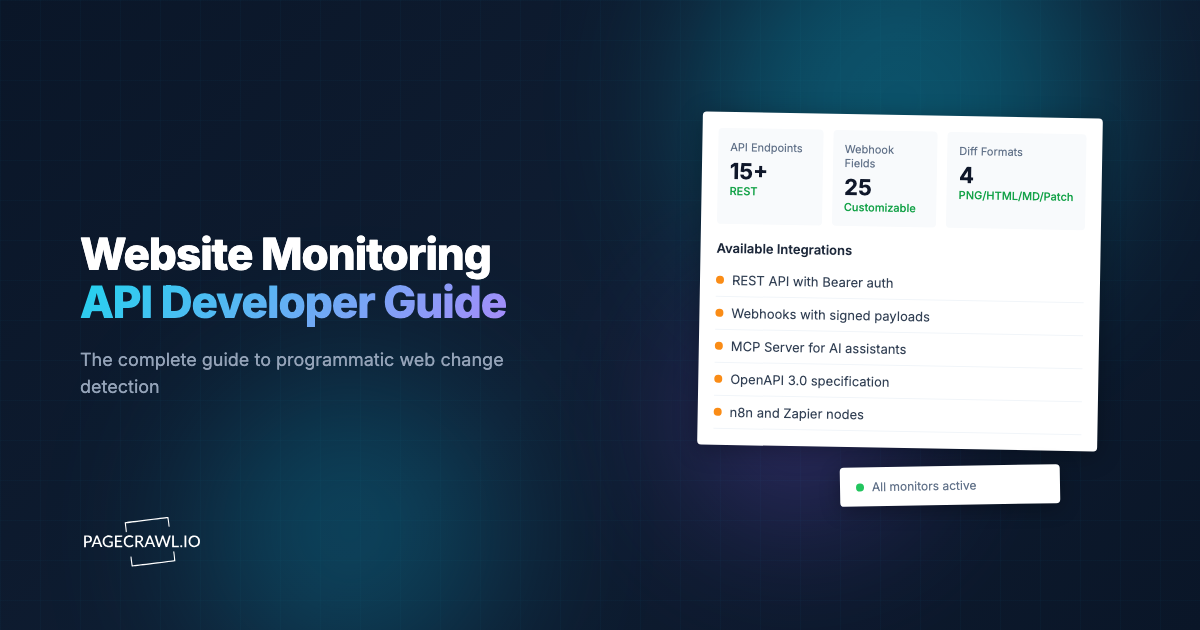
PageCrawl's API, webhooks, and MCP connection are available on every plan. Depending on the tracking type, you can follow text, prices, stock status, feeds, or other values. AI analysis uses a separate credit allowance or your own AI account.
| Decision | Scraping service | PageCrawl |
|---|---|---|
| Main job | Collect content for another application | Keep a watchlist and help people act on changes |
| Setup | Connect an API, Actor, or browser workflow | Use the app, API, or connected AI assistant |
| Allowance | Requests, credits, results, tokens, or browser time | Page limit and monthly checks; AI credits are separate |
| Repeat checks and alerts | Some providers include them; check the product and plan | Scheduled monitoring and notification connections |
| History | Storage and retention vary by product | Saved change history; retention depends on plan |
| Price and stock updates | Extract fields for your own workflow | Dedicated tracking types, price charts, and alert rules |
PageCrawl's Parse AI can also extract named values on every plan, using AI credits or your own account. Saved website logins and automatic page discovery require Standard or above. Downloadable web archives are an optional Ultimate feature for checks every six hours or less often.
How should you estimate the cost of repeat checks?
Count the visits your schedule requires before comparing prices. One hundred pages checked hourly for 30 days need 72,000 checks. A scraping service bills those requests according to its usage rules. PageCrawl also has a monthly check allowance, so its page limit alone does not tell you whether that schedule fits.
| PageCrawl base plan | Monthly price | Pages | Check credits/month | Covers 100 pages hourly with browser checks for 30 days? |
|---|---|---|---|---|
| Standard | $8 | 100 | 15,000 | No, 72,000 checks exceed the allowance |
| Enterprise | $30 | 500 | 100,000 | Yes, before extra checks |
| Ultimate | $99 | 1,000 | 100,000 | Yes, before extra checks |
The table assumes browser checks at one credit per visit. Each PageCrawl Fast check uses 1/5th of a check credit, so 100 supported pages checked hourly use 14,400 credits over 30 days and fit Standard. Fast cannot take screenshots or carry out page interactions. Ultimate adds one-minute Fast checks; browser checks on Ultimate start at two minutes.
The pricing page lists the full limits and larger allowances. Leave room for setup and extra visits. AI analysis has its own usage rules, so 72,000 checks do not imply 72,000 included AI analyses.
For comparison, 100 pages checked daily for 30 days use 3,000 checks. A useful schedule matches the decision: a monthly policy change and a short restock do not need the same checking frequency. Try your own schedule in the check-budget calculator.
Can you combine scraping and monitoring?
Yes. Use a scraping service to collect a starting dataset, then monitor the pages whose updates matter to your team. For example, collect a supplier catalogue once, then watch the prices and stock status of the products you buy regularly. This keeps the ongoing watchlist focused and its allowance easier to predict.
- Identify the pages and fields that affect a real decision.
- Create PageCrawl monitors in the app or through the API.
- Set the schedule and alert destination for the person responsible.
- Review saved changes and adjust the setup if useful information is missing or unwanted alerts get through.
If you already use a scraping platform with monitoring, compare the complete workflow, including saved history, team review, and alert delivery. A feature label alone does not show whether it fits the way your team works.
How can you try this with your own pages?
Start with a few pages that matter to your work, such as a supplier's stock page, a competitor's prices, or a policy you need to follow. Check the saved result and send a test alert. If you need a dataset instead, test the scraping API against representative pages before committing to volume.
Try PageCrawl Free with six pages, 220 monthly checks, and 15 monthly AI credits. Six daily pages use 180 checks in 30 days. You can review the results in the app and connect team chat, mobile alerts, webhooks, the API, or MCP without a paid subscription.