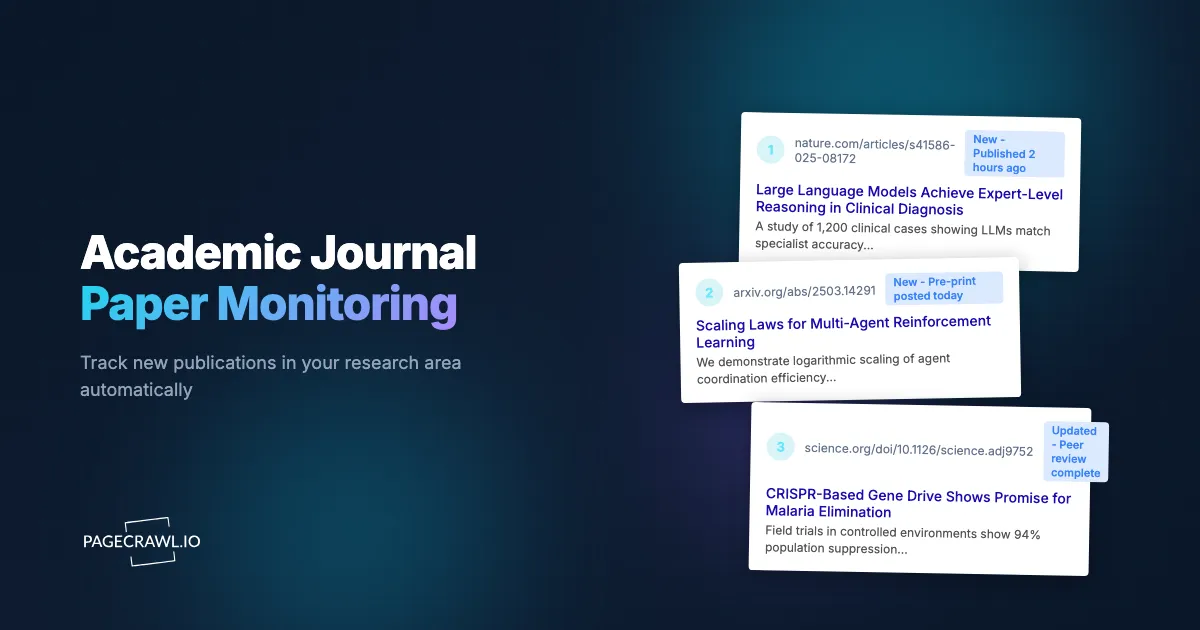
A postdoctoral researcher in computational biology spent three months developing a novel approach to protein folding prediction. Two weeks before submitting her manuscript, she discovered that a team at another university had published essentially the same approach on bioRxiv six weeks earlier. She had been checking bioRxiv manually, once or twice a week, but the paper appeared on a day she did not check. By the time she found it, her work had gone from novel contribution to confirmatory study. Six weeks of awareness would have changed her entire research direction.
This is not an unusual story. The volume of academic publishing has grown exponentially. Close to 3 million peer-reviewed articles are published each year, according to publication-output data from the NSF's National Center for Science and Engineering Statistics, and that figure does not include preprints, conference proceedings, and working papers. No researcher can manually track even a fraction of the relevant literature in their field. Yet missing a key publication can mean wasted months of redundant work, missed collaboration opportunities, or delayed responses to findings that affect your research.
This guide covers why automated monitoring is becoming essential for researchers, what sources to monitor (journals, preprint servers, author profiles, conferences), the limitations of existing alert systems like Google Scholar, and how to set up comprehensive publication monitoring with PageCrawl.
Why do researchers need automated publication monitoring?
Automated monitoring of journals, preprint servers, and research databases catches new papers on the day they appear instead of whenever you next remember to search. The academic publishing landscape has changed in ways that make manual literature tracking inadequate.
Publication Volume is Overwhelming
The number of papers published annually has more than doubled in the past two decades. Even within narrow sub-fields, the rate of new publications exceeds what any individual can manually track. A researcher focused on, say, transformer architectures in NLP might see 50-100 relevant new papers per month across journals, conferences, and preprint servers.
This volume creates a paradox: more relevant work exists than ever before, but it is harder than ever to find it all through manual searching.
Preprints Have Changed the Timeline
The rise of preprint servers (arXiv, bioRxiv, medRxiv, SSRN) has compressed the timeline between research completion and public availability. A paper that might take 6-12 months to appear in a peer-reviewed journal is available as a preprint within days of completion.
This speed creates urgency. If you are working on a similar problem, you need to know about the preprint when it appears, not when the peer-reviewed version publishes months later. Researchers who monitor preprint servers have a significant awareness advantage over those who rely solely on journal publications.
Cross-Disciplinary Relevance
Modern research increasingly draws from adjacent fields. A breakthrough in materials science might appear in a physics journal. A relevant computational method might be published in a computer science venue. A biologist might need to monitor both biology journals and machine learning conferences.
Monitoring across disciplines requires tracking sources you would not naturally read, which makes automated monitoring essential.
Competitive and Collaborative Dynamics
In competitive research areas, knowing what other labs are working on helps you:
- Avoid duplicating ongoing work
- Identify potential collaborators working on complementary problems
- Anticipate the direction of the field
- Respond quickly to findings that validate or challenge your approach
- Cite recent relevant work in your own submissions
What are the limitations of existing alert systems?
Google Scholar Alerts, journal table-of-contents emails, and preprint server digests each cover part of the landscape, but all have significant gaps in timing, coverage, or targeting. Most researchers rely on them anyway, which is where key papers slip through.
Google Scholar Alerts
Google Scholar Alerts let you set up email notifications for new papers matching a search query or citing a specific paper. They are the most commonly used academic alert system and the simplest to set up.
Limitations:
- Inconsistent timing. Google Scholar does not specify how frequently it checks for new papers or how quickly it sends alerts. In practice, alerts often arrive days or weeks after a paper becomes available. For preprints, where timeliness matters most, this delay can be significant.
- Coverage gaps. Google Scholar indexes broadly but not exhaustively. Some journals, conference proceedings, and preprint servers are indexed with delays or incompletely. Newer or smaller venues may not be indexed at all.
- No customization of alert content. You receive an email with links. You cannot configure the alert to include abstracts, filter by author institution, or integrate with your reference management workflow.
- Query limitations. Complex queries are possible but clumsy. Refining alerts to reduce noise (irrelevant results) while maintaining recall (not missing relevant papers) requires ongoing adjustment.
- No monitoring of specific pages. Google Scholar Alerts work on search queries, not on specific journal pages. You cannot monitor a journal's "latest issue" page or a specific author's publication list.
Google Scholar Alerts are a reasonable starting point but should not be your only monitoring mechanism.
Journal Email Table of Contents
Most journals offer email alerts for new issues, typically sending a table of contents when a new issue publishes.
Limitations:
- Issue-level granularity. You receive the entire table of contents, not targeted results. For broad journals (Nature, Science, PNAS), most papers in each issue are irrelevant to your specific research.
- Publication delay. By the time a paper appears in a journal issue, it may have been available as an accepted manuscript or preprint for months. ToC alerts are a lagging indicator.
- Email overload. Subscribing to 10-20 journal ToC alerts creates a stream of email that is easy to ignore. Important papers get buried in the volume.
- No cross-journal integration. Each journal's alert is separate. There is no unified view across the journals you monitor.
Preprint Server Notifications
arXiv offers daily email digests for specific subject categories. bioRxiv and medRxiv offer RSS feeds and email alerts.
Limitations:
- Category-level, not topic-level. arXiv daily emails include all papers posted to a category (e.g., cs.CL for Computation and Language). For active categories, this can mean 50+ papers per day. Finding the 2-3 relevant ones requires manual scanning.
- No cross-server alerts. If your topic spans arXiv and bioRxiv, you need separate alert configurations for each.
- Limited filtering. Built-in filtering on preprint servers is basic. You cannot easily combine keyword, author, and institutional filters.
What should you monitor for academic research?
A comprehensive monitoring program targets journal latest-issue pages, preprint server searches, author publication profiles, conference proceedings, and, where relevant, patent databases. Each source type catches papers the others miss.
Journal Latest Issues Pages
Every journal website has a page showing the most recent published papers. These pages update when new papers are published, either as part of a new issue or as advance online publications.
High-value monitoring targets:
- "Latest Articles" or "Current Issue" pages for your top 5-10 journals
- "Accepted Manuscripts" or "Early Access" pages (papers accepted but not yet assigned to an issue)
- "Most Read" or "Most Cited" pages (for tracking trending papers in your field)
For example, if you research machine learning, monitoring the "Latest Articles" pages for JMLR, NeurIPS Proceedings, and Transactions on Machine Learning Research catches new publications on the next check after they appear on the journal website.
Use content monitoring mode in PageCrawl. When a new paper is added to the page, the title and author information appear as new content, triggering an alert.
Preprint Servers
Preprint servers are the fastest source of new research. Monitor search results for your specific topics rather than entire categories.
arXiv: Navigate to arxiv.org and search for your research topic. The search results page URL encodes your query. Monitor this URL to catch new preprints matching your search terms. This is more targeted than arXiv's category-level daily digest.
For specific sub-fields, monitor the "new submissions" page for your category (e.g., arxiv.org/list/cs.CL/new for Computation and Language). These pages update daily with all new submissions to that category.
bioRxiv/medRxiv: Similar approach. Search for your topic, copy the results page URL, and monitor for new results. bioRxiv also offers topic-specific collection pages that are useful monitoring targets.
SSRN: For social sciences, economics, and law. Monitor search results or topic-specific pages.
For RSS feed monitoring on servers that offer it, see the guide on monitoring RSS feeds.
Specific Author Publication Pages
Monitoring specific researchers' publication lists catches their new work regardless of which journal or server it appears on.
Google Scholar profiles: Many researchers maintain Google Scholar profiles that list all their indexed publications. Monitor the profile page for specific authors whose work consistently overlaps with yours. When they publish something new, it appears on their profile, triggering an alert.
Institutional pages: Researchers often have publication lists on their university or lab website. These pages sometimes update before Google Scholar indexes the paper.
ORCID profiles: ORCID profiles link to a researcher's publications across all venues. Monitoring an ORCID profile page catches new additions regardless of the publishing venue.
Lab and research group pages: Many labs maintain a publications page or news page that lists recent output. Monitoring these catches papers from any member of the group, not just one author.
Conference Proceedings
Major conferences publish proceedings online, often all at once when the conference occurs.
What to monitor:
- Conference proceedings pages (e.g., the ACL Anthology for computational linguistics conferences)
- "Accepted Papers" lists that appear weeks before the conference
- Workshop proceedings pages for niche topics
- Conference schedule or program pages (to see presentation topics before proceedings are published)
Timing note: Conference proceedings pages update infrequently (typically once or twice per year per conference). Daily or even weekly check frequency is sufficient. The most time-sensitive monitor is the "accepted papers" list, which appears before the conference and reveals what research will be presented.
Patent Databases
For researchers whose work has commercial applications, patent publications reveal competitive and collaborative activity.
Monitor:
- Google Patents search results for your technology area
- USPTO (United States Patent and Trademark Office) search results
- EPO (European Patent Office) search results for European patents
- Specific company patent activity pages
Patent monitoring sits at the intersection of academic and commercial research. It is especially relevant for engineering and applied science researchers.
Setting Up Journal Monitoring with PageCrawl
Here is how to build a systematic academic monitoring workflow.

Step 1: Identify Your Top Sources
List the sources most relevant to your research:
- 5-10 journals where relevant work most often appears
- 2-3 preprint servers or categories
- 5-10 specific researchers whose output you want to track
- 2-3 conference proceedings pages
- Any specialized databases for your field
Step 2: Set Up Journal Monitors
For each journal:
- Navigate to the journal's "Latest Articles" or "Current Issue" page
- Copy the URL
- Add it to PageCrawl with content monitoring mode
- Set check frequency based on how often the journal publishes:
- Daily or continuous publication journals: check every 6-12 hours
- Monthly or bimonthly journals: check daily
- Quarterly journals: check every few days
Content monitoring mode detects when new article titles and authors appear on the page. PageCrawl's change summary tells you what new content was added, including the titles of new papers. For journal pages that include navigation elements, sidebar widgets, "trending articles" lists, and advertising that change on every visit, use reader mode. Reader mode strips away these peripheral elements and focuses monitoring on the main content area of the page, so you only receive alerts when actual articles are added or changed, not when the sidebar reshuffles or an ad rotates.
Step 3: Set Up Preprint Monitors
For preprint server searches:
- Go to arXiv, bioRxiv, or your relevant preprint server
- Run a search for your research topic
- Sort results by date (newest first)
- Copy the URL (it contains your search query and sort order)
- Add to PageCrawl with content monitoring mode
- Set check frequency to every 6-12 hours (preprints appear continuously)
For arXiv "new submissions" pages (daily listings by category):
- Navigate to the new submissions page for your category
- Copy the URL
- Monitor with content monitoring mode
- Check frequency: daily (the page updates once per day)
Step 4: Set Up Author Monitors
For specific researcher profiles:
- Navigate to the author's Google Scholar profile or institutional page
- Copy the URL
- Add to PageCrawl with content monitoring mode
- Check frequency: weekly (individual authors publish infrequently enough that weekly checks catch everything)
Step 5: Configure Notifications
For academic monitoring, email notifications are usually appropriate. Unlike restock alerts where seconds matter, research papers remain available indefinitely. A few hours of delay is acceptable.
Recommended notification setup:
- Email for all monitors (creates a searchable record of detected publications)
- Slack or Discord for high-priority sources (your most important journals or competitors' profiles)
- Weekly digest for lower-priority monitors
For Slack notification setup, see the guide on website change alerts via Slack.
Building a Research Intelligence Workflow
Monitoring is most effective when integrated into a regular research workflow.
The Daily Literature Check
Spend 10-15 minutes each morning reviewing monitoring alerts:
- Scan new preprint alerts for papers directly relevant to your current work
- Check journal alerts for papers worth reading in full
- Flag papers for your reference manager (Zotero, Mendeley, EndNote)
- Share relevant finds with your lab or research group
This daily habit, supported by automated monitoring, replaces the less effective approach of periodically searching databases and hoping you find everything relevant.
The Weekly Literature Review
Once per week, conduct a deeper review:
- Review all monitoring alerts from the past week
- Identify patterns (emerging topics, new research groups in your area, methodological trends)
- Read abstracts for flagged papers and select 2-3 for full reading
- Update your literature review notes or annotated bibliography
- Discuss notable finds with collaborators
The Quarterly Strategic Assessment
Every three months, assess your monitoring coverage:
- Are there new journals or preprint categories that have become relevant?
- Are there new researchers whose work you should be tracking?
- Have any monitored sources become less relevant? (Remove these to free up monitors for new sources.)
- Have you missed any significant papers despite your monitoring? If so, identify the gap and add coverage.
Monitoring for Labs and Research Teams
Academic monitoring scales well to research groups.
Shared Monitoring Infrastructure
A research lab can set up a shared PageCrawl account with monitors organized by research theme using labels, folders, and workspaces:
- Folder per research area: Each active research topic gets its own folder of monitors
- Shared notification channel: A lab Slack channel or mailing list receives all alerts, so the whole team sees new publications
- Individual monitors: Each lab member adds monitors for their specific sub-topics
Lab Meeting Integration
Use monitoring data in lab meetings:
- Each week, one lab member reviews the past week's alerts and presents notable papers
- New publications from competing labs are discussed in the context of your ongoing work
- Monitoring alerts trigger literature review assignments for relevant lab members
PhD Student Onboarding
When a new PhD student joins the lab:
- Share the lab's monitoring configuration as a starting template
- Have them add monitors for their specific dissertation topic
- Review their monitoring setup to ensure coverage of key sources
- Use the accumulated monitoring history to quickly bring them up to speed on recent developments
Monitoring Specific Source Types
Monitoring Documentation and Technical Specifications
Some research areas require monitoring technical documentation rather than traditional academic papers. Software frameworks, measurement standards, and technical specifications evolve in ways that affect research methodology.
For monitoring technical documentation updates, see the guide on monitoring documentation sites.
Monitoring Conference Websites
Conference websites change throughout their lifecycle:
- Call for papers: Deadline announcements and topic updates
- Accepted papers list: Published weeks before the conference, revealing what will be presented
- Schedule and program: Session assignments and presentation times
- Proceedings: Final published papers, typically available after the conference
Monitor the conference website starting from the call for papers through proceedings publication. Automatic page discovery can catch new pages (like the accepted papers list) as they are created on the conference site. See the automatic page discovery guide.
Monitoring Funding and Grant Opportunities
Research funding agencies post calls for proposals on their websites:
- NSF (National Science Foundation) program solicitations
- NIH (National Institutes of Health) funding opportunities
- European Research Council calls
- Private foundation grant announcements
Monitor the relevant agency's "new opportunities" or "funding announcements" page, which is the core of grant and funding opportunity monitoring. Grant deadlines are time-sensitive, and catching a new call early gives you more preparation time.
Advanced Monitoring Strategies
Citation Alert Chains
When you find a key paper, set up monitoring for papers that cite it:
- Find the paper on Google Scholar
- Click "Cited by" to see the citing papers
- Monitor this "Cited by" page for new additions
This creates a citation alert chain: when someone publishes work that builds on the key paper, you know about it. This is similar to Google Scholar's citation alert feature but gives you more control over timing and notification method.
Keyword Evolution Tracking
Research terminology evolves. A technique might be called one thing in its original paper and something different as the field develops. Set up monitors for both the original terminology and emerging alternatives, including the topic's collaboratively edited Wikipedia entry, where the consensus name eventually settles.
For example, when "retrieval-augmented generation" appeared in NLP, it was initially described with various terms before "RAG" became standard. Monitoring multiple keyword variants catches papers regardless of which terminology the authors use.
Negative Results and Replication Monitoring
Negative results and replication studies are often harder to find but can be critical for your research. Monitor preprint searches specifically for replication attempts of methods you are using or considering.
Common Challenges
Too Many Alerts
If your monitoring generates more alerts than you can review:
- Narrow your search queries with additional keywords
- Reduce the number of broad monitors and add more specific ones
- Use content-only mode and configure alert thresholds to filter minor page changes
- Delegate monitoring of secondary sources to lab members
Incomplete Indexing on Journal Websites
Some journals update their "latest articles" pages irregularly. Papers might appear in the PDF archive before the website listing updates.
Solution: Monitor both the latest articles page and the RSS feed (if available). Some journals update RSS more reliably than their web pages.
Preprint vs. Published Version Confusion
The same paper may appear first as a preprint, then as an accepted manuscript, then as a published paper. Monitoring multiple sources means you may be alerted to the same paper multiple times.
Solution: Treat this as a feature rather than a bug. The first alert (typically the preprint) gives you early awareness. Subsequent alerts confirm the paper's progression through peer review.
Dynamic Page Loading on Journal Websites
Some journal websites load article lists dynamically. PageCrawl renders JavaScript-heavy pages, so dynamically loaded content is captured as it would appear in a regular browser.
Choosing your PageCrawl plan
PageCrawl's Free plan lets you monitor 6 pages with 220 checks per month, which is enough to validate the approach on your most critical pages. Most teams graduate to a paid plan once they see the value.
| Plan | Price | Pages | Checks / month | Frequency |
|---|---|---|---|---|
| Free | $0 | 6 | 220 | every 60 min |
| Standard | $8/mo or $80/yr | 100 | 15,000 | every 15 min |
| Enterprise | $30/mo or $300/yr | 500 | 100,000 | every 5 min |
| Ultimate | $99/mo or $999/yr | 1,000 | 100,000 | every 2 min |
Annual billing saves two months across every paid tier. Enterprise and Ultimate scale up to 100x if you need thousands of pages or multi-team access.
For most researchers, a single awareness gap costs far more than $80/year in wasted effort. Discovering a parallel preprint six weeks into a research direction you need to pivot means weeks of work lost, not just an inconvenience. Standard at $80/year covers 100 monitors, enough to track your top 10 journals, multiple preprint search queries across arXiv and bioRxiv, and a dozen key author profiles, all with 15-minute check frequency so a new preprint surfaces in your inbox on the day it posts. Research labs monitoring shared literature across multiple team members and projects fit comfortably in Enterprise at $300/year, with 500 monitors and 5-minute checks across every subdiscipline in the group.
Getting Started
Start with three monitors: one for your most important journal's latest articles page, one for a preprint server search matching your primary research topic, and one for the Google Scholar profile of the researcher whose work most closely overlaps with yours.
Set all three to content monitoring mode with daily check frequency and email notifications. After a week, review what the monitors captured. Did you see papers you would have otherwise missed? Were any alerts irrelevant? Adjust your search queries and add more sources based on this initial experience.
PageCrawl's free tier includes 6 monitors, enough for a focused monitoring setup covering 2-3 journals, a preprint search, and a couple of author profiles. The Standard plan at $80/year provides 100 monitors, supporting comprehensive coverage for a researcher tracking dozens of journals, multiple preprint categories, and many author profiles. The Enterprise plan at $300/year covers 500 monitors, suitable for research labs managing monitoring across multiple projects and team members.
The volume of academic publishing will continue to grow. Manual tracking cannot scale. Automated monitoring ensures that the most relevant new work reaches you on the day it becomes available, not weeks later when a colleague mentions it in passing or you stumble across it during a literature search.