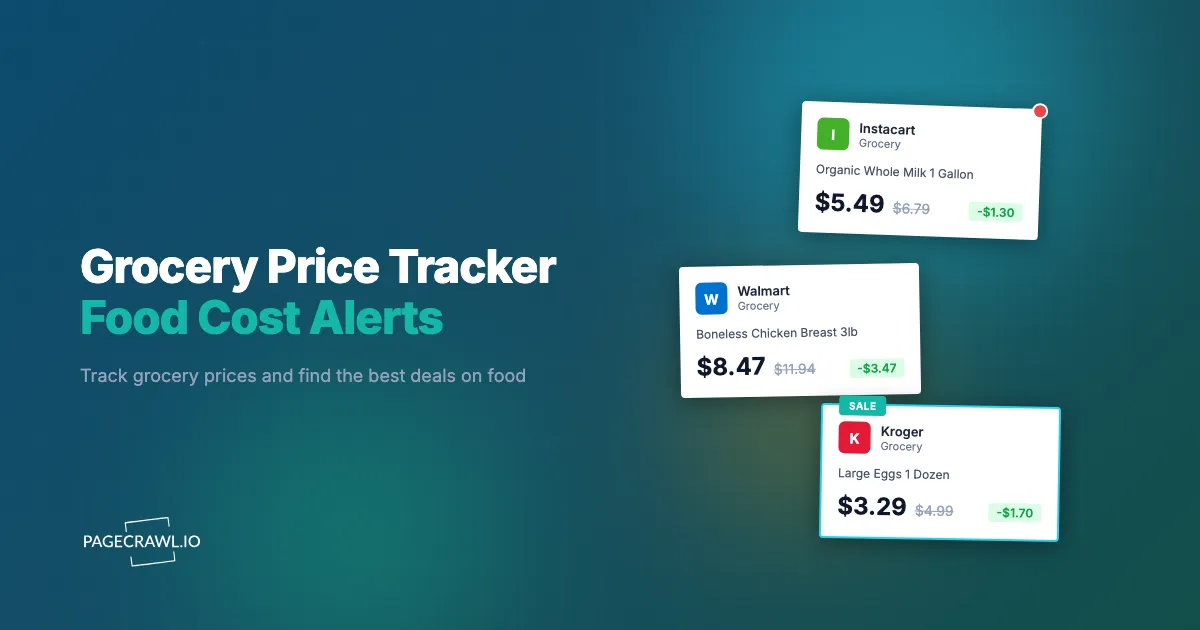
A gallon of milk costs $3.49 at one store and $5.19 at the store two miles down the road. The same box of cereal fluctuates between $3.99 and $6.49 depending on the week. A bag of frozen chicken breast might be $2.99/lb during a promotion and $5.49/lb at regular price. These are not exceptional examples. They represent the normal state of grocery pricing: inconsistent, opaque, and constantly changing.
Food is one of the biggest line items in a household budget: the U.S. Bureau of Labor Statistics Consumer Expenditure Survey consistently ranks it among the largest spending categories, behind housing and transportation. Even modest optimization, catching regular sales, buying staples at the cheapest retailer, and timing purchases around promotions, adds up over a year. But doing this manually is exhausting. Nobody has time to check weekly circulars from five stores, compare unit prices across retailers, and track which items are actually at their lowest point.
Automated grocery price tracking solves this by watching the products you buy regularly across the stores you shop at. You set it up once, and your phone buzzes when prices drop. No more missed sales, no more overpaying because you did not check the right store that week.
This guide covers why grocery prices vary so much, what to track for maximum savings, how to set up automated price monitoring across grocery websites, and strategies for turning price data into real savings on your food budget.
Why do grocery prices vary so much between stores?
Grocery prices vary because every chain prices to a different strategy, runs its own weekly promotional cycle, and sells a handful of items below cost to pull shoppers in. The same milk, cereal, or chicken can differ by several dollars on the same day, and the cheapest store changes week to week. Understanding those mechanics tells you what to track and when to buy.
Store-Level Pricing Strategies
Grocery stores do not all price the same way. Discount chains like Aldi and Lidl maintain consistently low prices on a smaller selection. Traditional supermarkets like Kroger, Safeway, and Publix run higher regular prices but offer frequent sales, loyalty card discounts, and digital coupons. Warehouse clubs like Costco and Sam's Club offer bulk pricing that can be dramatically cheaper per unit but require larger upfront purchases.
These different strategies mean the cheapest place to buy a given item changes depending on whether that item is currently on sale and whether you need it in bulk. Tracking prices across store types reveals when each retailer offers the best deal for specific products.
Weekly Sale Cycles
Most grocery stores operate on a weekly promotional cycle, typically starting on Wednesday or Sunday. During a sale week, a product might be 30 to 50% below its regular price. These sales follow patterns: stores rotate categories through their promotional calendar. Cereal might be featured one week, pasta the next, canned goods the week after.
Over time, tracking reveals these cycles. You might discover that your preferred brand of olive oil goes on sale at a particular store every 6 to 8 weeks. Knowing this lets you stock up during sales and avoid paying full price during the gaps.
Loss Leaders
Stores deliberately sell certain items below cost to attract shoppers. Eggs, milk, bread, and bananas are common loss leaders. The store accepts a loss on these items because shoppers who come in for cheap milk also buy other products at full margin. Identifying loss leaders across multiple stores lets you cherry-pick the best prices without buying the full-margin items.
Dynamic Online Pricing
Online grocery platforms like Instacart, Amazon Fresh, Walmart Grocery, and store-specific delivery services add another layer of pricing complexity. Prices on these platforms do not always match in-store prices. Instacart prices often include a markup over the retailer's shelf price. Amazon Fresh prices fluctuate based on demand and inventory, similar to Amazon's general marketplace.
Monitoring both in-store prices (via the retailer's website) and delivery platform prices shows you where the best deal actually is for each item.
Inflation and Shrinkflation
Food prices have risen significantly in recent years. But not all products increase at the same rate. Some items spike temporarily due to supply chain disruptions and then normalize. Others ratchet up permanently, the same way subscription price increases tend to stick once a service hikes its rate. Tracking prices over weeks and months reveals which increases are temporary (and worth waiting out) versus which represent a new baseline.
Shrinkflation, where the price stays the same but the package size decreases, is harder to catch. But price-per-unit tracking, which some grocery websites display, helps identify when a product's effective price has changed even though the sticker price has not.
What should you track to save the most on groceries?
Track the 10 to 15 staples you buy every week, plus the high-variance items whose prices swing hardest, across the three or four stores you can realistically shop at. That covers most of your spend without drowning you in monitors. You do not need to track everything, and strategic selection is what keeps the setup manageable.
Staple Items You Buy Weekly
Start with the 10 to 15 items you buy most often. Milk, eggs, bread, butter, chicken, ground beef, rice, pasta, canned tomatoes, bananas, and whatever else fills your regular cart. These are the items where consistent savings add up the most because you buy them repeatedly.
Track these across 3 to 4 stores you can realistically shop at. The goal is not to find the absolute cheapest store for every item but to know which store has the best price on your core items any given week.
High-Variance Products
Some grocery items fluctuate more than others. Fresh produce prices are seasonal and volatile. Beef prices move with market conditions, much the way local gas and fuel prices swing with crude oil costs. Coffee and chocolate vary with commodity prices. Tracking high-variance items lets you buy at the bottom of their price cycle rather than whenever you happen to need them.
Pantry-stable items with high variance, like canned goods, cooking oils, and grains, are perfect for stockpile buying. Buy in quantity when prices dip and you avoid paying peak prices entirely.
Organic vs Conventional Price Gaps
If you buy some items organic but are flexible on others, tracking the price gap between organic and conventional versions reveals when the premium is small enough to justify and when it is not. A $0.30 difference on organic bananas might be worth it. A $4.00 premium on organic chicken breast might make you reconsider for that week.
Some stores regularly close the organic-conventional gap through promotions. Tracking these patterns helps you buy organic on sale rather than paying full premium.
Store Brand vs National Brand
Store brands (Kirkland at Costco, Great Value at Walmart, 365 at Whole Foods) are usually meaningfully cheaper than national brands for equivalent products. But some national brands drop below store brand prices during promotions. Price tracking reveals when it makes sense to grab the national brand on sale rather than defaulting to the store brand.
Methods for Tracking Grocery Prices
Several approaches exist, from manual to fully automated.
Store Apps and Loyalty Programs
Most grocery chains have apps with digital coupons and weekly circular access. Kroger, Safeway, Publix, H-E-B, and others publish their weekly deals in-app. The advantage is that clipping digital coupons stacks savings. The disadvantage is that you need to open 3 to 5 different apps each week and compare manually.
Store apps are a good complement to automated monitoring, not a replacement. Use apps for coupon clipping and automated monitoring for price awareness across stores.
Instacart and Delivery Platform Browsing
Instacart shows prices from multiple retailers in a single interface. You can search for a product and see prices at Costco, Safeway, Sprouts, and others side by side. This is useful for one-time comparisons but does not provide historical tracking or alerts when prices change.
The limitation is that Instacart prices include markup and do not always reflect in-store prices. Use Instacart for convenience comparisons, but track actual store website prices for accuracy.
Web Monitoring with PageCrawl
Automated price monitoring provides the most comprehensive approach to grocery price tracking. Instead of checking multiple apps manually each week, you set up monitors on grocery store product pages and receive alerts when prices change.
This approach works because most grocery retailers publish product prices on their websites. Kroger, Walmart, target.com, wholefoodsmarket.com, and regional chains like publix.com and heb.com all display searchable product catalogs with current prices.
Setting Up Grocery Price Monitoring with PageCrawl
Here is how to build a grocery price tracking system.

Step 1: Identify Product Pages
Navigate to each grocery retailer's website and find the product pages for your tracked items. For example:
- Walmart: Search for the product on walmart.com and navigate to the specific item page. The URL will look like walmart.com/ip/product-name/ITEM-NUMBER.
- Kroger: Search on kroger.com and navigate to the product detail page.
- Target: Search on target.com and navigate to the grocery item listing.
- Amazon Fresh: Search within the Fresh section on amazon.com.
Some retailer websites require selecting a store location before showing accurate prices. Set your preferred store in your browser before copying the product URL, as the URL sometimes encodes the store selection.
Step 2: Add Monitors for Each Product
For each product page, add a monitor in PageCrawl using the Price tracking mode. This mode automatically identifies the price element on the page and tracks it for changes, storing every reading so you get price history charts and statistics for numeric values rather than just a change log.
If a product page displays multiple price points (regular price, sale price, unit price), PageCrawl's AI identifies the primary selling price. You can also use a CSS selector to target a specific price element if needed.
If you want to skip the manual setup, PageCrawl offers pre-built monitoring templates for common grocery tracking scenarios. Templates come with recommended check frequencies, tracking modes, and notification settings already configured. Just enter the product URL and the template handles the rest, which is especially helpful when you are setting up dozens of monitors across multiple retailers.
Step 3: Organize by Store
Use PageCrawl folders to group monitors by store. Create folders like "Walmart Groceries," "Kroger Prices," and "Target Staples." This organization helps you quickly see which store has the best current price for a given category of items.
Alternatively, organize by product category across stores: "Dairy Prices," "Meat Prices," "Pantry Staples." Choose the organization that matches how you think about your grocery shopping.
Step 4: Set Check Frequency
Grocery prices typically change weekly, aligned with sale cycles. For most items, checking once or twice daily is sufficient. This captures the start of new weekly promotions without using excessive monitoring quota.
For items you know go on Lightning Deal or flash sale (common on Amazon Fresh), more frequent checks help catch time-limited deals.
Step 5: Configure Notifications
Set up alerts for price changes. Email works well for a daily digest approach, where you review all price changes in the morning before your shopping trip. For time-sensitive deals, Slack notifications or push notifications via web push ensure you see deals quickly.
PageCrawl's AI-powered change summaries describe the change in plain language: "Price dropped from $5.49 to $3.99" rather than showing raw HTML differences. This makes an alert actionable at a glance.
Monitoring Weekly Circulars and Flyer Pages
Individual product page monitoring works well for items you buy regularly. But weekly circulars capture promotional items you might not think to track.
How to Monitor Circular Pages
Most grocery retailers publish their weekly circular online. These pages list all items on promotion for the current week. Monitoring these pages with PageCrawl's content-only mode captures new deals as they are published.
For example, Kroger publishes their weekly ad at kroger.com/savings/weekly-ad. Monitoring this page in content-only or reader mode extracts the text of featured deals while ignoring navigation and layout elements. When the new weekly ad goes live, you receive an alert summarizing the featured promotions.
Filtering for Relevant Deals
Weekly circulars contain dozens of items, most of which may not interest you. PageCrawl's AI summaries help by describing the nature of the changes, but you can also set up keyword-based monitoring if you are looking for specific categories. Monitor the circular page and scan the change summary for your target items.
Tracking Items Across Multiple Stores
The real power of grocery price tracking comes from cross-store comparison.
Building a Comparison View
With monitors set up across 3 to 4 stores for the same product, you build a live comparison view. Check your PageCrawl dashboard before shopping to see current prices at each retailer, or group the monitors so you can compare one product across multiple retailers side by side.
For example, monitor organic whole milk at Walmart, Kroger, Target, and Costco. Each monitor shows the current price and the last time it changed. At a glance, you can see that Kroger has it at $4.99 this week (down from $5.99) while Walmart is at $5.48 and Target is at $5.39. The decision is obvious.
Multi-Store Price Alerts
Set up monitors for the same product across retailers and you will receive individual alerts when any of them changes price. This distributed monitoring means you catch sale prices regardless of which store runs the promotion.
For a deeper look at cross-retailer comparison strategies, see our cross-retailer price monitoring guide.
Using Webhooks for a Grocery Price Dashboard
For serious grocery budget optimization, webhook integration transforms monitoring alerts into structured data you can analyze.
How It Works
PageCrawl sends a JSON payload to your webhook endpoint whenever a price change is detected. This payload includes the page URL, the old content, the new content, and metadata like timestamps. By capturing these payloads, you build a historical price database for all your tracked items.
A simple setup uses a webhook receiver (Zapier, Make, or a custom endpoint) that logs price changes to a Google Sheet. Over time, this sheet becomes your personal grocery price history, showing price trends, sale cycles, and the long-term lowest price for each item.
For a detailed walkthrough of webhook-based automation, see our webhook automation guide.
What You Can Do With the Data
Identify sale cycles. With a few months of data, you can see that chicken breast goes on sale at Kroger every 3 to 4 weeks. Time your purchases accordingly and stock your freezer during sales.
Calculate real savings. Compare what you paid using price-aware shopping versus what you would have paid at regular prices. This quantifies the value of your tracking setup.
Spot shrinkflation. If a product's page changes to show a smaller package size at the same price, the webhook captures the content change. Review these for signs of shrinkflation.
Build shopping lists. A more advanced setup generates weekly shopping lists based on current best prices. Which store has the most items on sale this week? Route your trip accordingly.
Tips for Meal Planning and Budget Optimization
Price tracking works best when combined with flexible meal planning.
Plan Around Sales, Not the Other Way Around
Traditional meal planning picks recipes first and buys ingredients second. Budget-optimized planning inverts this: see what is on sale this week, then plan meals around those ingredients. When chicken breast is $1.99/lb at one store and beef chuck is $3.99/lb at another, lean toward chicken dishes this week.
Your grocery price monitoring alerts effectively become your meal planning input. Price drop on salmon? Plan fish tacos. Avocados on sale? Guacamole night. This flexibility, driven by real-time price data, consistently reduces weekly food costs.
Stockpile Non-Perishables at Sale Prices
When tracking reveals that a pantry staple has hit its lowest price in months, buy enough to last until the next sale cycle. Canned goods, pasta, rice, cooking oils, and frozen items all keep for weeks or months. Buying 4 weeks of pasta at $0.89/box instead of paying $1.49 next week saves money without any change in what you eat.
Price history data from your monitoring setup tells you whether a current sale price is genuinely good or just average. A $0.20 discount off a temporarily inflated price is not worth stockpiling.
Unit Price Awareness
Not all deals are good deals. A "buy 2 for $5" promotion on a product that normally costs $2.39 is barely a discount. Price tracking helps you develop unit price awareness because you see actual prices, not marketing framing.
Some grocery websites display unit prices (price per ounce, price per count). If available, track the unit price rather than the package price for the most accurate comparison, especially when package sizes differ between stores.
Set Price Targets
For each item you track regularly, establish a target price based on historical data. When alerts show a price at or below your target, buy. When prices are above target, use an alternative or wait. This removes emotion and impulse from grocery purchasing decisions.
After a few months of tracking, you will know that $2.99/lb is a good price for chicken breast in your area, that $3.49/gallon is the typical sale price for milk, and that $0.99/can is when to stock up on diced tomatoes. These benchmarks turn price monitoring into a decision system.
What are the common challenges with grocery price tracking?
Four issues account for nearly every broken grocery monitor: store websites that price by selected location, product URLs that change when a retailer reorganises its catalogue, items that go out of stock rather than change price, and simply trying to track more products than your plan allows. Each has a straightforward fix.
Store Websites Require Location Selection
Many grocery retailers show different prices depending on which store location you select. Kroger, Safeway, and regional chains adjust prices by store. When setting up monitoring, make sure the product page URL reflects your preferred store location. Some retailers encode location in cookies rather than URLs, which can complicate monitoring.
If prices seem inaccurate compared to what you see in-store, check whether the monitored page defaults to a different store location.
Product Page URLs Change
Grocery retailers sometimes reorganize their websites, changing product URLs. When a URL changes, the monitor may show the page as not found. PageCrawl detects this and alerts you. When it happens, find the new URL for the product and update your monitor.
Using the retailer's search page to find products (rather than browsing categories) usually produces the most stable URLs.
Availability vs Price
Not all products are available at all stores all the time. Seasonal items, regional products, and items with supply constraints may appear and disappear. Monitor availability alongside price to know not just what something costs but whether it is in stock.
PageCrawl's availability tracking mode detects stock status changes, alerting you when an out-of-stock item returns, the same restock alert setup used for high-demand products. This is particularly useful for specialty or seasonal items. For more on availability tracking, see our out-of-stock monitoring guide.
Too Many Items to Track
With PageCrawl's free tier offering 6 monitors, you need to be selective. Start with your highest-spend staples, the 3 to 4 items where price varies most and you buy most frequently. Track those across 1 to 2 stores initially.
As you prove the value, the Standard plan at $80/year provides 100 monitors, enough to track 20 to 25 products across 4 stores. The Enterprise plan at $300/year with 500 monitors supports comprehensive tracking of an entire grocery budget across multiple retailers.
Choosing your PageCrawl plan
PageCrawl's Free plan lets you monitor 6 pages with 220 checks per month, which is enough to validate the approach on your most critical pages. Most teams graduate to a paid plan once they see the value.
| Plan | Price | Pages | Checks / month | Frequency |
|---|---|---|---|---|
| Free | $0 | 6 | 220 | every 60 min |
| Standard | $8/mo or $80/yr | 100 | 15,000 | every 15 min |
| Enterprise | $30/mo or $300/yr | 500 | 100,000 | every 5 min |
| Ultimate | $99/mo or $999/yr | 1,000 | 100,000 | every 2 min |
Annual billing saves two months across every paid tier. Enterprise and Ultimate scale up to 100x if you need thousands of pages or multi-team access.
Grocery budgets add up quickly, and most households that actively shop sales and promotions save more each month than the annual cost of Standard at $80/year. With 100 monitors you can track every staple and frequently purchased item across two or three stores, catching weekly sales and unit price changes without checking each retailer manually. Daily or hourly frequency is often enough for grocery monitoring since most promotions run for at least a day, though more frequent checks help with flash sales on perishables or limited-quantity deals. Enterprise at $300/year fits teams doing retail pricing research or category management across a broad product range.
Getting Started
Pick the three grocery items where you spend the most and suspect you could save money. Find the product pages on the two stores you shop at most. Set up PageCrawl monitors using Price tracking mode, configure email or Slack notifications, and let them run for a month.
Within a few weeks, you will see the sale cycles for those items and know when to buy. You will catch promotions you would have missed. And you will have concrete data showing whether it is worth driving to the store across town for a better price.
PageCrawl's free tier includes 6 monitors, enough to track 3 products across 2 stores. That is a solid foundation for proving the concept before expanding to a more comprehensive tracking setup.
Create a free PageCrawl account and start tracking grocery prices that matter to your household budget.