
Some websites use CAPTCHA challenges to block automated access. PageCrawl offers an optional integration with 2Captcha, a third-party CAPTCHA-solving service, that you can connect to handle these challenges on your behalf.
If your team respects robots.txt and bot protection, pages are checked without solving CAPTCHAs, so this integration is not used, and a page that shows a challenge is marked Stopped by bot protection. See Respect robots.txt and Bot Protection.
How It Works
- PageCrawl encounters a CAPTCHA when checking a page
- The challenge is forwarded to your connected 2Captcha account
- 2Captcha returns a solution
- PageCrawl submits the solution and accesses the page content
- The page is checked for changes as normal
Setup
- Create an account at 2captcha.com and add funds
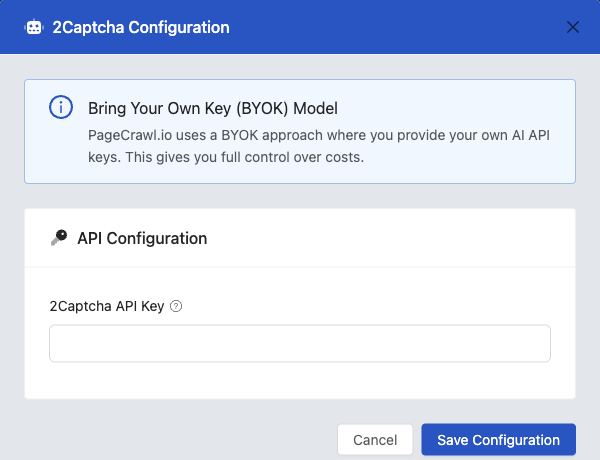
- Copy your 2Captcha API key from the 2Captcha dashboard
- In PageCrawl, go to Settings > Workspace > Integrations
- Enter your 2Captcha API key and save
- Pages that encounter CAPTCHAs will now be solved automatically
Supported CAPTCHA Types
2Captcha handles most common CAPTCHA types including reCAPTCHA v2, reCAPTCHA v3, hCaptcha, and image-based challenges.
Cost
CAPTCHA solving is billed by 2Captcha separately from your PageCrawl subscription. Typical costs are $1-3 per 1,000 CAPTCHAs solved. Check 2captcha.com/pricing for current rates.
Tips
- Not all blocked pages use CAPTCHA. If you see 403 errors or bot protection challenges, try Stealth mode first
- CAPTCHA solving adds a few seconds to each check while waiting for the solution
- If a page always shows CAPTCHA, consider reducing check frequency to minimize costs
Related Articles
- Bot Protection - Handle bot-protected pages
- Page Loading Issues - Common loading problems and solutions
- Custom Proxies - Use proxy servers to avoid blocks